
Einhell TC-SS 2013
Einhell TC-SS 405 E Scroll Saw Instruction Manual
Model: TC-SS 2013
Introduction
Thank you for choosing the Einhell TC-SS 405 E Scroll Saw. This manual provides essential information for the safe and efficient operation, maintenance, and troubleshooting of your new tool. Please read this manual thoroughly before initial use and keep it for future reference.
Safety Instructions
Always observe the following safety precautions to prevent electric shock, injury, and fire:
- Work Area Safety: Keep the work area clean and well-lit. Cluttered or dark areas invite accidents. Do not operate power tools in explosive atmospheres, such as in the presence of flammable liquids, gases, or dust.
- Electrical Safety: Power tool plugs must match the outlet. Never modify the plug in any way. Avoid body contact with earthed or grounded surfaces.
- Personal Safety: Always wear eye protection, hearing protection, and a dust mask when operating the scroll saw. Secure loose clothing, jewelry, and long hair.
- Tool Use and Care: Do not force the power tool. Use the correct power tool for your application. Disconnect the plug from the power source before making any adjustments, changing accessories, or storing power tools.
- Blade Safety: Ensure the blade is correctly installed and tensioned before operation. Keep hands and fingers away from the blade during operation.
Components Overview
Familiarize yourself with the main parts of your Einhell TC-SS 405 E Scroll Saw:
- Work Table: Adjustable metal table for supporting the workpiece.
- Blade Guard: Transparent guard for safety.
- Quick-Release Clamp: For easy blade changes.
- Workpiece Holder: Secures the material for precise cuts.
- Dust Extraction Port: Connects to a dust extractor for a clean workspace.
- On/Off Switch: Power control.
- Speed Control Knob: Adjusts the blade speed.
- Blower Function: Clears sawdust from the cutting line.

Figure 1: Overview of the Einhell TC-SS 405 E Scroll Saw. This image shows the complete scroll saw unit, highlighting its compact design and key components like the work table, blade, and control panel.
Setup
Unpacking and Inspection
- Carefully remove all components from the packaging.
- Inspect for any shipping damage. Do not operate the tool if damaged.
- Ensure all parts listed in the packing list are present.
Mounting the Scroll Saw
The unit can be fixed directly to a workbench for stable operation.
- Position the scroll saw on a stable, level workbench.
- Use appropriate bolts or clamps to secure the base of the saw to the workbench through the designated mounting holes.
Blade Installation
The quick-release clamp facilitates easy changing of the saw blade.
- Ensure the saw is unplugged from the power source.
- Open the quick-release clamp.
- Insert the saw blade, ensuring it is oriented correctly with the teeth pointing downwards.
- Close the quick-release clamp to secure the blade. Ensure the blade is properly tensioned.

Figure 2: Close-up view of the scroll saw blade and quick-release mechanism. This image illustrates how the blade is held in place, emphasizing the quick-release clamp for easy and secure blade changes.
Operating Instructions
Adjusting the Work Table
The metal work table can be adjusted up to 45° for angled cuts.
- Loosen the table locking knob located beneath the table.
- Tilt the table to the desired angle, using the angle scale for precision.
- Tighten the table locking knob to secure the table in position.

Figure 3: The adjustable work table of the scroll saw, showing the angle adjustment mechanism. This image demonstrates the table's ability to tilt, allowing for precise angled cuts.
Powering On and Speed Control
- Plug the scroll saw into a suitable power outlet (230 Volts).
- Press the green 'I' button to turn the saw on.
- Rotate the speed control knob to adjust the blade speed (400-1600 min⁻¹). Slower speeds are suitable for intricate cuts and harder materials, while faster speeds are for general cutting.
- To turn off, press the red 'O' button.

Figure 4: Close-up of the control panel with the green 'On' button, red 'Off' button, and speed control knob. This image highlights the user interface for powering the saw and adjusting its operational speed.
Using the Blower Function
The integrated blower function ensures a perfect view of the workpiece by clearing sawdust from the cutting line.
- The blower tube is positioned to direct air towards the cutting area.
- Ensure the blower tube is clear of obstructions for effective operation.
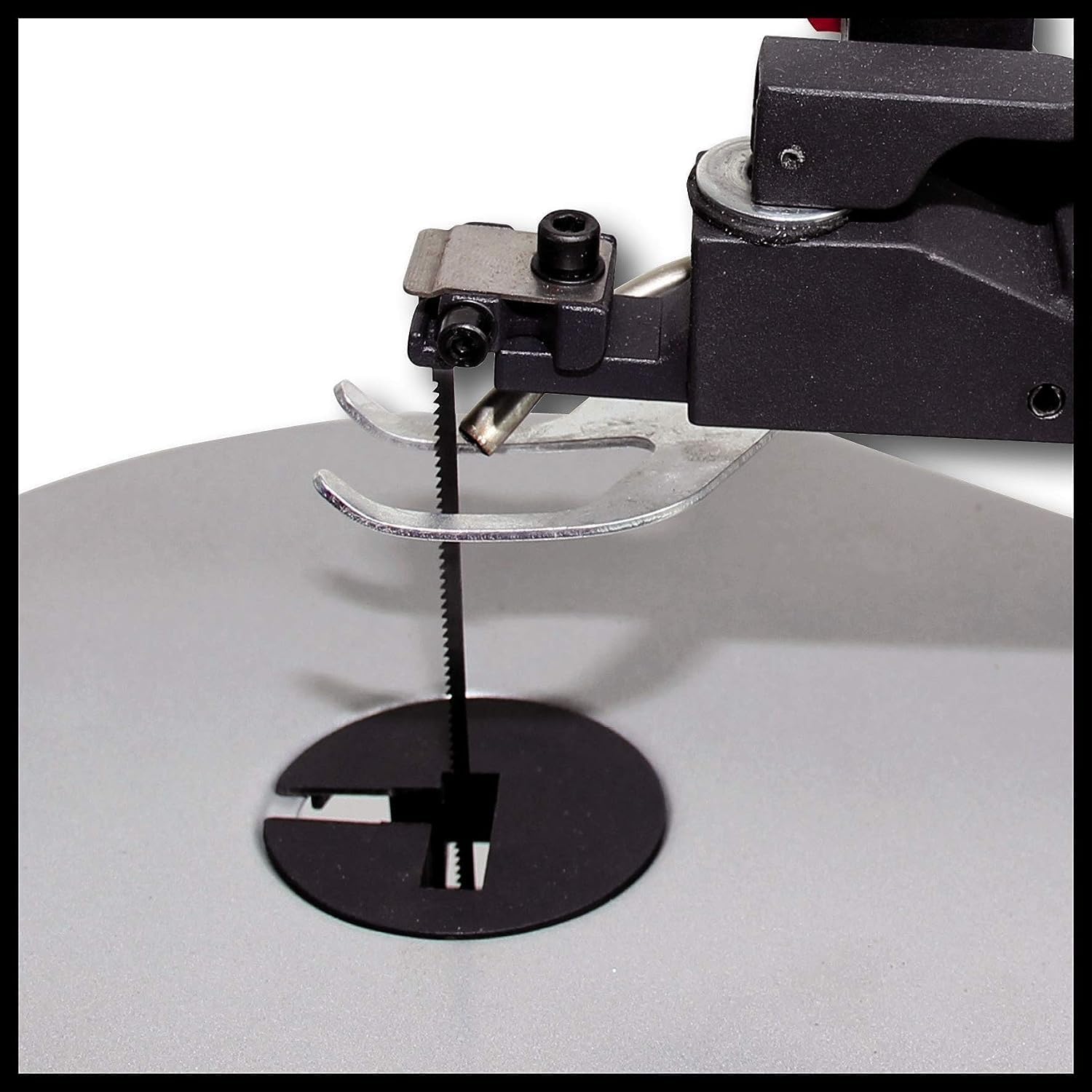
Figure 5: Illustration of the blower function directing air towards the saw blade to clear sawdust. This image visually explains how the blower keeps the cutting line visible for improved accuracy.
Cutting Operation
- Place the workpiece firmly on the work table. The workpiece holder allows for precise cuts and safe working.
- Slowly feed the material into the blade, following your cutting line. Do not force the material.
- Maintain a steady and controlled pace.
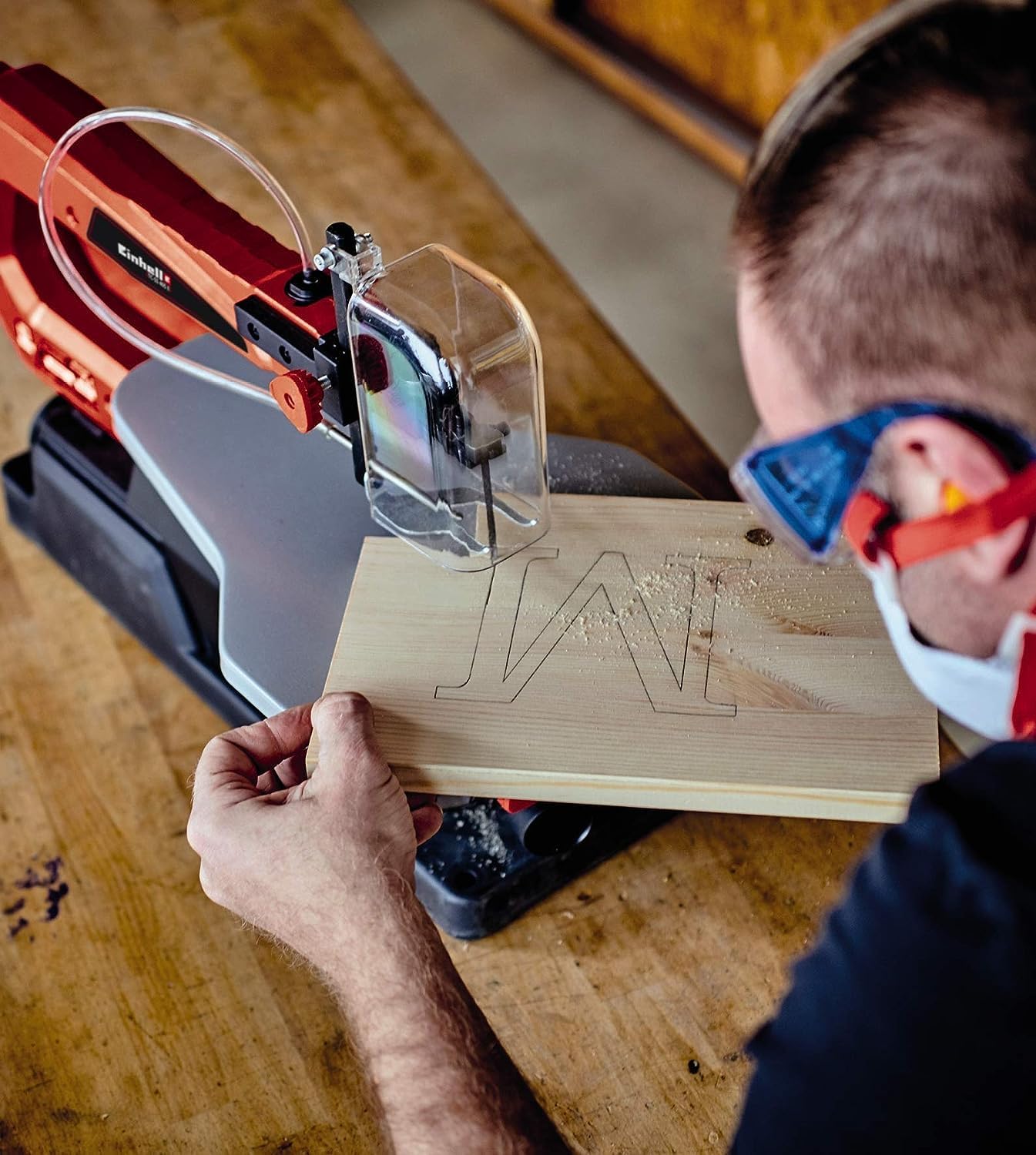
Figure 6: A user operating the scroll saw to cut a piece of wood. This image demonstrates the practical application of the scroll saw for detailed woodworking projects.
Maintenance
General Cleaning
- Always unplug the tool before cleaning.
- Regularly clean the saw dust and debris from the work table and internal mechanisms.
- Use a soft, damp cloth for cleaning the exterior. Do not use harsh chemicals.
Blade Replacement
Replace blades when they become dull or damaged. One additional spare saw blade is included in the package.
- Follow the blade installation steps in the Setup section to remove the old blade and install a new one.
- Ensure the new blade is compatible with the scroll saw (T-shank saw blades and jigsaw blades are compatible).
Dust Extraction
Connect a dust extractor to the dust extraction port for a tidy workshop.
- Regularly empty the dust bag or container of your dust extractor.
- Ensure the dust extraction port on the saw is not clogged.

Figure 7: Close-up view of the dust extraction port on the scroll saw. This image shows the connection point for an external dust extractor, emphasizing the importance of maintaining a clean work environment.
Troubleshooting
| Problem | Possible Cause | Solution |
|---|---|---|
| Saw does not start | No power supply; On/Off switch faulty | Check power cord and outlet; Contact qualified service personnel |
| Blade breaks frequently | Incorrect blade tension; Forcing the workpiece; Wrong blade type for material | Adjust blade tension; Reduce feeding pressure; Use appropriate blade for material |
| Inaccurate cuts | Loose blade; Workpiece not secured; Table angle incorrect | Check blade tension; Use workpiece holder; Verify table angle setting |
| Excessive vibration | Saw not securely mounted; Damaged blade | Securely mount saw to workbench; Replace blade |
Specifications
- Model: TC-SS 2013
- Power Input: 120 W
- Voltage: 230 V
- Stroke Height: 14 mm
- Max. Cutting Height: 52 mm
- Table Size: 408 x 250 mm
- Table Tilt: 0° - 45°
- Blade Length: 127 mm
- Product Dimensions: 6.5 x 31.9 x 32.7 cm
- Product Weight: 12.7 kg
- Material: Metal, Plastic
Warranty and Support
Einhell products come with a limited warranty. Please refer to the warranty card included with your purchase for specific terms and conditions. For technical support, spare parts, or service inquiries, please contact Einhell customer service or visit the official Einhell website.
Einhell Customer Service: Visit Einhell Service Page
Related documentsTC-SS 2013


Ask a question about this manual
Ask about setup, troubleshooting, compatibility, parts, safety, or missing instructions. Manuals+ will review the question and use this page’s manual context to help answer it.