Introduction
Thank you for choosing the Casio TQ-362-4ADF Analog Alarm Clock. This manual provides detailed instructions for the proper setup, operation, and maintenance of your new alarm clock. Please read this manual thoroughly before use to ensure optimal performance and longevity of the product.

Image: Front view of the Casio TQ-362-4ADF Analog Alarm Clock, featuring a red casing, black dial with green luminous numbers, and silver bells and feet.
Setup
1. Battery Installation
- Open the battery compartment cover located on the back of the alarm clock.
- Insert two (2) AA batteries, ensuring the correct polarity (+ and -) as indicated inside the compartment.
- Close the battery compartment cover securely.
2. Setting the Time
- Locate the time setting knob on the back of the clock.
- Rotate the knob in either direction to move the hour and minute hands to the current time.
- For best accuracy, set the time slightly ahead and then rotate backward to the exact time.
Operating Instructions
1. Setting the Alarm Time
- Locate the alarm setting knob on the back of the clock.
- Rotate this knob to move the small alarm hand to your desired alarm time.
- Ensure the alarm ON/OFF switch (usually a small lever or button) is in the 'ON' position.
2. Activating/Deactivating the Alarm
- To activate the alarm, slide the alarm ON/OFF switch to the 'ON' position.
- To deactivate the alarm, slide the alarm ON/OFF switch to the 'OFF' position.
3. Snooze Function
- When the alarm sounds, press the snooze button (typically located on the top of the clock).
- The alarm will temporarily stop and sound again after a few minutes (duration may vary by model).
- To fully stop the alarm, slide the alarm ON/OFF switch to the 'OFF' position.
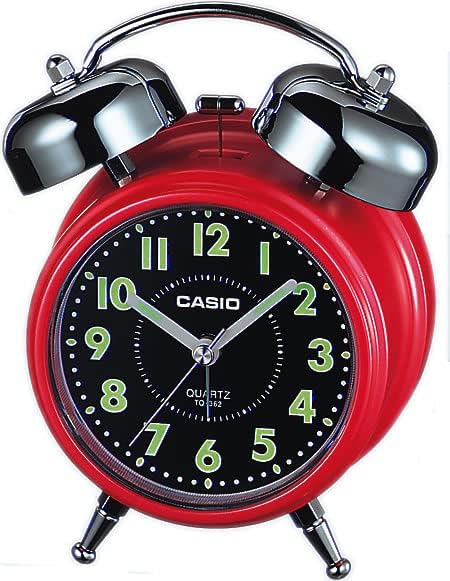
Image: Rear view of the Casio TQ-362-4ADF Analog Alarm Clock, illustrating the time setting knob, alarm setting knob, and alarm ON/OFF switch.
Maintenance
Cleaning
- Wipe the clock with a soft, dry cloth.
- Do not use abrasive cleaners, solvents, or chemical sprays, as these may damage the casing or internal components.
Battery Replacement
- Replace batteries when the clock starts to lose time or the alarm sound weakens.
- Always replace both batteries at the same time with new, identical AA batteries.
- Dispose of used batteries according to local regulations.
Troubleshooting
| Problem | Solution |
|---|---|
| Clock is not running or losing time. | Check battery installation. Replace with fresh AA batteries. |
| Alarm does not sound. | Ensure the alarm ON/OFF switch is in the 'ON' position. Verify alarm time is set correctly. Check battery strength. |
| Alarm is too quiet. | Replace batteries with fresh ones. The alarm volume is fixed and cannot be adjusted. |
Specifications
| Feature | Detail |
|---|---|
| Model Number | TQ-362-4ADF |
| Type | Analog Alarm Clock |
| Material | Resin (Plastic) |
| Color | Red |
| Dimensions (L x W x H) | 6 x 3.81 x 13.6 cm |
| Weight | 147.83 grams |
| Batteries Required | 2 AA batteries |
| Included Components | Battery, strap, operating instructions (Note: 'strap' likely refers to packaging or a small component, not a wearable strap for this type of clock) |
Warranty and Support
Casio products are manufactured to high-quality standards. For information regarding warranty coverage, service, or technical support, please refer to the warranty card included with your product or visit the official Casio website. Keep your purchase receipt as proof of purchase for any warranty claims.
For further assistance, you may contact Casio customer service through their official channels.


