
Product Overview
The TECKNET Wireless Bluetooth Headset Model 71994 is designed for seamless audio communication and entertainment. It features Bluetooth 5.2 technology, allowing connection to two devices simultaneously. The headset incorporates advanced noise suppression for clear calls and offers an ergonomic design for extended comfort.
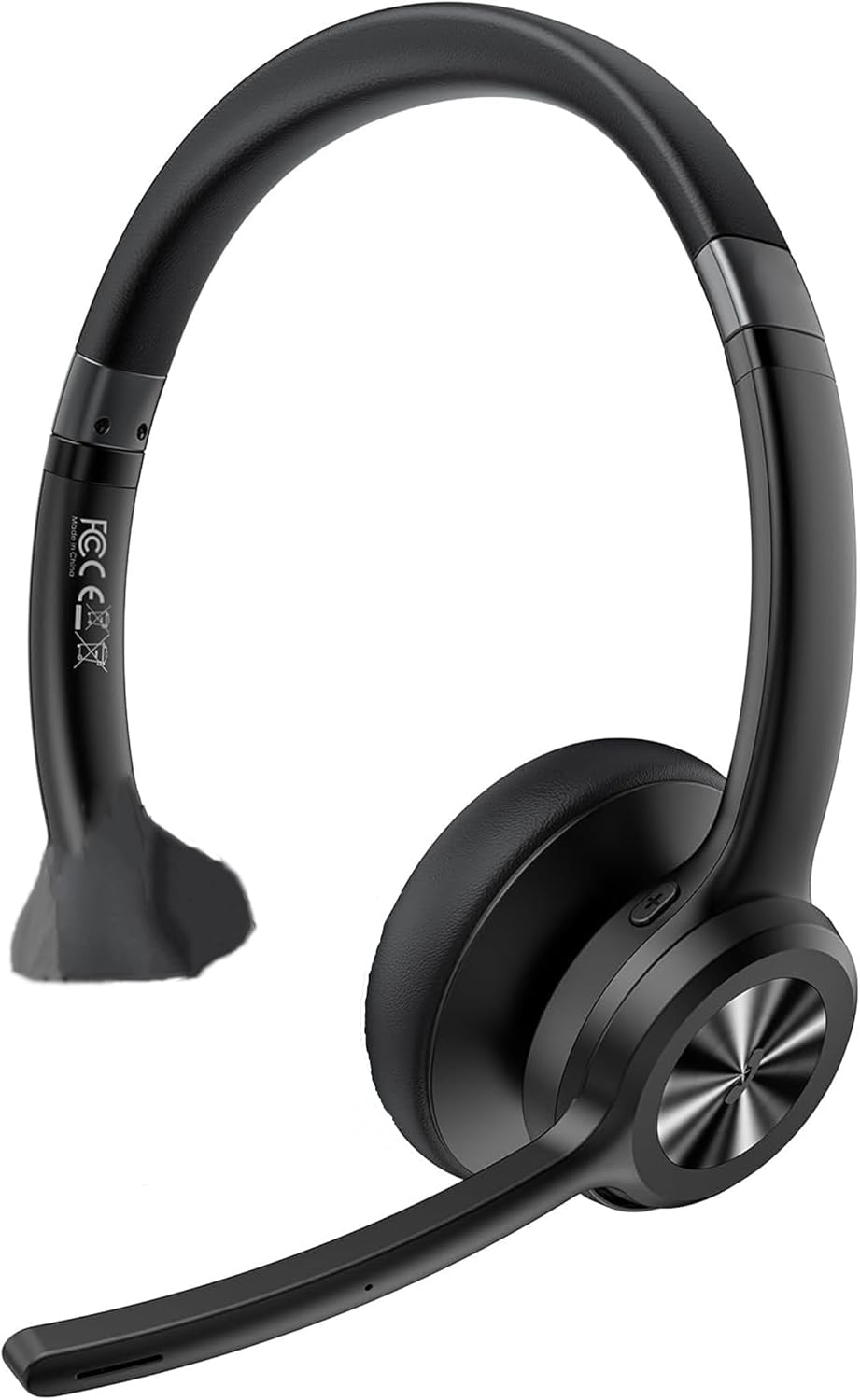
Image: TECKNET Bluetooth Headset Model 71994, showing the over-ear design with an adjustable microphone boom.
Setup
1. Charging the Headset
Before initial use, fully charge the headset. Connect the charging cable to the headset's charging port and a compatible USB power source. A full charge typically takes approximately 1.5 hours.
2. Powering On/Off
- Power On: Press and hold the Power button until the indicator light illuminates.
- Power Off: Press and hold the Power button until the indicator light turns off.
3. Bluetooth Pairing
The headset supports Bluetooth 5.2 for stable connections and dual-device pairing.
- Ensure the headset is powered off.
- Press and hold the Power button for approximately 5-7 seconds until the indicator light flashes blue and red, indicating pairing mode.
- On your device (smartphone, computer, tablet), enable Bluetooth and search for available devices.
- Select "TECKNET Headset 71994" from the list of found devices.
- Once connected, the indicator light will turn solid blue or flash blue slowly.
- To pair a second device, disable Bluetooth on the first device temporarily, put the headset back into pairing mode, and connect the second device. Then, re-enable Bluetooth on the first device; the headset should automatically reconnect to both.
Operating the Headset
Controls Overview
- Volume Adjustment: Use the dedicated volume buttons (+) and (-) on the headset.
- Track Control: Use the next/previous track buttons to skip songs during music playback.
- Call Management: Press the Multifunction button to answer/end calls. Press and hold to reject a call.
- Microphone Mute: Press the Mute button on the microphone boom to mute or unmute your microphone during a call. The microphone can be rotated 270 degrees for optimal positioning.
- Sound Modes: The headset features three specialized sound modes (Pop, Bass, Vocal). Use the Multifunction button (or a dedicated sound mode button if present) to cycle through these modes to optimize audio for music, movies, or calls.
Dual-Device Functionality
The headset can maintain connections with two Bluetooth devices simultaneously. This allows for seamless switching between audio sources, such as listening to music on a smartphone and taking a call on a computer without re-pairing.
Maintenance
Cleaning
- Wipe the headset with a soft, dry cloth.
- Do not use abrasive cleaners or solvents.
- Keep the charging port free of dust and debris.
Storage
Store the headset in a cool, dry place away from direct sunlight and extreme temperatures. Avoid placing heavy objects on the headset.
Battery Care
To prolong battery life, avoid fully discharging the headset frequently. Charge the headset regularly, even if not in use for extended periods.
Troubleshooting
- Headset not powering on: Ensure the headset is charged. Connect it to a power source and try again.
- Cannot pair with device: Make sure the headset is in pairing mode (flashing blue and red). Ensure Bluetooth is enabled on your device and it is within the 15m (49ft) range. Try restarting both the headset and your device.
- No sound or poor audio quality: Check the volume levels on both the headset and your connected device. Ensure the headset is selected as the audio output device. Move closer to your device to avoid interference.
- Microphone not working: Ensure the microphone is not muted. Check microphone settings on your connected device to ensure the headset is selected as the input device.
- Intermittent connection: Reduce the distance between the headset and your device. Avoid obstacles that may block the Bluetooth signal.
Specifications
| Model Number | 71994 |
| Bluetooth Version | 5.2 |
| Wireless Range | Up to 15m (49ft) indoors |
| Talk Time | Up to 40 hours |
| Music Playback Time | Up to 50 hours |
| Standby Time | Up to 720 hours |
| Charging Time | Approximately 1.5 hours |
| Microphone | 270° rotating, noise-suppression chip |
| Compatibility | Computers, MacBooks, smartphones, tablets, iPhones (Windows, Mac, Linux, Android, iOS) |
| Product Dimensions | 4.72 x 0.77 x 7.28 inches |
| Item Weight | 7 ounces (0.2 Kilograms) |
| Color | Black |
Warranty and Support
Warranty Information
This TECKNET Bluetooth Headset Model 71994 is covered by a 36-month warranty from the date of purchase. This warranty covers manufacturing defects and workmanship under normal use.
Customer Support
For technical assistance, warranty claims, or further inquiries, please contact TECKNET customer support. Refer to the product packaging or the official TECKNET website for the most current contact information.


