
Introduction
This manual provides essential information for the setup, operation, and maintenance of your VIZIO S3821w-C0 38-Inch Sound Bar with Bluetooth Wireless Subwoofer. Please read these instructions thoroughly before use to ensure proper functionality and to maximize your audio experience.
Package Contents
Verify that all items listed below are included in your package:
- VIZIO 38-Inch Sound Bar
- Wireless Subwoofer
- Remote Control (requires 2 AAA batteries, included)
- RCA to 3.5mm Audio Cable
- Digital Coaxial Cable
- Optical Digital Cable
- Wall Mounts
- Quick Start Guide
- Sound Bar Power Cable
- Wireless Subwoofer Power Cable
Setup
1. Sound Bar Placement
Position the sound bar centrally below your television. Ensure there are no obstructions in front of the sound bar for optimal sound dispersion. The sound bar can be placed on a flat surface or wall-mounted using the included wall mounts.
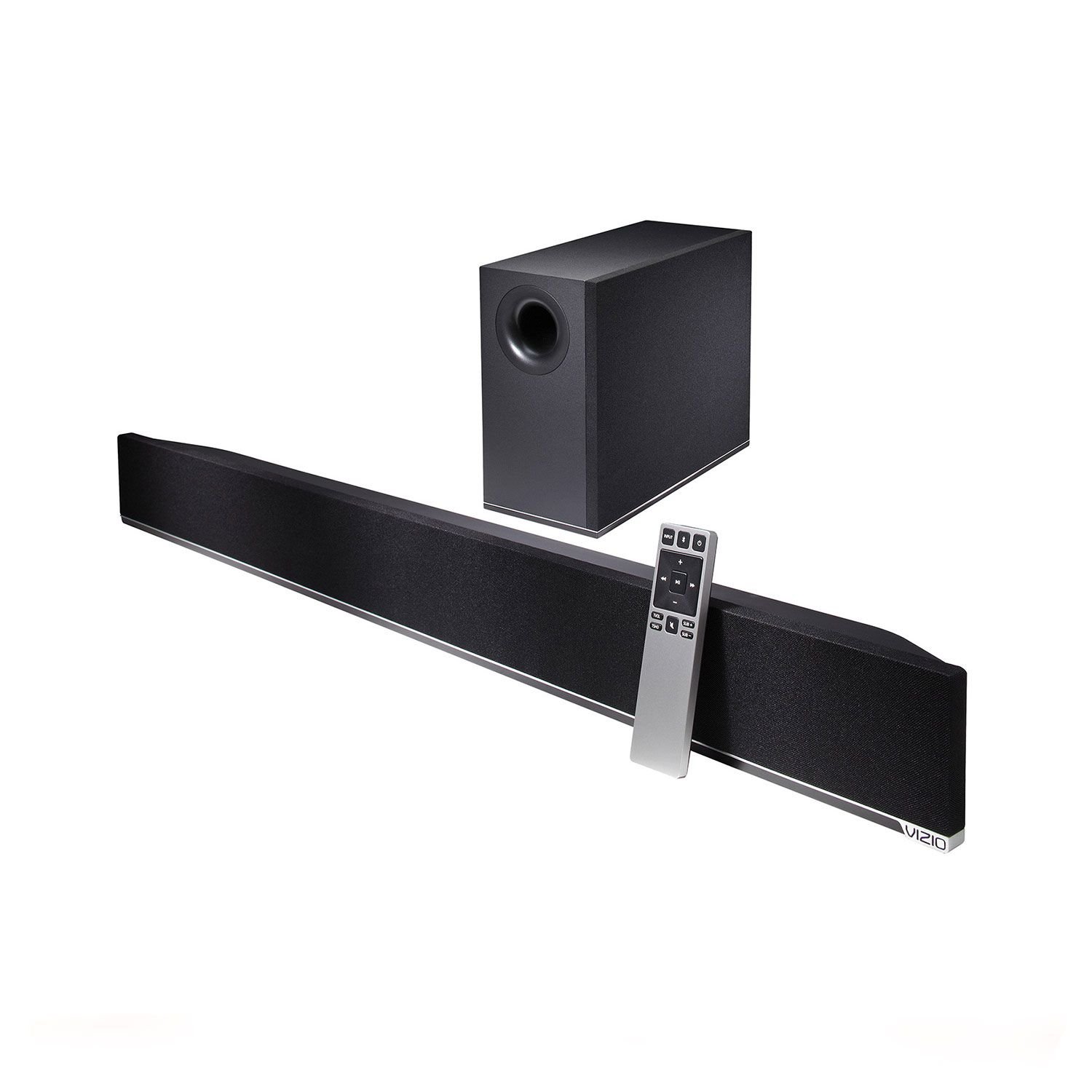
Image: VIZIO S3821w-C0 Sound Bar showing its dimensions: 38 inches in length, 3.7 inches in height, and 2.9 inches in depth. This illustrates the compact design suitable for various setups.
2. Subwoofer Placement
The wireless subwoofer can be placed anywhere in the room, ideally within 60 feet (line of sight) of the sound bar. Ensure it is near a power outlet. The subwoofer automatically pairs with the sound bar upon power-up.
3. Connecting to Your TV
Connect the sound bar to your TV using one of the following audio cables:
- Optical Digital Cable (Recommended): For best audio quality, connect the Optical Digital Cable from the TV's Optical Out port to the sound bar's Optical In port.
- Digital Coaxial Cable: Connect the Digital Coaxial Cable from the TV's Coaxial Out port to the sound bar's Coaxial In port.
- RCA to 3.5mm Audio Cable: Connect the RCA ends to your TV's Audio Out (L/R) ports and the 3.5mm end to the sound bar's AUX In port.
Ensure your TV's audio output settings are configured to send audio through the selected output port.
Operating Instructions
1. Power On/Off
Press the Power button on the sound bar or remote control to turn the unit on or off.
2. Volume Control
Use the Volume Up/Down buttons on the sound bar or remote control to adjust the master volume. The subwoofer level can be adjusted separately using the remote.
3. Input Selection
Press the Input button on the sound bar or remote control to cycle through available audio inputs (Optical, Coaxial, AUX, Bluetooth).
4. Bluetooth Streaming
- Press the Bluetooth button on the sound bar or remote control to enter Bluetooth pairing mode. The Bluetooth indicator light will flash.
- On your Bluetooth-enabled device (smartphone, tablet, etc.), search for available devices and select "VIZIO S3821w-C0".
- Once paired, the Bluetooth indicator light will glow solid. You can now stream audio wirelessly.
You can stream music even when the TV is off, providing flexible audio playback options.
Video: An official VIZIO video demonstrating the features and setup of the VIZIO Home Theater Sound Bar, including its easy connectivity, immersive sound, wireless subwoofer, and Bluetooth streaming capabilities.
5. Audio Technologies
The sound bar supports Dolby Digital and DTS Digital Surround for an enhanced audio experience. These technologies automatically optimize sound for movies, music, and games, delivering crisp and clear audio.
Maintenance
To maintain the performance and appearance of your sound bar and subwoofer:
- Clean surfaces with a soft, dry cloth. Avoid abrasive cleaners or solvents.
- Do not block ventilation openings on the sound bar or subwoofer.
- Keep the unit away from direct sunlight, heat sources, and moisture.
Troubleshooting
No Power
- Ensure both the sound bar and subwoofer power cables are securely connected to a working electrical outlet.
- Check if the power outlet is functional by plugging in another device.
No Sound
- Verify the sound bar is powered on and the volume is not muted or set too low.
- Confirm the correct input source is selected on the sound bar (e.g., Optical, AUX, Bluetooth).
- Check cable connections between the TV and sound bar. Ensure they are secure.
- Adjust your TV's audio output settings to the correct external audio output.
Subwoofer Not Pairing
- Ensure the subwoofer is powered on and within 60 feet (line of sight) of the sound bar.
- If pairing issues persist, refer to the Quick Start Guide for specific re-pairing instructions.
Bluetooth Connection Issues
- Ensure your device's Bluetooth is enabled and the sound bar is in pairing mode.
- Move your device closer to the sound bar (within 33 feet).
- Try unpairing and re-pairing the device.
Specifications
| Feature | Detail |
|---|---|
| Model Number | S3821w-C0 |
| Speaker Type | Sound Bar with Wireless Subwoofer |
| Speaker Size | 38 Inches (Sound Bar) |
| Subwoofer Diameter | 6 Inches |
| Maximum Output Power | 400 Watts |
| Signal-to-Noise Ratio | 100 dB |
| Connectivity Technology | Bluetooth, Optical, Coaxial, RCA (3.5mm AUX) |
| Bluetooth Range | 33 Feet |
| Wireless Subwoofer Range | 60 Feet (line of sight) |
| Audio Output Mode | Surround |
| Supported Audio Formats | Dolby Digital, DTS Digital Surround |
| Item Dimensions (D x W x H) | 2.9" x 38" x 3.7" |
| Item Weight | 20 Pounds |
| Power Source | Corded Electric |
| Compatible Devices | PC, Smartphone, Tablet, Television |
Warranty
This VIZIO product is covered by a Standard Warranty. For detailed information regarding warranty coverage, terms, and conditions, please refer to the warranty card included in your package or visit the official VIZIO support website.
Support
For further assistance, technical support, or to register your product, please visit the official VIZIO support website or contact VIZIO customer service. Contact information can typically be found in the Quick Start Guide or on the VIZIO website.


