
Introduction
Welcome to your new Seiko Wall Clock. This manual provides essential instructions for the proper setup, operation, and maintenance of your QXM283BN model, ensuring long-lasting performance and enjoyment.
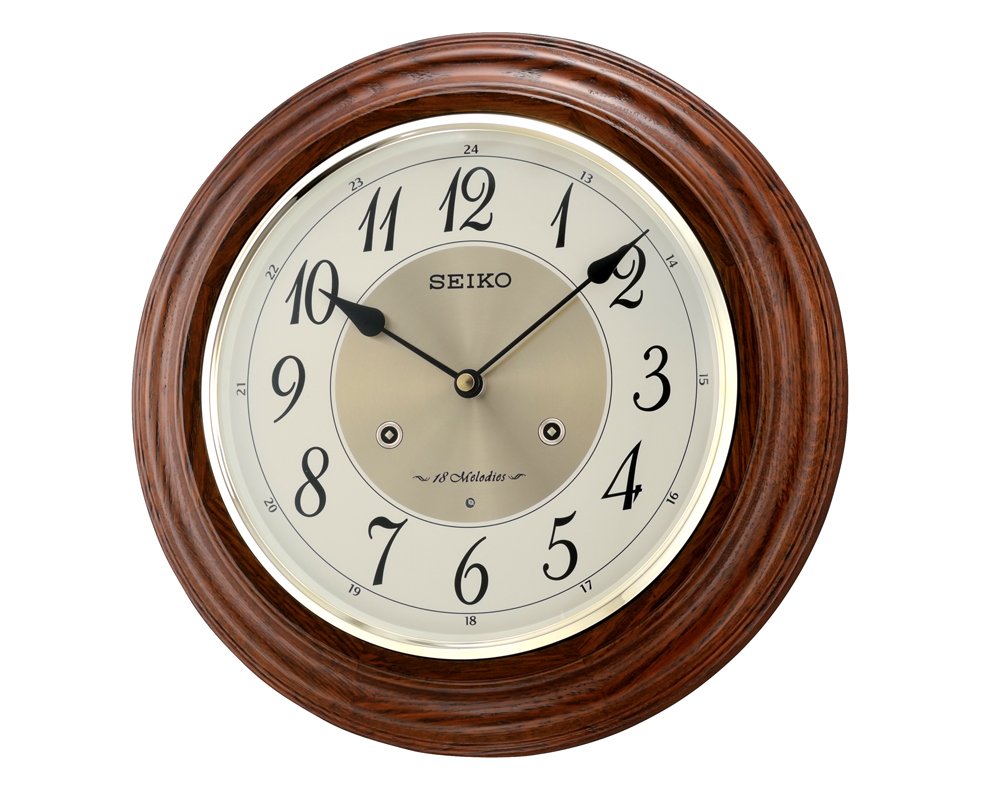
Image: Front view of the Seiko Wall Clock QXM283BN, featuring a brown wooden case and a multicolor dial.
Safety Information
Please read and adhere to the following safety guidelines:
- Keep batteries out of reach of children.
- Do not mix old and new batteries, or different types of batteries.
- Do not expose the clock to extreme temperatures, high humidity, or direct sunlight.
- Avoid dropping the clock or subjecting it to strong impacts.
- Dispose of used batteries responsibly according to local regulations.
Package Contents
Please verify that all items are present in your package:
- 1 x Seiko Wall Clock (Model QXM283BN)
- Battery pack (if included as per product packaging)
Setup
1. Battery Installation
Locate the battery compartment cover on the back of the clock. Remove the cover and insert the required batteries (typically AA or C, refer to the compartment markings) according to the polarity indicators (+ and -). Replace the cover securely.

Image: Diagram showing the battery compartment on the rear of a wall clock, with indicators for correct battery insertion.
2. Setting the Time
After installing the batteries, locate the time setting knob or wheel on the back of the clock. Rotate this knob to move the clock hands clockwise until the correct time is displayed. Avoid turning the hands counter-clockwise, as this may damage the mechanism.
3. Mounting the Clock
Choose a stable wall location away from direct heat sources, strong vibrations, or excessive humidity. Use a sturdy screw or hook (not included) appropriate for your wall type. Hang the clock securely using the hanging slot on the back. Ensure the clock is level for accurate timekeeping and aesthetic appeal.
Operating Instructions
Melody Playback
Your Seiko QXM283BN Wall Clock features 18 Hi-Fi melodies that play on the hour. These melodies are typically grouped (e.g., A, B, X). Locate the melody selection switch on the back or side of the clock to choose your preferred melody group.
Light Sensor Function
The clock is equipped with a light sensor that automatically detects ambient light levels. When the room becomes dark, the light sensor will disengage all melodies to ensure quiet operation during nighttime hours. Melodies will automatically resume when sufficient light is detected again.
Demonstration Button
To hear a sample of the currently selected melody, press the "DEMO" button. This button is usually located on the back or side of the clock.
Volume Control
Adjust the melody volume to your preference using the volume control dial or switch. This control is typically located on the back of the clock, allowing you to set the sound level from silent to maximum.
Maintenance
Cleaning
To clean the clock, gently wipe the case and dial with a soft, dry, lint-free cloth. Do not use liquid cleaners, abrasive materials, or chemical solvents, as these can damage the clock's finish and internal components.
Battery Replacement
When the clock begins to lose time, the melodies become faint, or the clock stops operating, it is time to replace the batteries. Always replace all batteries at the same time with new ones of the recommended type. Ensure correct polarity during installation.
Troubleshooting
Clock Not Working
- Check if batteries are inserted correctly with the proper polarity (+ and -).
- Ensure batteries are fresh and not depleted. Replace if necessary.
Melodies Not Playing
- Verify the volume control is not set to minimum or off.
- Check if the light sensor has disengaged melodies due to darkness. Ensure the room has sufficient light.
- Confirm batteries are not depleted.
Incorrect Time Keeping
- Replace batteries with new ones.
- Reset the time accurately using the time setting knob.
Specifications
| Property | Value |
|---|---|
| Model Number | QXM283BN |
| Material | Wooden case (Oak) |
| Case Color | Brown |
| Dial Color | Multicolor |
| Item Size (LxWxH) | 31.4 cm x 31.4 cm x 7.2 cm |
| Item Weight | 1 kg 920 g |
| Melodies | 18 Hi-Fi melodies (A & B & X) |
| Special Features | Light sensor, Demonstration button, Volume control |
| Manufacturer | SEIKO CLOCK (HK) LTD. |
Warranty and Support
For detailed information regarding your product's warranty, service, and customer support, please refer to the official documentation included with your purchase or visit the authorized Seiko website. Keep your purchase receipt as proof of purchase for warranty claims.


