
1. Introduction
This manual provides comprehensive instructions for the Plantronics BT300 Bluetooth 2.0 USB Adapter. The BT300 is designed to add PC connectivity to your existing Plantronics Bluetooth headset, enabling seamless wireless communication for various applications. Its compact design allows it to remain connected to your PC for always-ready functionality.
2. Product Overview
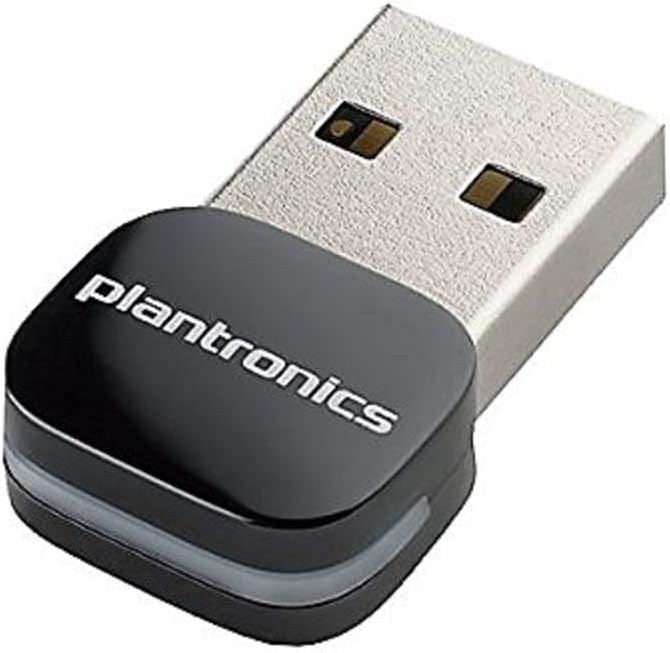
Figure 1: The Plantronics BT300 Bluetooth USB Adapter. This image shows the compact black USB adapter with the "plantronics" logo on its top surface, designed to plug into a standard USB port.
The Plantronics BT300 is a small, plug-and-play USB adapter that provides Bluetooth 2.0 connectivity.
Key Features:
- Bluetooth Standard: Bluetooth 2.0
- ISM Maximum Frequency: 2.40 GHz
- Connectivity: USB
- Compatibility: Designed for Plantronics Bluetooth headsets
- Compact Design: Small form factor for discreet use.
3. Setup Instructions
Follow these steps to set up your Plantronics BT300 Bluetooth USB Adapter and connect it to your headset.
- Insert the Adapter: Plug the Plantronics BT300 USB adapter into an available USB port on your computer. The computer should automatically detect and install the necessary drivers.
- Power On Headset: Ensure your Plantronics Bluetooth headset is powered on and in pairing mode. Refer to your headset's user manual for specific instructions on how to enter pairing mode.
- Pairing: The BT300 adapter is typically pre-paired with compatible Plantronics headsets. If pairing does not occur automatically, or if you are pairing a new headset, you may need to initiate pairing through your computer's Bluetooth settings or by following specific instructions provided with your headset. Some Plantronics headsets may require pressing a button on the headset to connect to the adapter.
- Verify Connection: Once paired, the indicator light on the BT300 adapter (if present) and/or your headset will typically show a solid blue light, indicating a successful connection. Your computer's sound settings should also recognize the headset as an audio device.
Note: If you experience issues with automatic pairing, try removing and re-inserting the dongle after your headset is powered on and in pairing mode.
4. Operating Instructions
Once the BT300 adapter is successfully paired with your Plantronics Bluetooth headset, you can begin using it for audio communication.
- Audio Output/Input: Ensure your computer's audio settings are configured to use your Plantronics headset as the default playback and recording device. This is usually found in the Sound settings of your operating system (e.g., Windows Sound Control Panel, macOS Sound Preferences).
- Making Calls: For VoIP applications (e.g., Skype, Microsoft Teams, Zoom), select your Plantronics headset as the audio device within the application's settings.
- Range: The BT300 operates within standard Bluetooth ranges, typically up to 33 feet (10 meters). Performance may vary based on environmental factors and obstacles.
- Reconnection: If you move out of range or turn off your headset, the adapter and headset should automatically reconnect when they are back in range and powered on.
5. Maintenance
The Plantronics BT300 Bluetooth USB Adapter requires minimal maintenance.
- Cleaning: Use a soft, dry cloth to clean the adapter if necessary. Avoid using liquid cleaners or solvents.
- Storage: When not in use, store the adapter in a cool, dry place.
- Handling: Avoid dropping the adapter or exposing it to extreme temperatures or moisture.
6. Troubleshooting
If you encounter issues with your Plantronics BT300 adapter, refer to the following common solutions:
- Adapter Not Recognized:
- Try plugging the adapter into a different USB port on your computer.
- Restart your computer.
- Ensure your operating system is up to date.
- Headset Not Pairing/Connecting:
- Ensure your headset is fully charged and in pairing mode.
- Remove and re-insert the BT300 adapter.
- If previously paired, try "forgetting" the device in your computer's Bluetooth settings and re-pairing.
- Ensure no other Bluetooth devices are interfering with the connection.
- Verify that the BT300 is compatible with your specific Plantronics headset model.
- No Audio or Poor Audio Quality:
- Check your computer's sound settings to ensure the Plantronics headset is selected as the default playback and recording device.
- Adjust volume levels on both your computer and headset.
- Move closer to the computer to reduce potential interference or range issues.
- Close other applications that might be using audio resources.
- Update your computer's audio drivers.
- Intermittent Connection:
- Ensure the adapter is not obstructed by other objects or devices.
- Avoid placing the computer or adapter near sources of electromagnetic interference (e.g., Wi-Fi routers, microwaves).
- Check for firmware updates for your Plantronics headset, if available.
7. Specifications
| Brand | Plantronics |
| Model Number | 89259-01 |
| Series | BT300 Bluetooth 2.0 - Bluetooth Adapter for Headset |
| Bluetooth Standard | Bluetooth 2.0 |
| ISM Maximum Frequency | 2.40 GHz |
| Hardware Interface | Bluetooth, USB |
| Compatible Devices | Desktop (with compatible Plantronics headsets) |
| Data Link Protocol | Bluetooth |
| Data Transfer Rate | 33 Megabits Per Second |
| Item Weight | 0.352 ounces (0.01 Kilograms) |
| Product Dimensions (LxWxH) | 2.36 x 2.76 x 1.18 inches |
| Color | Black, Silver |
| UPC | 017229139480 |
8. Warranty and Support
For warranty information and technical support, please refer to the official Plantronics (now Poly) website or contact their customer service directly. Keep your proof of purchase for warranty claims.


