
Introduction
The Winegard FL5500A FlatWave Amped Digital HD Indoor TV Antenna is designed to receive over-the-air digital television broadcasts. This amplified antenna supports 4K and ATSC 3.0 readiness, covering High-VHF and UHF frequencies with a range of up to 60 miles. It features an embedded ultra-low noise amplifier for enhanced signal reception and comes with a 6 ft coaxial cable. This manual provides instructions for proper setup, operation, maintenance, and troubleshooting to ensure optimal performance.
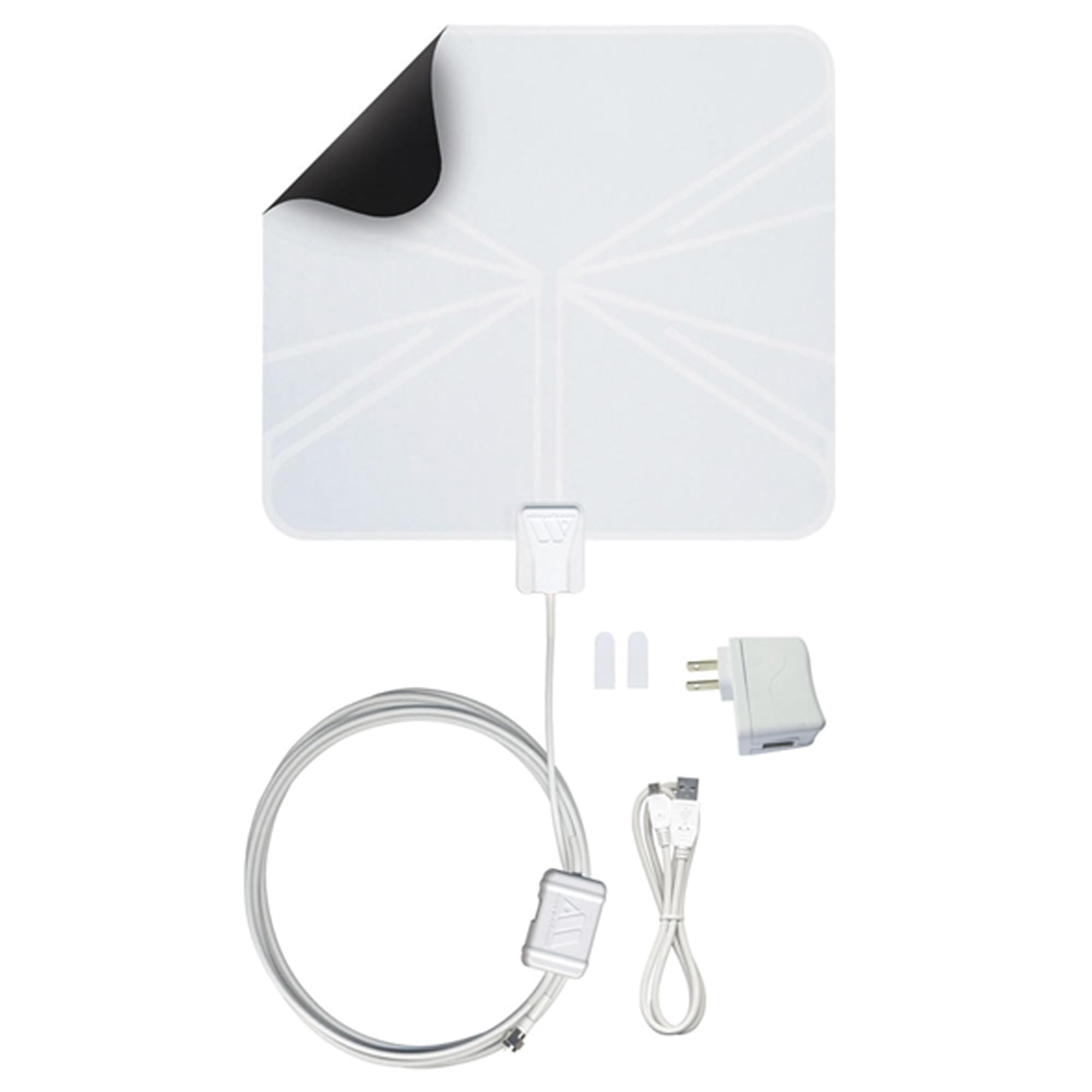
Image: The Winegard FL5500A FlatWave Amped Digital HD Indoor TV Antenna, a thin, rectangular white antenna with an attached coaxial cable and amplifier.
What's in the Box
Verify that all components are present in the packaging:
- FlatWave Amped Digital Indoor Amplified TV Antenna
- Embedded Low Noise Digital TV Antenna Amplifier
- 18.5' Mini Coaxial Cable (attached to the TV antenna)
- 3' USB Power Cable with 110V Adapter
- Two 3M Command Brand Strips

Image: The Winegard FlatWave Amped antenna with its attached coaxial cable and amplifier.
Setup Instructions
- Connect the Antenna: Connect the coaxial cable from the antenna to the 'Antenna In' or 'RF In' port on your television.
- Power the Amplifier: Connect the 3' USB power cable to the amplifier. Plug the USB end into an available USB port on your TV or use the provided 110V adapter to plug it into a wall outlet. The LED indicator on the amplifier will illuminate when powered.
- Position the Antenna: For optimal reception, position the antenna in a location with a clear line of sight towards broadcast towers. Windows are often ideal. The antenna is multi-directional, but slight adjustments may improve signal strength. Use the included 3M Command Strips to secure the antenna.
- Scan for Channels: Access your TV's menu and navigate to the 'Channel Scan' or 'Auto Program' function. Initiate a full channel scan. This process may take several minutes. Refer to your TV's instruction manual for specific steps.
- Optimize Reception: After the initial scan, if you are not receiving all desired channels or experience poor signal quality, try repositioning the antenna slightly and running another channel scan. Digital signals can be affected by obstructions, so minor adjustments can make a difference.

Image: Close-up view of the antenna's coaxial cable and amplifier connected to the back of a television via the 'Antenna In' port and a USB port for power.

Image: A white FlatWave antenna discreetly placed on a wall behind a television in a living room setting.
Helpful Tip: Winegard App
Consider using the Winegard HDTV Tower Finder app (available on iOS and Android) to locate nearby broadcast towers. This app uses augmented reality to help you point your antenna in the optimal direction for improved reception.

Image: Screenshot of the Winegard HDTV Tower Finder app interface, showing an antenna pointer and map view.
Setup Video Guide
Video: A product overview video demonstrating the setup and features of the Winegard FlatWave Amped antenna.
Operating Instructions
Once the antenna is set up and channels are scanned, you can begin watching free over-the-air broadcasts. Use your TV's remote control to change channels as you normally would.
- Channel Availability: The number and quality of channels received depend on your location, distance from broadcast towers, terrain, and building materials.
- Regular Channel Scans: To ensure your channel lineup is up-to-date and to re-acquire any lost channels, it is recommended to perform a channel scan monthly or whenever you notice a change in available channels.

Image: A couple watching television, with an indoor antenna visible behind the TV, illustrating typical product use.
Maintenance
The Winegard FlatWave Amped antenna requires minimal maintenance.
- Cleaning: Gently wipe the antenna surface with a soft, dry cloth to remove dust. Do not use harsh chemicals or abrasive cleaners.
- Connection Check: Periodically ensure that all cable connections (antenna to TV, amplifier to USB/power adapter) are secure.
- Repositioning: If signal quality degrades over time, consider slightly adjusting the antenna's position and performing a channel scan.
Troubleshooting
If you encounter issues with your Winegard FlatWave Amped antenna, consider the following:
- No Signal or Poor Picture Quality:
- Ensure all cables are securely connected.
- Verify the amplifier is powered (LED indicator on).
- Reposition the antenna. Even small movements can affect reception. Try different orientations (e.g., rotating, moving higher or lower).
- Perform a new channel scan after repositioning.
- Check for potential obstructions between your antenna and broadcast towers (e.g., large buildings, hills).
- Missing Channels:
- Run a fresh channel scan. Broadcast frequencies can change, or new channels may become available.
- Consult the Winegard HDTV Tower Finder app or online resources (e.g., FCC DTV Reception Maps) to identify available channels in your area and their optimal direction.
- Intermittent Signal/Pixelation:
- This can be caused by environmental factors like weather or temporary obstructions.
- Ensure the antenna is not placed near large metal objects or other electronic devices that could cause interference.
Troubleshooting Video Example
Video: A demonstration of channel reception and potential issues with the Winegard FL5500A antenna.
Specifications
| Feature | Detail |
|---|---|
| Model Number | FL5500A |
| Antenna Type | Indoor HDTV Antenna |
| Amplification | Amplified (Ultra-Low Noise Amplifier, 1.0 dB noise figure) |
| Frequency Bands | High-VHF/UHF (Dual-Band) |
| Range | Up to 60 Miles |
| 4K & ATSC 3.0 Ready | Yes |
| Coaxial Cable Length | 18.5 feet (attached) |
| USB Power Cable Length | 3 feet |
| Dimensions (L x W x H) | 12" x 0.6" x 13" |
| Weight | 0.34 lbs |
| Impedance | 74.99 Ohms |
Warranty Information
The Winegard FL5500A FlatWave Amped Digital HD Indoor TV Antenna comes with a 1-year limited warranty. For specific terms and conditions, please refer to the official warranty documentation included with your product or contact Winegard customer support.
Support
For additional assistance, detailed guides, or technical support, please utilize the following resources:
- User Guide (PDF): Download User Guide
- Installation Manual (PDF): Download Installation Manual
- Troubleshooting Guide (PDF): Download Troubleshooting Guide
- Winegard Website: Visit the official Winegard website for product information and support.
- Customer Service: Contact Winegard customer service for personalized assistance.