
1. Introduction and Overview
This manual provides instructions for the Westclox 47312A Bedside Analog Alarm Clock. This clock is designed for reliable timekeeping and alarm functions, featuring an analog display with luminous hands for visibility in low light, an alarm with a snooze function, and a light-on-demand button. It operates on a single AA battery.
2. Safety Information
Please read and understand all safety instructions before using this product.
- Keep batteries out of reach of children.
- Do not mix old and new batteries, or different types of batteries.
- Insert batteries with correct polarity (+ and -) as indicated.
- Remove exhausted batteries promptly to prevent leakage.
- Dispose of used batteries according to local regulations.
- Do not expose the clock to extreme temperatures, direct sunlight, or high humidity.
3. Package Contents
- 1 x Westclox 47312A Bedside Analog Alarm Clock
Note: One AA battery is required and not included in the package.
4. Setup
4.1 Battery Installation
- Locate the battery compartment cover on the back of the clock.
- Remove the cover by sliding or lifting it off.
- Insert one (1) AA battery, ensuring the positive (+) and negative (-) terminals align with the markings inside the compartment.
- Replace the battery compartment cover securely.
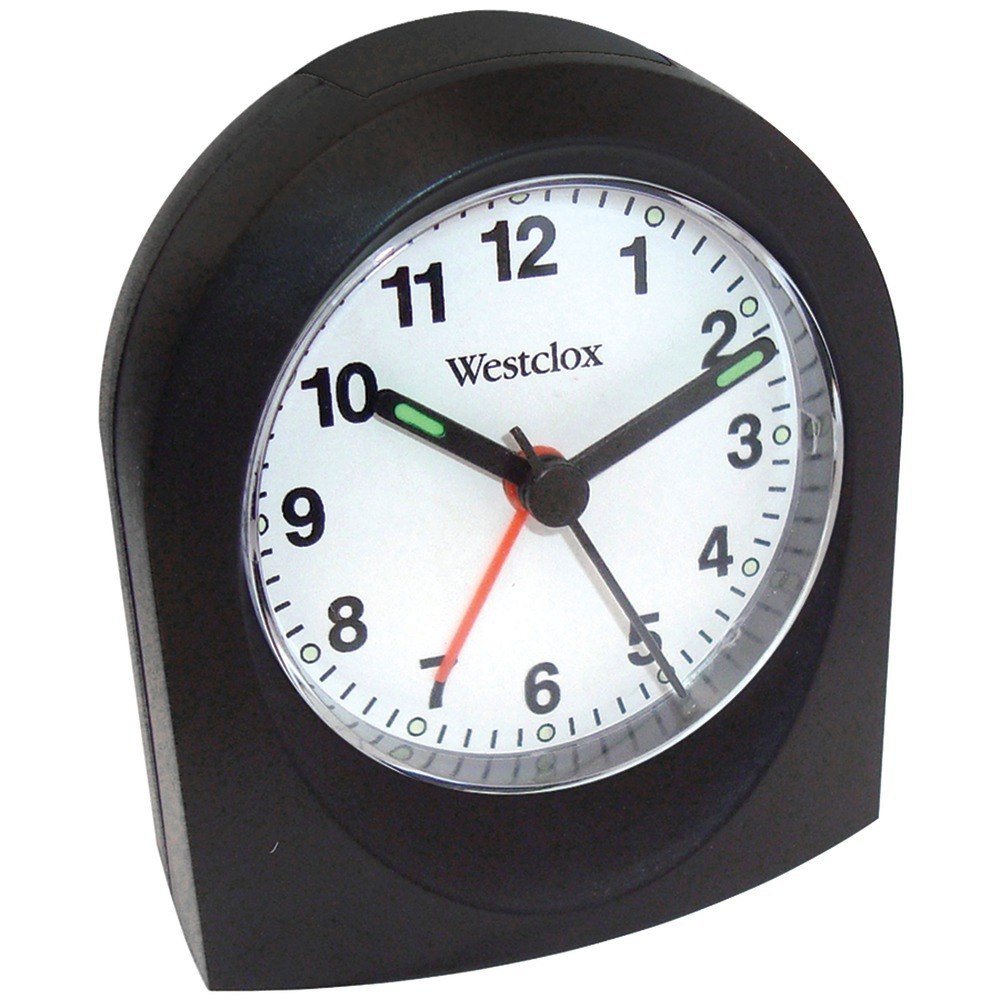
Front view of the Westclox 47312A Bedside Analog Alarm Clock, showing the analog dial with numbers 1-12, hour, minute, and second hands, and the Westclox logo. The battery compartment is located on the back of the unit.
4.2 Setting the Current Time
- Locate the TIME SET knob on the back of the clock.
- Rotate the TIME SET knob in either direction until the hour and minute hands display the correct current time.
5. Operating Instructions
5.1 Setting the Alarm
- Locate the ALARM SET knob on the back of the clock.
- Rotate the ALARM SET knob until the alarm hand points to your desired wake-up time.
- Locate the ALARM ON/OFF switch, typically on the side or back of the clock.
- Slide the switch to the 'ON' position to activate the alarm. Slide to 'OFF' to deactivate.
5.2 Snooze Function
When the alarm sounds, press the large button located on the top of the clock. This will temporarily silence the alarm for a short period (typically 5-9 minutes), after which the alarm will sound again.
5.3 Light on Demand
To illuminate the clock face in low light conditions, press the light button, usually located on the top or front of the clock. The light will remain on as long as the button is held down.
5.4 Luminous Hands
The hour and minute hands of this clock are treated with a luminous material. After exposure to light, these hands will glow in the dark, providing visibility without needing to activate the light-on-demand feature.
6. Maintenance
6.1 Cleaning
To clean the clock, wipe it with a soft, dry cloth. Do not use abrasive cleaners, solvents, or chemical sprays, as these can damage the clock's finish or internal components.
6.2 Battery Replacement
When the clock's timekeeping becomes inaccurate, or the alarm function weakens, it is time to replace the battery. Follow the steps outlined in Section 4.1 Battery Installation to replace the AA battery.
7. Troubleshooting
- Clock not working or running slow:
Ensure the AA battery is inserted correctly with the proper polarity. Replace the battery with a fresh one if necessary. - Alarm not sounding:
Verify that the ALARM ON/OFF switch is in the 'ON' position. Check that the alarm time is set correctly. Ensure the battery has sufficient power. - Loud ticking sound:
This is an analog clock, and some models may produce an audible ticking sound. This is a normal operational characteristic and not a defect.
8. Specifications
| Feature | Detail |
|---|---|
| Model Number | 47312A |
| Product Dimensions | 3 x 1.5 x 3 inches |
| Item Weight | 1 Pound |
| Power Source | 1 AA Battery (not included) |
| Display Type | Analog |
| Additional Features | Alarm, Snooze, Light on Demand, Luminous Hands |
| Watch Movement | Quartz |
| Color | Black |
| Material | Plastic |
| Mounting Type | Tabletop |
9. Warranty Information
This Westclox product is covered by a Limited Warranty. For specific details regarding warranty coverage, terms, and conditions, please refer to the warranty documentation included with your purchase or visit the official Westclox website.
10. Support
For further assistance, technical support, or inquiries about your Westclox 47312A Bedside Analog Alarm Clock, please visit the official Westclox website or contact their customer service department. Contact information can typically be found on the product packaging or the brand's official website.