
The ONE SP-PLAY
The ONE Digital Piano (Model SP-PLAY) Instruction Manual
Comprehensive guide for setup, operation, and maintenance of your The ONE Digital Piano.
Introduction
Welcome to the world of The ONE Digital Piano. This instrument combines the authentic feel of 88 hammer-action keys with smart teaching technology, designed for both beginners and experienced musicians. This manual provides essential information for setting up, operating, and maintaining your digital piano to ensure optimal performance and an enriching musical experience.
1. Setup
1.1 Unboxing and Assembly
Your The ONE Digital Piano is designed for straightforward assembly. Carefully unpack all components and follow the instructions below.
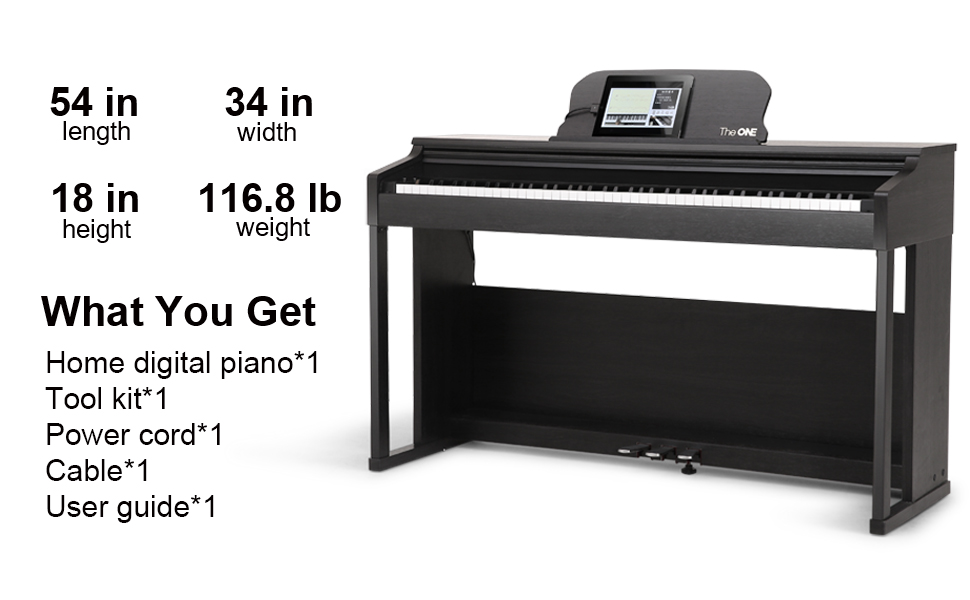
- Unpack Components: Carefully remove all parts from the packaging. Verify that all components listed in the "What You Get" section are present.
- Assemble the Stand: Attach the side panels to the crossbar using the provided screws and tools. Ensure all connections are secure.
- Attach the Pedal Unit: Secure the three-pedal unit to the assembled stand.
- Place the Piano Unit: With assistance, carefully lift the main piano unit and place it onto the assembled stand, aligning the mounting points. Secure it with the remaining screws.
- Connect Pedals and Power: Locate the pedal cable and power input on the underside or rear of the piano unit. Connect the pedal cable to the designated port and plug in the power adapter.
1.2 Initial Power On and App Connection
Once assembled and powered, connect your digital piano to The ONE Smart Piano app for enhanced learning and control features.
- Power On: Press the power button on the piano's control panel.
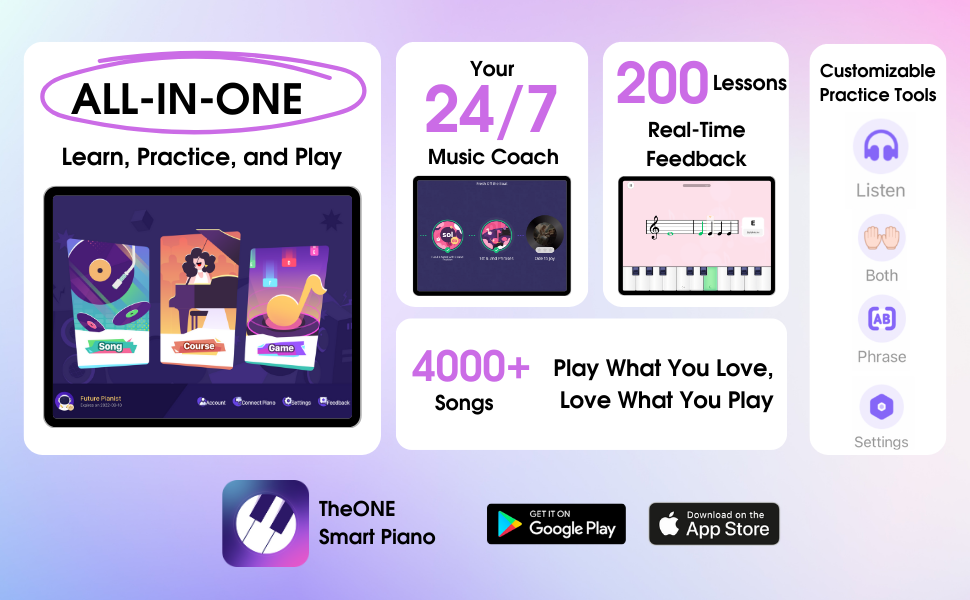
- Download App: Download "The ONE Smart Piano" app from your device's app store (available on Windows, macOS, iOS, Android).
- Connect via Bluetooth/USB:
- Bluetooth: Enable Bluetooth on your smart device. Open the app, navigate to connection settings, and select your piano model.
- USB: Connect your smart device to the piano using a compatible USB cable. The app should automatically detect the connection.
2. Operating Your Digital Piano
2.1 Key Features and Feel
Experience the authentic touch and innovative learning aids of your digital piano.

- 88 Hammer Action Keys: The piano features 88 progressive weighted keys that simulate the feel of an acoustic grand piano, with heavier keys in the low end and lighter keys in the high end.
- Lighted Keys: Integrated LED lights above the keys synchronize with the app's music scores, guiding beginners to play their first songs quickly.
- Touch Sensitivity: The keys are touch-sensitive, allowing for expressive playing dynamics.
2.2 Sound and Audio Controls
Your digital piano is equipped with high-quality sound reproduction and versatile audio options.

- Built-in Speakers: Four Hi-Fi speakers (two 20W tweeters and two 25W woofers) provide rich, grand piano sound.
- Tones and Polyphony: Access 426 different tones and 64-note polyphony for diverse musical expression.
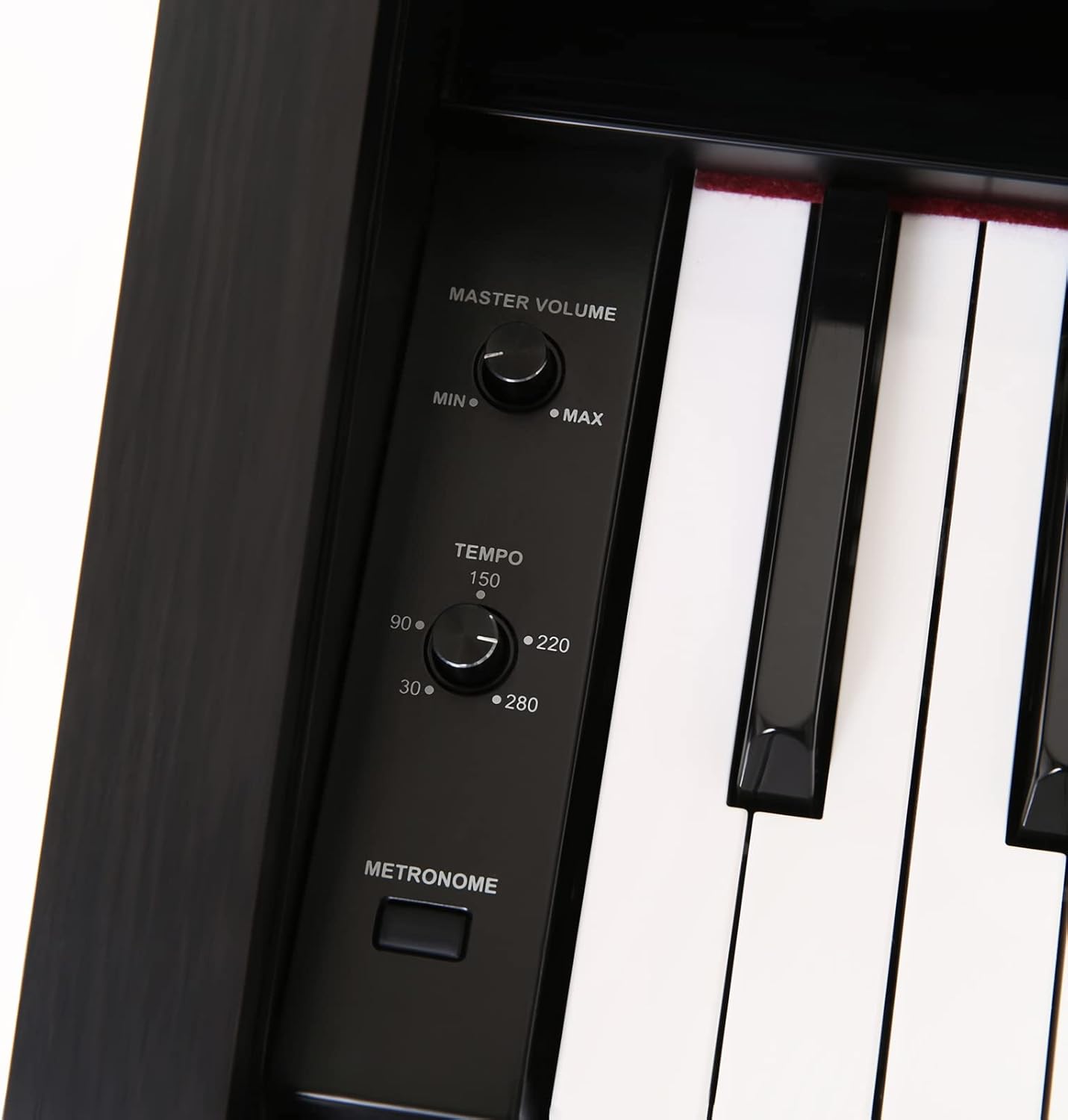
- Volume Control: Adjust the master volume using the dedicated knob on the control panel.
- Metronome: Use the built-in metronome with adjustable tempo for practice.
- Dual Headphone Jacks: Two 3.5mm headphone jacks allow for private practice or duet sessions without disturbing others.
- AUX In/Out: Connect external audio devices via the AUX in/out ports.
2.3 App-Controlled Features
The ONE Smart Piano app unlocks the full potential of your digital piano, offering interactive learning and creative tools.
- Interactive Lessons: Access integrated video lessons and piano games that synchronize with the light-up keys.
- Music Library: Explore a vast library of 4,000 music scores and 100 instructional videos.
- Recording: Record your performances directly through the app.
- Dual Keyboard Mode: Split the keyboard into two identical ranges, ideal for teacher-student interaction.
- USB-MIDI: Connect to a computer for MIDI editing and music production.

3. Maintenance
Proper care ensures the longevity and optimal performance of your digital piano.
- Cleaning: Use a soft, dry cloth to wipe the piano's surface and keys. Avoid abrasive cleaners or solvents.
- Environmental Conditions: Keep the piano away from direct sunlight, extreme temperatures, and high humidity to prevent damage to the wood and electronic components.
- Dust Protection: When not in use, cover the piano with a dust cover to protect the keys and internal mechanisms.
4. Troubleshooting
If you encounter any issues, refer to the following common troubleshooting steps:
- No Sound:
- Ensure the piano is powered on and the volume is turned up.
- Check if headphones are plugged in. If so, unplug them or adjust the headphone volume.
- Verify that external speakers (if used) are properly connected and powered.
- App Connectivity Issues:
- Ensure Bluetooth is enabled on your device and the piano.
- Restart both the piano and your smart device.
- Try connecting via a USB cable if Bluetooth fails.
- Update the app to the latest version.
- Keys Not Responding:
- Power cycle the piano.
- Ensure no foreign objects are lodged between the keys.
For further assistance, please contact The ONE customer support.
5. Specifications
| Feature | Detail |
|---|---|
| Brand | The ONE |
| Model Name | SP-PLAY |
| Number of Keys | 88 |
| Key Type | Hammer Action, Weighted, Lighted, Touch-Sensitive |
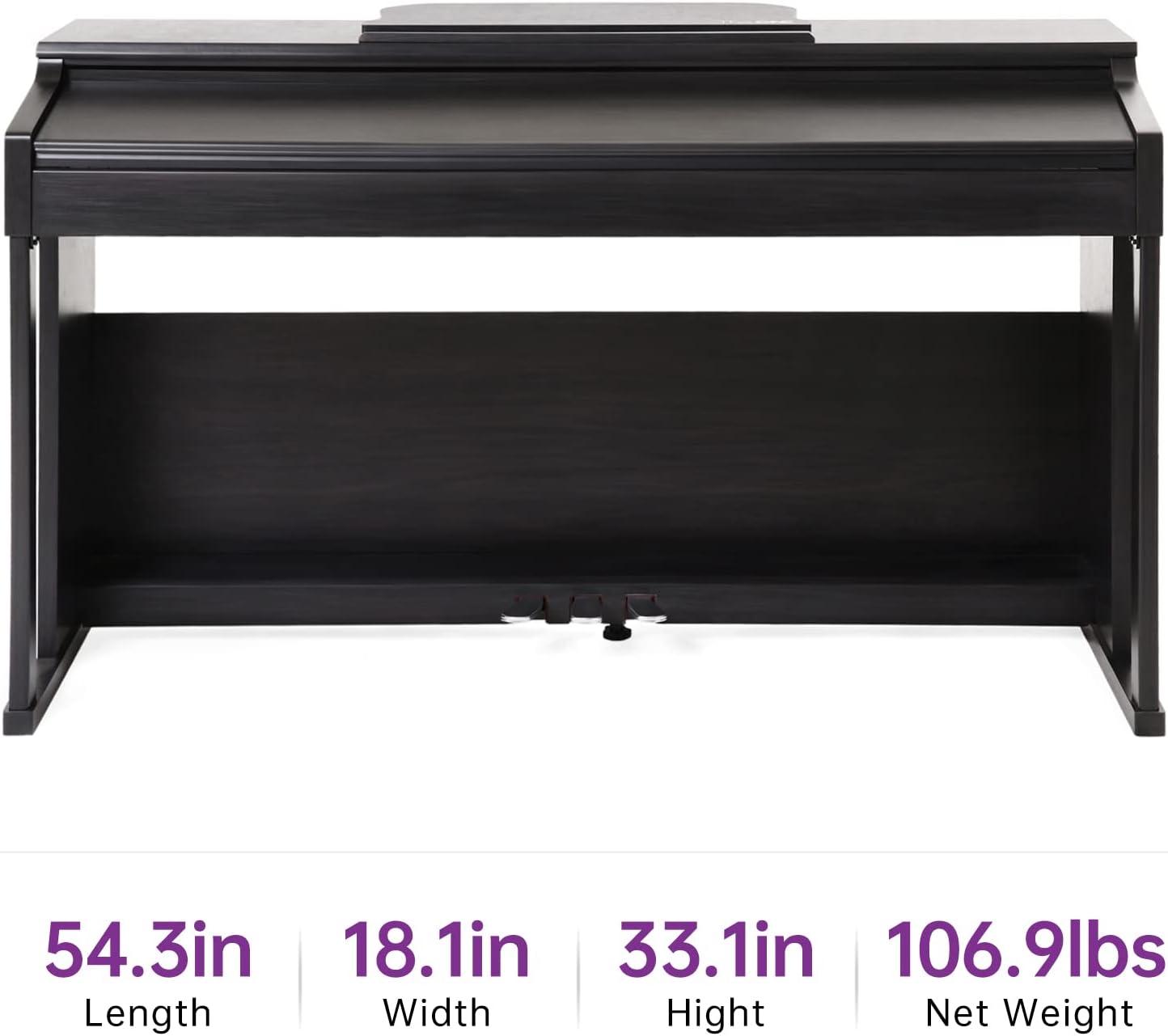
| Dimensions (D x W x H) | 54.3" x 18.1" x 33.1" |
| Item Weight | 21 Pounds |
| Color | Black |
| Material Type | Wood |
| Connectivity | Bluetooth, USB, 3.5mm Jack (AUX In/Out, Headphones) |
| Power Source | Corded Electric |
| Supported Software | The ONE Smart Piano App |
| Operating Systems | Windows, macOS, iOS, Android |
| Special Features | Built-In Speaker, Hammer Action, Headphone Jack, Lighted Keys, Touch-Sensitive Keys |
6. Support and Warranty
The ONE is committed to providing excellent customer service.
- Customer Service: For any concerns regarding your product or the app, please contact The ONE's dedicated after-sales service team.
- Warranty Information: Specific warranty details are typically provided with your purchase documentation. Please refer to the warranty card or contact customer support for more information.
7. Product Videos
Explore these official videos to learn more about your The ONE Digital Piano.
7.1 The ONE 88-Key Home Digital Piano Overview
This video provides a concise overview of The ONE 88-key Home Digital Piano, showcasing its hammer-action keys and design. (Duration: 0:30)
7.2 The ONE Smart Piano Introduction
An introductory video to The ONE Smart Piano, highlighting its key features and smart capabilities. (Duration: 2:23)
7.3 Inspire Your Music Dream by The ONE
This video showcases how The ONE Digital Piano can inspire musical learning and creativity. (Duration: 3:52)
7.4 Pianist Lang Lang Uses The ONE Digital Piano
Watch renowned pianist Lang Lang demonstrate The ONE Digital Piano. (Duration: 1:27)
Related documentsSP-PLAY


Ask a question about this manual
Ask about setup, troubleshooting, compatibility, parts, safety, or missing instructions. Manuals+ will review the question and use this page’s manual context to help answer it.