
Introduction
The Lexon LA88W Prism is a compact alarm clock radio featuring an LCD display for time, alarm settings, and radio frequencies. It includes retro number lighting, touch-sensitive controls for volume and station tuning, and an MP3 amplifier with an AUX input. This device allows you to store up to 24 radio stations and includes a snooze function.
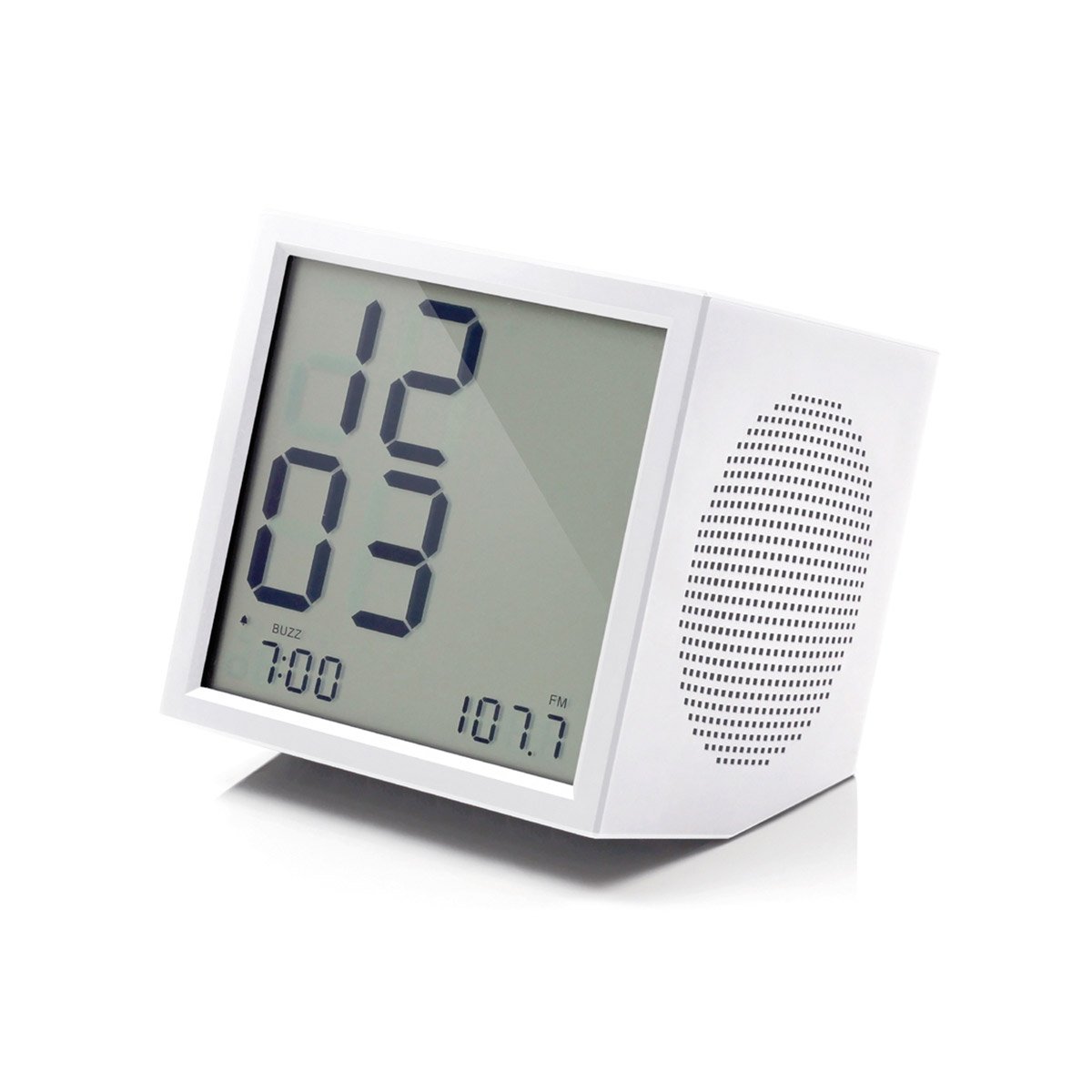
This image displays the Lexon LA88W Prism Alarm Clock Radio in white, highlighting its compact, square form factor and the digital LCD screen.
Setup
- Power Supply: Connect the included power adapter to the DC input port on the back of the device and then plug the adapter into a standard wall outlet.
- Battery Backup: Open the battery compartment on the bottom of the unit. Insert 2 AAA batteries (included) according to the polarity markings. These batteries provide backup power for time and alarm settings during a power outage.
Operating Instructions
- Time Display: The LCD screen will automatically display the current time once powered on. Refer to the specific controls for setting the time manually if needed.
- Alarm Setting: Use the touch controls (refer to the device's specific button layout) to navigate to the alarm setting mode. Set your desired alarm time and activate the alarm function.
- Radio Tuning: Press the 'Radio' button to switch to FM radio mode. Use the touch-sensitive tuning controls to scan for and select radio frequencies. You can store up to 24 favorite stations for quick access.
- Volume Control: Adjust the audio output level using the touch-sensitive volume controls, typically indicated by '+' and '-' symbols.
- MP3 Playback (AUX Input): Connect an external audio device (e.g., smartphone, MP3 player) to the 3.5mm AUX input jack using the provided cable. The device will function as an MP3 amplifier, playing audio from your connected source.
- Snooze Function: When the alarm sounds, press the 'Snooze' button (or designated touch area) to temporarily pause the alarm. The alarm will sound again after a short interval.
Maintenance
- Cleaning: To clean the device, gently wipe its surface with a soft, dry, lint-free cloth. Avoid using abrasive cleaners, solvents, or chemical sprays, as these can damage the finish or internal components.
- Battery Replacement: If the device experiences frequent power outages or if the display dims when running on battery backup, it may be time to replace the 2 AAA batteries. Ensure proper polarity when inserting new batteries.
- Storage: When not in use for extended periods, store the alarm clock radio in a cool, dry place, away from direct sunlight and extreme temperatures.
Troubleshooting
-
No Power or Display:
- Ensure the power adapter is securely connected to both the device and a functional wall outlet.
- Check if the 2 AAA backup batteries are correctly inserted and not depleted. Replace if necessary.
-
Poor Radio Reception:
- Adjust the position of the alarm clock radio to improve signal reception.
- Ensure there are no large metallic objects or other electronic devices nearby that might cause interference.
-
Alarm Volume Too Loud or Too Soft:
- Access the alarm settings menu using the touch controls and adjust the alarm volume to your preferred level.
-
Difficulty with Settings or Controls:
- Refer to the 'Operating Instructions' section for detailed steps on setting the time, alarm, and radio stations.
- Ensure your fingers are clean and dry when using the touch-sensitive controls.
-
No Sound from AUX Input:
- Verify that the 3.5mm jack cable is fully inserted into both the alarm clock's AUX input and the external audio source.
- Check the volume levels on both the alarm clock and the connected external audio device.
Specifications
| Brand | Lexon |
| Model Number | LA88W |
| Color | White |
| Display Type | Digital |
| Special Features | Radio, Alarm Clock |
| Power Source | Battery, Electric (Adapter included) |
| Shape | Square |
| Material | ABS Plastic |
| Batteries Included | Yes (2 AAA) |
| Mounting Type | Tabletop |
| Dimensions (L x W x H) | 10 x 10 x 10 cm |
Warranty Information
This product comes with a standard manufacturer's warranty. Please refer to the warranty card included in the product packaging or visit the official Lexon website for detailed information regarding warranty terms, conditions, and duration.
Keep your proof of purchase for any warranty claims.
Customer Support
For further assistance, technical support, or inquiries about your Lexon LA88W Prism Alarm Clock Radio, please contact Lexon customer service. Contact details can typically be found on the official Lexon website or in the product packaging.
When contacting support, please have your model number (LA88W) and purchase information ready.


