
1. Product Overview
The Serta Connor Executive Office Chair is designed for comfort and support in a professional or home office environment. It features plush, layered body pillows, contoured lumbar support, and adjustable settings to enhance your seating experience. Constructed with a heavy-duty five-star base and durable casters, this chair is built for lasting performance.
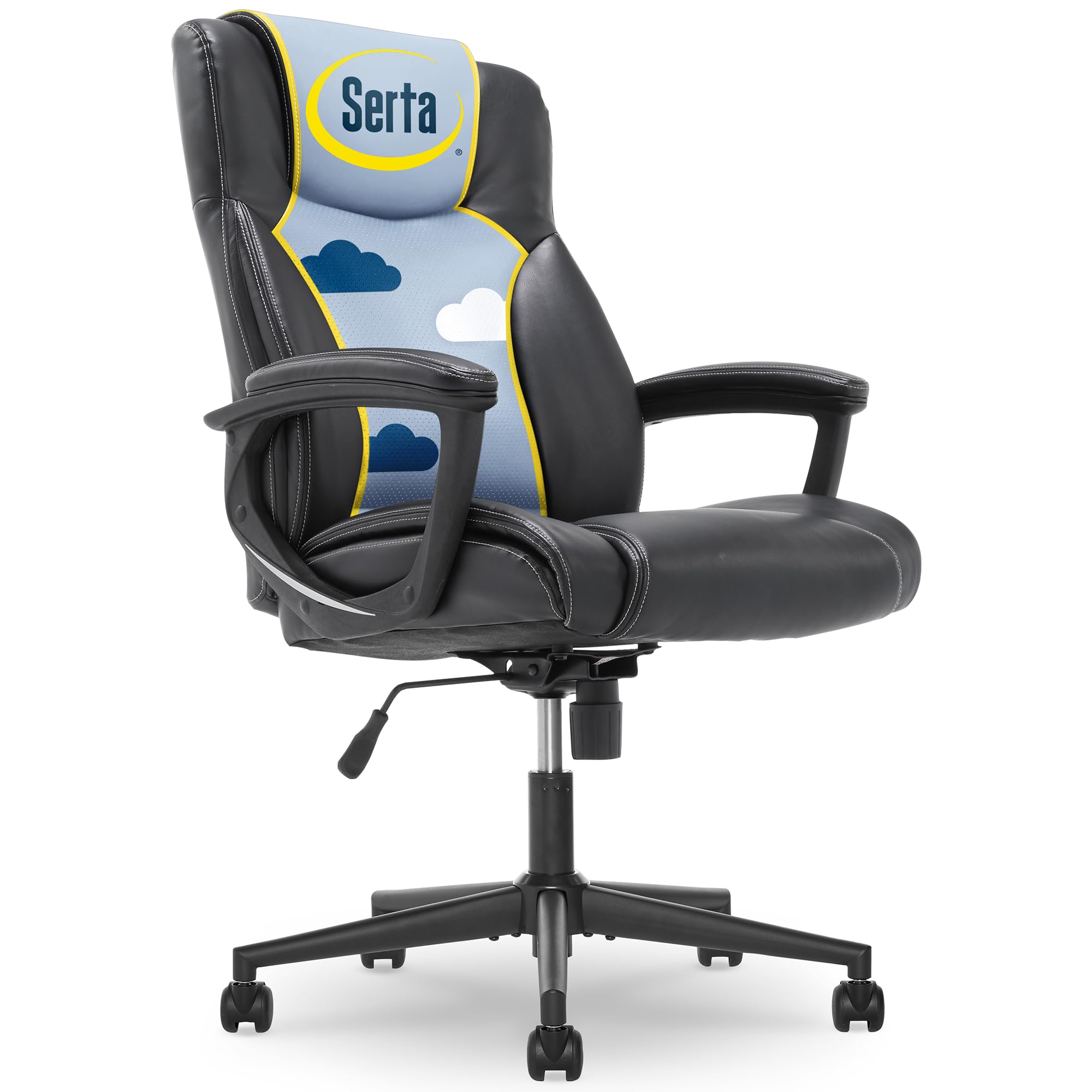
Figure 1: Serta Connor Executive Office Chair, front view.
Key Features:
- Faux Leather Upholstery: Durable and easy to maintain.
- Layered Body Pillows: Provides enhanced comfort for extended sitting.
- Contoured Lumbar Support: Designed to support the natural curve of your lower back.
- Adjustable Seat Height: Pneumatic lift for easy height customization.
- Recline Mechanism & Tilt Tension: Allows for personalized recline and stability.
- Heavy-Duty Five-Star Base: Ensures stability and durability.
- Durable Dual-Wheel Casters: For smooth mobility across various surfaces.
2. Setup and Assembly
The Serta Connor Executive Office Chair requires simple assembly. Please follow the instructions carefully to ensure proper setup and functionality. No extra tools are needed for assembly.

Figure 2: Assembly overview, highlighting ease of assembly and weight capacity.
Assembly Steps:
- Unpack Components: Carefully remove all parts from the packaging and lay them out on a clean, soft surface to prevent scratches. Verify all components are present against the parts list in your included manual.
- Attach Casters to Base: Insert the dual-wheel casters into the holes at the end of each leg of the five-star base. Push firmly until they click into place.
- Insert Gas Lift: Place the gas lift cylinder into the center hole of the five-star base.
- Attach Seat Plate: Secure the seat plate to the underside of the seat cushion using the provided screws. Ensure the front of the seat plate faces the front of the seat cushion.
- Connect Seat to Gas Lift: Carefully place the assembled seat onto the gas lift cylinder, ensuring it is centered and stable.
- Attach Armrests: Secure the armrests to both the seat and the backrest using the designated screws. Ensure they are firmly attached.
- Attach Backrest: Align the backrest with the armrests and seat, then secure it using the remaining screws.
For detailed visual instructions, please refer to the assembly diagrams provided in your product packaging.
3. Operating Instructions
The Serta Connor Executive Office Chair offers several adjustment features to customize your seating experience for optimal comfort and ergonomics.

Figure 3: Overview of chair adjustment mechanisms.
Adjusting Seat Height:
To adjust the seat height, locate the lever on the right side, beneath the seat. Pull the lever up to raise the seat. To lower the seat, pull the lever up while seated. Release the lever at your desired height.

Figure 4: Seat height adjustment lever.
Adjusting Recline and Tilt Tension:
The chair features a recline mechanism and adjustable tilt tension. To recline, lean back gently. To lock the chair in an upright position, push the recline lever in. To unlock and allow recline, pull the lever out.
The tilt tension knob, located at the front center beneath the seat, controls the ease of recline. Turn the knob clockwise to increase tension (making it harder to recline) or counter-clockwise to decrease tension (making it easier to recline).

Figure 5: Tilt tension adjustment knob.
4. Maintenance
Proper maintenance ensures the longevity and appearance of your Serta Connor Executive Office Chair.
Cleaning:
- Upholstery: For the bonded leather upholstery, spot clean with a damp cloth and mild soap. Avoid harsh chemicals or abrasive cleaners, as these can damage the material.
- Base and Casters: Wipe the five-star base and casters with a damp cloth to remove dust and debris. Periodically check casters for hair or lint buildup and clean as needed to ensure smooth rolling.
General Care:
- Regularly check all screws and bolts to ensure they are tight. Re-tighten if necessary to maintain stability and prevent wobbling.
- Avoid exposing the chair to direct sunlight for prolonged periods, as this can cause the bonded leather to fade or crack.
- Do not exceed the maximum weight recommendation of 275 pounds.
5. Troubleshooting
If you encounter any issues with your Serta Connor Executive Office Chair, refer to the following common troubleshooting tips:
Chair Does Not Adjust Height:
- Ensure the height adjustment lever is fully engaged when attempting to raise or lower the seat.
- Check for any obstructions around the gas lift cylinder.
- If the gas lift is faulty, it may need replacement. Contact customer support for assistance.
Chair Wobbles or Feels Unstable:
- Verify that all assembly screws are securely tightened. Periodically check and re-tighten all fasteners.
- Ensure the chair is on a flat, even surface.
Casters Do Not Roll Smoothly:
- Inspect casters for any accumulated debris, such as hair or lint, and remove it.
- Ensure casters are properly inserted into the five-star base.
6. Specifications
Detailed specifications for the Serta Connor Executive Office Chair:

Figure 6: Detailed product dimensions.
| Feature | Detail |
|---|---|
| Brand | Serta |
| Model Name | Connor |
| Item Model Number | 43672 |
| Color | Black |
| Material | Bonded Leather (Faux Leather), Foam Fill |
| Product Dimensions | 29"D x 25.5"W x 46.75"H |
| Item Weight | 40.3 pounds |
| Maximum Weight Recommendation | 275 Pounds |
| Seat Height (Max) | 22.5 Inches |
| Seat Depth | 20 Inches |
| Special Features | Adjustable Height, Ergonomic, Swivel |
| Assembly Required | Yes (Simple assembly) |
| Product Care Instructions | Spot Clean |
7. Warranty and Support
Serta stands behind the quality of its products. Your Serta Connor Executive Office Chair comes with a limited warranty.
Warranty Information:
This product includes a 1-year limited warranty on cushions and components. This warranty covers defects in materials and workmanship under normal use.
Please retain your proof of purchase for any warranty claims.
Customer Support:
For warranty claims, replacement parts, or any other inquiries regarding your Serta Connor Executive Office Chair, please contact Serta customer support. Refer to the contact information provided in your product packaging or visit the official Serta website for assistance.


