
1. Introduction
The STANLEY TLM 165/STHT1-77139 is a precision laser distance meter designed for accurate and efficient measurement tasks. This device offers a measurement range of up to 50 meters with an accuracy of ±1.5 mm. It features a backlit display, multiple measurement functions, memory storage, and a durable, dust and water-resistant design. This manual provides essential information for the safe and effective use of your laser distance meter.
2. Safety Information
WARNING: This device uses a Class 2 laser. Avoid direct eye exposure to the laser beam. Do not stare into the beam or view directly with optical instruments. Always operate the device in a safe manner.
- Do not attempt to modify or disassemble the device.
- Keep the device out of reach of children.
- Use only specified batteries.
- Do not operate the device in explosive atmospheres.
- Ensure the measurement surface is appropriate and safe.
3. Package Contents
Verify that all items are present in your package:
- STANLEY TLM 165/STHT1-77139 Laser Distance Meter
- 3 x AAA Alkaline Batteries
- Carrying Case
- User Manual (this document)
4. Product Overview
Familiarize yourself with the components of your laser distance meter.

Figure 1: Front view of the device, highlighting the display and main control buttons.
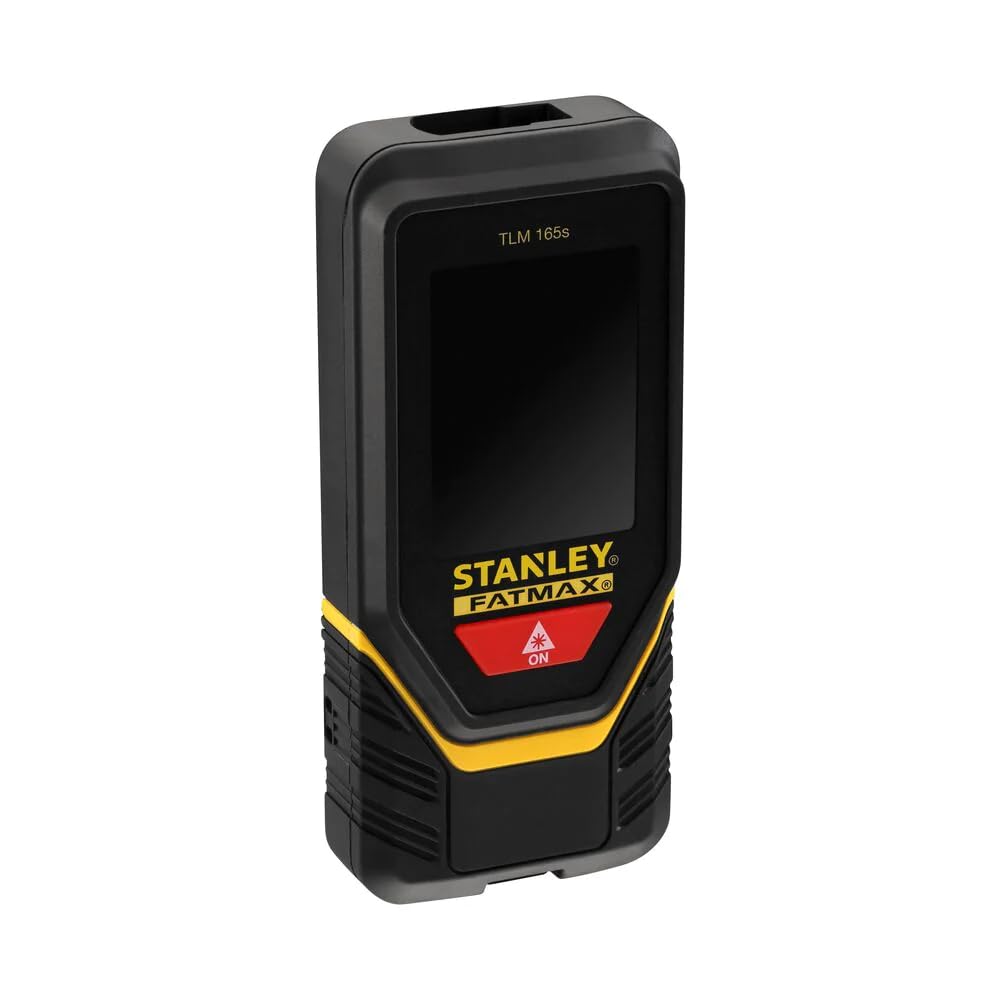
Figure 2: Angled view showing the device's screen with active measurement data.

Figure 3: Side view illustrating the foldable end piece for precise corner measurements.
5. Setup
5.1 Battery Installation
- Locate the battery compartment cover on the back of the device.
- Slide or unclip the cover to open it.
- Insert three (3) AAA alkaline batteries, ensuring correct polarity (+/-).
- Close the battery compartment cover securely.
6. Operating Instructions
6.1 Power On/Off
- To power on: Press the ON button (usually red with a laser icon). The laser will activate.
- To power off: Press and hold the OFF button (often marked with an 'X' or 'Clear' icon). The device will also automatically shut down after 180 seconds of inactivity (laser after 90 seconds).
6.2 Basic Distance Measurement
- Power on the device. The laser beam will emit.
- Aim the laser dot at the target point.
- Press the ON button again to take a measurement. The measured distance will appear on the display.

Figure 4: User performing a distance measurement on a wall.
6.3 Continuous Measurement (Tracking)
- From the basic measurement mode, press the measurement button once more (or a dedicated tracking button if available).
- Move the device slowly. The display will continuously update with the current distance, often showing minimum and maximum values.
- Press the measurement button again to stop continuous measurement.
6.4 Area and Volume Measurement
- Access the area/volume function via the mode button (refer to on-screen icons).
- Follow the on-screen prompts to measure the required lengths (e.g., length, width for area; length, width, height for volume).
- The device will automatically calculate and display the area or volume.
6.5 Memory Storage
- The device can store up to 5 measurements.
- To save a measurement, press the memory button (if available) after a measurement is taken.
- To recall measurements, press the memory button repeatedly or use navigation buttons.
6.6 Unit Conversion
- Press the unit button (if available) to cycle through available measurement units (e.g., meters, feet).
6.7 Using the Foldable End Piece
- For measurements from edges or corners, extend the foldable end piece.
- Ensure the device's measurement reference point is correctly set (usually indicated by an icon on the screen).
6.8 Bluetooth Connectivity
- The device supports Bluetooth connectivity for data transfer to compatible applications.
- Refer to the specific application's instructions for pairing and data synchronization.
7. Maintenance
- Cleaning: Wipe the device with a soft, damp cloth. Do not use harsh chemicals or abrasive cleaners.
- Storage: Store the device in its carrying case in a dry, cool place when not in use. Remove batteries if storing for extended periods.
- Battery Replacement: Replace all three AAA batteries when the low battery indicator appears on the display.
8. Troubleshooting
| Problem | Possible Cause | Solution |
|---|---|---|
| Device does not power on | Dead or incorrectly inserted batteries | Check battery polarity; replace batteries. |
| Inaccurate measurements | Unstable surface, obstruction, or incorrect reference point | Ensure stable positioning, clear laser path, and correct reference setting. |
| Laser not visible | Bright ambient light or long distance | Use in lower light conditions or at shorter distances. |
| Display error message | Measurement out of range or internal error | Move closer to target or restart the device. If persistent, contact support. |
9. Specifications
| Feature | Detail |
|---|---|
| Model Number | STHT1-77139 |
| Accuracy (Point) | ± 1.5 mm |
| Operating Range | 0.1 - 50 meters |
| Laser Class | Class 2 |
| Laser Diode | 635 nm |
| Batteries | 3 x AAA (Alkaline, supplied) |
| Battery Life | Approx. 3000 measurements |
| Operating Temperature | 0°C to 40°C |
| IP Rating | IP54 (Dust and Water Resistant) |
| Automatic Shutdown (Laser) | 90 seconds |
| Automatic Shutdown (Unit) | 180 seconds |
| Memory Storage | 5 entries |
| Weight (with batteries) | 282 g |
| Material | Plastic |
| Connectivity | Bluetooth |
10. Warranty and Support
For warranty information, please refer to the documentation provided at the time of purchase or contact your local STANLEY dealer or customer service. For technical support, visit the official STANLEY website or contact their customer service department. Keep your purchase receipt as proof of purchase.
STANLEY Customer Service: www.stanleytools.com/support


