1. Introduction
This manual provides essential information for the safe and efficient operation of your Alcatel One Touch 665A mobile phone. Please read this guide thoroughly before using your device to ensure proper functionality and to understand its features.
The Alcatel One Touch 665A is an unlocked GSM phone designed for basic communication and multimedia functions. It features a compact design, a 2MP camera, and support for external memory via Micro SD card.
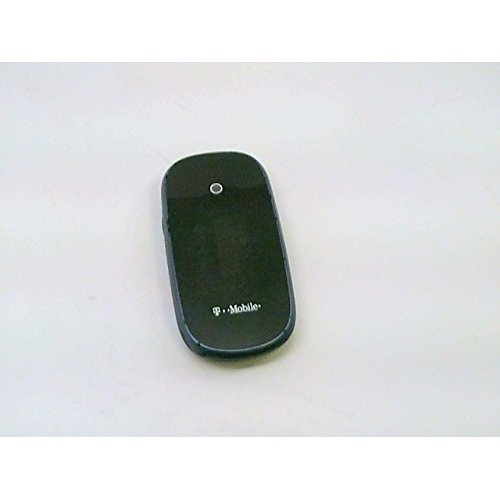
Image: Front view of the Alcatel One Touch 665A mobile phone.
2. Getting Started
2.1 Package Contents
Ensure your package contains the following items:
- Alcatel One Touch 665A Mobile Phone
- Battery
- Charger
- User Manual (this document)
Note: Specific accessories may vary by region.
2.2 Inserting the SIM Card and Battery
- Power Off: Ensure the phone is powered off before proceeding.
- Remove Back Cover: Gently pry open the back cover of the phone.
- Insert SIM Card: Locate the SIM card slot. Insert your GSM SIM card with the gold contacts facing down and the cut corner aligned correctly.
- Insert Micro SD Card (Optional): If using an external memory card, insert it into the designated Micro SD card slot.
- Insert Battery: Align the battery contacts with the phone's contacts and gently press the battery into place.
- Replace Back Cover: Snap the back cover securely onto the phone.
2.3 Charging the Battery
Before initial use, fully charge the phone's battery.
- Connect the charger to the phone's charging port.
- Plug the charger into a standard electrical outlet.
- The charging indicator will typically illuminate. Allow the phone to charge until the indicator shows a full charge.
- Disconnect the charger once charging is complete.
2.4 Powering On/Off
- To Power On: Press and hold the Power/End Call button until the screen illuminates.
- To Power Off: Press and hold the Power/End Call button until the power off options appear, then select 'Power off'.
3. Operating Your Phone
3.1 Basic Navigation
The Alcatel One Touch 665A features a standard keypad for navigation and input.
- Navigation Keys: Use the directional keys (Up, Down, Left, Right) to move through menus and options.
- OK/Select Key: Press the center key to confirm a selection or open an item.
- Call Key: Press to make a call or answer an incoming call.
- End Call/Power Key: Press to end a call or return to the idle screen. Long press to power on/off.
- Back/Clear Key: Press to go back to the previous screen or delete characters during text input.
3.2 Making and Receiving Calls
- Making a Call: From the idle screen, enter the phone number using the keypad and press the Call key.
- Answering a Call: When an incoming call rings, press the Call key to answer.
- Ending a Call: Press the End Call key to terminate an active call.
3.3 Messaging (SMS/MMS)
- Sending SMS: Go to 'Messages' > 'Create new message'. Enter the recipient's number and your message, then send.
- Sending MMS: Similar to SMS, but allows attaching media files (photos, audio).
3.4 Camera Function
Your phone is equipped with a 2MP camera.
- From the main menu, select 'Camera'.
- Frame your subject using the screen.
- Press the 'OK' or dedicated camera button to capture the photo.
- Photos are saved to the phone's memory or Micro SD card.
3.5 Multimedia and Applications
- Music Player: Access the music player to listen to audio files stored on your phone or Micro SD card.
- Video Player: Play video files.
- Widget Bar: Customize your home screen with quick access to applications like Messages, Alarm, and Calls.
- Internet Access: Use the WAP/WEB browser for basic internet browsing.
- Email: Configure your email account to send and receive emails.
- Social Media: Access pre-installed applications for Facebook and Twitter.
4. Maintenance
4.1 General Care
- Keep the phone dry. Moisture can damage electronic circuits.
- Avoid extreme temperatures. High temperatures can shorten the life of electronic devices and damage batteries.
- Do not use harsh chemicals, cleaning solvents, or strong detergents to clean the phone. Wipe it with a soft, damp cloth.
- Handle the phone gently. Do not drop, knock, or shake it.
4.2 Battery Care
- Use only Alcatel-approved batteries and chargers.
- Do not short-circuit the battery.
- Do not dispose of batteries in a fire.
- Recycle used batteries according to local regulations.
5. Troubleshooting
If you encounter issues with your phone, refer to the following common problems and solutions:
| Problem | Possible Solution |
|---|---|
| Phone does not power on | Ensure the battery is correctly inserted and fully charged. Try charging the phone for at least 30 minutes. |
| No network signal | Check if the SIM card is properly inserted. Move to an area with better network coverage. Contact your service provider. |
| Cannot make/receive calls | Verify network signal. Check if call barring is active. Ensure sufficient credit if using a prepaid service. |
| Battery not charging | Check the charger and charging cable for damage. Ensure the charging port is clean. Try a different power outlet. |
| Screen is blank or frozen | Remove and reinsert the battery, then power on the phone. |
If the problem persists after trying these solutions, please contact Alcatel customer support or your retailer.
6. Specifications
Key technical specifications for the Alcatel One Touch 665A:
- Model Name: One Touch 665A
- Brand: Alcatel
- Cellular Technology: GSM (2G GPRS)
- Network Bands: 850/1900 MHz
- Display Size: 1.77 inches (or 1.8 inches, as per specifications)
- Camera: 2 MP (1600 x 1200 pixels)
- Processor: 104 MHz
- Embedded Memory: 2 MB
- Removable Memory: Yes (up to 8 GB Micro SD)
- Connectivity: Bluetooth
- Wi-Fi: No
- Talk Time: Up to 6 hours
- Standby Time: Up to 400 hours
- Dimensions: 96 x 48 x 16.8 mm
- Weight: Approximately 2.7 oz (76.5 g)
- Human Interface Input: Buttons, Keypad
- Special Features: MMS, WAP/WEB, Email, Twitter, Facebook
7. Warranty and Support
For warranty information, please refer to the warranty card included with your product or visit the official Alcatel website. Keep your proof of purchase for warranty claims.
For technical support, product inquiries, or service, please contact Alcatel customer service through their official channels. Contact details can typically be found on the manufacturer's website or in the product packaging.


