
1. Introduction
This manual provides comprehensive instructions for the TP-Link TL-ANT5823B 5GHz 23dBi Outdoor Grid Parabolic Antenna. This antenna is specifically designed for outdoor use, facilitating stable, long-distance point-to-point wireless connections by operating in the 5GHz radio frequency band. The TL-ANT5823B is engineered for straightforward deployment, requiring no complex software configuration for its operation.
2. Package Contents
Verify the following items are included in your package. If any item is missing or damaged, please contact your retailer.
- TL-ANT5823B 5GHz 23dBi Outdoor Grid Parabolic Antenna
- Mounting Kit (for pole mounting)
- User Manual (this document)
3. Product Overview
The TL-ANT5823B is a high-gain, directional antenna designed to extend the range and improve the stability of 5GHz wireless networks. Its grid parabolic design focuses the wireless signal into a narrow beam, making it ideal for establishing dedicated wireless links between two distant points.
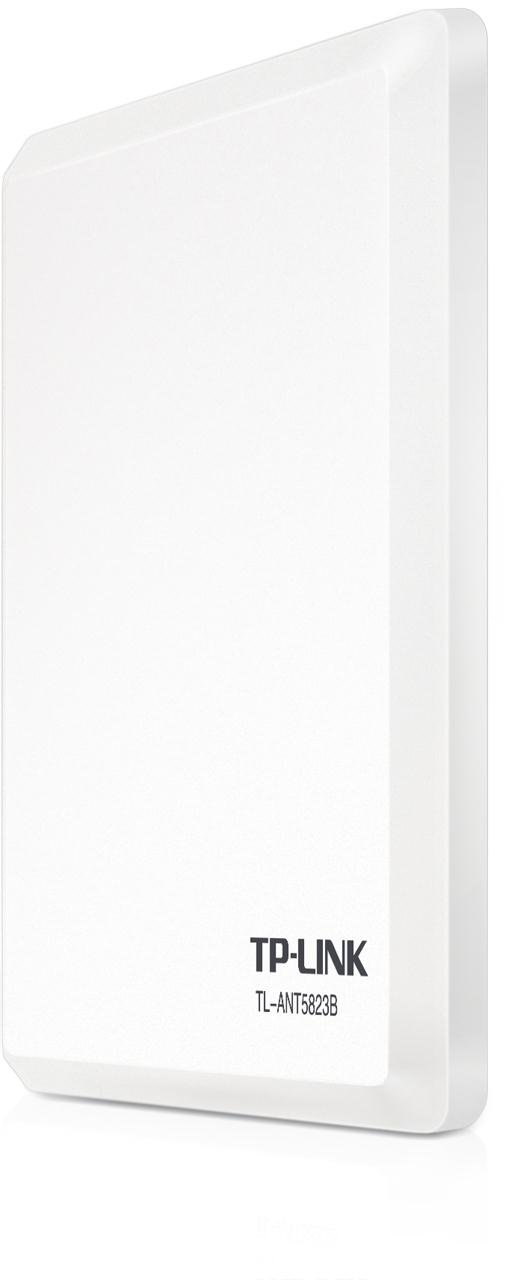
Image 1: Front view of the TP-Link TL-ANT5823B 5GHz 23dBi Outdoor Grid Parabolic Antenna. This image displays the white, grid-like parabolic reflector and the central feed horn, indicating its directional design for outdoor wireless communication.
Key Features:
- Frequency: 5GHz band for less interference.
- Gain: 23dBi for long-distance connectivity.
- Design: Directional grid parabolic for focused signal transmission.
- Durability: Weatherproof construction for outdoor environments.
4. Setup and Installation
Proper installation is crucial for optimal performance. This section outlines the steps for mounting and connecting your antenna.
4.1 Mounting the Antenna
- Choose a Location: Select an outdoor location with a clear line of sight to the other antenna in your point-to-point link. Ensure the mounting pole is sturdy and securely anchored.
- Assemble the Antenna: Follow the instructions provided with the mounting kit to assemble the parabolic grid and attach the feed horn.
- Attach to Pole: Use the supplied mounting brackets to securely fasten the antenna to a vertical pole. Ensure it is tight enough to prevent movement from wind.
4.2 Connecting to a Wireless Device
- Connect Cable: Attach a suitable outdoor-rated coaxial cable (e.g., LMR-400 or equivalent, not included) to the antenna's N-type connector. Ensure the connection is tight and weatherproofed.
- Connect to Access Point/Router: Route the cable to your 5GHz wireless access point or router and connect it to the external antenna port. Ensure the access point/router is configured for external antenna use.
4.3 Antenna Alignment
For a point-to-point link, precise alignment of both antennas is critical. This typically involves small adjustments to the horizontal and vertical angles of each antenna while monitoring signal strength on the connected wireless devices. Aim for the highest possible signal strength and stability.
5. Operating the Antenna
The TL-ANT5823B is a passive device and does not require direct configuration. Its operation is dependent on the wireless access point or router it is connected to. Once properly installed and aligned, the antenna will transmit and receive 5GHz wireless signals, extending the range of your network.
Point-to-Point Wireless Link:
In a typical setup, two TL-ANT5823B antennas are used, one at each end of the desired wireless link. Each antenna is connected to a 5GHz wireless access point or router. One device is usually configured as an Access Point (AP) and the other as a Client or Bridge, establishing a dedicated wireless bridge between the two locations.
6. Maintenance
To ensure long-term performance and reliability, periodic maintenance is recommended.
- Visual Inspection: Regularly check the antenna for any physical damage, corrosion, or loose components, especially after severe weather conditions.
- Cable Connections: Ensure all cable connections are secure and weatherproofed. Re-apply weatherproof tape or sealant if necessary.
- Cleaning: If the antenna surface accumulates dirt or debris, gently clean it with a soft cloth and mild detergent. Avoid abrasive cleaners.
- Alignment Check: If signal performance degrades, re-check the antenna alignment.
7. Troubleshooting
If you encounter issues with your wireless link, consider the following troubleshooting steps:
- No Signal or Weak Signal:
- Verify both antennas are correctly aligned and have a clear line of sight.
- Check all cable connections for tightness and damage.
- Ensure the connected wireless access point/router is powered on and functioning correctly.
- Confirm the access point/router is configured to use the external antenna.
- Intermittent Connection:
- Re-check antenna alignment for stability.
- Inspect cables for damage or loose connections that might be affected by wind or temperature changes.
- Check for new obstructions in the line of sight.
- Slow Speed:
- Ensure the connected wireless devices are operating optimally.
- Verify there is no significant interference on the 5GHz band in your area.
8. Specifications
| Feature | Specification |
|---|---|
| Brand | TP-Link |
| Model Series | TL-ANT5823B |
| Model Number | FBA_TL-ANT5823B(UK) |
| Product Dimensions | 38 x 34 x 7 cm |
| Product Weight | 2.08 kg |
| Color | White |
| Wireless Connection Type | 5 GHz Radio Frequency |
| Antenna Gain | 23 dBi |
9. Warranty and Support
For warranty information and technical support, please refer to the official TP-Link website or contact your local TP-Link representative. Keep your purchase receipt for warranty claims.


