
1. Introduction
The EZ RED MS400 4-Inch Monster Scraper is a compact and versatile tool designed for various scraping tasks. Its robust construction and ergonomic design ensure efficient and comfortable use, even in tight spaces. This manual provides essential information for the proper setup, operation, and maintenance of your MS400 scraper.
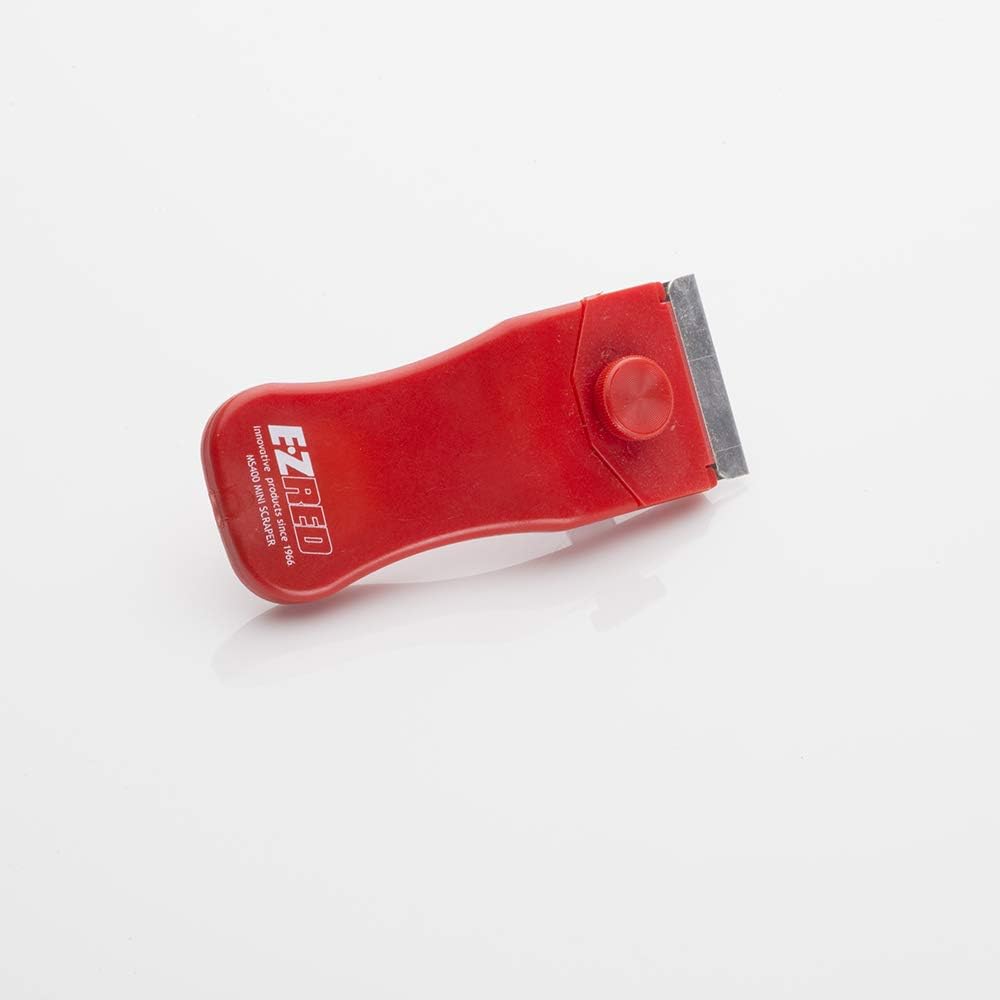
Figure 1: Top view of the EZ RED MS400 4-Inch Monster Scraper, showcasing its compact design.
2. Product Features
The MS400 Monster Scraper is engineered with features that enhance its performance and user experience:
- Compact Design: Allows for convenient use in confined or hard-to-reach areas.
- Blade Included: Comes ready for immediate use with a pre-installed blade.
- Comfortable Safe Grip: Ergonomically designed handle provides a secure and comfortable hold during operation.
- Durable Construction: Made with high-quality materials for long-lasting performance.
- Adjustable Blade: Features a knob for securing and potentially adjusting the blade.

Figure 2: Key features of the MS400 Scraper, highlighting its compact size, ergonomic design, durability, and dimensions (4" x 2" x 1").

Figure 3: Detailed view of the MS400 Scraper, showing its unique angled head, fitted grip, and adjustable knob for blade security.
3. Setup
The EZ RED MS400 Scraper comes with a blade already installed and secured. No assembly is typically required before initial use.
3.1 Blade Inspection and Securing
- Before each use, inspect the blade to ensure it is clean, sharp, and free from damage.
- Verify that the blade is securely seated within the scraper head. The top screw/knob can be tightened to further secure the blade if necessary.
- Ensure the blade guard (if present or supplied separately) is removed before use and re-attached for storage.
4. Operating Instructions
Follow these steps for effective and safe operation of your MS400 Scraper:
- Grip: Hold the scraper firmly with a comfortable and secure grip. The ergonomic design is intended to fit naturally in your hand.
- Angle: Position the blade at a shallow angle (typically 15-30 degrees) to the surface you are scraping. This angle helps to lift material efficiently without damaging the surface.
- Pressure: Apply steady, even pressure as you push or pull the scraper across the material. Adjust pressure based on the material's resistance.
- Direction: Scrape in a consistent direction, overlapping strokes slightly to ensure complete removal of material.
- Safety: Always scrape away from your body. Keep fingers clear of the blade.

Figure 4: Example of the MS400 Scraper in use, demonstrating its application for removing adhesive materials.
5. Maintenance
5.1 Cleaning
After each use, clean any debris or residue from the blade and the scraper body. Use a damp cloth and mild soap if necessary. Ensure the scraper is completely dry before storage to prevent rust on the blade.
5.2 Blade Replacement
When the blade becomes dull or damaged, it should be replaced to maintain optimal performance and safety. Replacement blades for the EZ RED MS400 are readily available.
- Loosen Knob: Carefully loosen the knob on the top of the scraper head.
- Remove Old Blade: With caution, slide the old blade out from its slot. Dispose of used blades safely.
- Insert New Blade: Insert a new, sharp blade into the slot, ensuring it is properly aligned.
- Tighten Knob: Tighten the knob securely to hold the new blade firmly in place. Do not overtighten.

Figure 5: Close-up view illustrating the blade and the adjustable knob mechanism for blade replacement.
6. Troubleshooting
| Problem | Possible Cause | Solution |
|---|---|---|
| Scraper not effective / leaving residue | Dull or damaged blade; Incorrect scraping angle; Insufficient pressure. | Replace the blade; Adjust the scraping angle; Apply more consistent pressure. |
| Blade wobbles or feels loose | Blade not properly secured. | Tighten the blade securing knob. Ensure the blade is correctly seated. |
| Difficulty scraping in tight spaces | Obstruction or awkward angle. | Adjust your grip or approach angle. The compact design is intended to assist in these areas. |
7. Specifications
| Manufacturer | EZ RED |
| Part Number | MS400 |
| Item Weight | 1.6 ounces |
| Product Dimensions | 4 x 2 x 1 inches |
| Item Model Number | MS400 |
| Size | 4-Inch Scraper |
| Item Package Quantity | 1 |
| Number of Handles | 1 |
| Batteries Required? | No |
| ASIN | B009L290PE |
| Date First Available | September 13, 2012 |
8. Warranty and Support
For information regarding warranty coverage, product support, or to purchase replacement parts, please contact EZRED directly through their official website or customer service channels. Keep your purchase receipt as proof of purchase.
For additional resources and product information, you may visit the EZRED Store on Amazon.