
Product Overview
The Brookstone Automatic Wireless Wine Opener is designed for convenient and efficient removal of wine corks. This device operates wirelessly, providing a simple solution for opening both natural and synthetic corks with a single touch.
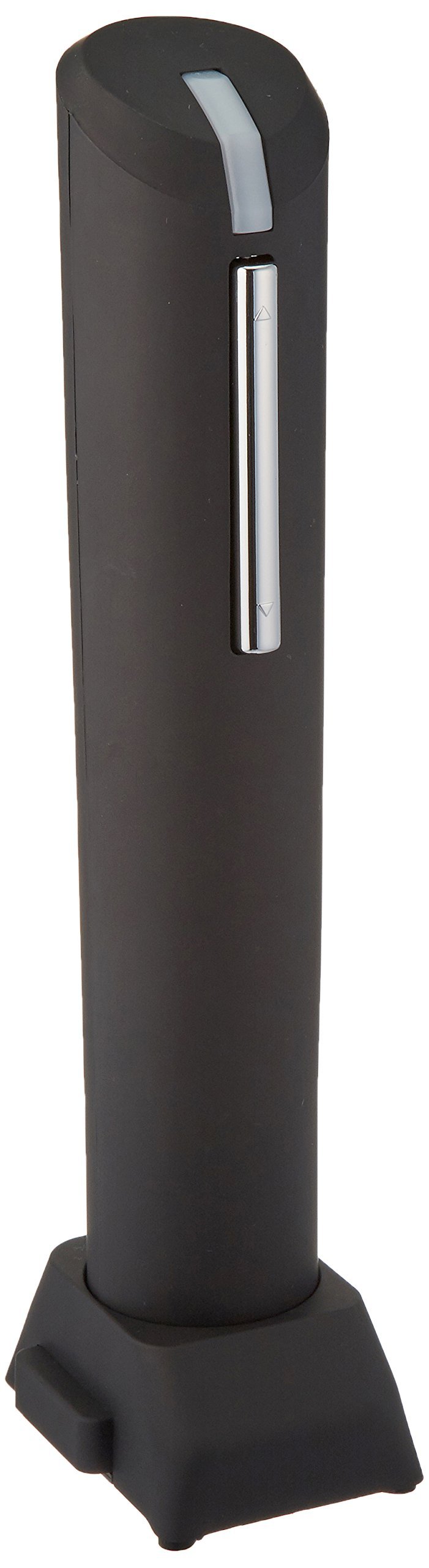
Image: The Brookstone Automatic Wireless Wine Opener. This image displays the main unit, a black cylindrical device with chrome accents, highlighting its compact design and the corkscrew mechanism at the base.
Setup
- Battery Installation:
The wine opener requires 4 AA batteries (not included). To install, locate the battery compartment cover, typically on the back or bottom of the unit. Open the cover, insert the batteries according to the polarity indicators (+/-), and securely close the compartment.
- Foil Cutter:
The integrated foil cutter is located in the base of the stand. To use, place the foil cutter over the top of the wine bottle and twist to remove the foil seal.
Operating Instructions
- Prepare the Bottle:
First, use the foil cutter to remove the foil seal from the wine bottle. Ensure the bottle is placed on a stable, flat surface.
- Position the Opener:
Place the wine opener vertically on top of the wine bottle, ensuring the corkscrew is centered over the cork. Hold the bottle firmly with one hand and the opener with the other.
- Remove the Cork:
Press and hold the "down" button (usually indicated by a downward arrow or a specific color). The corkscrew will automatically rotate and penetrate the cork, then pull it out of the bottle. Release the button once the cork is fully extracted.
- Release the Cork:
Once the cork is removed from the bottle, lift the opener away. To release the cork from the opener, press and hold the "up" button (usually indicated by an upward arrow or a different color). The corkscrew will rotate in reverse, ejecting the cork.
The opener is designed to work with both natural and synthetic corks. It can open approximately 150 bottles before battery replacement is typically needed.
Maintenance
- Cleaning:
Wipe the exterior of the wine opener with a soft, damp cloth. Do not immerse the unit in water or use abrasive cleaners. Ensure the unit is completely dry before storage.
- Battery Replacement:
When the opener's performance diminishes or it stops functioning, replace all 4 AA batteries with new ones. Always use fresh batteries and dispose of old batteries responsibly.
- Storage:
Store the wine opener in its stand or a dry place away from direct sunlight and extreme temperatures.
Troubleshooting
| Problem | Possible Cause | Solution |
|---|---|---|
| Opener does not activate. | Batteries are dead or incorrectly installed. | Check battery polarity. Replace with 4 new AA batteries. |
| Cork is not fully extracted. | Insufficient battery power or improper positioning. | Replace batteries. Ensure the opener is centered and held firmly on the bottle. |
| Cork is stuck in the opener. | "Up" button not pressed or cork is jammed. | Press and hold the "up" button to reverse the corkscrew. If jammed, gently wiggle the cork while pressing the button. |
Specifications
- Model Number: BS734643
- Product Dimensions: 3 x 3.75 x 10.5 inches
- Item Weight: 1 pound
- Power Source: 4 AA batteries (not included)
- UPC: 883594032233
- Manufacturer: Brookstone
Warranty Information
This Brookstone Automatic Wireless Wine Opener (Model BS734643) comes with a 1-year limited warranty from the date of purchase. This warranty covers manufacturing defects in materials and workmanship under normal use. It does not cover damage resulting from misuse, accident, alteration, or unauthorized repair. Please retain your proof of purchase for warranty claims.
For specific warranty terms and conditions, or to initiate a warranty claim, please refer to the official Brookstone website or contact their customer support directly.
Customer Support
For further assistance, technical support, or inquiries regarding your Brookstone Automatic Wireless Wine Opener, please visit the official Brookstone website or contact their customer service department. Contact information can typically be found on the manufacturer's website or product packaging.
Online Resources: www.brookstone.com


