
Introduction
The Nerf N-Strike Elite Retaliator Blaster is designed for customizable play, offering four different configurations to adapt to various scenarios. This manual provides essential information for safe and effective use of your blaster.
Safety Information
WARNING: To avoid injury, do not aim at eyes or face. Use only darts designed for this product. Do not modify darts or dart blaster. Recommended for ages 8 and up.
- Always wear eye protection when using the blaster.
- Do not fire at close range.
- Keep fingers clear of moving parts.
- Ensure the blaster is unloaded when not in use.
Components
The Nerf N-Strike Elite Retaliator Blaster comes with the following components:
- Main Blaster Unit
- Removable Stock
- Barrel Extension
- Stability Handle (Assault Grip)
- 12-Dart Quick Reload Clip
- 12 Elite Darts


Setup
Attaching Components
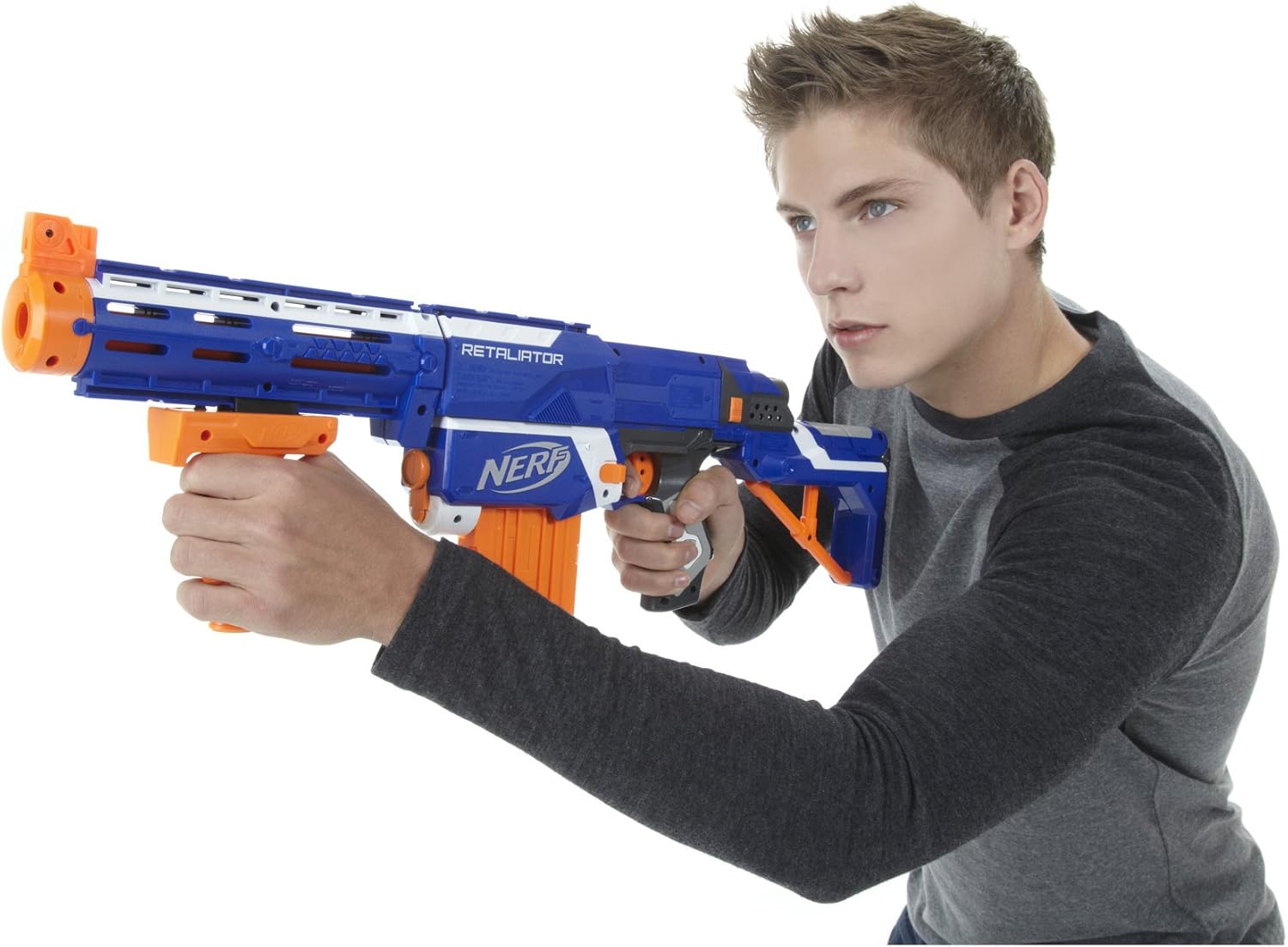
The Retaliator Blaster is designed for modular assembly, allowing for four different configurations. Components can be easily attached and detached.
- Attach the Stock: Align the stock with the rear of the main blaster unit and slide it on until it clicks into place. The stock helps stabilize your shot.
- Attach the Barrel Extension: Align the barrel extension with the front of the main blaster unit and twist or slide it on until secure. The barrel extension features top and bottom Tactical Rails for additional accessories.
- Attach the Stability Handle: Slide the stability handle onto one of the Tactical Rails on the barrel extension or the main blaster unit. This grip enhances mobility and control.

Operation
Loading Darts
- Load Elite Darts into the 12-dart Quick Reload Clip. Ensure darts are inserted in the direction indicated on the clip.
- Insert one dart at a time and push down until fully seated. The clip can hold up to 12 darts.

Inserting the Clip
- Pull the SLIDE all the way back until the READY INDICATOR is orange. Keep the slide in the rearmost position.
- Insert the loaded Quick Reload Clip into the main blaster unit. Ensure the arrow on the clip points away from the trigger. The clip will click into place.

Firing the Blaster
- Push the SLIDE all the way forward to chamber a dart.
- Pull the trigger to fire.
- To fire again, pull the SLIDE all the way back, then push it all the way forward to chamber another dart. Pull the trigger. Repeat this step until the clip is empty.

Official Product Video: Nerf N-Strike Elite Retaliator Blaster Overview
This video provides an overview of the Nerf N-Strike Elite Retaliator Blaster, demonstrating its features and customizable configurations. It shows how to attach the stock, barrel extension, and grip, and highlights the blaster's dart capacity and firing range.
Maintenance
Clearing a Jam
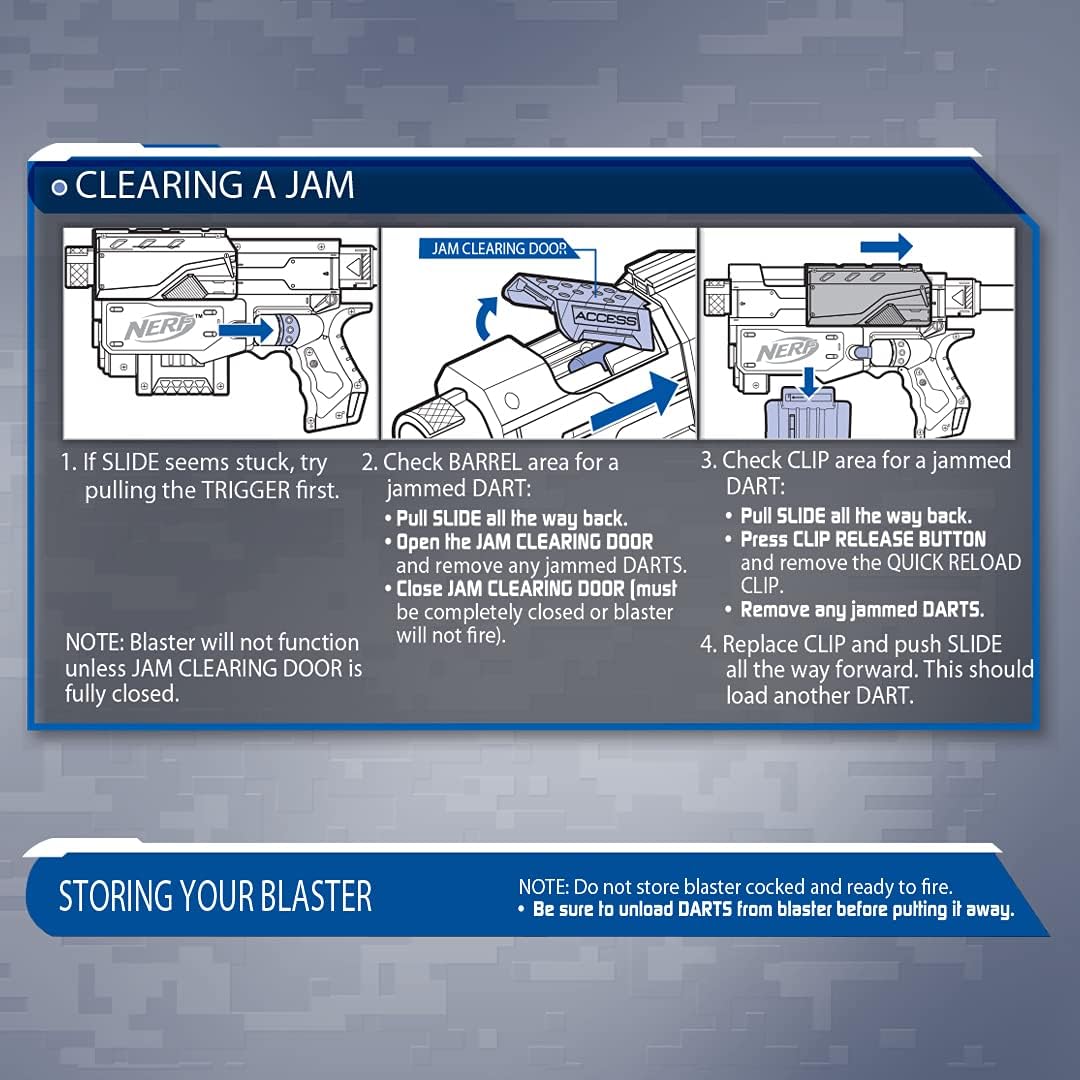
If a dart jam occurs, follow these steps:
- If the SLIDE seems stuck, try pulling the TRIGGER first.
- Check the BARREL area for a jammed dart. Pull the SLIDE all the way back. Open the JAM CLEARING DOOR and remove any jammed darts. Close the JAM CLEARING DOOR completely, as the blaster will not function if it is open.
- Check the CLIP area for a jammed dart. Pull the SLIDE all the way back. Press the CLIP RELEASE button and remove the QUICK RELOAD CLIP. Remove any jammed darts.
- Replace the CLIP and push the SLIDE all the way forward. This should load another dart.
Storing Your Blaster
- Do not store the blaster cocked and ready to fire.
- Be sure to unload darts from the blaster before putting it away.
Troubleshooting
| Problem | Possible Cause | Solution |
|---|---|---|
| Darts not firing or firing weakly. | Jammed dart, worn darts, slide not fully primed. | Clear any jams (refer to "Clearing a Jam"). Use new, undamaged Elite Darts. Ensure the slide is pulled back and pushed forward completely. |
| Clip not inserting or removing easily. | Slide not fully back, obstruction in clip well. | Ensure the slide is pulled all the way back. Check for any debris in the clip well. Press the clip release button firmly. |
| Attachments (stock, barrel) are loose. | Not fully engaged, worn connection points. | Ensure attachments are pushed or twisted until they click securely into place. If connections are worn, replacement parts may be needed (contact customer support). |
Specifications
- Model Number: 98696
- Brand: Nerf
- Manufacturer: Hasbro
- Material Type: Plastic
- Item Weight: 150 Grams
- Item Dimensions: 2.99 x 19.02 x 11.5 inches
- Maximum Range: Up to 90 Feet (27 meters)
- Dart Capacity: 12 Elite Darts (with included clip)
- Age Recommendation: 8+
- Batteries Required: No
- Assembly Required: No (modular components attach easily)
Warranty & Support
This product comes with No Warranty as per manufacturer specifications. For any product inquiries or support, please contact Hasbro customer service directly.
You can visit the official Nerf store for more information and accessories: Nerf Official Store