
1. Introduction
The iHome iD7SC (model iD7S) is a versatile speaker system designed to enhance your audio experience with Apple devices. It features a retractable universal dock compatible with iPad, iPhone, and docking iPod models, allowing for charging and playback. The system incorporates SRS TruBass circuitry and four speakers within Reson8 chambers to deliver clear and rich stereo sound.
This manual provides essential information for setting up, operating, maintaining, and troubleshooting your iHome iD7SC speaker dock.
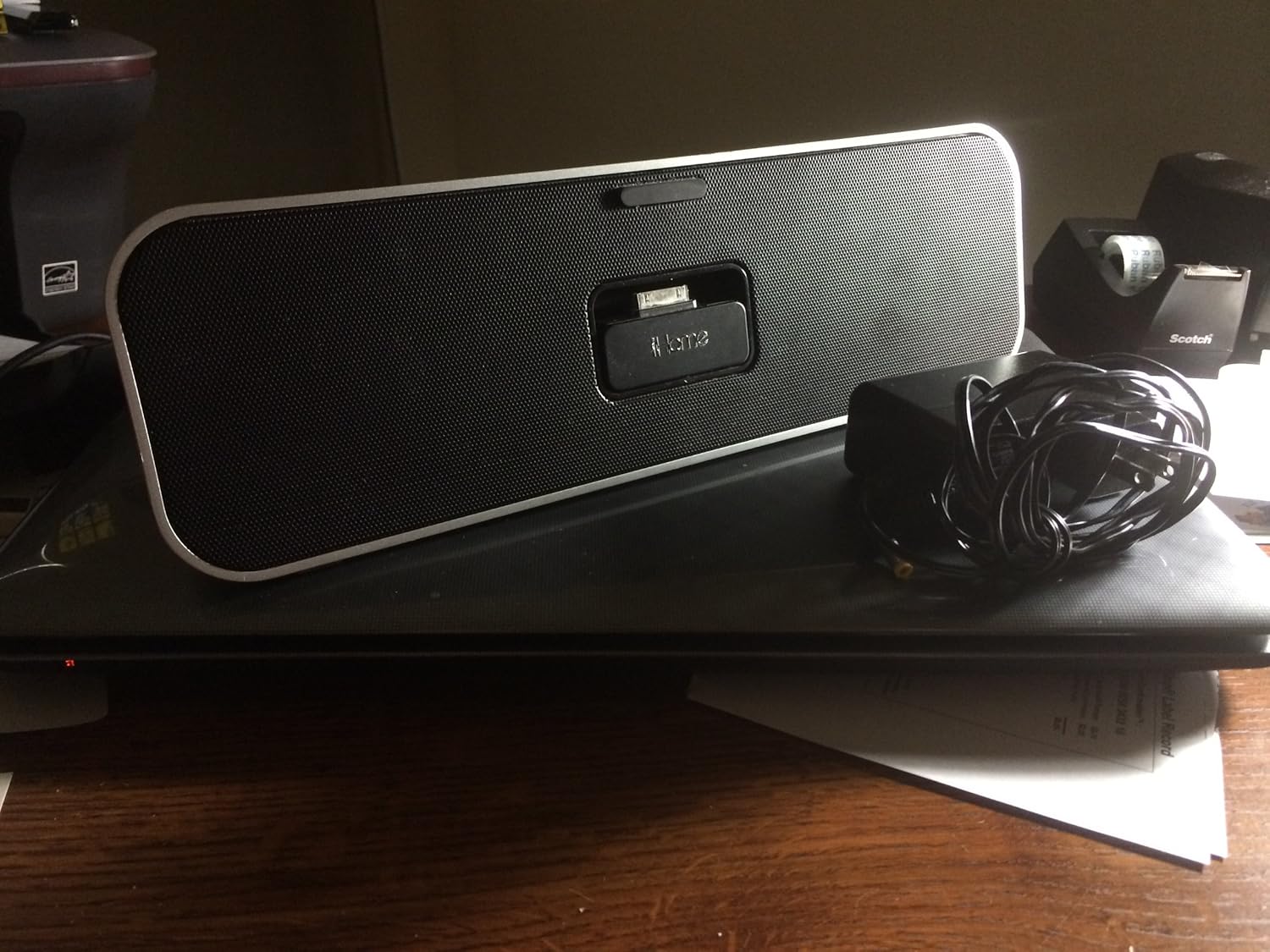
Figure 1: The iHome iD7SC speaker dock, showcasing its sleek design and the included power adapter.
2. Setup
2.1 Powering the Device
The iD7SC can be powered using either the included AC adapter or four (4) AA batteries for portable use.
- AC Power: Connect the universal 100-240V AC adapter to the DC input jack on the back of the iD7SC and plug the other end into a standard wall outlet. Your device will charge while docked when operating on AC power.
- Battery Power: Open the battery compartment on the bottom of the unit. Insert four (4) AA batteries, ensuring correct polarity (+/-). Close the compartment securely.
2.2 Docking Your Device
The iD7SC features a retractable universal dock that accommodates various iPad, iPhone, and iPod models without the need for inserts.
- Gently press the dock mechanism to extend it from the unit.
- Carefully align your Apple device with the 30-pin connector on the dock.
- Gently push your device down onto the connector until it is firmly seated.
- To remove your device, gently pull it upwards from the dock. The dock will retract when no device is present.

Figure 2: A detailed view of the 30-pin dock connector on the iHome iD7SC, ready to receive an Apple device.
3. Operating the Speaker Dock
3.1 Audio Playback
- Docked Device Playback: Once your iPad, iPhone, or iPod is docked, select your desired audio content (music, podcasts, etc.) on your device. The audio will automatically play through the iD7SC speakers. Use the volume controls on your docked device or the iD7SC (if available, typically on the unit itself) to adjust the sound level.
- Auxiliary Input: For other audio sources, connect a 3.5mm audio cable (not included) from the headphone jack or line-out of your external device to the Aux Line-in jack on the iD7SC. Select the Aux input mode on the iD7SC (if applicable, refer to unit controls) and play audio from your external device.
3.2 Sound Enhancement
The iD7SC features SRS TruBass sound enhancement, which provides a deeper and richer bass response. This feature is automatically active to optimize your listening experience. The four speakers (two active, two passive) in Reson8 chambers are engineered to deliver crisp and clear stereo sound across various audio types.
3.3 App Compatibility
The iD7SC is designed to be "App-Friendly" and works seamlessly with iHome applications available for your Apple device. These apps may offer additional control features or enhanced functionalities for your speaker dock.
4. Maintenance
To ensure the longevity and optimal performance of your iHome iD7SC, follow these simple maintenance guidelines:
- Cleaning: Use a soft, dry cloth to wipe down the exterior of the unit. Do not use liquid cleaners or abrasive chemicals, as they may damage the finish or internal components.
- Dust: Regularly dust the speaker grilles and dock connector area to prevent accumulation that could affect sound quality or connectivity.
- Storage: If storing the unit for an extended period, remove the batteries to prevent leakage. Store in a cool, dry place away from direct sunlight and extreme temperatures.
5. Troubleshooting
If you encounter issues with your iHome iD7SC, please refer to the following common problems and solutions:
| Problem | Possible Cause / Solution |
|---|---|
| No power |
|
| No sound from docked device |
|
| No sound from Aux-in device |
|
| Device not charging |
|
If the problem persists after trying these solutions, please contact iHome customer support or refer to the official iHome website for further assistance.
6. Specifications
| Feature | Detail |
|---|---|
| Model Number | iD7S |
| Product Dimensions (L x W x H) | 13 x 3.94 x 2.17 inches |
| Item Weight | 2.2 pounds |
| Power Source | AC Adapter (100-240V universal) or 4 x AA Batteries |
| Speaker Configuration | 4 speakers (2 active, 2 passive) in Reson8 chambers |
| Sound Enhancement | SRS TruBass |
| Connectivity | 30-pin Dock Connector, Aux Line-in Jack |
| Compatible Devices | iPad, iPhone, Docking iPod models |
| Manufacturer | Sound Design, Inc. |
7. Warranty and Support
For detailed warranty information regarding your iHome iD7SC speaker dock, please refer to the warranty card included with your product packaging or visit the official iHome website. Warranty terms and conditions may vary by region and purchase date.
For technical support, product registration, or to purchase accessories, please visit the iHome support section on their official website or contact their customer service directly. Contact information is typically available on the iHome website.
Note: Keep your purchase receipt as proof of purchase for warranty claims.


