
1. Introduction
This manual provides detailed instructions for the safe and effective use of your Fujifilm Finepix S4300 digital camera. Please read this manual thoroughly before using the camera and keep it in a safe place for future reference.
The Fujifilm Finepix S4300 is a 14-megapixel digital camera featuring a 26x optical zoom lens (24-624mm equivalent), dual image stabilization, and HD 720p video recording capabilities. It is designed for users seeking a versatile camera with a powerful zoom and user-friendly features.
2. Camera Overview
2.1 Front and Top View

Figure 1: Front and top view of the Fujifilm Finepix S4300 camera, showing the lens, flash, and control dial.
2.2 Rear View
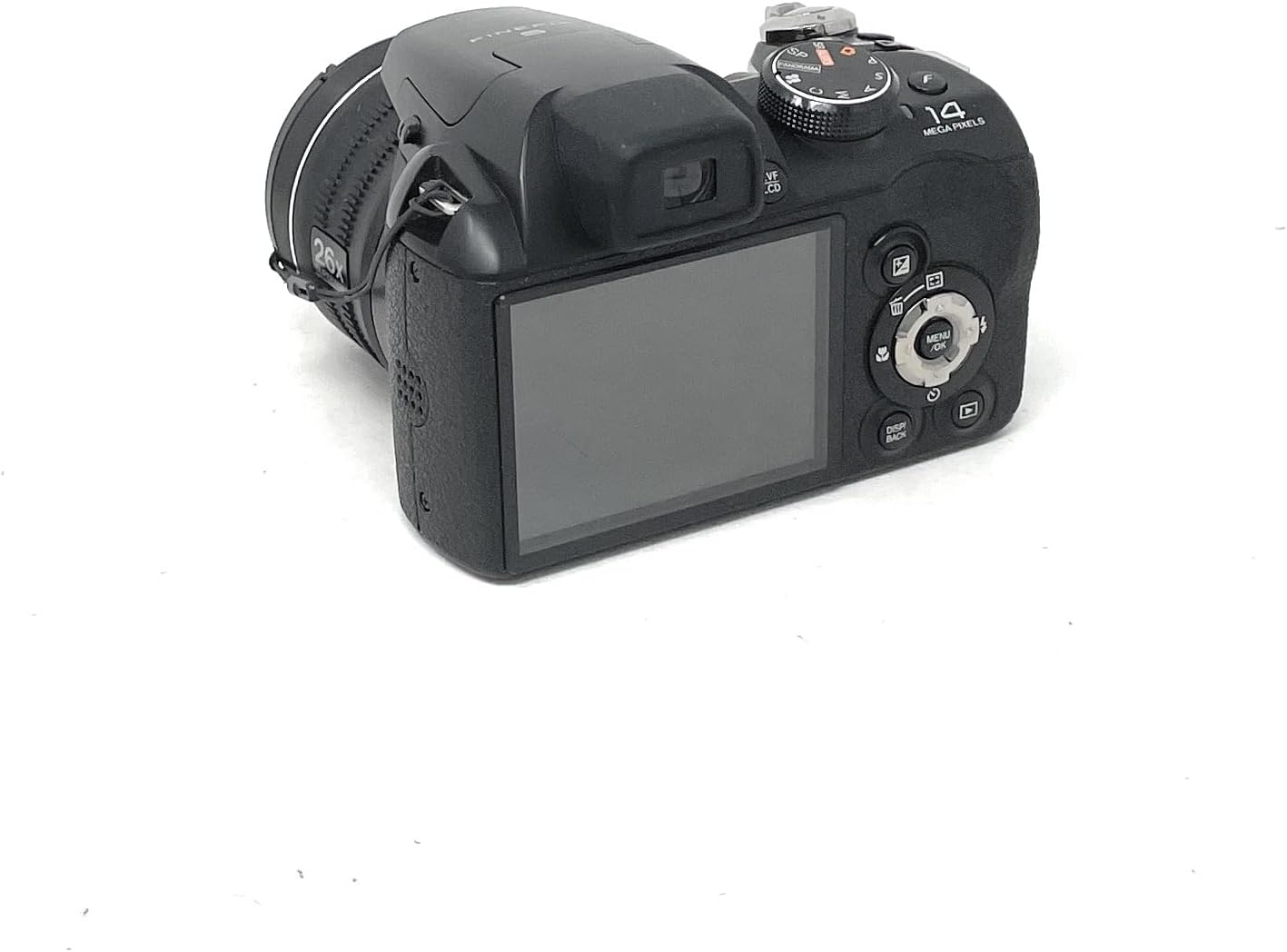
Figure 2: Rear view of the Fujifilm Finepix S4300 camera, displaying the 3-inch LCD screen and various control buttons.
2.3 Bottom View
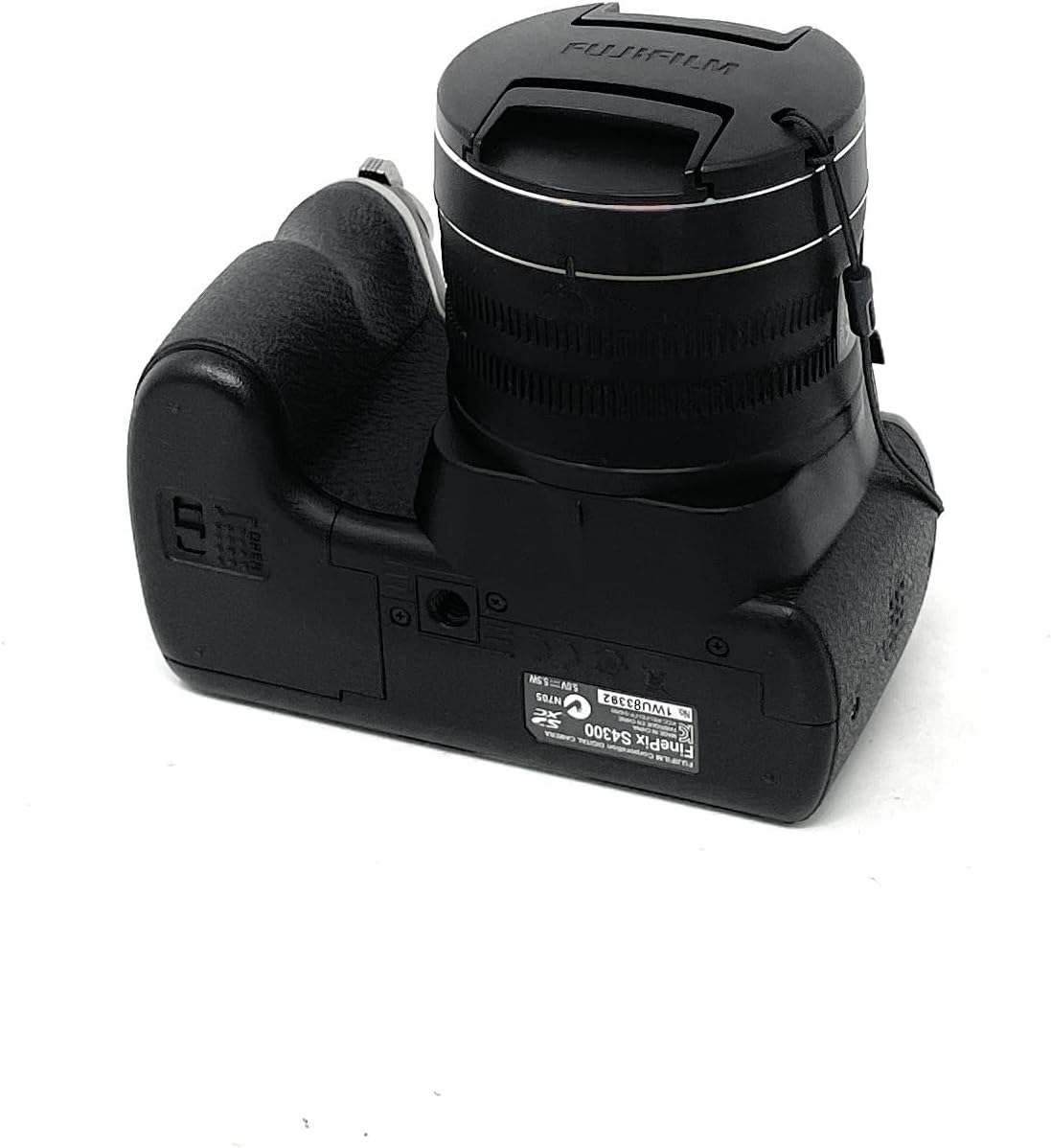
Figure 3: Bottom view of the Fujifilm Finepix S4300 camera, showing the battery and memory card compartment.
3. Setup
3.1 Installing Batteries
The Finepix S4300 operates on four AA batteries. Ensure you use new, high-quality alkaline or Ni-MH rechargeable batteries for optimal performance.
- Open the battery compartment cover located on the bottom of the camera (refer to Figure 3).
- Insert four AA batteries, ensuring correct polarity (+/-) as indicated inside the compartment.
- Close the battery compartment cover securely until it clicks into place.
3.2 Inserting a Memory Card
The camera supports SD memory cards. A memory card is required to store photos and videos.
- Open the battery/memory card compartment cover (refer to Figure 3).
- Insert the SD card into the card slot with the label facing the front of the camera until it clicks.
- Close the compartment cover securely.
- To remove the card, push it gently inward until it clicks, then release it to eject.
3.3 Initial Power On and Date/Time Setting
After installing batteries and a memory card, power on the camera for the first time.
- Press the ON/OFF button.
- The camera will prompt you to set the date and time. Use the directional pad to navigate and the MENU/OK button to confirm.
- Set the correct time zone, date, and time.
4. Operating the Camera
4.1 Taking Photos in Auto Mode
For simple point-and-shoot photography, use the camera's automatic mode.
- Turn the mode dial to AUTO.
- Frame your shot using the LCD monitor or electronic viewfinder (EVF).
- Press the shutter button halfway down to focus. The focus frame will turn green when focus is achieved.
- Press the shutter button fully down to take the picture.
4.2 Using the Optical Zoom
The camera features a 26x optical zoom lens.
- To zoom in, push the zoom lever towards T (Telephoto).
- To zoom out, push the zoom lever towards W (Wide-angle).
4.3 Recording Videos
The Finepix S4300 can record HD 720p videos at 30 frames per second.
- Turn the mode dial to the Movie icon.
- Press the movie recording button (usually a red dot icon) to start recording.
- Press the button again to stop recording.
4.4 Flash Modes
The built-in flash can be used in various modes:
- Auto Flash: The camera automatically determines if flash is needed.
- Forced Flash: Flash fires with every shot.
- Slow Synchro: For night portraits, combining flash with slow shutter speeds.
- Flash Off: Flash is disabled.
Access flash settings via the MENU button in shooting mode.
4.5 Advanced Shooting Modes
Beyond AUTO, the mode dial offers:
- Program (P): Camera sets aperture and shutter speed, but you can adjust other settings.
- Shutter-Priority (S): You set shutter speed, camera sets aperture.
- Aperture-Priority (A): You set aperture, camera sets shutter speed.
- Manual (M): You control both aperture and shutter speed.
- Scene Recognition Auto (SR AUTO): Camera intelligently detects the scene type and optimizes settings.
- Scene Position (SP): Select from various scene modes like Portrait, Landscape, Sport, Night, etc.
4.6 Image Playback and Connectivity
To view your photos and videos:
- Press the PLAY button.
- Use the directional pad to navigate through images.
- To connect to an HD TV, use an HDMI cable (not included) and the camera's HDMI port.
- Images can be easily uploaded to platforms like Facebook and YouTube using the included software (refer to the software manual for details).
5. Maintenance
5.1 Cleaning the Camera
- Camera Body: Wipe gently with a soft, dry cloth. Do not use alcohol, solvents, or harsh chemicals.
- Lens: Use a lens brush to remove dust, then gently wipe with a lens cleaning cloth. For stubborn smudges, use a small amount of lens cleaning fluid on the cloth, not directly on the lens.
- LCD Monitor: Wipe gently with a soft, dry cloth. Avoid pressing hard on the screen.
5.2 Battery Care
- Remove batteries when the camera will not be used for an extended period.
- Store batteries in a cool, dry place.
- Do not mix old and new batteries, or different types of batteries.
5.3 Storage
When storing the camera for long periods, remove the batteries and memory card. Store the camera in a cool, dry, well-ventilated area, away from direct sunlight and extreme temperatures.
6. Troubleshooting
| Problem | Solution |
|---|---|
| Camera does not turn on. |
|
| Cannot take pictures. |
|
| Images are blurry. |
|
| Flash does not fire. |
|
7. Specifications
| Feature | Detail |
|---|---|
| Model Name | FinePix S4300 |
| Effective Pixels | 14 Megapixels |
| Image Sensor | 1/2.3-inch CCD |
| Optical Zoom | 26x |
| Focal Length | 24-624mm (35mm equivalent) |
| Digital Zoom | 7x |
| Image Stabilization | Dual Image Stabilization |
| LCD Screen | 3.0-inch LCD, 460,000 dots |
| Electronic Viewfinder (EVF) | Yes, 200,000 dots |
| Video Recording | HD 720p at 30 fps (MP4 format) |
| Storage Media | SD/SDHC/SDXC Memory Card |
| Power Source | 4 x AA Alkaline or Ni-MH batteries |
| Connectivity | HDMI, USB 2.0, Wi-Fi |
| Dimensions (W x H x D) | 11.8 x 9.99 x 8.09 cm |
| Weight | 448 Grams (excluding batteries and memory card) |
| Special Features | Auto Focus, Face Detection, SR Auto, Panorama Mode |
8. Warranty and Support
For information regarding warranty coverage, service, or technical support for your Fujifilm Finepix S4300 camera, please refer to the warranty card included with your product or visit the official Fujifilm website for your region. Specific warranty terms and conditions may vary by country or region of purchase.
Please retain your proof of purchase for any warranty claims.


