
Introduction
This manual provides essential information for the safe and efficient use of your Elro ES128W 120W White Eco-Halogen Projector with Motion Detector. Please read these instructions carefully before installation and operation, and retain them for future reference. This product is designed to provide security lighting for outdoor areas.
Safety Instructions
Always observe the following safety precautions to prevent injury or damage to the product:
- Electrical Safety: Installation and wiring must be performed by a qualified electrician in accordance with all local and national electrical codes. Always disconnect power at the main circuit breaker before attempting any installation, maintenance, or bulb replacement.
- Outdoor Use: This product is rated IP44 for outdoor use, meaning it is protected against solid objects over 1mm and splashing water from any direction. However, do not immerse the unit in water.
- Heat: Halogen bulbs generate significant heat. Allow the lamp to cool completely before touching it or performing any maintenance. Do not place flammable materials near the projector.
- Bulb Type: Use only the specified 120W Eco-Halogen bulb type. Using an incorrect bulb may cause damage or fire.
- Mounting: Ensure the mounting surface is structurally sound and can safely support the weight of the projector.
Package Contents
Verify that all components are present and undamaged before beginning installation:
- Elro ES128W Projector Unit with Motion Detector
- 120W Eco-Halogen Bulb
- Mounting Hardware (screws and wall plugs)
- Instruction Manual
Installation
Mounting the Projector
The Elro ES128W projector is designed for wall mounting. Choose a location that provides the desired coverage area for the light and motion detector, free from obstructions.
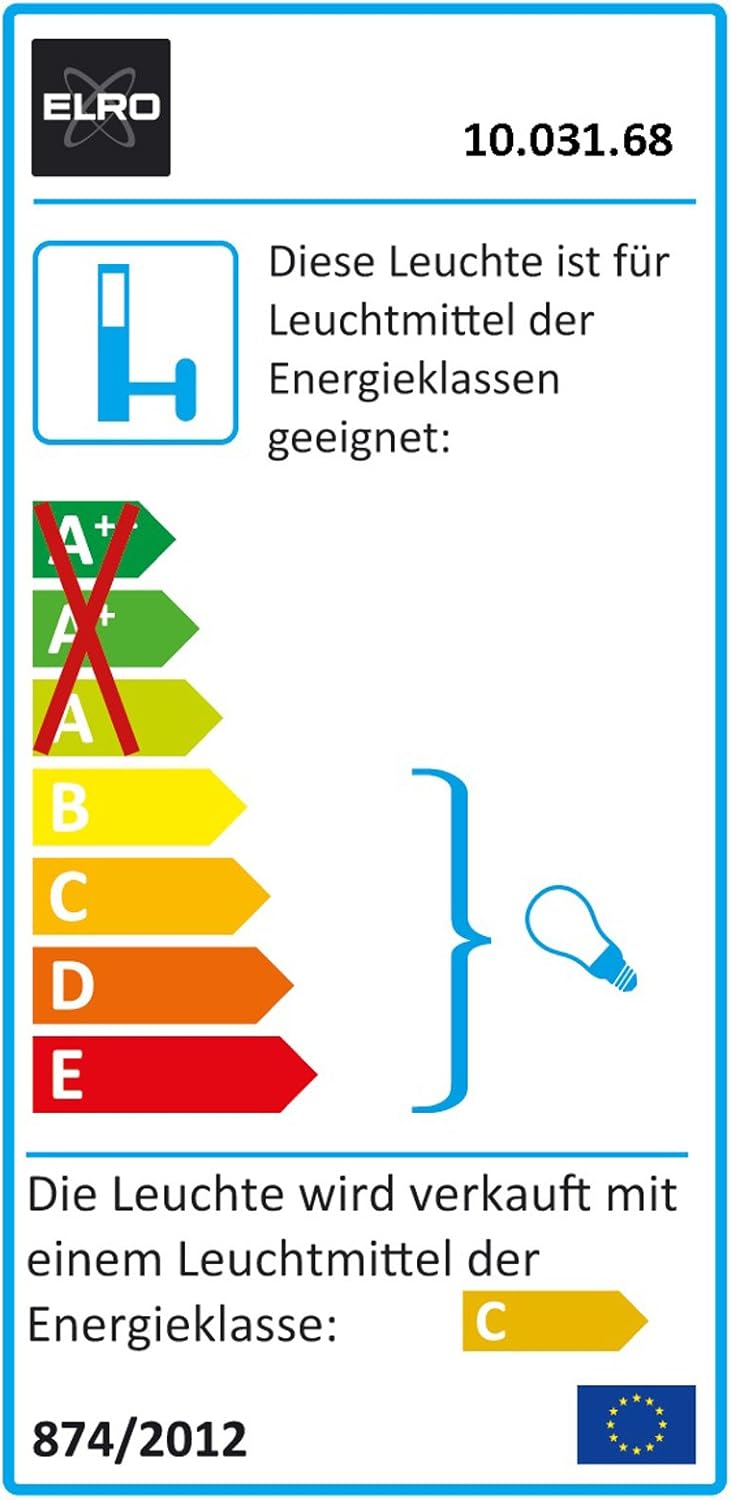
Image Description: A white Elro ES128W eco-halogen projector with a motion detector, shown mounted on a wall. The light fixture is adjustable, and the motion sensor is located below the main light, designed for outdoor security illumination.
- Mark the desired mounting points on the wall using the projector's base as a template.
- Drill holes at the marked positions and insert the provided wall plugs.
- Secure the projector base to the wall using the provided screws.
- Adjust the angle of the light fixture and motion sensor as needed.
Electrical Connection
This device requires a permanent wired electrical connection. Ensure the power supply is disconnected before proceeding.
- Turn off the main power supply at the circuit breaker.
- Open the wiring compartment on the projector.
- Connect the live, neutral, and earth wires from your electrical supply to the corresponding terminals within the projector's wiring compartment. Ensure all connections are secure.
- Close the wiring compartment, ensuring a watertight seal.
- Restore power at the circuit breaker.
Operation
Motion Detector Functionality
The integrated motion detector activates the light when movement is detected within its adjustable range. The light will remain on for a set duration and will only activate when the ambient light level falls below a certain threshold, depending on your settings.
Adjusting Settings
The projector features two adjustable controls, typically located behind a small cover near the motion sensor:
- TIME Adjustment: This knob controls how long the light remains illuminated after motion is detected. Turn clockwise to increase the duration (e.g., from a few seconds to several minutes), and counter-clockwise to decrease it.
- LUX Adjustment: This knob determines the ambient light level at which the motion sensor becomes active. Turn towards the 'moon' symbol for activation only in low light or darkness. Turn towards the 'sun' symbol for activation in brighter conditions (e.g., during dusk or even daylight for testing).
Test the settings after adjustment to ensure the desired operation. It may take several adjustments to find the optimal settings for your environment.

Image Description: An energy efficiency label for the Elro ES128W projector. It indicates that the luminaire is suitable for bulbs of energy classes A++ to E, and is sold with a bulb of energy class C, according to European regulation 874/2012. The label features the ELRO logo and product number 10.031.68.
Maintenance
Cleaning
Regularly clean the projector and motion sensor lens to ensure optimal performance. Use a soft, damp cloth. Do not use abrasive cleaners, solvents, or harsh chemicals, as these can damage the finish or sensor.
Bulb Replacement
This projector uses a 120W Eco-Halogen bulb. When the bulb needs replacement, follow these steps:
- Turn off the power supply to the projector at the main circuit breaker.
- Allow the old bulb to cool completely before touching it.
- Carefully open the lamp housing or protective grille.
- Remove the old halogen bulb. Avoid touching the new bulb directly with bare hands; use a clean cloth or gloves to insert the new bulb.
- Close the lamp housing securely.
- Restore power at the circuit breaker and test the light.
Troubleshooting
If you encounter issues with your Elro ES128W projector, refer to the table below for common problems and solutions:
| Problem | Possible Cause | Solution |
|---|---|---|
| Light does not turn on | No power supply Faulty bulb LUX setting too high (sensor thinks it's daylight) | Check circuit breaker and wiring connections Replace the halogen bulb Adjust LUX setting towards the 'moon' symbol |
| Light stays on constantly | TIME setting too long Continuous motion in detection area Faulty motion sensor | Adjust TIME setting to a shorter duration Check for moving objects (e.g., tree branches, pets) in the sensor's field of view Contact customer support if the issue persists |
| Motion detector range is poor | Obstructions blocking the sensor Incorrect mounting height or angle Temperature variations | Clear any objects blocking the sensor's view Adjust the sensor's angle and ensure optimal mounting height Note that extreme temperatures can affect sensor performance |
Specifications
- Brand: Elro
- Model: ES128W
- Dimensions (L x W x H): 13 x 15.01 x 23.5 cm
- Weight: 662 grams
- IP Rating: IP44
- Color: White
- Material: Metal
- Number of Bulbs: 1
- Special Features: Motion Detector
- Shade Color: White
- Plug Type: Electrical Cable
- Installation Type: Wall Mount
- Batteries Required: No
- Bulb Type: Halogen
- Power: 120 Watts
- Incandescent Equivalent: 120 Watts
Warranty and Support
This Elro product comes with a 2-year warranty from the date of purchase. This warranty covers manufacturing defects under normal use.
For technical support, warranty claims, or further assistance, please contact your retailer or visit the official Elro website. Please have your proof of purchase and product model number (ES128W) available when contacting support.