1. Introduction
Thank you for purchasing the Sylvania SDVD8737 7-Inch Dual Screen Portable DVD Player. This device is designed to provide portable entertainment, ideal for car travel and other on-the-go situations. This manual will guide you through the setup, operation, maintenance, and troubleshooting of your new portable DVD player to ensure a seamless user experience.

Image 1.1: Front view of the Sylvania SDVD8737 Dual Screen Portable DVD Player, showing both 7-inch screens displaying a vibrant image.
2. Product Overview
2.1 Key Features
- Dual 7-inch TFT LCD displays for shared viewing.
- Compatible with DVD, DVD+/-R/RW, CD, CD-R/RW, MP3, and JPEG formats.
- Built-in stereo speakers for audio playback.
- Headphone jack for private listening.
- Includes AC adapter for home use and car adapter for vehicle use.
- Comes with headrest mounting straps for in-car installation.
- Note: This product does not include USB or SD Card slots.
2.2 Components and Connections
Familiarize yourself with the main unit and secondary screen components and their connection points.

Image 2.1: Rear view of the main DVD player unit, highlighting the various input/output ports including earphone, AV out, DC in 12V, and DC out.
- Main Unit (DVD Player): Contains the DVD drive, primary controls, and all main connection ports.
- Secondary Screen: Connects to the main unit to display the same content.
- DC IN 12V: Power input for AC adapter or car adapter.
- DC OUT: Power output to connect and power the secondary screen.
- EARPHONE: 3.5mm jack for headphones.
- AV OUT: Audio/Video output to connect to the secondary screen.

Image 2.2: Front view of one of the 7-inch screens, showing the control buttons (Play/Pause, Stop, Volume, Mode) and built-in speakers.
3. Setup Instructions
3.1 Power Connection
The DVD player can be powered using either the included AC adapter for home use or the car adapter for in-vehicle use.
- AC Adapter: Connect the AC adapter to the 'DC IN 12V' port on the main unit and plug it into a standard wall outlet.
- Car Adapter: Connect the car adapter to the 'DC IN 12V' port on the main unit and plug it into your vehicle's 12V power outlet (cigarette lighter socket).
3.2 Connecting the Secondary Screen
To use both screens, connect the secondary screen to the main DVD player unit.
- Connect the AV cable from the 'AV OUT' port on the main unit to the 'AV IN' port on the secondary screen.
- Connect the DC power cable from the 'DC OUT' port on the main unit to the 'DC IN' port on the secondary screen.

Image 3.1: Rear view of both screens, illustrating the connection points for power and AV cables between the main unit and the secondary screen.
3.3 Vehicle Installation (Headrest Mounting)
Use the provided headrest mounting straps to secure the screens in your vehicle.
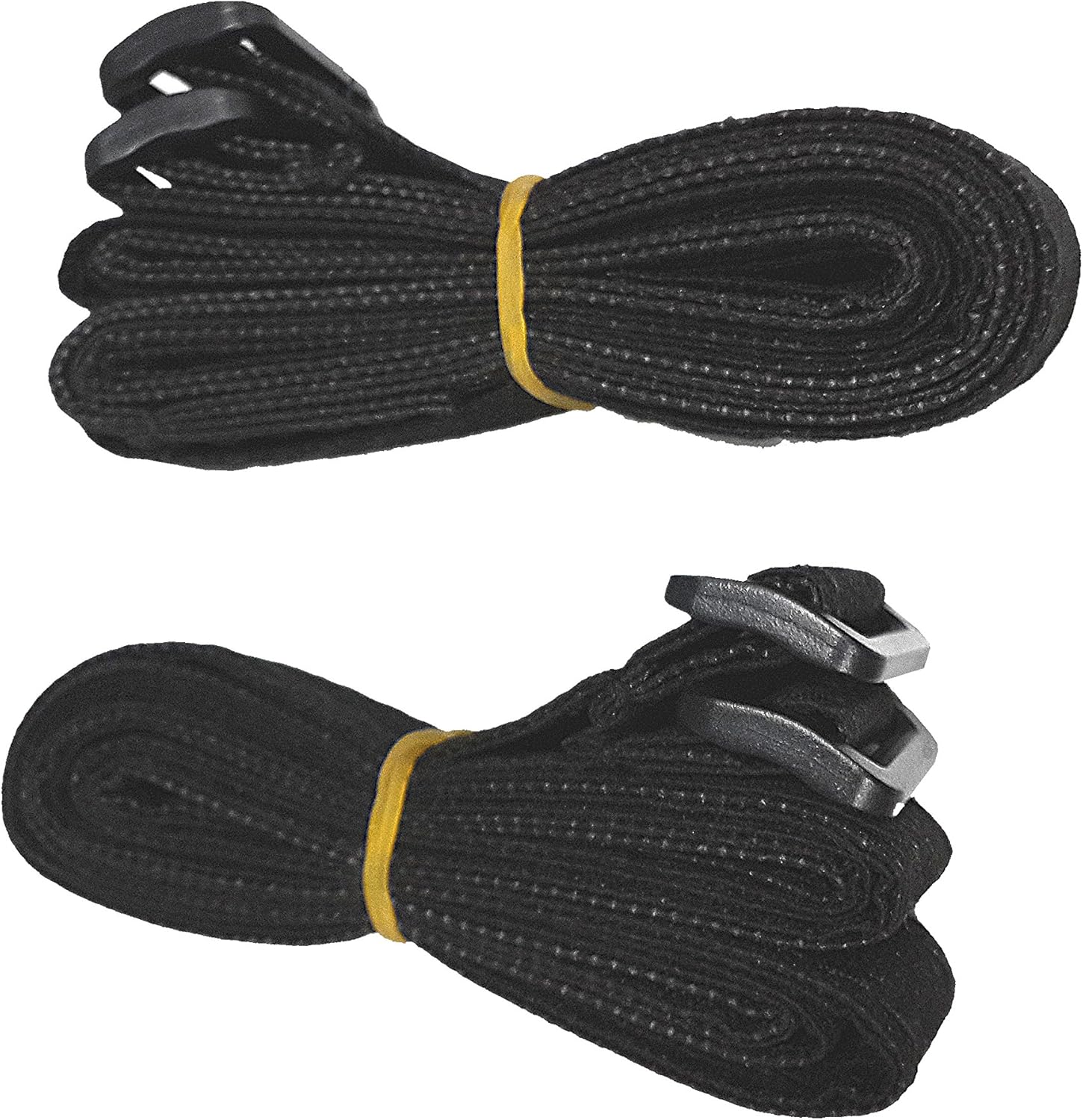
Image 3.2: The black headrest mounting straps included with the portable DVD player.
- Attach the mounting straps around the headrest posts of your car seats.
- Securely insert each screen into its respective mounting strap. The design allows for easy insertion and removal while keeping the screens stable during travel.

Image 3.3: A single 7-inch screen mounted securely on the back of a car seat headrest using the provided strap.
4. Operating Instructions
4.1 Loading and Playing a DVD
- Ensure the main unit is powered on.
- Gently open the DVD compartment cover on the main unit.
- Place a DVD disc onto the spindle with the label side facing up.
- Close the DVD compartment cover. The player will automatically begin reading the disc.
- Use the Play/Pause, Stop, Fast Forward, and Rewind buttons on the unit or the remote control to manage playback.
4.2 Using the Remote Control
The included remote control provides convenient access to all player functions.
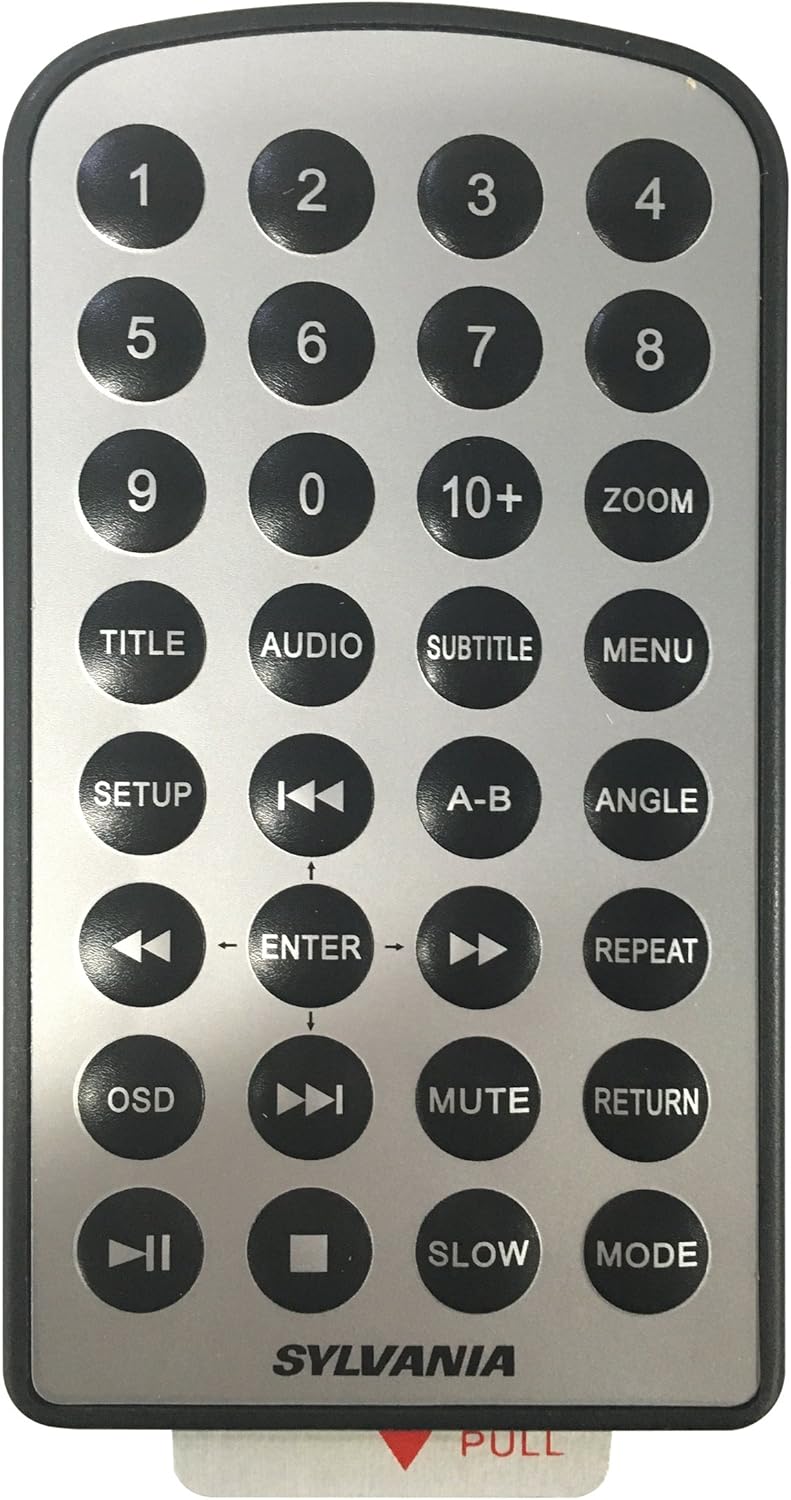
Image 4.1: The remote control for the Sylvania SDVD8737, featuring various playback, menu, and navigation buttons.
- Point the remote control directly at the main DVD player unit for optimal response.
- Buttons include: Number keys (0-9), Title, Audio, Subtitle, Menu, Setup, Navigation (Up/Down/Left/Right/Enter), Play/Pause, Stop, Fast Forward, Rewind, Mute, Return, Mode, Zoom, Angle, A-B Repeat, OSD (On-Screen Display), Slow, and Repeat.
4.3 Audio Output
- Built-in Speakers: Audio will play through the integrated stereo speakers on both screens. Adjust volume using the VOL+/- buttons on the unit or remote.
- Headphones: For private listening, plug standard 3.5mm headphones into the 'EARPHONE' jack on the main unit.
5. Maintenance
Proper care and maintenance will extend the life of your portable DVD player.
- Cleaning the Screens: Use a soft, lint-free cloth specifically designed for electronics to gently wipe the screens. Do not use abrasive cleaners or solvents.
- Cleaning the Unit: Wipe the exterior of the player with a soft, dry cloth. Avoid getting liquids into any openings.
- Disc Care: Handle discs by their edges. Keep them clean and free of scratches to ensure optimal playback. Store discs in their cases when not in use.
- Storage: When not in use, store the DVD player and accessories in a cool, dry place, preferably in the included carry bag, away from direct sunlight and extreme temperatures.

Image 5.1: The black carry bag provided for storing the Sylvania SDVD8737 and its accessories.
6. Troubleshooting
If you encounter issues with your Sylvania SDVD8737, refer to the following common problems and solutions.
| Problem | Possible Cause | Solution |
|---|---|---|
| No power / Unit does not turn on | Power adapter not connected properly; Car outlet not functioning; Faulty adapter. | Ensure power adapter is securely connected to the unit and power source. Test car outlet with another device. Try a different power adapter if available. |
| "No Disc" error displayed | Disc inserted incorrectly; Disc is dirty or scratched; Incompatible disc format. | Ensure disc is inserted label-side up. Clean the disc with a soft cloth. Try a different, known-good disc. Verify disc format compatibility (DVD, CD, MP3, JPEG). |
| No picture on secondary screen | AV cable or DC OUT cable not connected properly. | Check that both the AV cable and the DC OUT power cable are securely connected between the main unit and the secondary screen. |
| No sound | Volume too low; Mute function activated; Headphone connected. | Increase volume using VOL+ button. Check if the unit is muted. If headphones are plugged in, sound will only come through them. |
| DVD restarts from beginning when car is turned off/on | Player loses power when vehicle ignition is off; No 'resume' function. | This is expected behavior for some portable DVD players. Use the fast-forward function to return to your previous viewing point. |
| Remote control not working | Line of sight blocked; Batteries low/dead; Remote not pointed correctly. | Ensure there is a clear line of sight between the remote and the main unit's IR receiver. Replace remote batteries. Point the remote directly at the main unit. |
7. Specifications
| Feature | Detail |
|---|---|
| Brand | SYLVANIA |
| Model Number | SDVD8737 |
| Screen Size | 7 Inches (18 cm visible diagonal) |
| Display Type | LCD |
| Color | Black |
| Compatible Media Types | DVD, DVD+/-R/RW, CD, CD-R/RW, MP3, JPEG |
| Product Dimensions | 13.25 x 4.5 x 10 inches |
| Item Weight | 1 pound |
| Batteries | 1 Lithium Metal battery required (for remote control) |
8. Warranty and Support
For warranty information and technical support, please refer to the documentation included with your purchase or contact Sylvania customer service directly. Keep your proof of purchase for any warranty claims.
Important Safety Notice: This product contains chemicals known to the State of California to cause cancer and birth defects or other reproductive harm.


