
1. Introduction
This manual provides comprehensive instructions for installing an aftermarket car stereo using the Scosche GM2500B Dash Kit. This kit is designed to facilitate the installation of either a Single DIN or Double DIN radio in various 2004-2021 GM vehicles, ensuring a factory-like fit and finish.
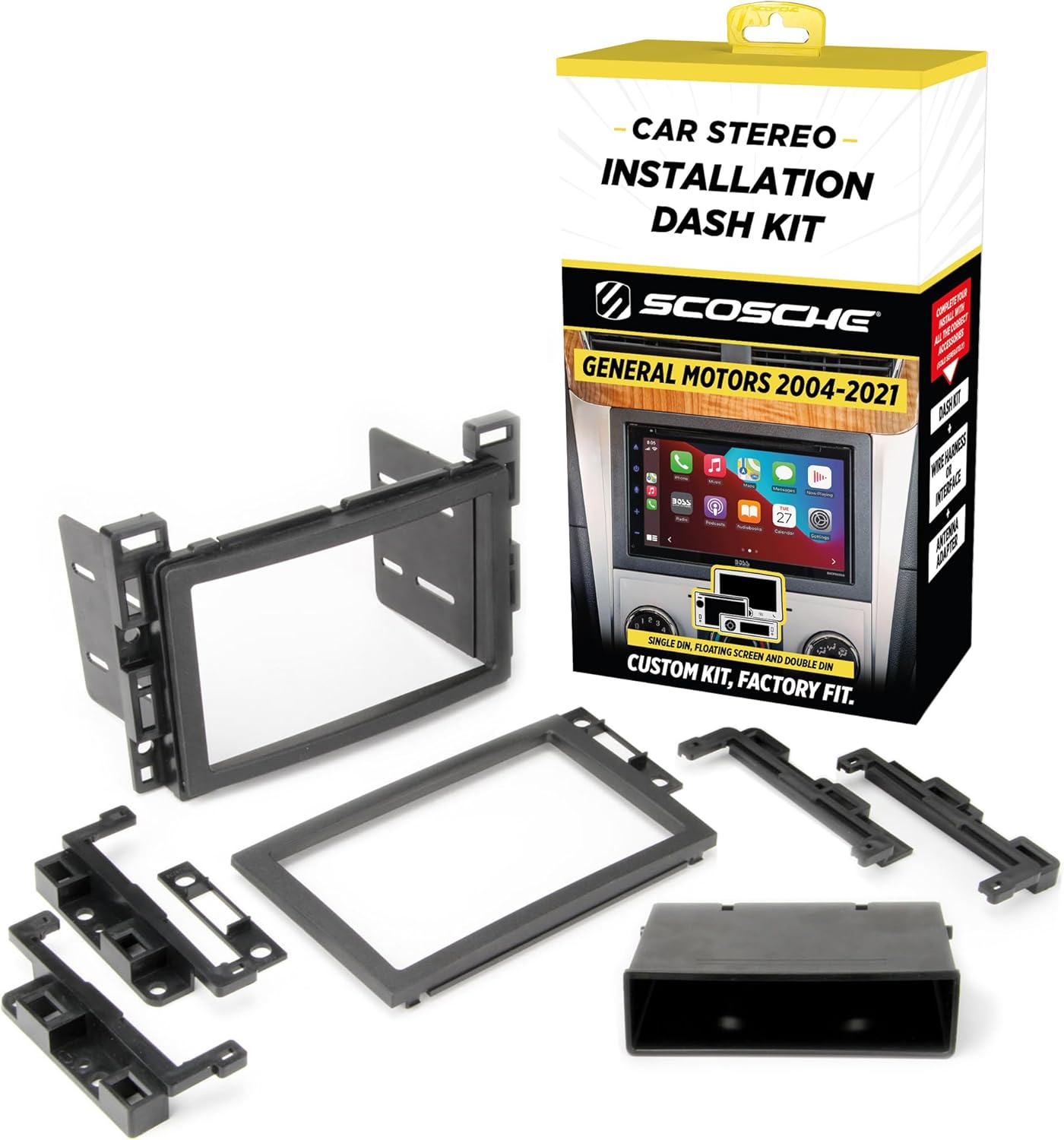
Image 1.1: Scosche GM2500B Dash Kit components and retail packaging.
2. What's in the Box
The Scosche GM2500B Dash Kit includes the following components:
- Instruction Manual
- Mounting Brackets
- Radio Bezels (for Double DIN and Single DIN with pocket configurations)
- Storage Pocket (for Single DIN installations)

Image 2.1: All components included in the Scosche GM2500B Dash Kit.
3. Vehicle Compatibility
This dash kit is compatible with select 2004-2021 GM vehicles. It is crucial to verify your vehicle's make, model, and year against the provided fit guide to ensure proper compatibility before beginning installation.

Image 3.1: Fit Guide for Scosche GM2500B, detailing compatible GM vehicle models and years.
The kit accommodates both Single DIN and Double DIN aftermarket stereos. Double DIN dash kits are designed for true Double DIN stereos with a maximum screen opening of 96.8mm x 173mm (3-13/16 inches x 6-13/16 inches). Some radios labeled as Double DIN may be oversized and could require minor trimming of the kit for a proper fit.
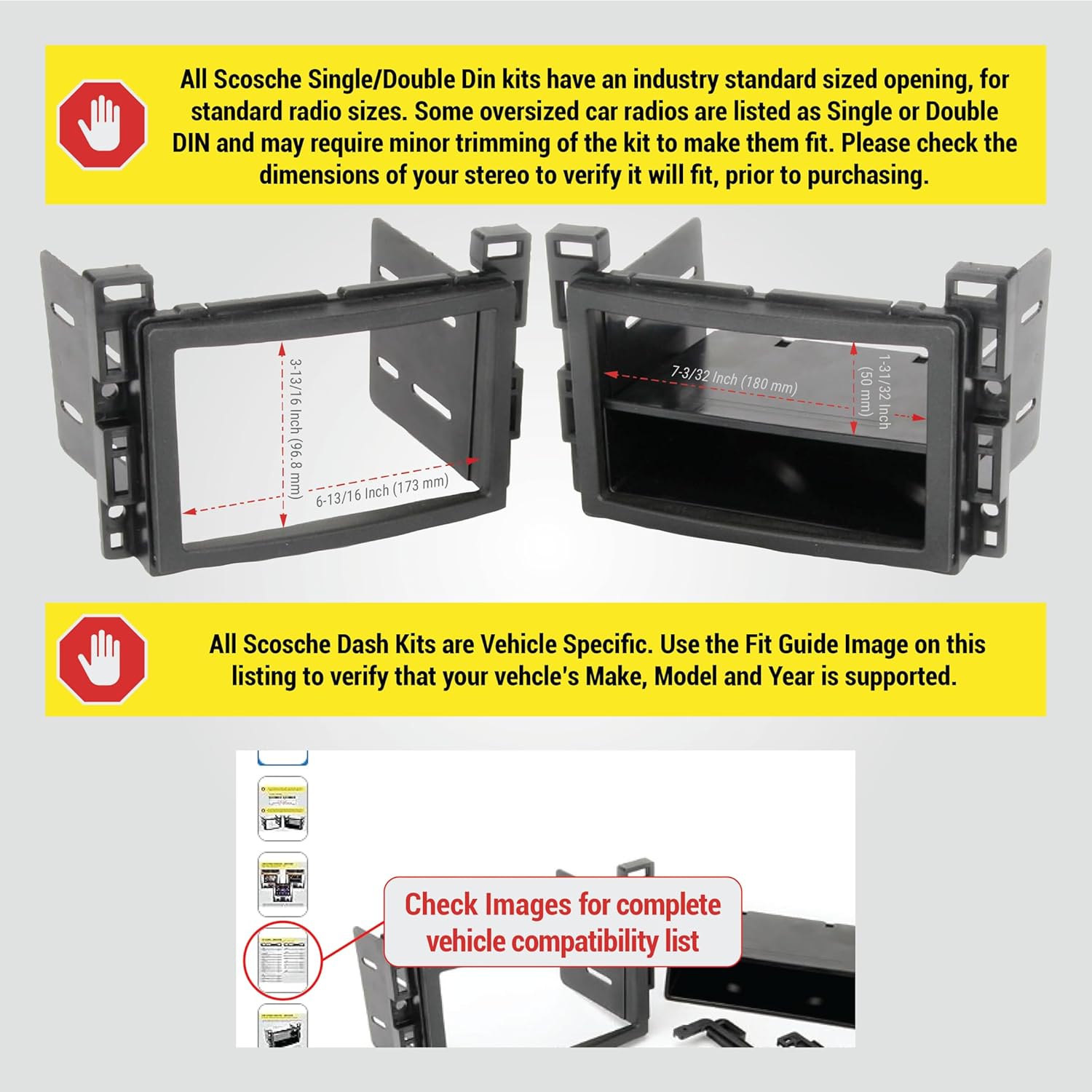
Image 3.2: Dash kit dimensions for Double DIN and Single DIN with pocket installations.
4. Installation Instructions
Follow these steps for the proper installation of your Scosche GM2500B Dash Kit and aftermarket stereo. Refer to the video below for a visual guide on the installation process.
4.1. Preparation
- Disconnect Battery: Before starting any electrical work, disconnect the negative battery terminal of your vehicle to prevent electrical shorts or damage.
- Review Instructions: Carefully read the entire instruction manual provided with the dash kit and your new aftermarket stereo.
- Identify Unused Tabs: Based on your specific vehicle and stereo application, identify and remove any tabs on the mounting brackets that will not be used. These tabs are designed to be broken off cleanly.
4.2. Factory Radio Removal
The process for removing your factory radio varies by vehicle. Consult your vehicle's service manual or the specific radio removal instructions included with your dash kit for detailed steps.
- Remove Trim Panels: Use a panel removal tool to carefully pry off any trim panels surrounding the factory radio.
- Unscrew Factory Radio: Locate and remove the screws securing the factory radio in place.
- Unplug Harnesses: Gently pull the factory radio out and disconnect all electrical harnesses and antenna cables from the back.
4.3. Dash Kit Assembly and New Radio Installation
- Assemble Dash Kit: Attach the appropriate mounting brackets to your new aftermarket stereo using the screws provided with the stereo. Ensure the brackets are securely fastened.
- Connect Wiring: Connect the vehicle's wiring harness to the radio's harness. If an interface module is required (sold separately), connect it according to its instructions.
- Install New Stereo: Slide the assembled stereo and dash kit into the vehicle's dash opening. Secure it with the screws removed earlier.
- Reinstall Trim Panels: Carefully reattach all trim panels, ensuring they snap securely into place.

Image 4.1: Example of a Double DIN radio installed with the kit.

Image 4.2: Example of a Single DIN radio with storage pocket installed with the kit.

Image 4.3: Various radio types (Double DIN, Single DIN with pocket, Floating Screen) installed using the dash kit.
4.4. Final Steps
- Reconnect Battery: Reconnect the negative battery terminal.
- Test Functionality: Turn on your vehicle and test the new stereo to ensure all functions (radio, audio, display, etc.) are working correctly.
4.5. Installation Video Guide
For a visual walkthrough of the installation process, please refer to the official Scosche installation video below. This video demonstrates key steps for installing an aftermarket stereo.
Video 4.1: Official Scosche Stereo Installation Guide. This video demonstrates the general steps for installing an aftermarket stereo, including factory radio removal, wiring connections, and mounting the new unit with a dash kit.
5. Specifications
- Product Dimensions: 7.5 x 2.5 x 15 inches
- Item Weight: 4 ounces
- Item Model Number: GM2500B
- Color: Black
- Material: High-quality ABS plastic
- Compatibility: Double DIN or Single DIN with Pocket
- Maximum Double DIN Screen Opening: 96.8mm x 173mm (3-13/16" x 6-13/16")
6. Warranty and Support
The Scosche GM2500B Dash Kit is backed by Scosche's Limited Lifetime Warranty. For any technical assistance or support, please utilize Scosche's Lifetime Tech Support services.
For further information or to contact support, please visit the official Scosche website or refer to the contact details provided in your product packaging.


