
1. Introduction
The BOSS HR-2 Harmonizer is a compact guitar effects pedal designed to add intelligent harmonies to your guitar signal. It can generate one or two additional voices, pitched above or below the original note, based on a selected key and scale. This manual provides detailed instructions for setting up, operating, maintaining, and troubleshooting your HR-2 pedal.
For optimal performance and to ensure safe operation, please read this manual thoroughly before using the pedal.

Figure 1: Front view of the BOSS HR-2 Harmonizer pedal, showing the control knobs and footswitch.
2. Setup
2.1 Power Supply
The HR-2 can be powered by a 9-volt battery or an optional AC adapter (BOSS PSA series recommended). Ensure the power supply meets the specified voltage and amperage requirements (9 Volts, 150 Milliamps).
2.1.1 Battery Installation
- Loosen the thumbscrew on the front of the pedal and open the pedal cover.
- Remove the old battery (if present) and disconnect its snap connector.
- Connect a new 9-volt battery to the snap connector.
- Place the battery inside the battery compartment and close the pedal cover, securing it with the thumbscrew.

Figure 2: View of the HR-2 pedal with the battery compartment open.

Figure 3: Close-up view of the 9-volt battery connected inside the HR-2 pedal.
2.2 Connecting the Pedal
Connect your guitar to the INPUT jack. Connect the OUTPUT A (MONO) jack to your amplifier or the next pedal in your signal chain. If using a stereo setup or two harmonized voices, connect OUTPUT B as well. The DETECTOR IN jack is used for external key detection, typically from a keyboard or another instrument, to ensure accurate harmony generation.

Figure 4: Side view of the HR-2 pedal, highlighting the input, output, and detector jacks.
3. Operating the HR-2 Harmonizer
The HR-2 features intuitive controls for shaping your harmonized sound. Press the footswitch to toggle the effect on/off. The CHECK indicator light will illuminate when the effect is active.
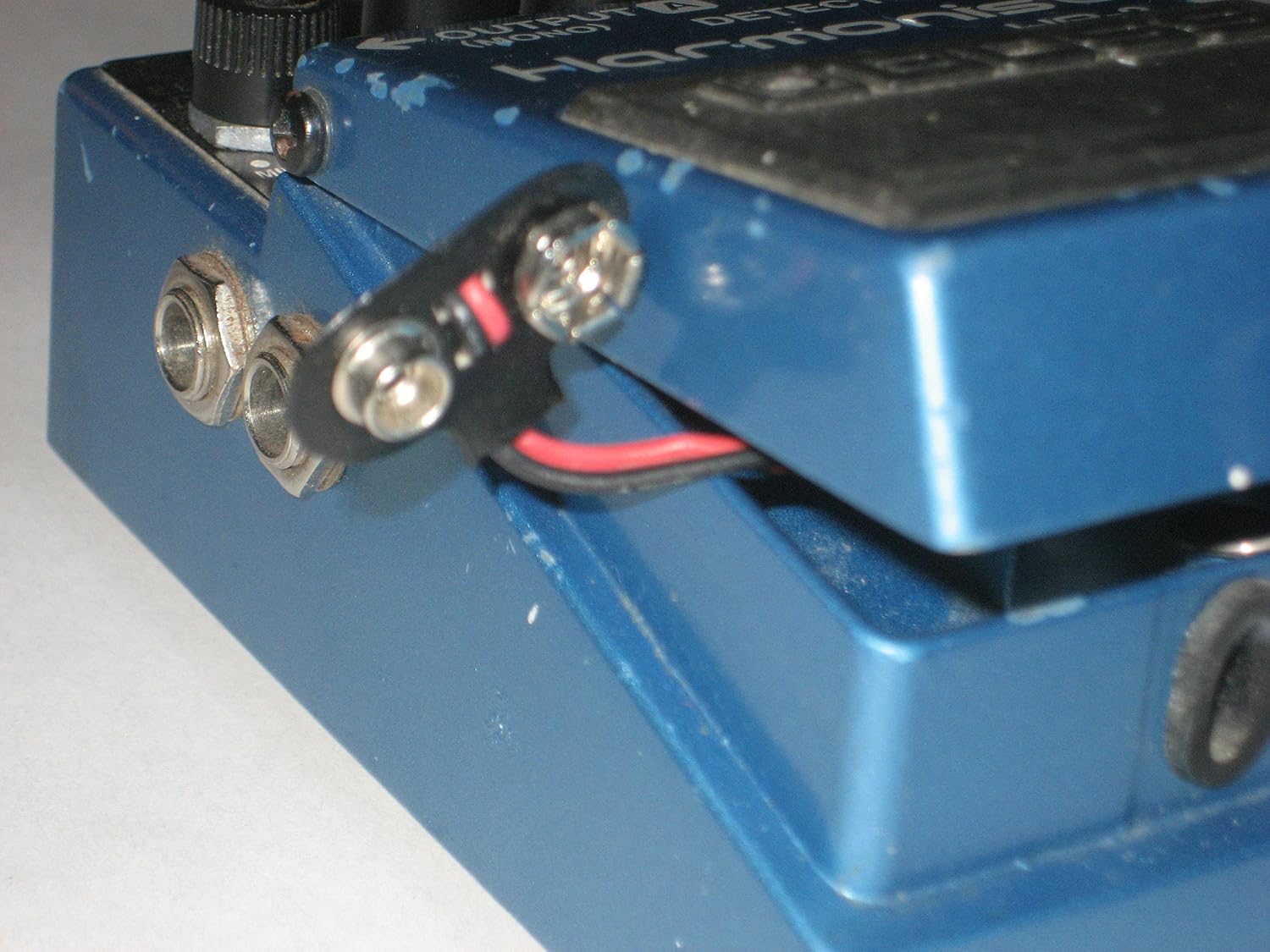
Figure 5: Detailed view of the HR-2's control knobs.
3.1 Control Knobs
- E.LEVEL (Effect Level): Adjusts the volume of the harmonized sound relative to the direct (unaffected) sound. Turn clockwise to increase the effect level.
- VOICE A: Selects the interval for the first harmonized voice. Options typically include various intervals like +OCT (octave up), -OCT (octave down), +DT (detune up), -DT (detune down), and specific intervals like 3rd, 5th, etc.
- VOICE B: Selects the interval for the second harmonized voice. This knob functions similarly to VOICE A, allowing for complex two-voice harmonies.
- KEY: Selects the musical key (e.g., C, G, D, A, E, B, F, Bb, Eb, Ab, Db, Gb) and mode (Major/Minor) for the harmony generation. Accurate key selection is crucial for musically correct harmonies.
3.2 Harmony Generation
The HR-2 analyzes the incoming guitar signal and generates harmonies based on the selected KEY and VOICE A/B settings. For best results, ensure your playing is clean and articulate, especially when playing single notes or chords that clearly define the harmony.
- Single Voice Harmony: Set VOICE B to its minimum or off position, and use VOICE A to add a single harmonized voice.
- Two Voice Harmony: Utilize both VOICE A and VOICE B to create rich, two-part harmonies. Experiment with different interval combinations.
- Detune Effect: Some settings on VOICE A or B may offer a detune effect, which creates a subtle chorus-like thickening of the sound without adding a distinct harmony note.
4. Maintenance
4.1 Cleaning
Wipe the pedal with a soft, dry cloth. Do not use abrasive cleaners, waxes, or solvents, as these can damage the finish and internal components.
4.2 Battery Care
If the pedal will not be used for an extended period, remove the battery to prevent leakage and potential damage to the unit. Always replace the battery when the CHECK indicator dims or fails to light when the effect is engaged.
4.3 Storage
Store the pedal in a cool, dry place away from direct sunlight, extreme temperatures, and high humidity. Avoid placing heavy objects on the pedal.
5. Troubleshooting
| Problem | Possible Cause | Solution |
|---|---|---|
| No sound or weak sound when effect is ON. |
|
|
| Harmonies sound incorrect or out of key. |
|
|
| CHECK indicator does not light. |
|
|
6. Specifications
- Model: HR-2 Harmonizer
- Brand: BOSS
- Style: Harmonizer
- Color: Black, Light Blue
- Voltage: 9 Volts DC
- Amperage: 150 Milliamps
- Controls: E.LEVEL, VOICE A, VOICE B, KEY knobs; Footswitch
- Indicators: CHECK indicator
- Connectors: INPUT jack, OUTPUT A (MONO) jack, OUTPUT B jack, DETECTOR IN jack, AC adapter jack
- Power Supply: 9V battery (6F22/6LR61) or AC adapter (PSA series, sold separately)
*Specifications are subject to change without notice.
7. Warranty and Support
This BOSS product is covered by a manufacturer's warranty. For detailed warranty information, service, or technical support, please refer to the warranty card included with your product or visit the official BOSS website.
Official BOSS Website: www.boss.info
Always ensure you are using genuine BOSS accessories and power supplies to maintain product integrity and warranty validity.


