
1. Introduction
This manual provides essential information for the safe and efficient operation of your MAUL MAULglobal Parcel Scales, Model 1715090. Please read these instructions carefully before using the device and retain them for future reference. This scale is designed for accurate weighing of parcels and other items up to 50 kg.
2. Safety Instructions
- Ensure the scale is placed on a stable, level surface to guarantee accurate measurements.
- Do not overload the scale beyond its maximum capacity of 50 kg.
- Avoid exposing the scale to extreme temperatures, direct sunlight, or high humidity.
- Do not immerse the scale in water or other liquids. Clean with a damp cloth only.
- Keep the scale away from strong electromagnetic fields, which may affect accuracy.
- Use only the specified battery type (2 AAA micro batteries). Ensure correct polarity when inserting batteries.
- If the scale will not be used for an extended period, remove the batteries to prevent leakage.
3. Package Contents
Verify that all items are present in the package:
- MAUL MAULglobal Parcel Scales (Model 1715090)
- 2 x AAA Micro Batteries
- User Manual (this document)
4. Setup
- Unpacking: Carefully remove the scale from its packaging.
- Battery Installation: Locate the battery compartment on the underside of the scale. Open the compartment cover and insert the two AAA batteries, observing the correct polarity (+/-). Close the compartment cover securely.
- Placement: Place the scale on a firm, flat, and stable surface. Ensure there are no objects touching the weighing platform that could interfere with measurements.

Figure 1: Top view of the MAUL MAULglobal Parcel Scales, showing the stainless steel weighing surface and the digital display.
5. Operating Instructions
5.1 Power On/Off
Press the ON/OFF/TARE button located on the side of the scale to turn it on. The display will show "0.00" or "0.0" when ready for use. The scale features an automatic power-off function to conserve battery life if left inactive for a period.

Figure 2: Side view of the scale, highlighting the TARE ON/OFF button for operation.
5.2 Weighing
- Turn on the scale. Wait for the display to show "0.00".
- Carefully place the item to be weighed onto the center of the weighing platform.
- Read the weight displayed on the large LCD screen.
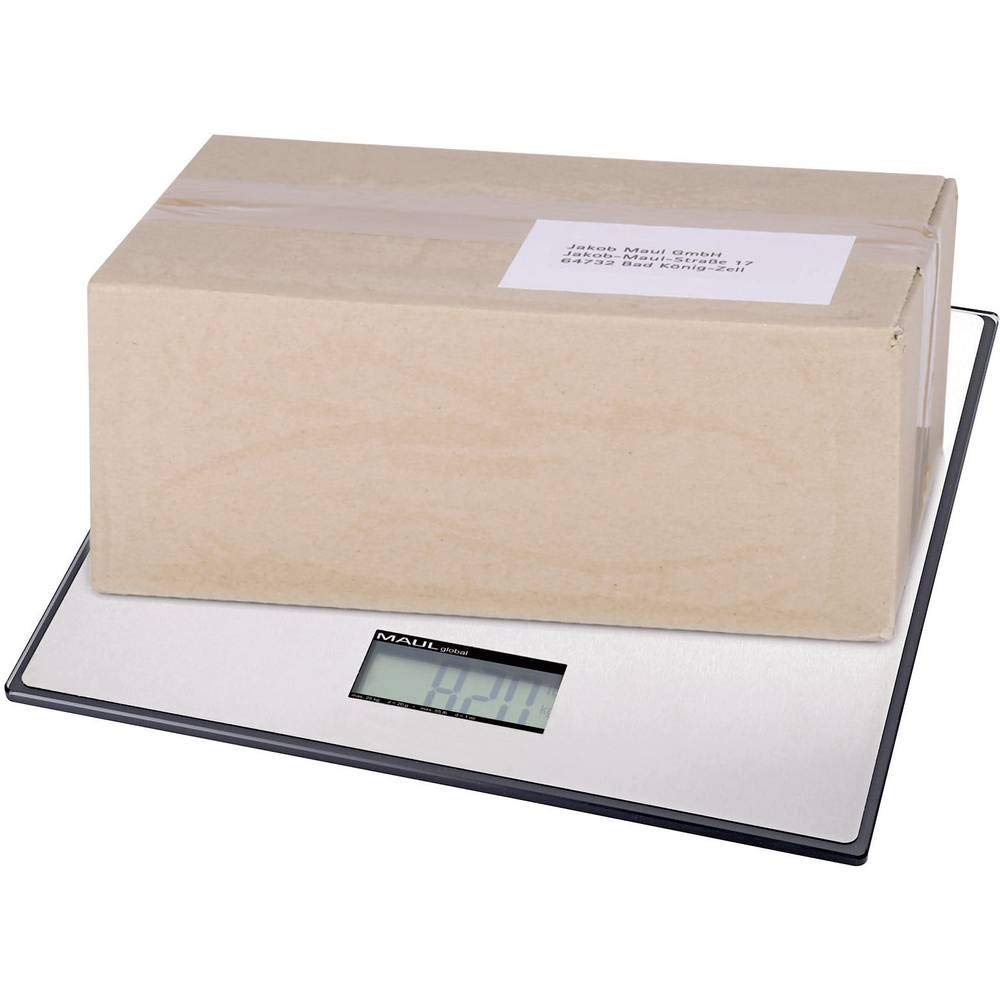
Figure 3: The MAUL MAULglobal Parcel Scales in use, displaying a package being weighed on its platform.
5.3 Tare Function
The tare function allows you to subtract the weight of a container or packaging, so only the net weight of the contents is measured.
- Place an empty container onto the weighing platform. The display will show its weight.
- Press the ON/OFF/TARE button. The display will reset to "0.00".
- Add the items to be weighed into the container. The display will now show only the weight of the items.
5.4 Unit Conversion (kg/lb)
To switch between kilograms (kg) and pounds (lb), locate the unit conversion button. This may be a dedicated button or a function integrated with the ON/OFF/TARE button (e.g., a long press). Press this button to toggle between the available units.
5.5 Calibration
The scale allows for user calibration to maintain accuracy over time. Refer to the specific calibration procedure outlined in the full manufacturer's manual for detailed steps. Typically, this involves a specific sequence of button presses and the use of a known calibration weight (not included).
6. Maintenance
- Cleaning: Wipe the scale's surface with a soft, damp cloth. Do not use abrasive cleaners or immerse the scale in water. The weighing surface is stainless steel, which is easy to clean.
- Storage: Store the scale in a dry, cool place away from direct sunlight and extreme temperatures.
- Battery Replacement: When the battery indicator appears on the display, replace the two AAA batteries promptly to ensure continued accurate operation.
7. Troubleshooting
| Problem | Possible Cause | Solution |
|---|---|---|
| Scale does not turn on | Dead or incorrectly installed batteries. | Replace batteries, ensuring correct polarity. |
| Inaccurate readings | Scale not on a level surface; overloaded; interference; needs calibration. | Place on a stable, level surface. Do not exceed 50 kg. Remove nearby electronic devices. Perform user calibration if necessary. |
| "Err" or "O-Ld" displayed | Scale is overloaded. | Remove item immediately. Do not exceed 50 kg. |
| Display shows "Lo" | Low battery power. | Replace batteries. |
8. Specifications
- Model: MAULglobal (1715090)
- Brand: MAUL
- Weighing Range: 60 g - 50 kg
- Weight Resolution: 50 g
- Weighing Plate Dimensions: 32 x 32 cm
- Overall Dimensions (L x W x H): 32 x 32 x 3 cm (12.6 x 12.6 x 1.14 inches)
- Material: Stainless steel weighing surface, break-proof plastic housing
- Color: Black
- Power Supply: 2 x AAA Micro Batteries (included)
- Features: Automatic power-off, automatic zero reset, one-button operation (On-Off tare), user calibration possible, kg/lb unit conversion.
9. Warranty and Support
For warranty information and technical support, please refer to the documentation provided with your purchase or contact MAUL customer service directly. Keep your proof of purchase for warranty claims.


