
Product Overview
The Tenergy Molex 51021 connector set provides a reliable 2-pin connection solution for various electronic applications, particularly for MCX batteries. This set includes one female and one male connector, each pre-wired with 28 gauge silicone wire for ease of use.
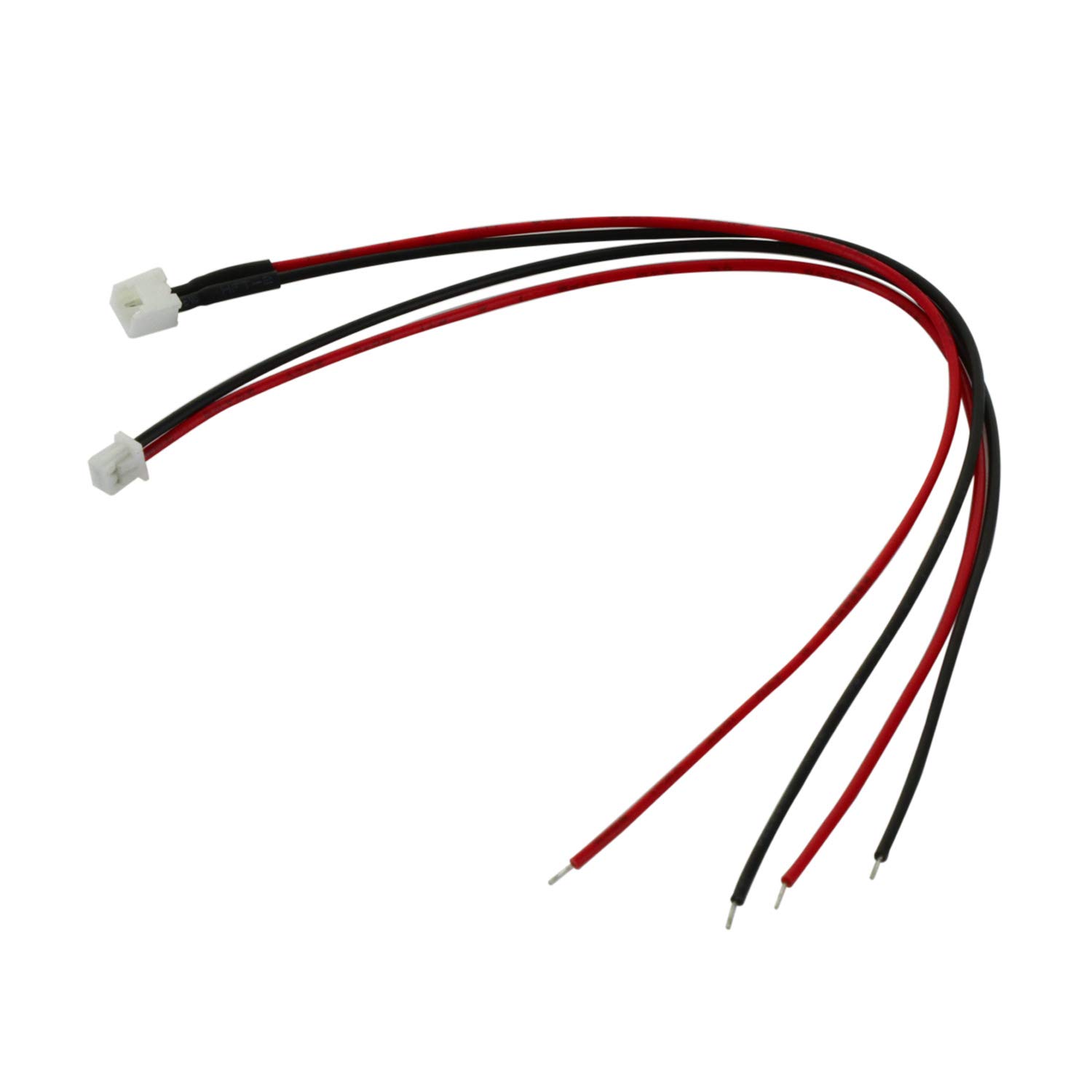
Image: A pair of Tenergy Molex 51021 2-pin connectors, showing both the female and male ends with red and black wires.
Key Features:
- High-quality Molex 51021 2-pin female and male connector pair.
- Suitable for Blade MCX, ParkZone Micro Cessna, Citabria, and Etomic Vapor applications.
- Equipped with 5.9-inch (approximately 15 cm) 28 gauge silicone wire.
- Wires feature pre-coated soldering for simplified connection.
Setup Instructions
This section details the steps for preparing and connecting the Tenergy Molex 51021 connectors.
- Identify Connector Ends: Unpack the connector set. You will find one female connector and one male connector, each with two wires (typically red for positive and black for negative).
- Prepare for Soldering: The wires come with pre-coated soldering. This means the wire ends are already tinned, simplifying the soldering process. If additional wire length is needed or if connecting to a different component, ensure proper wire stripping and tinning if not already present.
- Connect to Device/Battery: Carefully solder the wires from the Molex connector to the corresponding terminals on your MCX battery or other compatible device. Ensure correct polarity (red to positive, black to negative) to prevent damage. Use appropriate soldering techniques and safety precautions.
- Secure Connections: After soldering, inspect the connections for strength and insulation. Use heat shrink tubing or electrical tape to insulate exposed solder joints and prevent short circuits.
- Test Connection: Once installed, gently connect the male and female Molex connectors. They should click securely into place. Verify the connection by testing the circuit or device.

Image: A close-up view of the Molex 51021 connector pins, highlighting the design for secure mating.
Operating Instructions
The Tenergy Molex 51021 connectors are designed for straightforward operation once installed.
- Connecting: Align the male connector with the female connector. Gently push them together until you feel or hear a click, indicating a secure connection. Do not force the connection if it does not align easily.
- Disconnecting: To disconnect, firmly grasp both the male and female connector bodies. Pull them apart with a steady motion. Avoid pulling directly on the wires, as this can damage the wire-to-connector crimp or solder joint.
- Application: These connectors are primarily used for power connections in small electronic devices, particularly for MCX batteries found in models such as Blade MCX, ParkZone Micro Cessna, Citabria, and Etomic Vapor.
Maintenance
Proper maintenance ensures the longevity and reliable performance of your Tenergy Molex 51021 connectors.
- Keep Clean: Periodically inspect the connector pins for dirt, dust, or corrosion. Use a soft, dry brush or compressed air to clean the pins if necessary. Avoid using liquids that could leave residue or cause corrosion.
- Inspect Wires: Regularly check the silicone wires for any signs of fraying, cuts, or damage to the insulation. Damaged wires should be repaired or replaced to prevent short circuits.
- Avoid Stress: Do not bend the wires sharply at the point where they enter the connector housing. Avoid excessive pulling or twisting of the wires, especially during connection and disconnection.
- Storage: When not in use, store the connectors in a clean, dry environment, away from extreme temperatures and direct sunlight.
Troubleshooting
This section addresses common issues you might encounter with the Molex 51021 connectors.
| Problem | Possible Cause | Solution |
|---|---|---|
| Difficulty connecting/disconnecting | Misalignment of pins; new connectors can be stiff; debris in connector. | Ensure correct alignment before pushing. Apply gentle, steady pressure. Clean connectors if debris is present. Avoid excessive force. |
| No power/intermittent connection | Poor solder joint; damaged wire; bent or corroded pins; incorrect polarity. | Check solder joints for integrity. Inspect wires for damage. Examine pins for bends or corrosion and carefully straighten/clean if possible. Verify correct polarity during installation. |
| Wires feel too thin or fragile | The connectors use 28 AWG silicone wire, which is standard for micro applications. | Handle wires carefully, especially during installation and disconnection. Avoid sharp bends or excessive pulling. For applications requiring higher current or more robust wiring, consider alternative connectors with thicker gauge wires. |
Specifications
| Feature | Detail |
|---|---|
| Connector Type | Molex 51021 2-Pin (Female and Male pair) |
| Wire Gauge | 28 AWG (American Wire Gauge) |
| Wire Material | Silicone |
| Wire Length | 5.9 inches (approximately 15 cm) |
| Pre-treatment | Pre-coated soldering on wire ends |
| Model Name | Molex |
| Model Number | 80075 |
| UPC | 844949013024 |
| Brand | Tenergy |
Support and Warranty
For technical assistance, product inquiries, or information regarding warranty coverage, please refer to the official Tenergy support channels.
- Online Support: Visit the official Tenergy store on Amazon for additional product information and support resources: Tenergy Store
- Warranty Information: Specific warranty details for this product may be available on the Tenergy website or through their customer service. Please retain your proof of purchase for warranty claims.