1. Introduction
The Vanguard QS-39 Quick Release Plate is designed to facilitate fast and easy mounting and removal of cameras from compatible Vanguard tripod heads. This adapter securely attaches to the base of your camera, allowing for a simple one-click attachment to your Vanguard tripod system.
2. Product Contents
- 1x Vanguard QS-39 Quick Release Plate
3. Setup and Installation
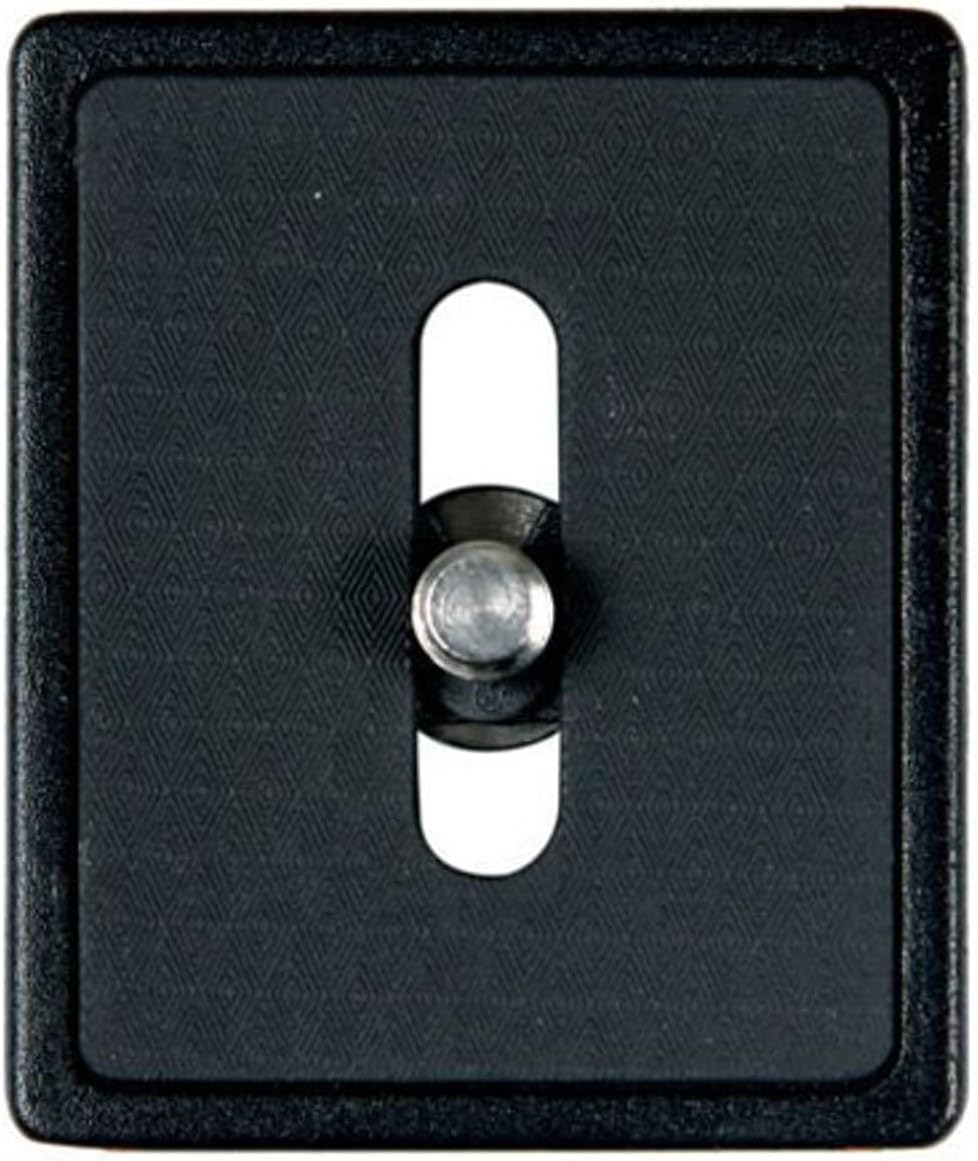
Image 1: The Vanguard QS-39 Quick Release Plate, featuring a 1/4-inch camera mounting screw and a textured black surface for secure camera attachment.
3.1 Attaching the Quick Release Plate to Your Camera
- Locate the 1/4"-20 camera mounting screw on the QS-39 plate.
- Align the screw with the tripod socket on the bottom of your camera.
- Insert the screw into the camera's tripod socket and turn it clockwise to tighten. Ensure the plate is securely fastened to the camera to prevent rotation or accidental detachment. A coin or flat-head screwdriver may be used to fully tighten the screw if it does not have a flip-up handle.
3.2 Attaching the Camera (with Plate) to the Tripod Head
- Ensure your Vanguard tripod head's quick release clamp is open.
- Slide the QS-39 plate, with the camera attached, into the quick release clamp on your tripod head.
- Engage any secondary safety locks if present on your tripod head.
- Tighten the locking knob on your tripod head's quick release clamp until the plate and camera are firmly secured. Verify that the camera is stable and cannot move or detach unexpectedly.
4. Operating Instructions
Once the QS-39 Quick Release Plate is securely attached to your camera and mounted on a compatible Vanguard tripod head, your camera is ready for use. To remove the camera from the tripod head, loosen the quick release clamp's locking knob and disengage any safety locks, then slide the plate and camera out. The plate can remain attached to your camera for convenience.
5. Compatibility
The Vanguard QS-39 Quick Release Plate is designed for specific Vanguard tripod models and ball heads. Please verify your equipment's compatibility before use.
Compatible Vanguard Tripod Models:
- Alta Pro 263AB 100
- Alta Pro 264AB 100
- Alta Pro 253CB 50
- Alta Pro 254CB 50
- Alta Pro 283CB 100
- Alta Pro 284CB 100
- Abeo 283AB
- Abeo 323AB
- Tracker 1, 2, 3, & 4
Compatible Vanguard Ball Head Models:
- SBH-50
- SBH-100
- SBH-250
6. Maintenance
To ensure the longevity and proper function of your QS-39 Quick Release Plate, keep it clean and free of dust and debris. Wipe with a soft, dry cloth. Avoid using harsh chemicals or abrasive materials, which could damage the finish or functionality of the plate.
7. Troubleshooting
Issue: Plate does not stay tight on the camera or tripod head.
- Check Screw Tightness: Ensure the 1/4"-20 screw is fully tightened into your camera's tripod socket. Use a coin or flat-head screwdriver for maximum torque.
- Verify Clamp Engagement: Confirm that the quick release clamp on your tripod head is fully closed and its locking knob is securely tightened.
- Compatibility Check: Double-check that your tripod head is listed as compatible with the QS-39 plate. Incompatible heads may not provide a secure fit.
- Inspect for Damage: Examine the plate and the tripod head's clamp for any signs of wear, damage, or debris that might prevent a secure connection.
8. Specifications
| Model Number | QS-39 |
| Mounting Screw | 1/4"-20 |
| Product Dimensions | 1.2 x 1.2 x 0.25 inches (30.5 x 30.5 x 6.35 mm) |
| Item Weight | 1.6 ounces (45.36 grams) |
| Color | Black |
| Material | Durable composite/metal construction |
9. Warranty and Support
For warranty information or technical support regarding your Vanguard QS-39 Quick Release Plate, please refer to the official Vanguard website or contact Vanguard customer service directly. Keep your purchase receipt as proof of purchase for any warranty claims.
For additional resources, visit the official Vanguard website: www.vanguardworld.com


