
Adtech W2100-3415-9
AdTech Ultra Low Temp Cool Glue Sticks Mini 4-Inch Instruction Manual
Model: W2100-3415-9
1. Introduction
This manual provides essential instructions for the safe and effective use of AdTech Ultra Low Temp Cool Glue Sticks. These glue sticks are designed for use with low-temperature mini glue guns, offering a safer alternative for crafting and DIY projects, especially when working with heat-sensitive materials or involving children.
The unique ultra-low temperature formula minimizes the risk of burns and prevents damage to delicate surfaces. They bond quickly, making them suitable for a wide range of creative applications.

Image 1.1: Packaging for AdTech Ultra Low Temp Cool Glue Sticks, Mini 4-Inch, 15-Pack. The packaging highlights features such as 'Designed with kids in mind' and 'Super Low Temp Safer to Use!'
2. Safety Information
While AdTech Ultra Low Temp Cool Glue Sticks are formulated for reduced heat, it is important to follow these safety guidelines:
- Use with Compatible Glue Guns: Always use these glue sticks with a designated low-temperature mini glue gun, such as the AdTech Cool Tool. Using them in a high-temperature glue gun may cause them to melt too quickly or not perform as intended.
- Adult Supervision: When children are using the glue gun and sticks, adult supervision is recommended to ensure proper handling and safety.
- Avoid Direct Contact: Although the temperature is low, avoid direct contact with the melted glue. If contact occurs, rinse immediately with cool water.
- Ventilation: Use in a well-ventilated area.
- Storage: Store glue sticks in a cool, dry place away from direct sunlight and extreme temperatures.
3. Setup and Preparation
- Select a Low-Temp Mini Glue Gun: Ensure you are using a mini glue gun specifically designed for low-temperature glue sticks.
- Insert Glue Stick: Insert one AdTech Ultra Low Temp Cool Glue Stick into the back of the glue gun. Push it gently until it is seated properly.
- Power On: Plug in your low-temperature glue gun and allow it to heat up. Low-temp guns typically heat quickly. Refer to your glue gun's manual for specific heating times.
- Prepare Work Surface: Protect your work surface with a silicone mat, wax paper, or other non-stick material to catch any drips.

Image 3.1: An AdTech Cool Tool mini glue gun shown with several AdTech Ultra Low Temp Cool Glue Sticks. This illustrates the type of glue gun compatible with these sticks.
4. Operating Instructions
Once your low-temperature glue gun is heated and ready, you can begin your project:
- Apply Glue: Gently squeeze the trigger of the glue gun to dispense a small amount of melted glue onto one of the surfaces you wish to bond.
- Join Surfaces: Immediately press the two surfaces together firmly. The low-temperature glue allows for a brief adjustment period before setting.
- Hold in Place: Hold the bonded items together for approximately 30 seconds to allow the glue to set and create a strong bond.
- Refill: As the glue stick shortens, insert a new stick into the back of the gun to push the old one through.
Suitable Materials:
These glue sticks are ideal for delicate materials such as:
- Paper and Cardboard
- Fabric and Lace
- Foam and Styrofoam
- Light Wood
- Plastics (test a small area first)

Image 4.1: A hand using an AdTech Cool Tool glue gun to apply a small dot of glue to a blue pom-pom, demonstrating precision application for crafting.

Image 4.2: A person applying glue with a mini glue gun to attach a decorative ribbon to a white craft cone, showcasing its use for delicate assembly.
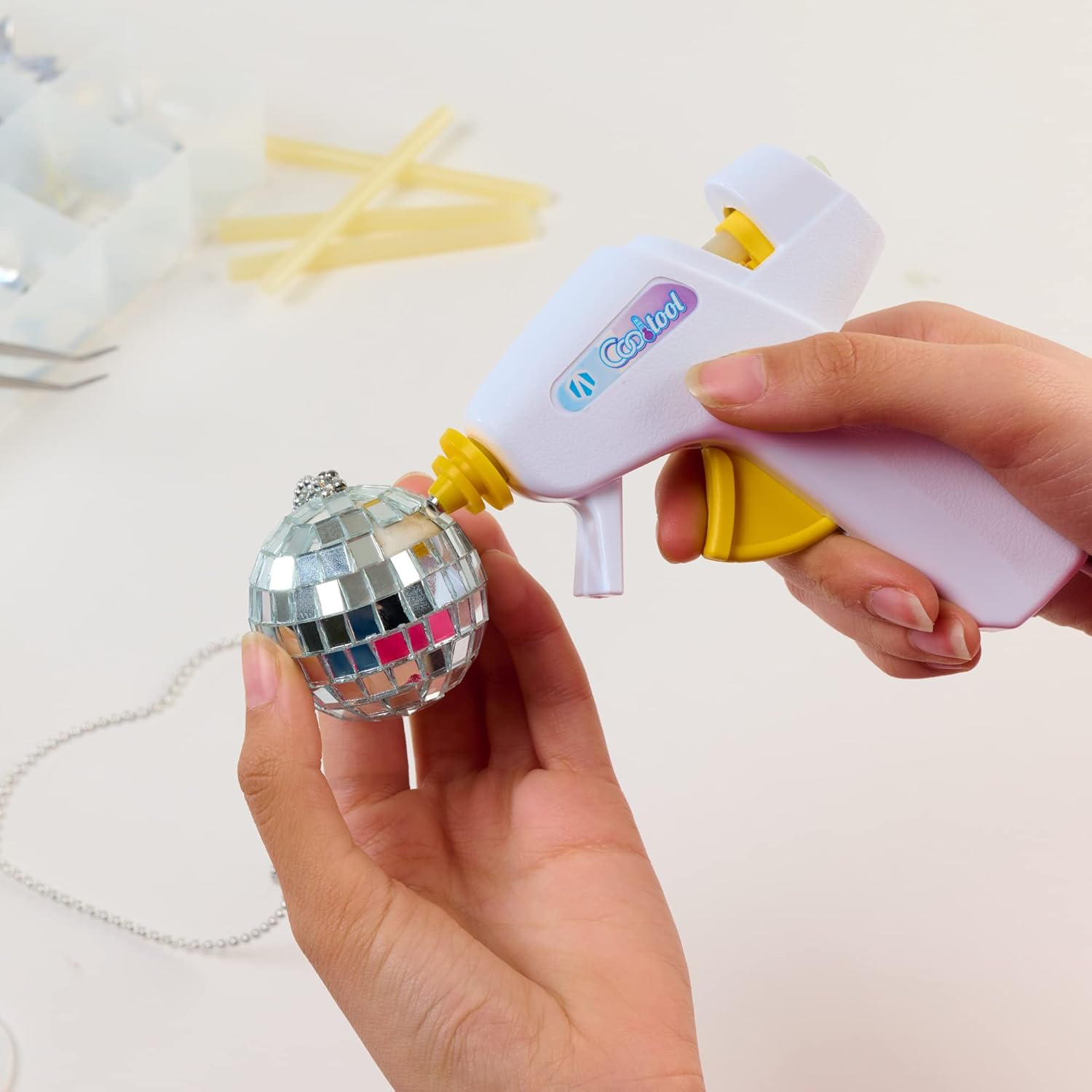
Image 4.3: A hand using a mini glue gun to attach an element to a small disco ball ornament, illustrating its versatility for various craft items.
5. Maintenance and Storage
- Cleaning the Nozzle: After use, allow the glue gun to cool completely. Any excess glue on the nozzle can usually be peeled off once hardened. Do not attempt to clean the nozzle while the gun is hot.
- Storage of Glue Sticks: Store unused glue sticks in their original packaging or a sealed container to protect them from dust and moisture. Keep them in a cool, dry environment.
- Glue Gun Storage: Store your low-temperature glue gun in a safe place where it will not be damaged and is out of reach of children.
6. Troubleshooting
- Glue is not flowing from the gun:
- Ensure the glue gun is plugged in and has had sufficient time to heat up. Check that the glue stick is fully inserted and is the correct mini size (0.28 inches in diameter) for your gun.
- Weak bond or glue not holding:
- Ensure surfaces are clean, dry, and free of dust or oils before application. Apply enough glue to cover the bonding area. For some very smooth or non-porous materials, hot glue may not provide a permanent bond. Consider if the material is appropriate for hot glue. For example, some users report that for items like balloons, the bond may not be permanent over time.
- Glue drips excessively:
- This can be normal for some glue guns. Ensure you are using a low-temperature glue gun as intended for these sticks. Place a protective mat under the nozzle when not actively dispensing glue.
7. Product Specifications
| Feature | Detail |
|---|---|
| Brand | AdTech |
| Model Number | W2100-3415-9 |
| Item Weight | 2.08 ounces |
| Product Dimensions | 2.75 x 0.5 x 5.75 inches (packaging) |
| Glue Stick Size | Mini, 4 inches long, 0.28 inches diameter |
| Quantity | 15 sticks per pack |
| Color | Translucent |
| Special Feature | Non-Toxic, Ultra Low Temperature |
| Specific Uses | Fabric, Art, School, Craft, Repair |
| UPC | 026438542752 |
| Manufacturer | AdTech |
8. Warranty and Support
For specific warranty information regarding AdTech products, please refer to the official AdTech website or contact their customer service directly. As these are consumable glue sticks, a specific warranty period may not apply, but product quality is assured.
If you have any questions, concerns, or require further assistance with your AdTech Ultra Low Temp Cool Glue Sticks, please contact AdTech customer support through their official channels.
Ask a question about this manual
Ask about setup, troubleshooting, compatibility, parts, safety, or missing instructions. Manuals+ will review the question and use this page’s manual context to help answer it.