Introduction
The Health o Meter HDM770-05 Weight Tracking Scale is designed to provide accurate weight measurements and track weight changes for up to two users. Its slim design and clear LCD display make it a convenient tool for personal weight management. This manual provides instructions for proper setup, operation, and maintenance to ensure optimal performance.
Product Features
- Thin 1.6-inch platform for easy storage and a sleek profile.
- Large 1.2-inch LCD display for clear and easy-to-read measurements.
- Capable of displaying current weight and tracking changes for up to two individual users.
- Accurately measures weight up to 330 pounds (150 kg) in precise 0.2-pound (0.1 kg) increments.
- Equipped with 4 load cell technology to ensure consistent accuracy and repeatability of measurements.
- Includes a replaceable lithium battery for immediate use.
Setup
- Battery Installation: The scale requires 2 AA batteries. Open the battery compartment on the underside of the scale and insert the batteries, ensuring correct polarity. Close the compartment securely.
- Unit Selection: On the underside of the scale, locate the small switch labeled 'KG/LB'. Slide the switch to select your preferred unit of measurement (kilograms or pounds).
- Placement: Place the scale on a hard, flat surface. Uneven or soft surfaces (like carpet) can affect accuracy.
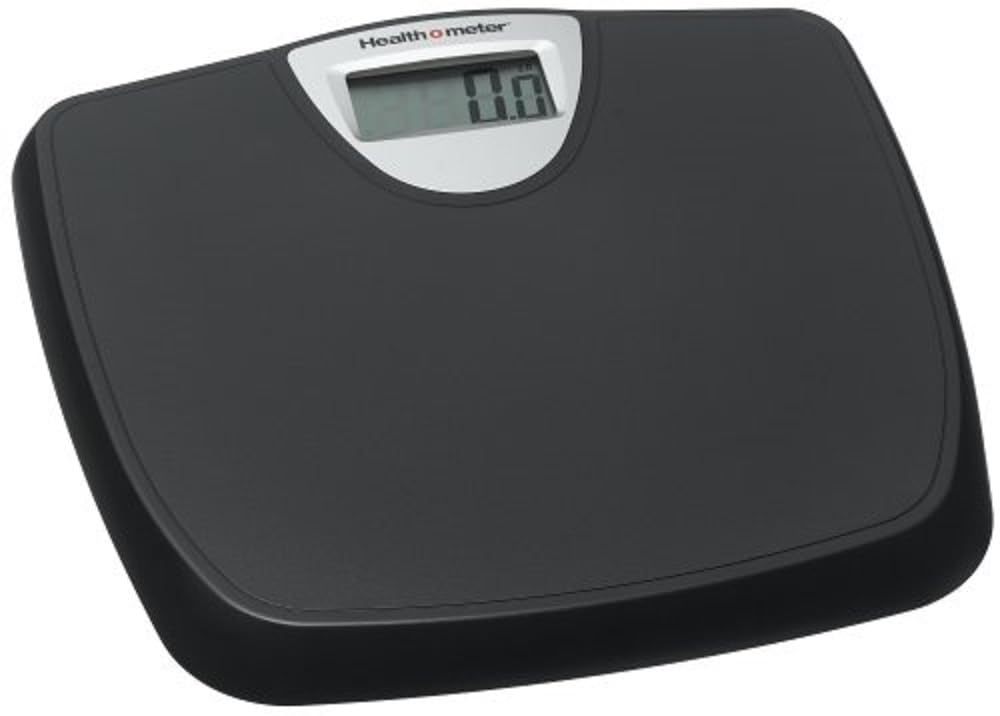
Image: Top view of the Health o Meter HDM770-05 Weight Tracking Scale, showing the display and weighing platform.
Operation
- Activate the Scale: Gently tap the center of the scale with your foot. The display will illuminate and show '0.0' or 'CAL' before settling to '0.0'. Wait for the display to show '0.0' before stepping on.
- Weighing: Step onto the scale with bare feet, standing still and centered. The display will show your weight.
- Reading: Once your weight is stable, the display will lock the reading. Step off the scale. The reading will remain for a few seconds before turning off automatically.
Weight Tracking for Multiple Users
The HDM770-05 scale can store and track weight data for up to two users. To utilize this feature:
- Select User Profile: After activating the scale and before stepping on, press the 'User' button (if available, or tap to cycle through user numbers if the scale automatically detects). The display will show 'P1' for User 1 or 'P2' for User 2.
- Weigh Yourself: Step onto the scale. After your weight is displayed and locked, the scale will show your current weight and the difference from your last recorded weight for that user profile.
- Automatic Shut-off: The scale will automatically turn off after a few seconds, saving your weight data for the selected user.
Maintenance and Care
- Cleaning: Wipe the scale surface with a damp cloth and mild detergent. Do not use abrasive cleaners or immerse the scale in water.
- Storage: Store the scale in a dry place at room temperature. Avoid extreme temperatures and direct sunlight.
- Battery Replacement: If the display shows a low battery indicator or becomes dim, replace the 2 AA batteries. Ensure proper disposal of old batteries according to local regulations.
Troubleshooting
- No Display/Dim Display: Check battery installation. Replace batteries if necessary.
- Inaccurate Readings: Ensure the scale is on a hard, flat surface. Avoid moving the scale between measurements. Re-calibrate by tapping the scale to '0.0' before each use.
- Error Message: If an error message appears, step off the scale, wait a few seconds, and then step back on. If the error persists, try replacing the batteries.
Specifications
| Model Number | HDM770-05 |
| Brand | Health o meter |
| Product Dimensions | 13.07 x 2.09 x 12.13 inches |
| Product Weight | 2.7 Pounds |
| Weight Limit | 330 Pounds (150 kg) |
| Weight Increments | 0.2 Pounds (0.1 kg) |
| Display Type | LCD |
| Batteries | 2 AA batteries required |
| Color | Black |
Safety Information
- Do not use on wet or slippery surfaces.
- Do not jump on the scale.
- Keep out of reach of children.
- Consult a healthcare professional for advice on weight management.
Warranty and Support
For warranty information or technical support, please refer to the documentation included with your purchase or visit the official Health o meter website. Keep your purchase receipt as proof of purchase.


