
1. Introduction
The BOSS SD-1 Super Overdrive pedal is a legendary guitar effects unit known for its rich, smooth, and highly musical overdrive tones. Since its release in 1981, it has been a foundational gain pedal for guitarists across various musical genres. The SD-1 features a revolutionary asymmetrical clipping circuit, derived from the original OD-1 Overdrive, which produces tube-like overdrive characteristics. This manual provides detailed instructions for setting up, operating, maintaining, and troubleshooting your SD-1 pedal.

Figure 1: BOSS SD-1 Super Overdrive Pedal
2. Key Features
- Legendary BOSS overdrive pedal with genre-defining sound and feel.
- Unique asymmetrical clipping circuit produces tube-like overdrive characteristics.
- Stacks well with boost, overdrive, and distortion pedals.
- Dynamic tone options from crisp rhythms to soaring leads.
- Easy-to-use controls for intuitive sound shaping.
- Durable metal construction for reliable performance.
3. Controls and Connections
The SD-1 pedal features a straightforward control layout for easy operation. Familiarize yourself with the following components:
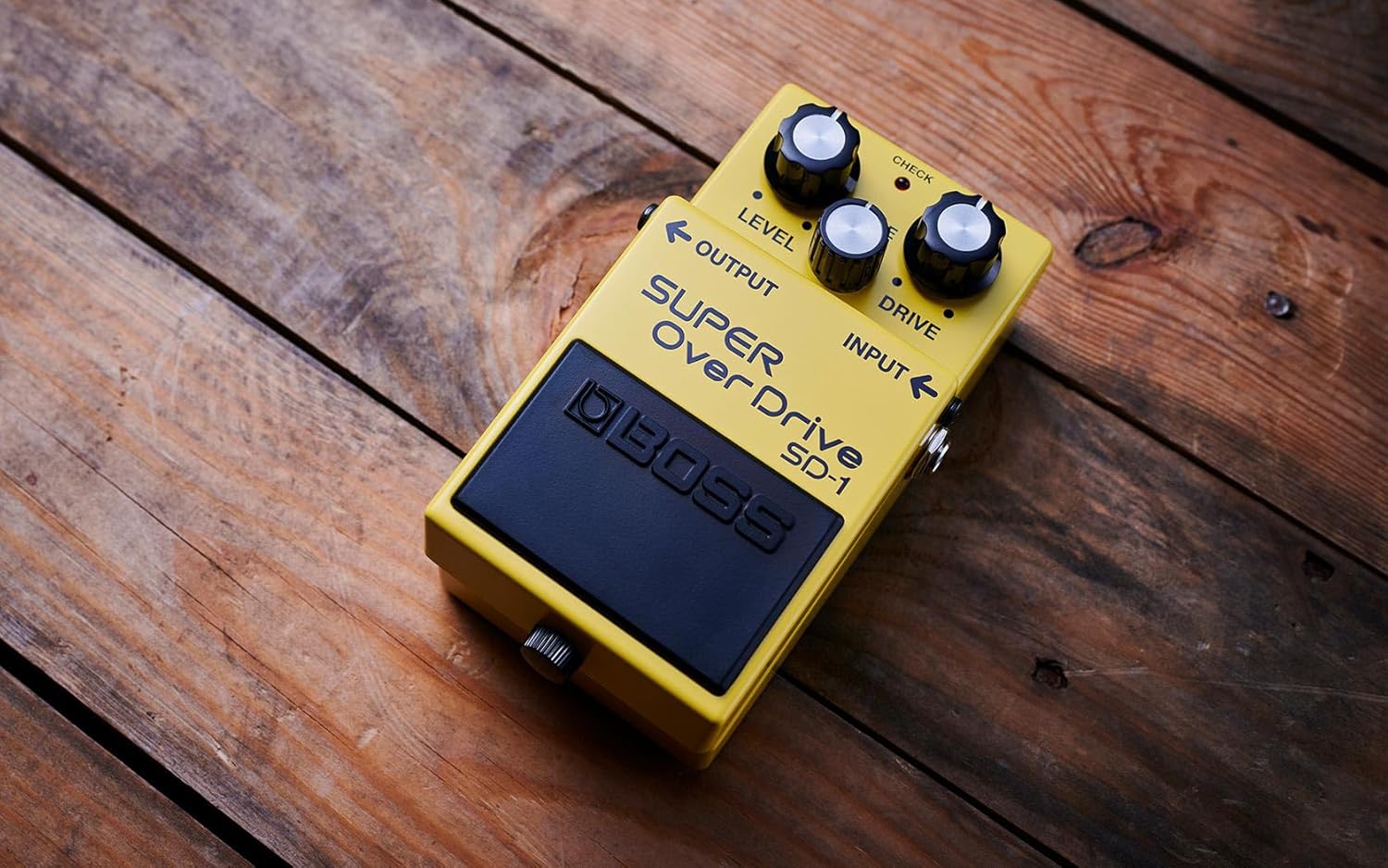
Figure 2: SD-1 Control Layout
- LEVEL Knob: Adjusts the overall output volume of the pedal.
- TONE Knob: Controls the tonal character, from mellow to bright.
- DRIVE Knob: Adjusts the amount of overdrive/gain applied to the signal.
- INPUT Jack: Connect your guitar or the output of a preceding effect pedal here.
- OUTPUT Jack: Connect to your amplifier or the input of the next effect pedal in your chain.
- DC IN Jack: Connect a 9V DC power adapter (PSA series recommended, not included).
- CHECK Indicator: Lights up when the effect is active. Also indicates battery status (dimming indicates low battery).
- Pedal Switch: Toggles the effect on/off.
4. Setup and Connection
- Power Supply: The SD-1 can be powered by either an alkaline 9V battery (included) or an optional PSA-series AC adapter (not included).
- To install a battery, loosen the thumbscrew on the pedal switch, open the pedal, and connect the 9V battery. Close the pedal securely.
- When using an AC adapter, connect it to the DC IN jack. Always use a BOSS PSA-series adapter to prevent malfunction.
- To conserve battery life, always unplug the input cable from the INPUT jack when the pedal is not in use.
- Connect Your Instrument: Plug your guitar into the INPUT jack of the SD-1.
- Connect to Amplifier: Connect the OUTPUT jack of the SD-1 to your guitar amplifier's input.
- Effect Chain: If using multiple pedals, connect the SD-1 in your desired order within the effect chain. Overdrive pedals are typically placed early in the chain, often before distortion pedals.
5. Operating the SD-1
The SD-1 offers a wide range of overdrive tones. Experiment with the controls to find your desired sound.
- Engaging the Effect: Press the pedal switch to toggle the overdrive effect on or off. The CHECK indicator will light up when the effect is active.
- DRIVE Control:
- Turn clockwise for more gain and a heavier overdrive sound.
- Turn counter-clockwise for less gain and a cleaner, more subtle boost.
- TONE Control:
- Turn clockwise to increase treble frequencies for a brighter, more cutting tone.
- Turn counter-clockwise to decrease treble frequencies for a warmer, smoother tone.
- LEVEL Control:
- Adjusts the overall output volume of the pedal. Use this to balance the volume between the effected and uneffected signal, or to boost your amplifier.
Sound Demonstration Videos:
BOSS SD-1 Overdrive Pedal Overview and Demo
This video provides a comprehensive overview and sound demonstration of the BOSS SD-1 Super Overdrive pedal, showcasing its various tonal capabilities.
Everything you need to know about the Boss SD-1 pedal
A detailed video explaining the features and functionalities of the BOSS SD-1 pedal, offering insights into its use and sound characteristics.
6. Maintenance
- Cleaning: Use a soft, dry cloth to clean the pedal. Avoid abrasive cleaners or solvents.
- Storage: Store the pedal in a dry, cool place away from direct sunlight and extreme temperatures.
- Battery Replacement: Replace the 9V battery when the CHECK indicator dims or the sound becomes weak.
- Unplugging: Always unplug the input cable when the pedal is not in use to prevent battery drain.
7. Troubleshooting
- No Sound:
- Check all cable connections (guitar, pedal, amplifier).
- Ensure the power supply (battery or AC adapter) is correctly connected and functional.
- If using a battery, check its charge level and replace if necessary.
- Weak or Distorted Sound (unexpectedly):
- Check battery charge.
- Verify cable integrity.
- Ensure LEVEL, TONE, and DRIVE knobs are set appropriately.
- Unwanted Noise:
- Ensure all cables are properly shielded and in good condition.
- Try using a different power outlet or AC adapter to rule out power supply issues.
- Keep the pedal away from sources of electromagnetic interference (e.g., fluorescent lights, power transformers).
8. Specifications
| Attribute | Value |
|---|---|
| Model Number | SD-1 |
| Item Weight | 0.9 Pounds (14.4 ounces) |
| Product Dimensions | 3.8"L x 2.65"W x 6"H |
| Body Material | Metal |
| Color | Yellow |
| Power Source | Electric (9V Battery or AC Adapter) |
| Battery Type | 1 AA batteries required (included) |
| Signal Format | Analog |
| Hardware Interface | 1/4-inch Audio |
9. Warranty and Support
For warranty information and product support, please refer to the documentation included with your purchase or visit the official BOSS website. You can also contact BOSS customer service for assistance with any issues not covered in this manual.


