
1. Introduction and Overview
The Shure C29C is a durable 6-foot (1.8 m) coiled cable designed for specific audio applications. It features a 4-conductor, 2-shielded construction, ensuring reliable signal transmission and noise reduction. This cable is primarily intended for use with the Shure 527B microphone, providing a secure and efficient connection for professional audio setups.
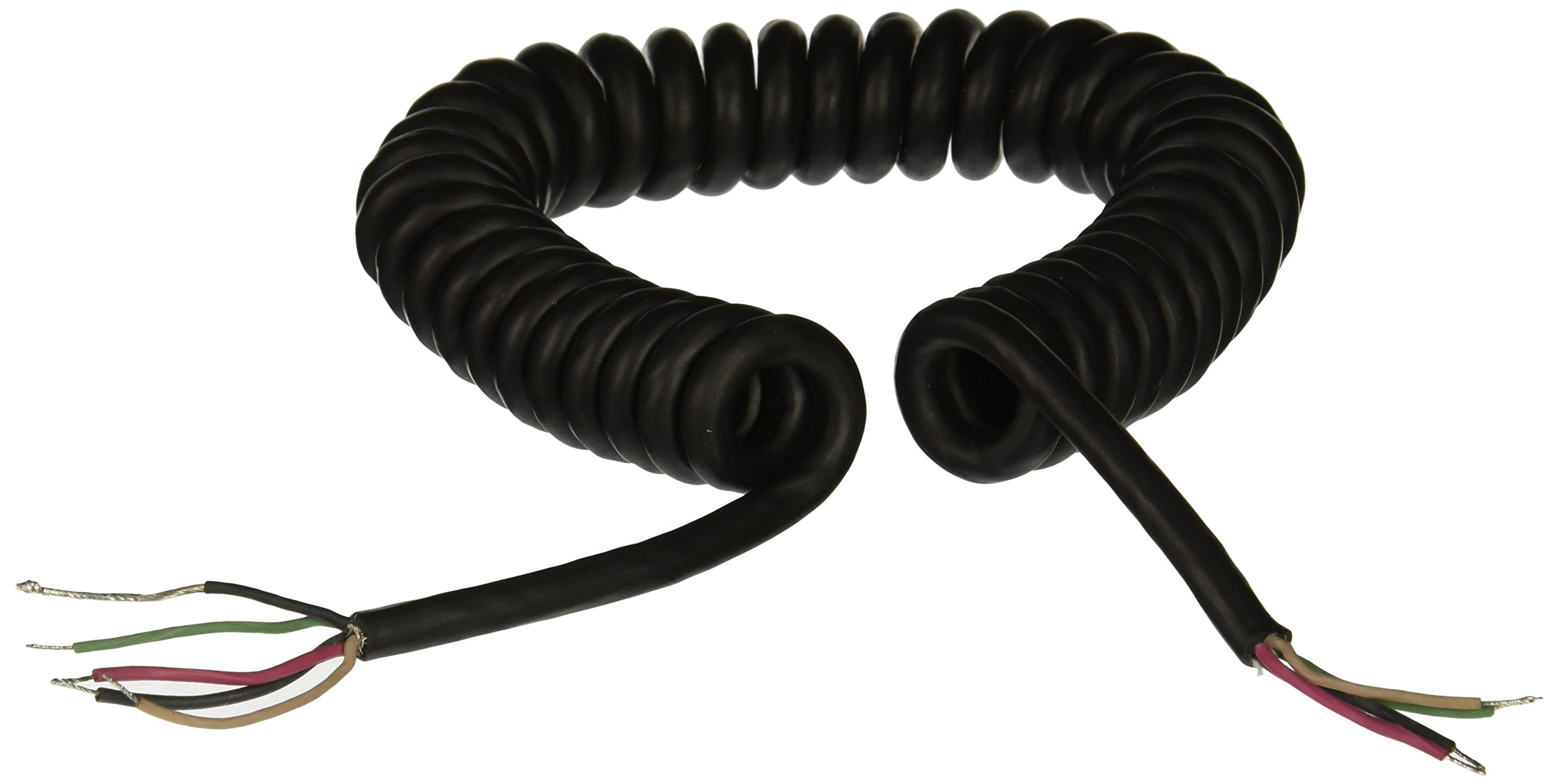
Figure 1: The Shure C29C coiled cable, showing its robust construction and exposed wire ends for connection.
2. Setup
This cable is designed for direct wiring to compatible audio equipment, specifically the Shure 527B microphone. Professional installation is recommended to ensure proper polarity and shielding integrity.
2.1 Wiring Instructions
The C29C cable features four conductors and two shields. Refer to the wiring diagram or manual of your Shure 527B microphone for specific connection points. Ensure all connections are secure and properly insulated to prevent short circuits and maintain audio quality.
- Identify Conductors: The cable contains four distinct conductors (typically color-coded) and two shielding layers.
- Prepare Ends: Carefully strip the outer jacket and individual wire insulation to expose the conductors and shields as required by your microphone's connection terminals.
- Connect to Microphone: Solder or crimp the conductors and shields to the corresponding pins or terminals on the Shure 527B microphone. Pay close attention to the pinout to ensure correct signal flow and phantom power (if applicable).
- Connect to Equipment: Connect the other end of the cable to your audio mixer, amplifier, or recording device, following the appropriate input specifications.
Note: Incorrect wiring can lead to signal loss, noise, or damage to equipment. If unsure, consult a qualified audio technician.
3. Operating the Cable
As a passive component, the Shure C29C cable does not require active operation. Once properly installed, it facilitates the transmission of audio signals between your Shure 527B microphone and connected audio equipment.
3.1 Signal Flow
The cable acts as a conduit for the microphone's audio output. Ensure the microphone is powered (if it requires phantom power, ensure your mixer or interface provides it) and the connected equipment is correctly configured to receive the microphone's signal.
- Microphone Output: The Shure 527B microphone generates an audio signal.
- Cable Transmission: The C29C cable carries this signal, with its shielding minimizing interference.
- Equipment Input: The signal is received by the input of your audio device (e.g., mixer, audio interface).
4. Maintenance
Proper maintenance extends the life and performance of your Shure C29C cable.
4.1 Cleaning
Wipe the exterior of the cable with a soft, dry cloth. Avoid using harsh chemicals or abrasive cleaners, as these can damage the cable's jacket.
4.2 Storage
When not in use, coil the cable loosely to prevent kinking and strain on the conductors. Store it in a cool, dry place away from direct sunlight and extreme temperatures. Avoid tightly wrapping the cable around sharp objects.
4.3 Inspection
Periodically inspect the cable for any signs of wear, such as cuts, abrasions, or exposed wiring. Check the integrity of the connections at both ends. If significant damage is observed, replace the cable to ensure safety and optimal performance.
5. Troubleshooting
If you experience issues with your audio setup, consider the following troubleshooting steps related to the cable:
| Problem | Possible Cause | Solution |
|---|---|---|
| No Audio Signal | Loose or incorrect wiring; damaged cable; incorrect input selection on audio equipment. | Check all connections for tightness and correct pinout. Inspect cable for visible damage. Verify audio equipment input settings. Test with a known working cable. |
| Intermittent Signal or Static | Damaged internal conductors; poor shielding; loose connections. | Gently flex the cable along its length to identify points of intermittent connection. Re-check wiring. Ensure proper grounding and shielding. Replace cable if damage is suspected. |
| Hum or Buzzing Noise | Ground loop; insufficient shielding; interference from other electronics. | Ensure all equipment is properly grounded. Check for damaged shielding on the cable. Route cable away from power cords and other sources of electromagnetic interference. |
If these steps do not resolve the issue, contact Shure customer support or a qualified technician.
6. Specifications
| Feature | Detail |
|---|---|
| Brand | Shure |
| Model | C29C |
| Cable Type | Coaxial |
| Length | 6-foot (1.8 m) |
| Conductors | 4-conductor |
| Shielding | 2 shielded |
| Compatible Devices | Shure 527B Microphone |
| Special Feature | Tangle Free |
| Connector Gender | Male-to-Male (referring to internal wiring, not external connectors) |
| Item Weight | 8 ounces |
| Product Dimensions | 5.6 x 3.7 x 3.2 inches (packaging dimensions) |
| UPC | 042406053693 |
7. Warranty and Support
7.1 Warranty Information
For detailed warranty information regarding your Shure C29C cable, please refer to the official Warranty PDF document available from Shure. You can access it via the following link:
7.2 Customer Support
If you have any questions, require technical assistance, or need to report an issue with your Shure C29C cable, please contact Shure customer support. Visit the official Shure website for contact details and additional resources.


