
1. Product Overview
The Oregon Scientific THGR122NX is a water-resistant remote sensor designed to measure both temperature and humidity. It transmits this data wirelessly to a compatible main unit (sold separately) on one of three user-selectable channels. The sensor also features an integrated LCD screen that displays the current temperature and humidity readings directly. This unit is suitable for both indoor and outdoor use, providing versatile environmental monitoring.

Figure 1: Oregon Scientific THGR122NX Water Resistant Remote Sensor with LCD Display.
2. Setup
2.1 Battery Installation
- Open the battery compartment cover located on the back of the THGR122NX sensor.
- Insert two (2) AAA batteries, observing the correct polarity (+/-) as indicated inside the compartment.
- Close the battery compartment cover securely.
- For optimal performance in very cold conditions, it is suggested to use Lithium AAA batteries.
2.2 Sensor Placement
For accurate readings, mount the sensor vertically on a north-facing wall or in a well-shaded location to avoid direct sunlight and rain. Direct sunlight can cause the temperature readings to be higher than actual. It is recommended to place the sensor at least 6 inches below eaves or under a deck. The maximum transmission range to the base station is approximately 100 feet (30 meters) in an open area, not including walls or floors.
2.3 Pairing with Main Unit
- Ensure batteries are installed in both the remote sensor and the main display unit.
- On the remote sensor, select one of the three available channels (CH1, CH2, or CH3) using the channel switch inside the battery compartment.
- On the main unit, initiate the sensor search function (refer to your main unit's manual for specific instructions). The main unit should automatically detect and display readings from the remote sensor.
- If connection is not established, remove batteries from both units, wait a few seconds, and re-insert them, ensuring the remote sensor is powered on first, then the main unit. Repeat the pairing process.
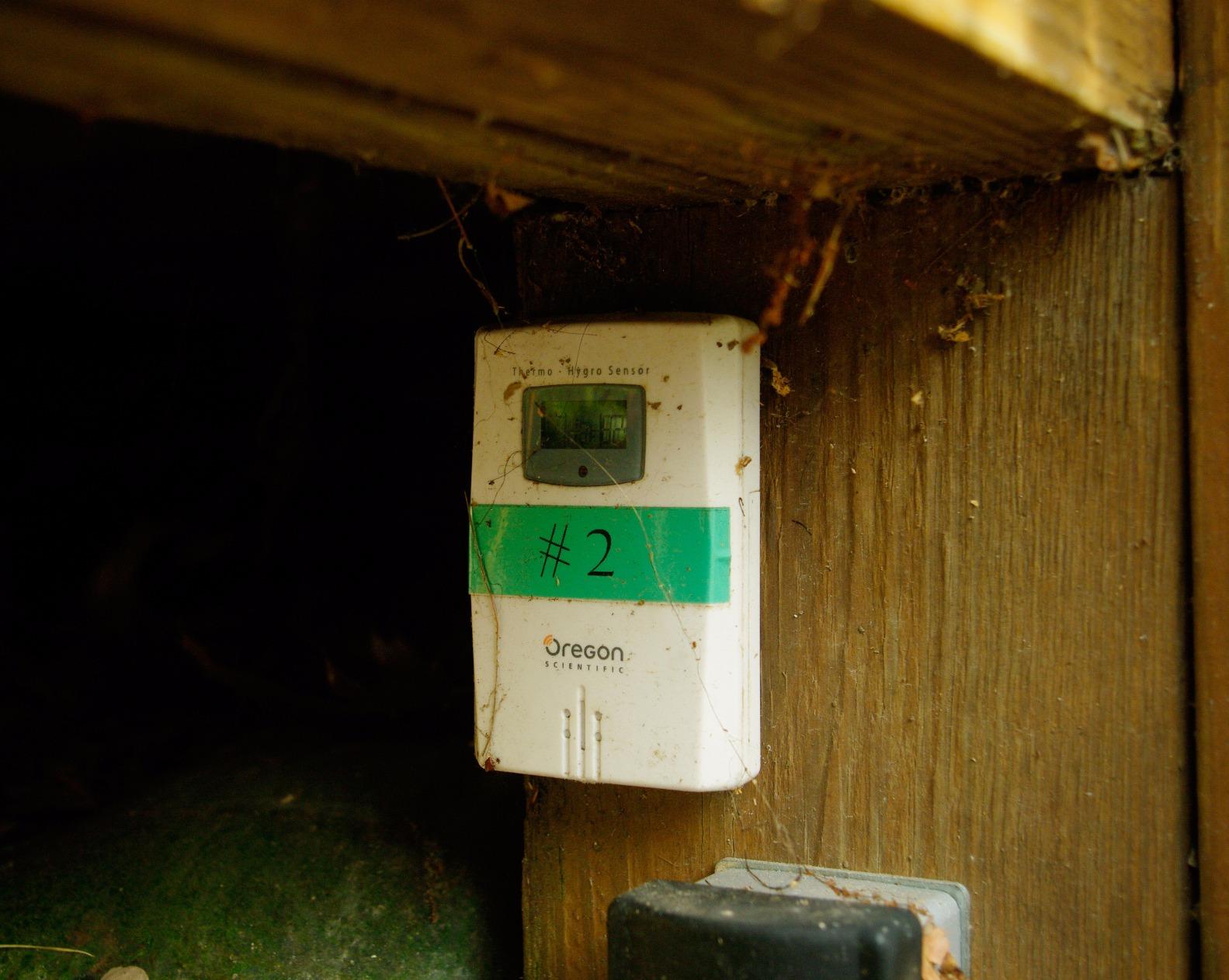
Figure 2: Remote sensor mounted outdoors, demonstrating proper placement for optimal readings.
3. Operating Instructions
3.1 LCD Display
The THGR122NX sensor features a small LCD display that shows the current temperature and humidity readings directly on the unit. This allows for quick local checks without needing to consult the main unit.
3.2 Temperature and Humidity Readings
- The sensor measures temperature within a range of -22°F to 140°F (-30°C to 60°C).
- Humidity is measured from 25% to 95% relative humidity.
- Readings are updated and transmitted to the main unit approximately every 40 seconds.
3.3 Channel Selection
A switch inside the battery compartment allows you to select one of three channels (CH1, CH2, CH3). This is crucial for avoiding interference if multiple sensors are used or if other wireless devices are nearby. Ensure the selected channel matches the setting on your main unit.
4. Maintenance
4.1 Cleaning
Wipe the sensor clean with a soft, damp cloth. Do not use abrasive cleaners or solvents, as these may damage the unit.
4.2 Battery Replacement
When the low battery indicator appears on the main unit or the sensor's LCD, replace the batteries promptly. Always replace both batteries at the same time with new ones of the same type. Dispose of used batteries responsibly according to local regulations.
4.3 Environmental Protection
Although water-resistant, avoid submerging the sensor in water. Protect it from extreme physical shock or vibration.
5. Troubleshooting
| Problem | Possible Cause | Solution |
|---|---|---|
| No readings on main unit. | Incorrect channel selected, out of range, or low batteries. | Verify channel selection, move sensor closer to main unit, replace batteries in both units. |
| Inaccurate temperature/humidity. | Direct sunlight/rain exposure, or sensor placed near heat sources. | Relocate sensor to a shaded, protected area away from direct heat sources. |
| Intermittent signal loss. | Interference from other wireless devices, or obstacles. | Move sensor and main unit away from other electronics, reduce obstacles between units. |
| LCD display on sensor is blank or dim. | Low or dead batteries. | Replace batteries with new AAA batteries. |
6. Specifications
- Model: THGR122NX
- Brand: Oregon Scientific
- Temperature Measurement Range: -22°F to 140°F (-30°C to 60°C)
- Humidity Measurement Range: 25% to 95% RH
- Transmission Range: Up to 100 feet (30 meters) in open area
- Channels: 3 user-selectable channels
- Power Source: 2 x AAA batteries (included)
- Special Feature: Water-resistant, LCD Display
- Product Dimensions: 3.6 x 1 x 2.4 inches
- Item Weight: 4 ounces
- Material: Plastic
- Color: White
7. Warranty & Support
7.1 Warranty Information
This Oregon Scientific product comes with a 1-year limited warranty from the date of purchase, covering manufacturing defects in materials and workmanship.
7.2 Customer Support
For further assistance, product registration, or to check compatibility with your existing Oregon Scientific weather station, please visit the official Oregon Scientific website: oregonscientificstore.com/sensors.


