1. Introduction
This manual provides essential information for the safe and effective use of your Sealey CRM10 Retractable Socket System Cable Reel. Please read these instructions carefully before installation and operation. Keep this manual for future reference.
The Sealey CRM10 is a hard-wearing, composite-cased retractable electric cable reel designed for convenient power access. It features an integral manual thermal trip switch for overload protection and a double socket outlet with individual LED power indicators and rocker on/off switches.
2. Safety Information
WARNING: Failure to follow these instructions may result in electric shock, fire, or serious injury.
- Always ensure the power supply is disconnected before installation or maintenance.
- Do not operate the cable reel if the cable or casing is damaged.
- Do not overload the cable reel. Refer to the specifications for maximum capacity.
- Ensure the cable is fully unwound when operating at maximum load to prevent overheating.
- This product is designed for indoor use or sheltered outdoor use where protected from direct weather.
- Keep children and unauthorized persons away from the operating area.
- Do not immerse the unit in water or expose it to excessive moisture.
- If the thermal trip switch activates, disconnect all appliances, allow the unit to cool, and then reset the switch.
3. Product Overview
The Sealey CRM10 cable reel provides a convenient and safe way to manage power cables in your workspace. Key components include the retractable reel, the 10-meter cable, and the double socket outlet.
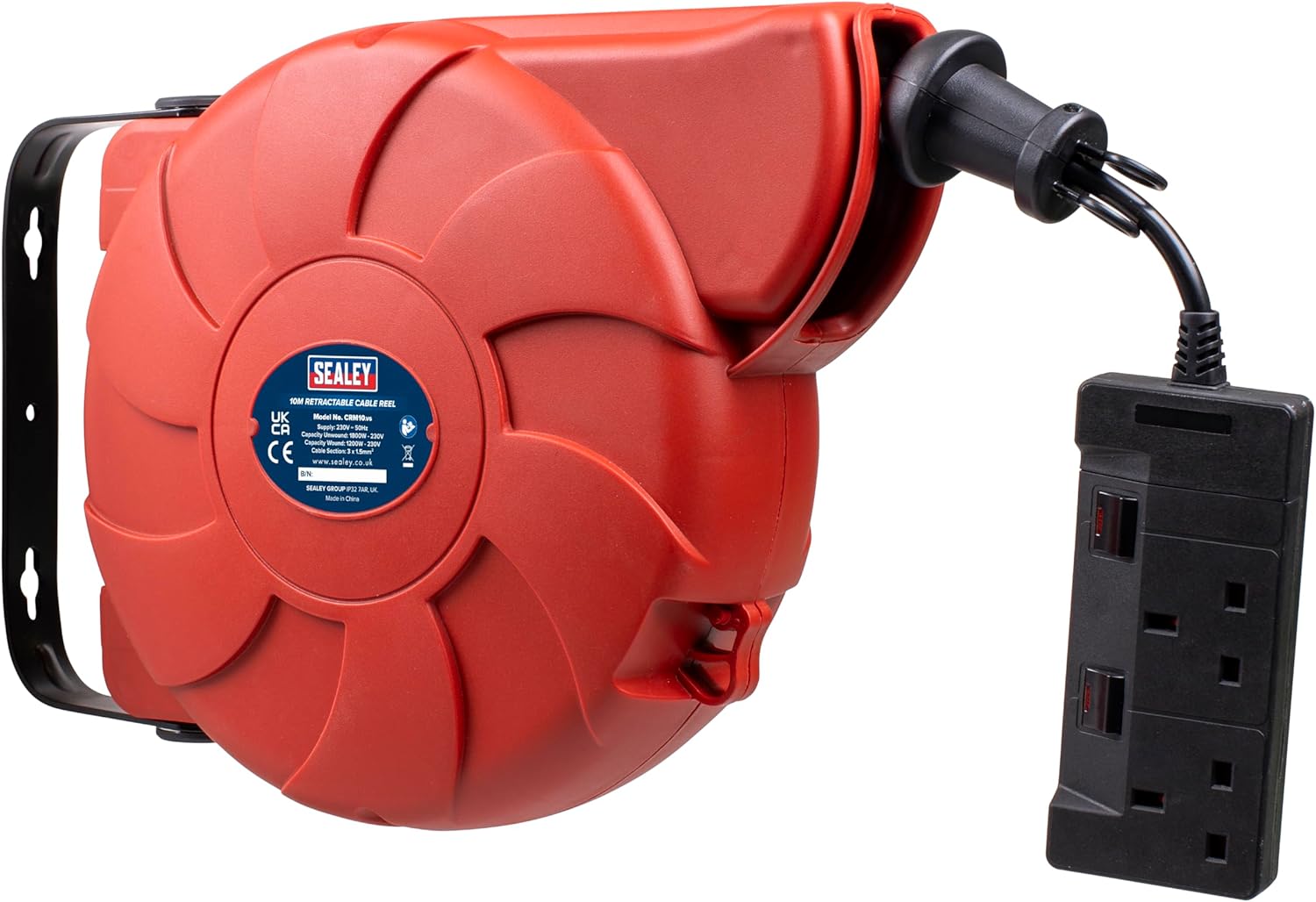
Figure 3.1: Front view of the Sealey CRM10 Retractable Cable Reel, showing the main reel unit and the attached double socket outlet.

Figure 3.2: Side view of the Sealey CRM10, illustrating the power input cable and the thermal trip reset button.

Figure 3.3: Diagram highlighting key features: 10m retractable cable for tidy management, built-in 180° wall/ceiling mounting bracket, and two 230V sockets with individual rocker switches and LED power indicators.

Figure 3.4: Close-up views of the Sealey CRM10 components, including the wall mounting bracket, the 10m cable with reel stop, the dual plug sockets, and the 1.7m power cable.
4. Setup and Installation
The Sealey CRM10 is designed for easy installation with its built-in 180° wall/ceiling mounting bracket.
4.1 Mounting Location
Choose a suitable location for mounting the cable reel. Ensure the surface is strong enough to support the weight of the unit and the tension from the cable when extended. Consider accessibility for both mounting and cable usage.
4.2 Installation Steps
- Identify the mounting points on the bracket.
- Mark the drilling locations on the wall or ceiling using the bracket as a template.
- Drill appropriate holes for your chosen fasteners (screws, anchors, etc.). Ensure fasteners are suitable for the mounting surface and unit weight.
- Securely attach the cable reel to the wall or ceiling using appropriate hardware.
- Once mounted, the unit can pivot up to 180 degrees, allowing flexible positioning.
IMPORTANT: Ensure the mounting is secure to prevent the unit from falling, which could cause injury or damage.
5. Operating Instructions
Using your Sealey CRM10 cable reel is straightforward.
5.1 Extending the Cable
- Grasp the double socket outlet firmly.
- Slowly pull the cable outwards from the reel.
- The cable will lock at various intervals. To lock the cable at the desired length, pull it out slightly further until you hear a click, then allow it to retract slightly until it engages the lock.
- Plug the main power cable of the reel into a suitable 230V power outlet.
- Use the individual rocker on/off switches on the double socket outlet to control power to your appliances. The LED indicators will show when power is active.
CAUTION: Always ensure the cable is fully unwound when operating high-power appliances (e.g., over 1000W) to prevent overheating and activation of the thermal trip switch.
5.2 Retracting the Cable
- Ensure all appliances are disconnected from the double socket outlet and the main power cable is unplugged from the wall.
- Grasp the double socket outlet and pull the cable gently outwards, just enough to disengage the locking mechanism. You should hear a click.
- Slowly guide the cable back into the reel. Do not release the cable abruptly, as this can cause damage to the reel mechanism or the cable.
- Ensure the cable retracts smoothly and without kinks.
5.3 Thermal Trip Switch
The cable reel is equipped with an integral manual thermal trip switch. This safety feature automatically cuts power if the reel becomes overloaded or overheats.
- If power is cut, disconnect all connected appliances and unplug the reel from the main power supply.
- Allow the unit to cool down for at least 15-20 minutes.
- Locate the red reset button on the side of the reel (refer to Figure 3.2).
- Press the reset button firmly.
- Reconnect the reel to the power supply and resume use. If the trip activates repeatedly, reduce the load or ensure the cable is fully unwound.
6. Maintenance
Regular maintenance ensures the longevity and safe operation of your cable reel.
- Cleaning: Wipe the casing and cable with a dry, soft cloth. Do not use abrasive cleaners or solvents. Ensure the unit is unplugged before cleaning.
- Cable Inspection: Periodically inspect the entire length of the cable for any signs of damage, cuts, fraying, or kinks. Also check the plug and socket for damage. If damage is found, discontinue use immediately and have it repaired by a qualified electrician.
- Storage: When not in use, ensure the cable is fully retracted and stored in a dry, clean environment.
7. Troubleshooting
| Problem | Possible Cause | Solution |
|---|---|---|
| No power from sockets. |
|
|
| Cable does not retract. |
|
|
| Thermal trip activates frequently. |
|
|
8. Specifications
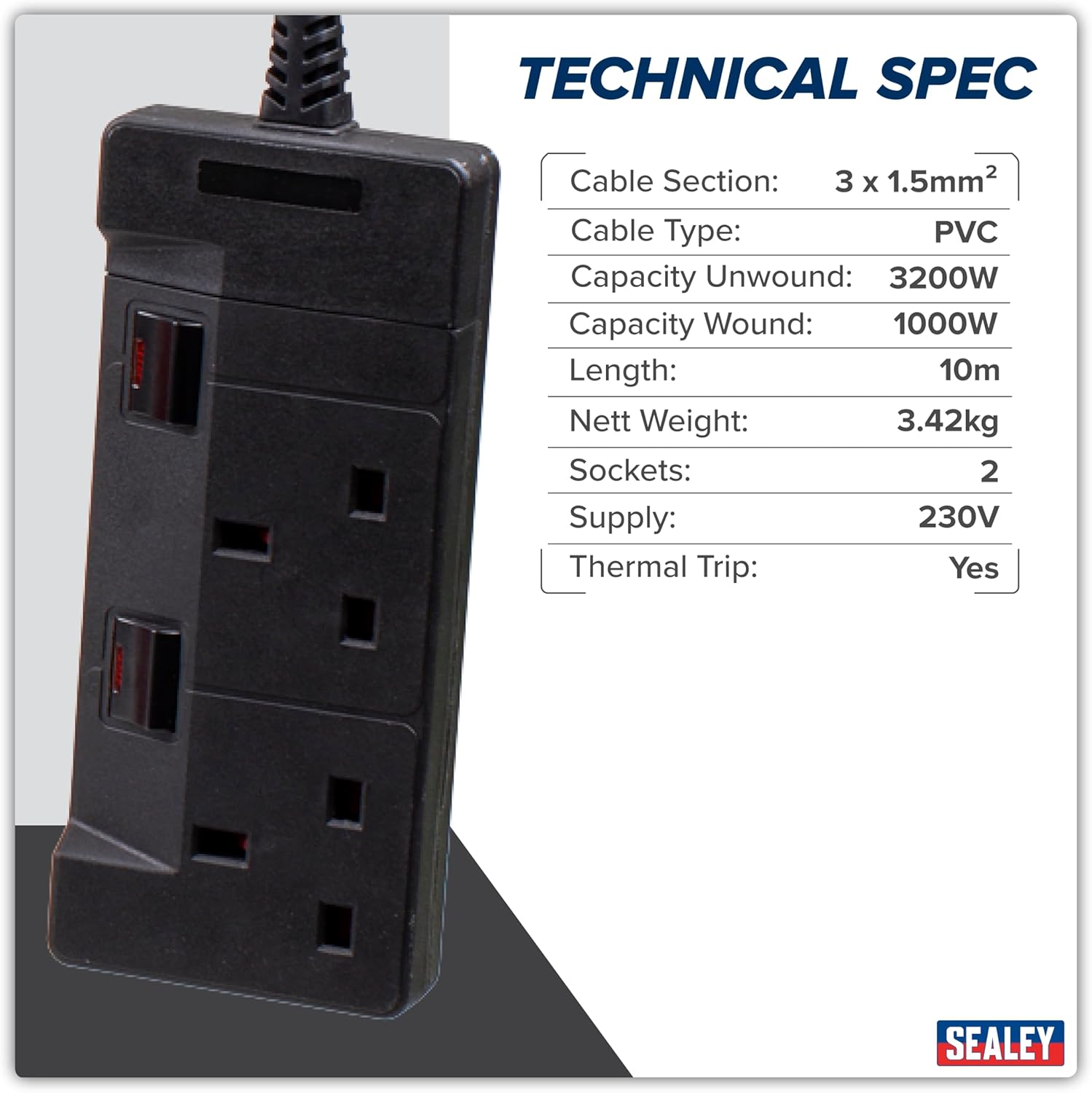
Figure 8.1: Technical specifications as provided by the manufacturer.
| Feature | Detail |
|---|---|
| Model No. | CRM10 |
| Supply | 230V |
| Cable Length | 10m |
| Cable Section | 3 x 1.5mm² |
| Cable Type | PVC |
| Sockets | 2 |
| Capacity Unwound | 3200W |
| Capacity Wound | 1000W |
| Height | 201mm |
| Width | 351mm |
| Product Dimensions (L x W x H) | 35.4 x 35 x 17.8 cm |
| Item Weight | 3.57 kg |
| Material | Metal (bracket), Composite (casing) |
| Colour | Red |
| Installation Method | Freestanding / Wall/Ceiling Mount |
9. Warranty and Support
For warranty information, please refer to the documentation provided with your purchase or visit the official Sealey website. In case of technical issues or for spare parts, please contact Sealey customer support directly.
Sealey Contact Information:
- Website: www.sealey.co.uk (as seen on product label in image)
- Refer to your purchase documentation for specific regional contact details.


