
1. Introduction
Thank you for choosing the Genius SP-i350 2.0 Speakers. These speakers are designed to provide high-quality stereo audio for your portable devices and computers. This manual provides essential information for setting up, operating, maintaining, and troubleshooting your speakers.
Package Contents
Please check the package for the following items:
- 2 x Genius SP-i350 Speakers
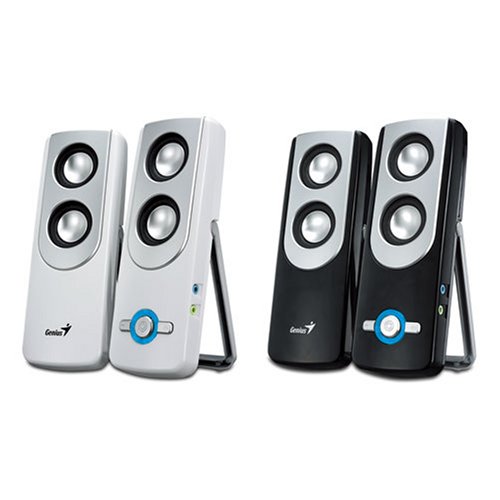
Image 1.1: Genius SP-i350 2.0 Speakers. This image displays the two speaker units, typically black in color, connected by their audio cable.
2. Setup Instructions
Follow these steps to connect your Genius SP-i350 speakers to your audio source.
- Positioning the Speakers: Place the two speakers on a stable, flat surface, ensuring they are positioned to provide optimal stereo sound for your listening area.
- Connecting to Audio Source: Locate the 3.5mm audio jack on your computer, laptop, MP3 player, smartphone, tablet, or television. Plug the 3.5mm audio cable from the Genius SP-i350 speakers into this audio jack.
- Power Connection: The speakers are powered via a corded electric connection. Plug the power adapter into a standard electrical outlet.
- Power On: Turn on the speakers using the power control, typically a button or dial.
- Adjust Volume: Start with a low volume setting on both your audio source and the speakers. Gradually increase the volume to a comfortable listening level.
3. Operating the Speakers
The Genius SP-i350 speakers are designed for simple operation.
Volume Control
The speakers feature a volume control, which may be a dial or touch-sensitive control, allowing you to adjust the audio output level. You can also control the volume from your connected audio device.
Compatible Devices
These speakers are compatible with a wide range of devices that have a 3.5mm audio output, including:
- Laptops
- MP3 Players
- Smartphones
- Tablets
- Televisions
4. Maintenance
Proper care ensures the longevity and optimal performance of your speakers.
Cleaning
- Disconnect the speakers from the power source before cleaning.
- Use a soft, dry cloth to wipe the exterior surfaces of the speakers.
- Do not use liquid cleaners, aerosols, or solvents, as these may damage the finish or internal components.
Storage
When not in use for extended periods, store the speakers in a cool, dry place away from direct sunlight and extreme temperatures.
5. Troubleshooting
If you encounter issues with your speakers, refer to the following common problems and solutions.
- No Sound:
- Ensure the speakers are properly connected to a power source and turned on.
- Verify the 3.5mm audio cable is securely plugged into both the speakers and the audio source.
- Check the volume levels on both the speakers and the connected audio device. Ensure they are not muted or set too low.
- Test with a different audio source or cable if possible to rule out device or cable issues.
- Distorted Sound:
- Reduce the volume on both the speakers and the audio source. High volume levels can cause distortion.
- Ensure the audio cable connections are secure and free from interference.
- Test with a different audio source to determine if the distortion originates from the source device.
- One Speaker Not Working:
- Check the physical connection between the two speakers.
- Ensure the audio source is outputting stereo sound correctly.
6. Specifications
Key technical specifications for the Genius SP-i350 2.0 Speakers:
| Feature | Detail |
|---|---|
| Model Name | SP i350 |
| Speaker Type | Computer |
| Recommended Uses | Music |
| Compatible Devices | Laptop, MP3 Player, Smartphone, Tablet, Television |
| Surround Sound Channel Configuration | 2.0 |
| Included Components | 2 Speakers |
| Item Weight | 1.56 pounds |
| Control Method | Touch |
| Power Source | Corded Electric |
| Signal-to-Noise Ratio | 80 dB |
| Audio Driver Type | Dynamic Driver |
| Speaker Maximum Output Power | 150 Watts |
| Connectivity Technology | Auxiliary |
| Audio Output Mode | Stereo |
| Mounting Type | Tabletop Mount |
| Product Dimensions | 669.29 x 866.14 x 433.07 inches |
7. Warranty Information
The Genius SP-i350 speakers come with a Limited Warranty. For detailed information regarding warranty terms, conditions, and registration, please refer to the official Genius website or contact their customer support.
8. Customer Support
For further assistance, technical support, or to inquire about replacement parts, please visit the official Genius support website or contact their customer service department. Contact information can typically be found on the manufacturer's website.


