
Introduction
This manual provides detailed instructions for the installation and maintenance of your Kuryakyn 9050 Chrome Solenoid Cover. This accessory is designed to enhance the appearance of your motorcycle's starter motor area while providing a protective chrome finish.
Compatibility
The Kuryakyn 9050 Solenoid Cover is compatible with the following Harley-Davidson models:
- 1990-2006 Big Twin Starters
- 1991-2019 XL1200
- 1995-2019 XL883
Parts Included
Please verify that all parts are present before beginning installation.
- (1) Chrome Solenoid Cover
- (3) M4 x .7 X 12mm Socket Head Cap Screws

Image Description: A chrome solenoid cover, the main component of this kit, shown alongside a smaller accent piece. The larger cover is designed to fit over the motorcycle's solenoid.
Tools Required (Not Included)
- Set of Hex Wrenches
- Set of Sockets and Ratchet
Installation Instructions
- Preparation: Ensure the motorcycle is turned off and cool. For safety, disconnect the battery's negative terminal.
- Locate Solenoid: Identify the solenoid area on your Harley-Davidson motorcycle.
- Remove Existing Components (if any): If there is an existing cover or components obstructing the installation, carefully remove them using appropriate tools.
- Position the Cover: Place the Kuryakyn Chrome Solenoid Cover over the solenoid, aligning the mounting holes.
- Secure the Cover: Use the provided (3) M4 x .7 X 12mm Socket Head Cap Screws to secure the cover. Tighten screws evenly until snug, but do not overtighten to avoid damage.
- Final Check: Verify that the cover is securely mounted and does not interfere with any moving parts or other motorcycle components.
- Reconnect Battery: Reconnect the negative battery terminal.
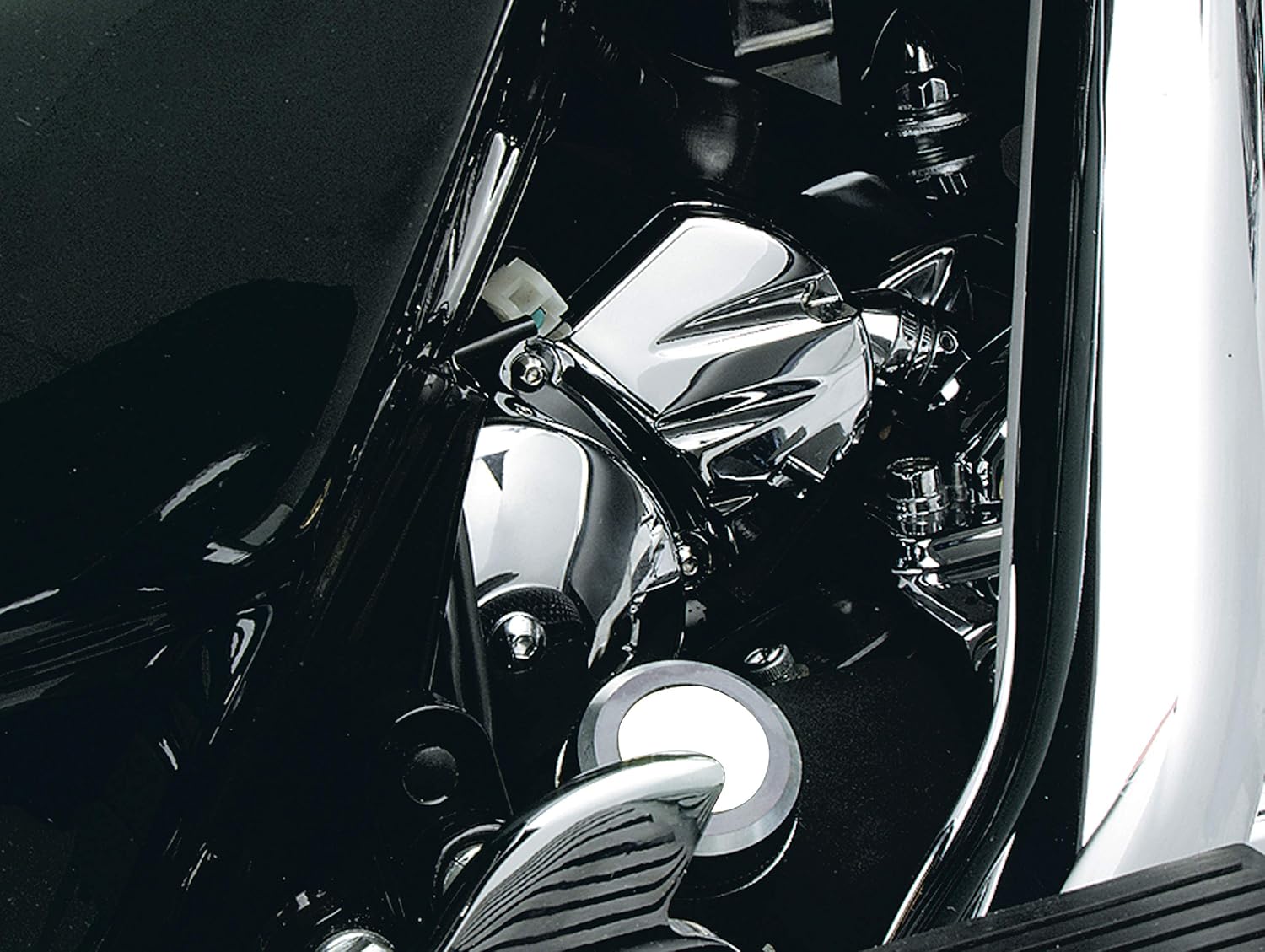
Image Description: A Kuryakyn chrome solenoid cover installed on a Harley-Davidson motorcycle, showcasing its integration with the engine components and overall aesthetic.
Maintenance
To maintain the chrome finish of your Kuryakyn Solenoid Cover, regularly clean it with a soft cloth and a non-abrasive chrome cleaner. Avoid harsh chemicals or abrasive materials that could scratch the finish. Periodically check the mounting screws for tightness to ensure the cover remains securely attached.
Troubleshooting
Cover Does Not Fit Properly
- Verify Compatibility: Double-check that your motorcycle model and year are listed in the compatibility section.
- Check for Obstructions: Ensure no other aftermarket parts or factory components are preventing proper seating of the cover.
- Review Installation Steps: Re-read the installation instructions to confirm all steps were followed correctly.
Loose Cover
- Tighten Screws: Gently tighten the M4 x .7 X 12mm Socket Head Cap Screws. Do not overtighten, as this can strip threads or damage the cover.
- Inspect Mounting Points: Check for any damage to the mounting points on the cover or the motorcycle.
Specifications
| Feature | Detail |
|---|---|
| Model Number | 9050 |
| Brand | Kuryakyn |
| Material | Metal (Chrome Plated) |
| Item Weight | 6.9 ounces (approximately 0.43 pounds) |
| Product Dimensions | 7.5 x 5 x 1 inches |
| UPC | 182682078185, 182682100220, 191209007669 |
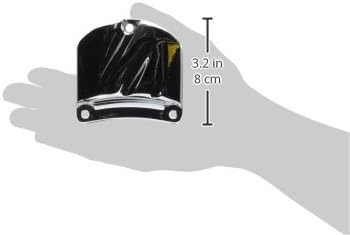
Image Description: A hand holding the smaller chrome accent piece, with an overlay indicating its dimensions: 3.2 inches (8 cm) in height.
Warranty and Support
For warranty information or technical support, please contact Kuryakyn directly through their official website or authorized dealers. Keep your purchase receipt for warranty claims.
Visit the Kuryakyn Store for more products and information.