
Moen L4601
Moen L4601 Chateau Bathroom Faucet User Manual
Model: L4601 | Brand: Moen
Product Overview
The Moen L4601 Chateau 4-Inch Centerset Single Handle Low-Arc Bathroom Faucet features a classic design with soft, clean curves and modern, rounded styling. This faucet is designed for ease of use and is manufactured in the United States. It is a single-handle, low-arc faucet with a chrome finish, suitable for bathroom sinks.

Figure 1: Moen L4601 Chateau Faucet, Chrome Finish.
Installation and Setup
This faucet is designed for deck mount installation on 4-inch centers with a 3-hole configuration. Ensure your sink is compatible with these specifications before beginning installation.

Figure 2: Sink compatibility diagram for 3-hole, 4-inch centerset installation.
For detailed installation instructions, please refer to the official user guide PDF available here.
Operating Instructions
The Moen L4601 faucet features a single lever handle for controlling both water flow and temperature. The handle operates smoothly for precise adjustments.
- To turn on the water, lift the lever handle upwards.
- To increase water flow, lift the handle higher.
- To adjust temperature, move the handle left for hot water (indicated by a red dot) and right for cold water (indicated by a blue dot).
- To turn off the water, push the lever handle downwards to its original position.
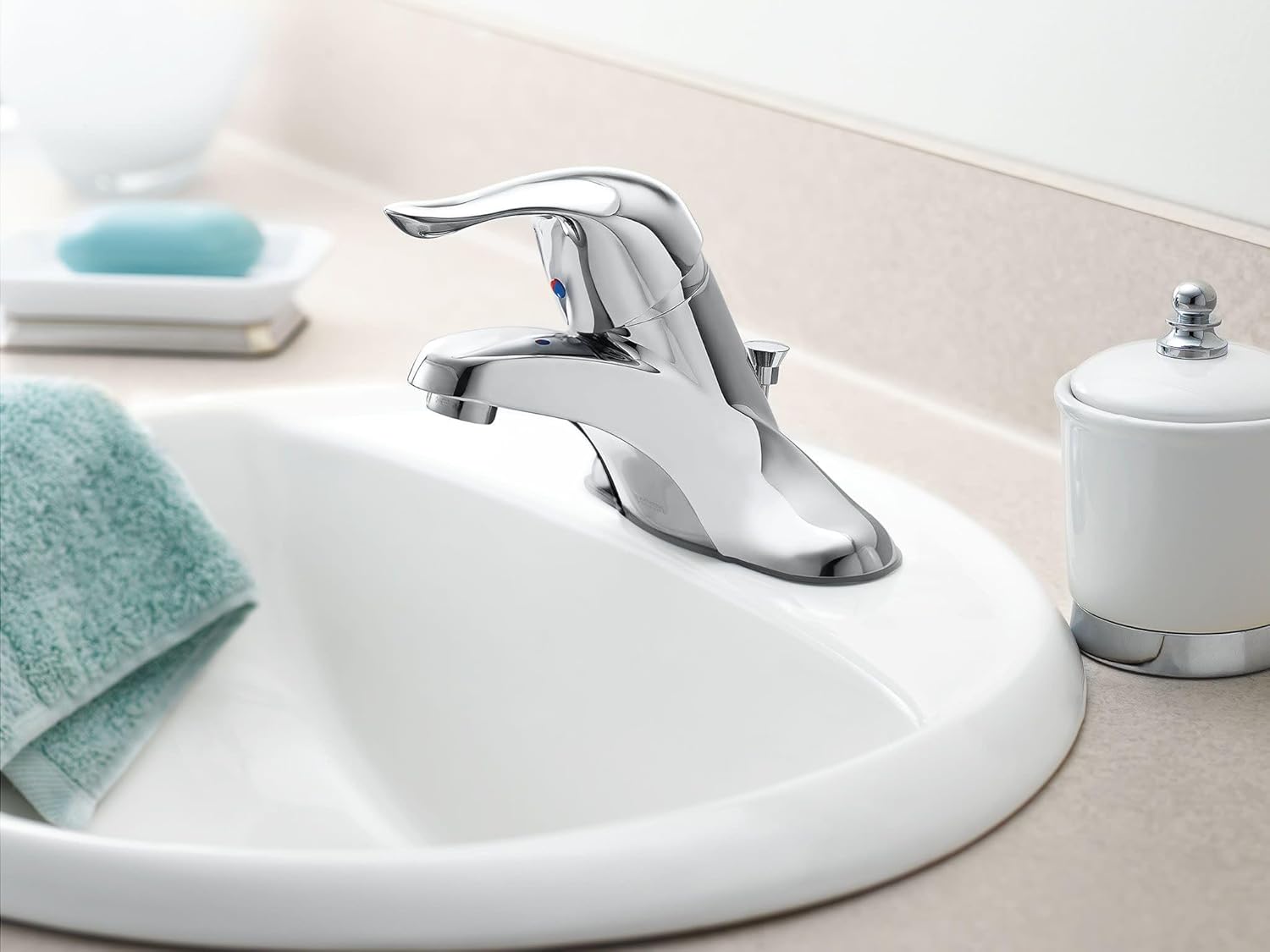

Figure 3: Faucet installed and in operation.
Maintenance
To maintain the chrome finish and ensure optimal performance of your Moen L4601 faucet, follow these guidelines:
- Cleaning: Clean the faucet regularly with a soft, damp cloth. Avoid abrasive cleaners, harsh chemicals, or scouring pads, as these can damage the finish.
- Water Spots: Wipe the faucet dry after each use to prevent water spots and mineral buildup, especially in hard water areas.
- Aerator: Periodically unscrew and clean the aerator at the tip of the spout to remove any debris or mineral deposits that may affect water flow.
Troubleshooting
If you encounter issues with your Moen L4601 faucet, consider the following common problems and solutions:
| Problem | Possible Cause | Solution |
|---|---|---|
| Low Water Flow | Clogged aerator or mineral buildup. | Remove and clean the aerator. Check water supply lines for kinks or blockages. |
| Leaking from Spout | Worn out O-rings or cartridge. | Contact Moen customer support for replacement parts or professional assistance. |
| Difficulty Adjusting Temperature | Cartridge issue or mineral deposits affecting movement. | Ensure handle is properly seated. If problem persists, the cartridge may need replacement. |
For more complex issues, it is recommended to consult a qualified plumber or contact Moen customer support.
Specifications
| Feature | Detail |
|---|---|
| Brand | Moen |
| Model Name | Chateau |
| Model Number | L4601 |
| Recommended Uses | Bathroom |
| Mounting Type | Deck Mount |
| Hole Count | 3 |
| Handle Type | Lever |
| Number of Handles | 1 |
| Finish Type | Chrome |
| Material | Metal |
| Color | Chrome |
| Spout Design | Low Arc |
| Spout Height | 2 Inches |
| Spout Reach | 4.36 Inches |
| Maximum Flow Rate | 1.2 Gallons Per Minute |
| Water Consumption | 1.5 Gallons per Minute |
| Valve Type | Disc Valve |
| Certification | WaterSense |
| Item Weight | 2.09 Pounds |
| Product Dimensions | 11.62 x 6.25 x 4.88 inches |
| Manufactured In | United States |
| Discontinued | Yes |

Figure 4: Moen's certification for U.S. Water Safety Standards.
Warranty Information
The Moen L4601 Chateau Bathroom Faucet is backed by a Limited Lifetime Warranty. For specific terms, conditions, and to make a warranty claim, please refer to the official Moen warranty documentation or contact Moen customer support directly.
Support
For additional assistance, technical support, or to order replacement parts, please visit the official Moen website or contact their customer service department. You can also refer to the comprehensive User Guide (PDF) for detailed diagrams and instructions.
Related documentsL4601


Ask a question about this manual
Ask about setup, troubleshooting, compatibility, parts, safety, or missing instructions. Manuals+ will review the question and use this page’s manual context to help answer it.