
ProTech 523
ProTech 523 Fuel Filter User Manual
Essential guide for installation, operation, and maintenance.
Introduction
This manual provides comprehensive instructions for the proper installation, operation, and maintenance of your ProTech 523 Fuel Filter. Please read this manual thoroughly before attempting any procedures to ensure safe and effective use of the product. Retain this manual for future reference.
Safety Information
Always prioritize safety when working with fuel systems. Fuel is highly flammable and can cause serious injury or death if not handled properly. Ensure adequate ventilation and have a fire extinguisher readily available.
- Disconnect the vehicle's battery before starting any work.
- Relieve fuel system pressure before disconnecting fuel lines.
- Wear appropriate personal protective equipment (PPE), including safety glasses and gloves.
- Do not smoke or use open flames near fuel.
- Dispose of old fuel and filters according to local regulations.
Setup and Installation
The ProTech 523 Fuel Filter is designed for in-line installation in compatible vehicle fuel systems. Proper installation is crucial for optimal performance and safety.
Tools Required:
- Wrench set (appropriate sizes for fuel line fittings)
- Drain pan for fuel
- Shop rags
- Safety glasses and gloves
Installation Steps:
- Prepare the Vehicle: Park the vehicle on a level surface and engage the parking brake. Allow the engine to cool down. Disconnect the negative terminal of the vehicle's battery.
- Relieve Fuel Pressure: Consult your vehicle's service manual for the specific procedure to relieve fuel system pressure. This typically involves removing the fuel pump fuse or relay and cranking the engine.
- Locate Old Filter: Identify the existing fuel filter. It is usually located along the fuel line, often near the fuel tank or under the vehicle.
- Prepare for Removal: Place a drain pan directly underneath the old fuel filter to catch any residual fuel.
- Remove Old Filter: Carefully disconnect the fuel lines from both ends of the old filter using appropriate wrenches. Be prepared for fuel spillage. Remove the old filter from its mounting bracket.
- Install New Filter: Note the flow direction arrow on the new ProTech 523 Fuel Filter. Ensure it points in the direction of fuel flow towards the engine. Connect the fuel lines to the new filter, ensuring all connections are secure and leak-free. Use new sealing washers if provided.
- Secure Filter: Mount the new filter securely in its bracket.
- Reconnect Battery: Reconnect the negative terminal of the vehicle's battery.
- Check for Leaks: Turn the ignition to the "ON" position (without starting the engine) for a few seconds to allow the fuel pump to prime the system. Check all connections for any signs of fuel leaks. Repeat this step a few times.
- Start Engine: Start the engine and let it idle for a few minutes. Re-check for leaks.
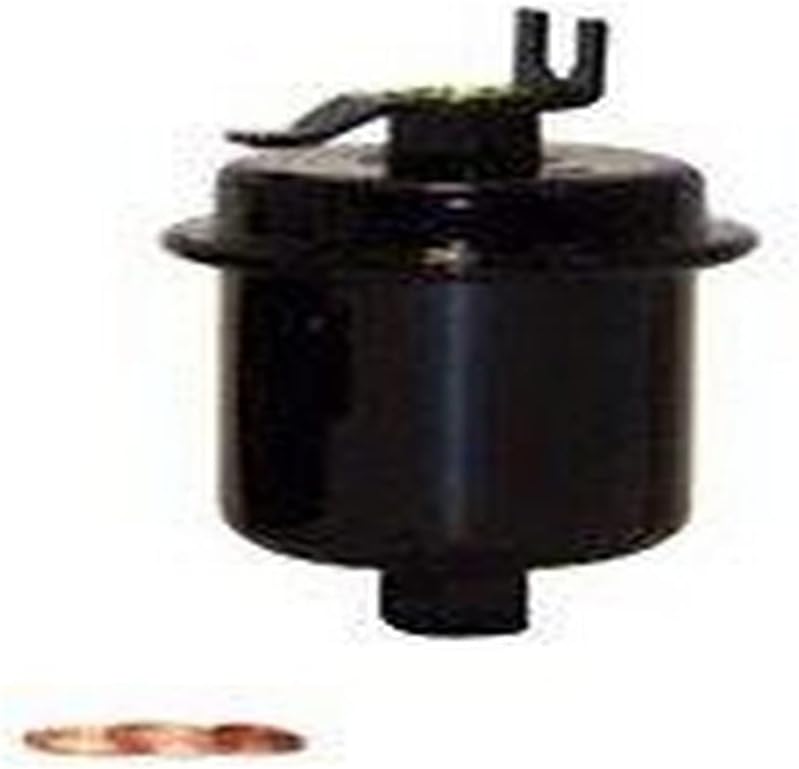
Image 1: Front view of the ProTech 523 Fuel Filter. This image shows the main body of the filter, which is cylindrical and black, with the inlet/outlet connections visible at the top and bottom. A small copper washer is also shown, likely for sealing connections.

Image 2: Side view of the ProTech 523 Fuel Filter, showing two filters and a washer. One filter is upright, displaying its top connection, while the other is on its side, revealing the internal connection point. A copper washer is also visible, indicating its use in sealing the fuel lines.
Operation
Once installed, the ProTech 523 Fuel Filter operates passively as part of your vehicle's fuel system. Its primary function is to filter contaminants from the fuel before it reaches the engine, protecting sensitive fuel system components like injectors and the fuel pump from damage.
There are no user-adjustable settings or controls for the fuel filter itself. Its operation is continuous as long as the engine is running and fuel is flowing through the system.
Maintenance
The ProTech 523 Fuel Filter is a consumable component and requires periodic replacement. A clogged fuel filter can lead to various engine performance issues, including:
- Reduced engine power
- Rough idling
- Difficulty starting
- Engine stalling
- Decreased fuel efficiency
Replacement Schedule:
Refer to your vehicle's owner's manual for the recommended fuel filter replacement interval. This typically ranges from every 15,000 to 30,000 miles, or every 1 to 2 years, depending on the vehicle manufacturer and driving conditions. If you frequently drive in dusty environments or use lower quality fuel, more frequent replacement may be necessary.
The replacement procedure is identical to the installation steps outlined in the "Setup and Installation" section.
Troubleshooting
If you experience issues after installing or during the use of your ProTech 523 Fuel Filter, consider the following common problems and solutions:
| Problem | Possible Cause | Solution |
|---|---|---|
| Fuel Leak at Filter Connections | Loose connections, damaged O-rings/washers, incorrect installation. | Tighten connections. Replace O-rings or washers if damaged. Re-install filter ensuring proper seating. |
| Engine Stalls or Runs Rough After Installation | Air in fuel lines, incorrect filter flow direction, clogged new filter (rare). | Cycle ignition several times to prime fuel system. Verify flow arrow on filter. If issues persist, check for other fuel system problems or consider professional diagnosis. |
| Reduced Engine Performance (after extended use) | Clogged fuel filter due to contaminants. | Replace the fuel filter. |
If troubleshooting steps do not resolve the issue, it is recommended to consult a qualified automotive technician.
Specifications
| Attribute | Value |
|---|---|
| Brand | ProTech |
| Model Number | 523 |
| Product Type | Fuel Filter |
| Style | In-Line |
| Item Weight | 1.92 pounds |
| Package Dimensions | 6.67 x 4.47 x 3.73 inches |
| UPC | 765809005235 |
Warranty and Support
ProTech products are manufactured to high standards of quality and performance. For specific warranty information regarding your ProTech 523 Fuel Filter, please refer to the packaging or visit the official ProTech website. Warranty terms typically cover defects in materials and workmanship under normal use.
For technical support, installation assistance, or warranty claims, please contact ProTech customer service through their official channels. Contact information can usually be found on the product packaging or their website.
Note: Improper installation or use not in accordance with this manual may void the product warranty.
Ask a question about this manual
Ask about setup, troubleshooting, compatibility, parts, safety, or missing instructions. Manuals+ will review the question and use this page’s manual context to help answer it.