
1. Product Overview
The OMRON HEM-1000 is an automatic digital blood pressure monitor designed for easy and accurate blood pressure measurement. Its arm-in design simplifies the process, making it suitable for regular health monitoring at home.
This device non-invasively measures systolic and diastolic blood pressure for health management purposes. It is classified as a Specified Controlled Medical Device with certification number 218AGBZX00030A01.
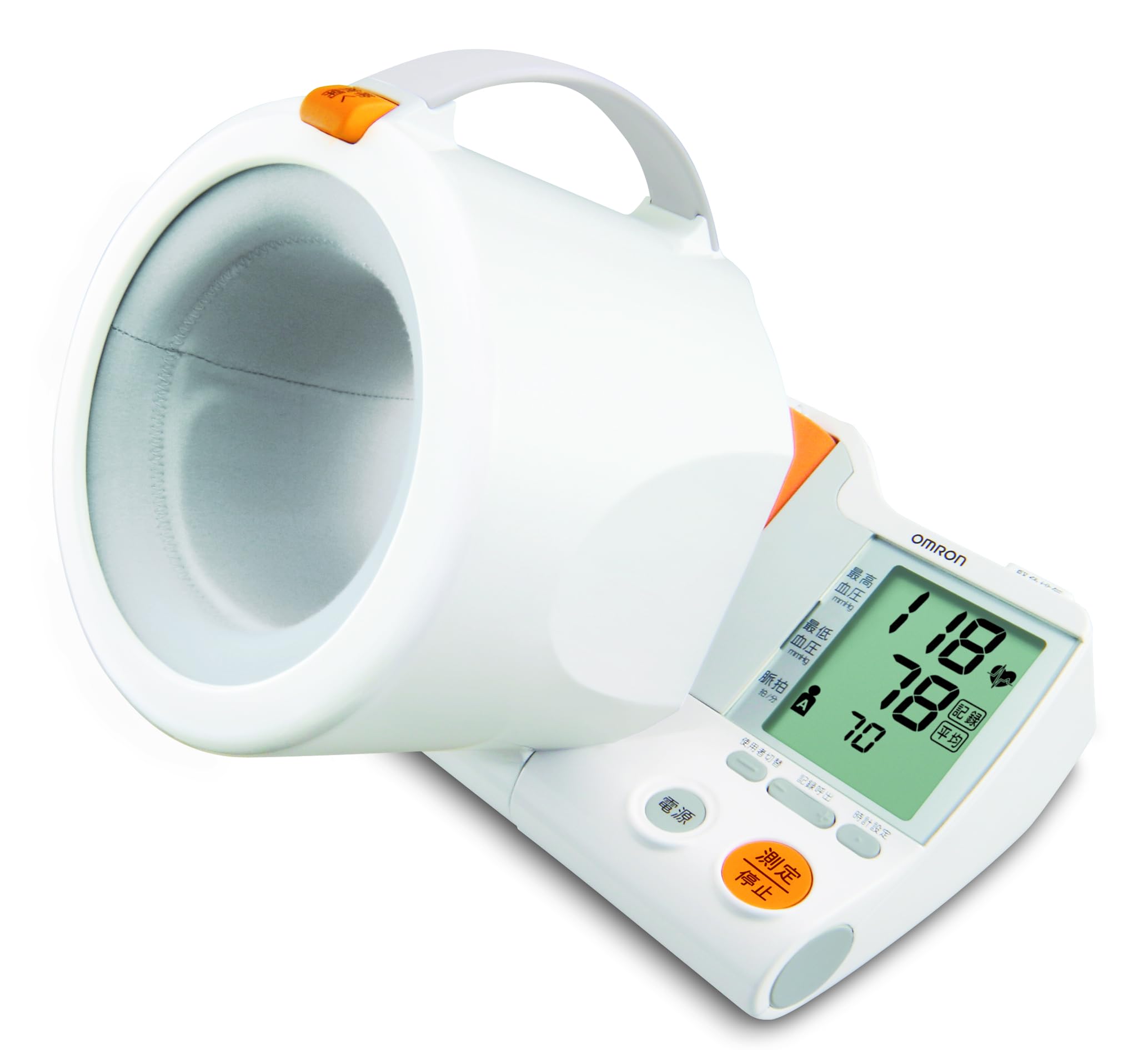
Image: The OMRON HEM-1000 blood pressure monitor with a user's arm correctly inserted into the cuff for measurement.
2. Safety Information and Precautions
Please read this section carefully before using the blood pressure monitor to ensure proper and safe operation.
2.1. Contraindications and Prohibitions
- Self-diagnosis or self-treatment based on measurement results: This may lead to worsening of symptoms. Always consult a medical professional for diagnosis and treatment.
- Measurement on an injured or treated arm: This may lead to worsening of symptoms.
- Measurement on an arm receiving intravenous drip or blood transfusion: This may lead to worsening of symptoms.
- Use near flammable or combustion-supporting gases: This may cause ignition, fire, or explosion.
- Use beyond the specified service life: The device may not measure correctly.
- Use by an unspecified number of people in medical institutions or public places: This may cause accidents or operational issues.
2.2. General Precautions for Use
- Individuals with severe blood disorders or blood diseases should use this device only under the guidance of a physician.
- If any abnormality occurs during measurement, immediately remove your arm from the cuff.
- Do not use this device on infants or individuals who cannot express themselves.
- Do not apply pressure above 300 mmHg.
- Do not use this device for any purpose other than blood pressure measurement.
- Avoid using mobile phones or smartphones near the blood pressure monitor during operation.
- Do not disassemble or modify the main unit.
- Ensure batteries are inserted with correct polarity (+/-).
- Use only the specified type of batteries.
- Remove batteries if the device will not be used for an extended period.
3. Setup Instructions
3.1. Unpacking and Initial Inspection
Carefully remove the blood pressure monitor and all accessories from the packaging. Check for any visible damage. The package should include the main unit, AC adapter, 4 AA alkaline batteries (for trial use), and this instruction manual (with quality guarantee).
3.2. Power Supply Installation
The HEM-1000 can be powered by either the included AC adapter or batteries.
- Using the AC Adapter: Connect the AC adapter to the power input port on the device and then plug it into a standard electrical outlet.
- Using Batteries: Open the battery compartment cover. Insert the 4 AA alkaline batteries, ensuring correct polarity (+/-) as indicated inside the compartment. Close the cover securely.
3.3. Device Placement
Place the blood pressure monitor on a stable, flat surface such as a table. Ensure there is enough space for your arm to be comfortably inserted and rested.
4. Operating Instructions
Follow these steps for accurate blood pressure measurement:
4.1. Preparing for Measurement
- Rest for 5 minutes before measurement.
- Sit upright with your back supported and feet flat on the floor.
- Ensure your arm is bare or has thin clothing that does not constrict.
4.2. Measurement Procedure
- Step 1: Insert Your Arm. Open the movable arm cuff and gently slide your arm into the cuff until it is comfortably positioned. The cuff is designed to guide your arm into the correct position automatically.

Image: Step 1 - Insert your arm into the cuff.
- Step 2: Ensure Correct Posture. The movable arm cuff helps you achieve the correct measurement posture. Your arm should be relaxed, and the cuff should be at heart level. Avoid leaning forward or having your arm at an incorrect angle.

Image: Step 2 - Correct posture for measurement (arm at heart level, relaxed).
- Step 3: Start Measurement. Press the 'Measurement/Stop' button. The cuff will automatically inflate to the optimal pressure for your arm. Remain still and silent during the measurement.

Image: Step 3 - Press the 'Measurement/Stop' button to begin.
- View Results. Once the measurement is complete, your systolic blood pressure, diastolic blood pressure, and pulse rate will be displayed on the large LCD screen. The device also features an 'Irregular Heartbeat' detection function and a 'Body Movement' indicator.

Image: The display shows systolic and diastolic pressure, user, time, and indicators for body movement and irregular pulse wave.
- Memory Function. The device stores up to 90 readings for two users, allowing for long-term tracking of blood pressure trends.

Image: The device stores 90 readings for each of two users.
5. Maintenance
Proper maintenance ensures the longevity and accuracy of your blood pressure monitor.
5.1. Cleaning the Unit
- Always keep the blood pressure monitor clean.
- Wipe the main unit with a dry, soft cloth.
- If the unit is heavily soiled, dampen a soft cloth with water or a neutral detergent, wring it out thoroughly, wipe the dirt, and then wipe again with a dry cloth.
- Do not use alcohol, benzene, thinner, or other harsh chemicals to clean the unit, as this may cause damage.
5.2. Storage
- Store the device in a clean, dry place away from direct sunlight, extreme temperatures, and high humidity.
- If not using the device for a long period, remove the batteries to prevent leakage and damage.
6. Troubleshooting
This section provides solutions to common issues you might encounter with your OMRON HEM-1000 blood pressure monitor.
| Problem | Possible Cause | Solution |
|---|---|---|
| Device does not power on. | Batteries are depleted or inserted incorrectly. AC adapter is not properly connected. | Replace batteries with new ones, ensuring correct polarity. Check AC adapter connection to both the device and the power outlet. |
| Measurement results are inconsistent or appear inaccurate. | Incorrect arm position or posture. Movement or talking during measurement. Cuff not properly applied. | Ensure arm is correctly inserted and at heart level. Remain still and silent during measurement. Ensure the cuff is snug but not too tight. Rest for 5 minutes before re-measuring. |
| Cuff does not inflate or inflates too little/much. | Air tube blockage or leak. Cuff not properly connected. Device malfunction. | Check for any kinks or damage in the air tube. Ensure the cuff is securely connected to the main unit. If the problem persists, contact customer service. |
| Error message displayed. | Specific error condition (e.g., excessive movement, irregular pulse, cuff pressure error). | Refer to the specific error code in the full instruction manual for detailed troubleshooting. Generally, re-measure after resting and ensuring correct procedure. |
If you encounter issues not listed here or if problems persist after attempting these solutions, please contact OMRON Customer Service.
7. Product Specifications
| Feature | Specification |
|---|---|
| Model Number | HEM-1000 |
| External Dimensions (W x H x D) | 230 mm x 217 mm x 228 mm |
| Weight | Approx. 1600g (excluding batteries) |
| Applicable Arm Circumference | 170 mm to 320 mm |
| Power Source | AC Adapter or 4 x AA Alkaline Batteries |
| Display Type | Digital LCD |
| Operating Environment Conditions | +10 to +40°C, 15 to 85% RH (non-condensing), 800 to 1060 hPa |
| Medical Device Classification | Specified Controlled Medical Device |
| Medical Device Certification Number | 218AGBZX00030A01 |

Image: Device dimensions (Width: approx. 230mm, Height: approx. 217mm, Depth: approx. 228mm).
8. Warranty and Support
8.1. Manufacturer's Warranty
OMRON Healthcare provides a warranty for this product under the following conditions:
- If the product malfunctions within 1 year from the date of purchase under normal use, as described in the instruction manual and product labels, it will be repaired or replaced free of charge.
- To receive repair service under warranty, please contact the OMRON Customer Service Center.
- Repairs will be charged, even within the warranty period, in the following cases:
- Malfunctions or damages due to incorrect use, improper repair, or modification.
- Malfunctions or damages due to drops or impacts after purchase.
- Malfunctions or damages due to fire, earthquake, flood, lightning, other natural disasters, pollution, abnormal power supply voltage, or use of unspecified power sources (voltage, frequency).
- If this warranty document is not presented.
- If the purchase date, customer name, or store name is not filled in this document, or if the text has been altered.
- Consumable parts.
- If the cause of malfunction originates from something other than this product.
- Other malfunctions or damages due to usage methods not described in this instruction manual.
- This warranty document will not be reissued, so please keep it carefully.
- This warranty promises free service under the period and conditions specified herein and does not limit the customer's legal rights.
- Repair parts are maintained for a minimum of 6 years after production discontinuation.
8.2. Customer Support
For any inquiries, support, or service requests, please contact:
OMRON Healthcare Co., Ltd.
Customer Service Center
Phone: 0120-30-6606


