
1. Introduction
This manual provides essential instructions for the setup, operation, and maintenance of your Meade ETX60AT Telescope. The ETX-60AT is a compact, portable refractor telescope designed for both astronomical and terrestrial observation. It features a 60mm multicoated achromatic objective lens and an Autostar hand controller for automated object location.
2. Safety Information
- Never look directly at the Sun through the telescope or its finder scope without a professionally manufactured solar filter. Permanent eye damage or blindness can result.
- Do not point the telescope at the Sun without proper supervision.
- Handle optical components with care to avoid scratches or damage.
- Ensure the telescope is securely mounted on a stable surface or tripod to prevent tipping.
- Keep the telescope away from moisture and extreme temperatures.
3. Package Contents
Verify that all items are present in your Meade ETX60AT package:
- Meade ETX-60AT Telescope Optical Tube Assembly
- Autostar Hand Controller
- Eyepieces (e.g., Plossl eyepieces)
- Tripod (if included in bundle)
- Accessory Tray
- Instruction Manual
- Power Source: Battery Powered
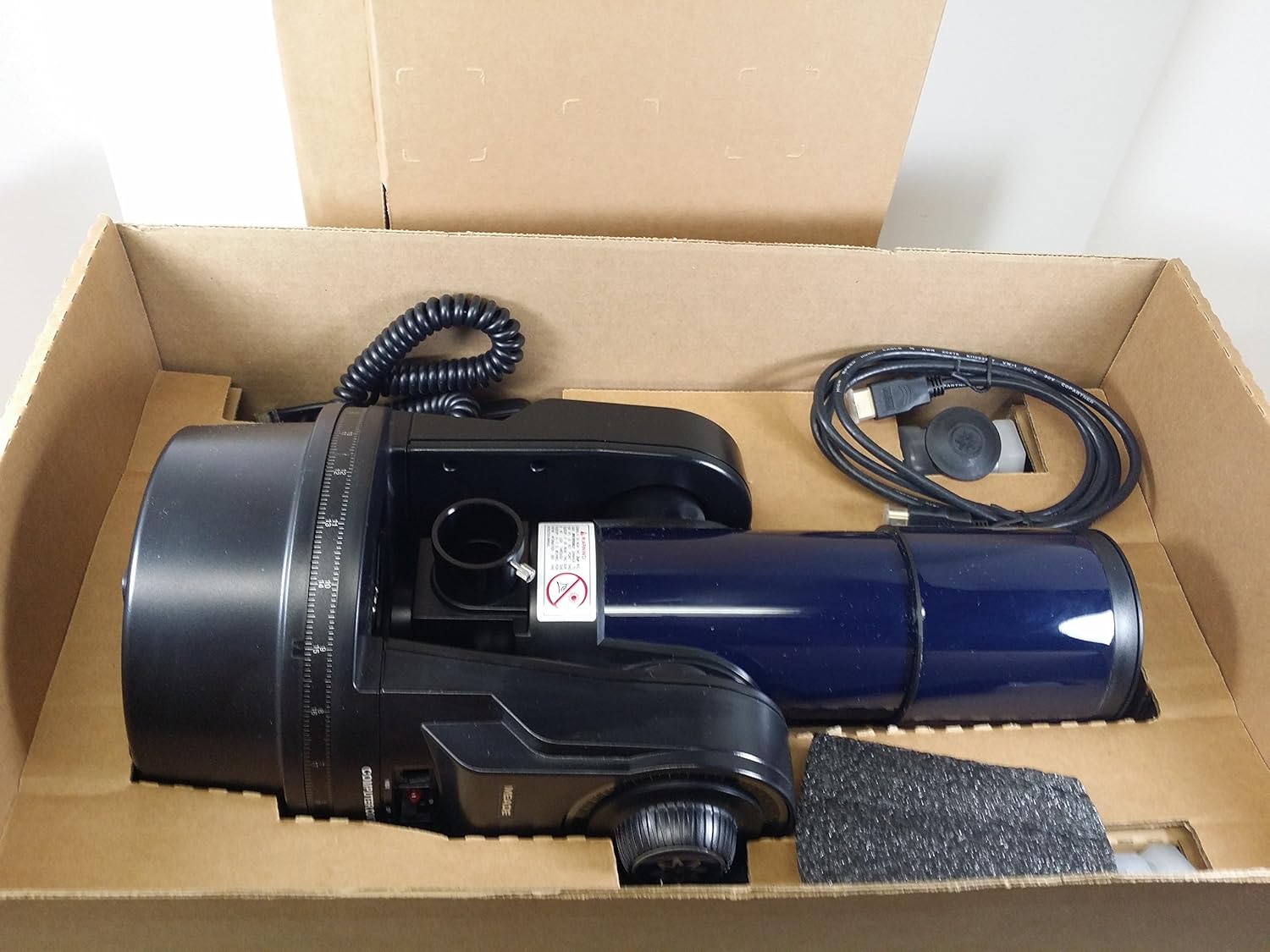
Figure 3.1: Meade ETX60AT Telescope components as packaged.

Figure 3.2: Included eyepieces for the Meade ETX60AT Telescope.

Figure 3.3: The Meade Autostar Hand Controller.
4. Setup
4.1 Attaching the Telescope to the Tripod
- Extend the tripod legs fully and ensure they are stable on a level surface.
- Place the ETX-60AT optical tube assembly onto the tripod head.
- Secure the telescope to the tripod using the mounting screw located on the tripod head. Tighten firmly but do not overtighten.
- Attach the accessory tray to the tripod's spreader bars.

Figure 4.1: Meade ETX60AT Telescope fully assembled on its tripod.
4.2 Powering the Telescope
- The ETX-60AT can be powered by batteries or an optional AC adapter.
- If using batteries, insert the required number of AA batteries into the battery compartment located at the base of the telescope.
- Connect the Autostar hand controller cable to the designated port on the telescope.
5. Operating Instructions
5.1 Initial Alignment with Autostar
The Autostar hand controller simplifies finding celestial objects. Follow these steps for initial setup:
- Turn on the telescope using the power switch. The Autostar controller will illuminate.
- Follow the on-screen prompts to enter your location (latitude and longitude) and the current date and time.
- Perform a "Two-Star Alignment" as instructed by Autostar. This involves pointing the telescope at two bright stars, which the controller will suggest.
- Once aligned, the telescope is ready for automated GoTo functions.
5.2 Observing Celestial Objects
- Use the Autostar controller to select an object from its extensive database (e.g., planets, stars, nebulae).
- Press "GoTo" and the telescope will automatically slew to the selected object.
- Look through the eyepiece. You may need to adjust the focus knob for a clear image.
- The ETX-60AT features an internal flip-mirror system, allowing observation in either a straight-through or 90-degree position. Use the lever to switch between modes.
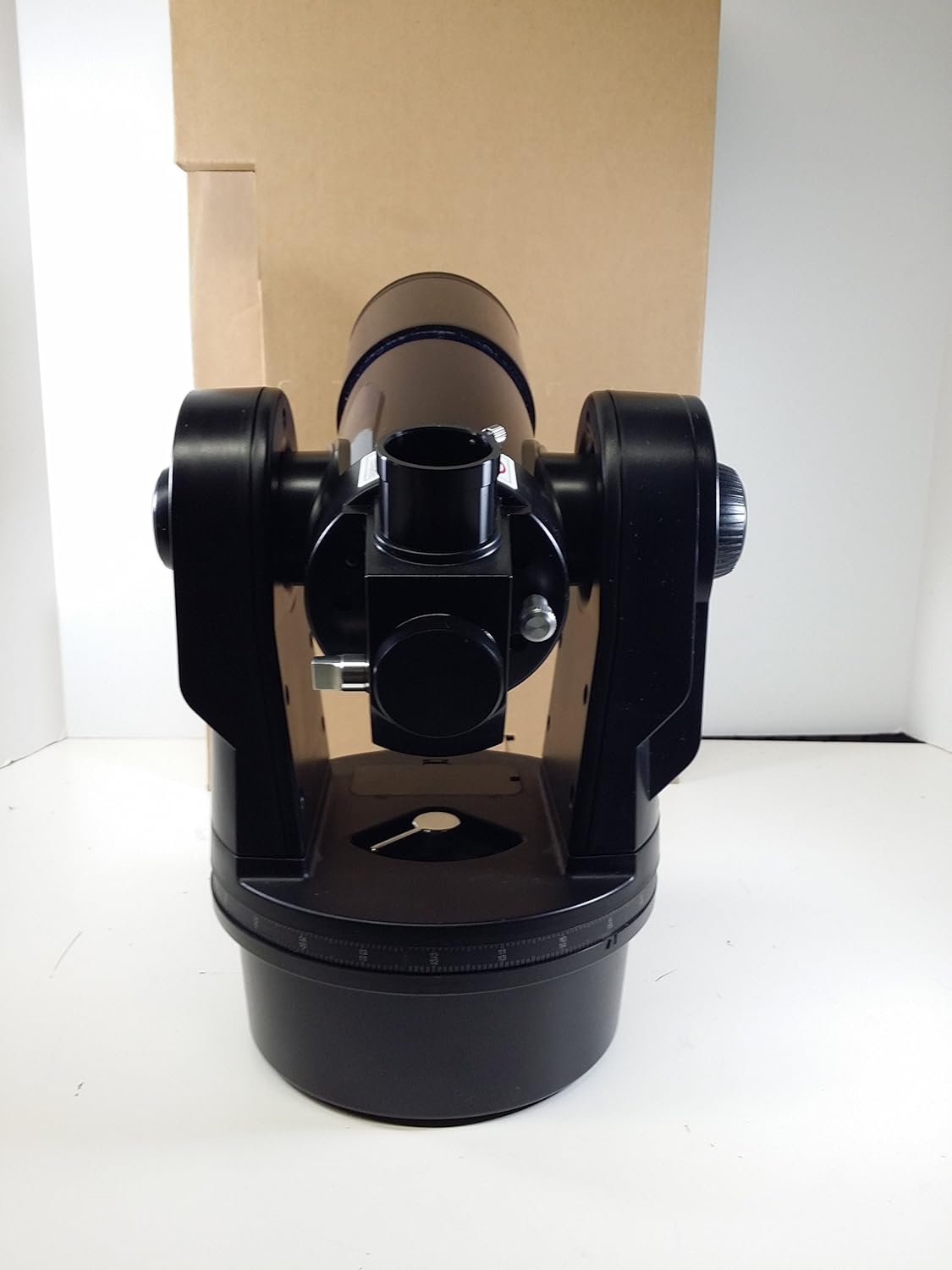
Figure 5.1: Close-up of the Meade ETX60AT Telescope showing the focus knob and flip-mirror lever.
5.3 Terrestrial Observation
For terrestrial viewing, ensure the flip-mirror is set to the straight-through position for an upright image. The 60mm objective lens provides clear views of distant land objects.
6. Maintenance
- Cleaning Optics: Use a soft, lint-free cloth and specialized optical cleaning fluid. Avoid touching optical surfaces with bare hands.
- Storage: Store the telescope in a dry, dust-free environment. Use lens caps when not in use.
- Battery Replacement: Replace batteries promptly when power is low to prevent corrosion.
7. Troubleshooting
| Problem | Possible Cause | Solution |
|---|---|---|
| No power to Autostar controller | Dead batteries or loose connection | Replace batteries or check cable connections. |
| Blurry images | Out of focus or atmospheric conditions | Adjust focus knob. Wait for stable atmospheric conditions. |
| GoTo function inaccurate | Incorrect alignment or location data | Re-perform Autostar alignment. Verify correct date, time, and location. |
| No image visible | Lens caps on, flip-mirror in wrong position, or wrong eyepiece | Remove lens caps. Check flip-mirror position. Try a lower power eyepiece. |
8. Specifications
- Optical Design: Refractor
- Objective Lens Diameter: 60 mm
- Lens Coating: Multicoated achromatic
- Mount Type: Altazimuth Mount
- Controller: Autostar Hand Controller
- Focus Type: Manual Focus
- Power Source: Battery Powered (AA batteries)
- Item Weight: Approximately 10.25 pounds
- Dimensions: 21.2 x 13.2 x 7.6 inches (Package Dimensions)
- Eyepiece Lens Description: Plossl
- Finderscope: Reflex
9. Product Videos
9.1 LumENS - Your real-time astro companion by Vaonis
This video introduces LumENS, an AI astro companion that enhances the stargazing experience by providing real-time information and answering questions about celestial objects observed through a smart telescope. It demonstrates how users can interact with the AI to learn about nebulae, galaxies, and other astronomical phenomena, either through voice commands or text input.
9.2 Seestar S50 All-in-One Smart Telescope
This video showcases the Seestar S50 All-in-One Smart Telescope, highlighting its ease of use for both beginners and experienced users. It demonstrates features like Bluetooth discovery, Wi-Fi connection, a comprehensive celestial database for exploring nebulae, galaxies, and star clusters, triplet apochromatic optics for clean and crisp images, a stellar-grade CMOS sensor for high-definition image quality, and a built-in dual-band filter to minimize light pollution. The video also covers the Moon mode for detailed lunar observation and the long-lasting 6000mAh battery.
9.3 Product Description Video
This video provides a general product description, emphasizing the ease of use and the ability to explore the universe with a smart telescope. It highlights the integration of AI for understanding celestial objects and the real-time stacking of images to reveal more details. The video also touches upon the ability to ask questions about astronomy and switch between voice and text interaction.
9.4 Explore the Universe with Seestar S50
This video encourages users to embark on a celestial adventure with the Seestar S50, emphasizing the deep connection between humans and the night sky. It highlights the idea that our atoms originated from stars and that exploring the universe is a profound revelation. The video showcases the telescope's ability to reveal distant galaxies and nebulae, fostering a sense of wonder and connection to the cosmos.
10. Warranty Information
Meade Instruments provides a limited warranty for its products. Please refer to the official Meade Instruments website or the warranty card included with your product for specific terms and conditions regarding coverage, duration, and claims process. Keep your proof of purchase for warranty service.
11. Support
For further assistance, technical support, or to purchase accessories, please visit the official Meade Instruments website or contact their customer service department. Online resources, FAQs, and software updates for the Autostar controller may also be available.
Official Meade Store: Meade Instruments on Amazon


