Introduction
Thank you for choosing the Black+Decker Flexi 3rd Generation Cordless Handheld Vacuum Cleaner. This powerful and versatile vacuum is designed for efficient cleaning in your home and car. Featuring an 18V Lithium-Ion battery, a flexible hose, and a range of accessories, it provides convenient and thorough cleaning for various surfaces and hard-to-reach areas. Please read this manual carefully before use to ensure safe and optimal performance of your new vacuum cleaner.
Package Contents
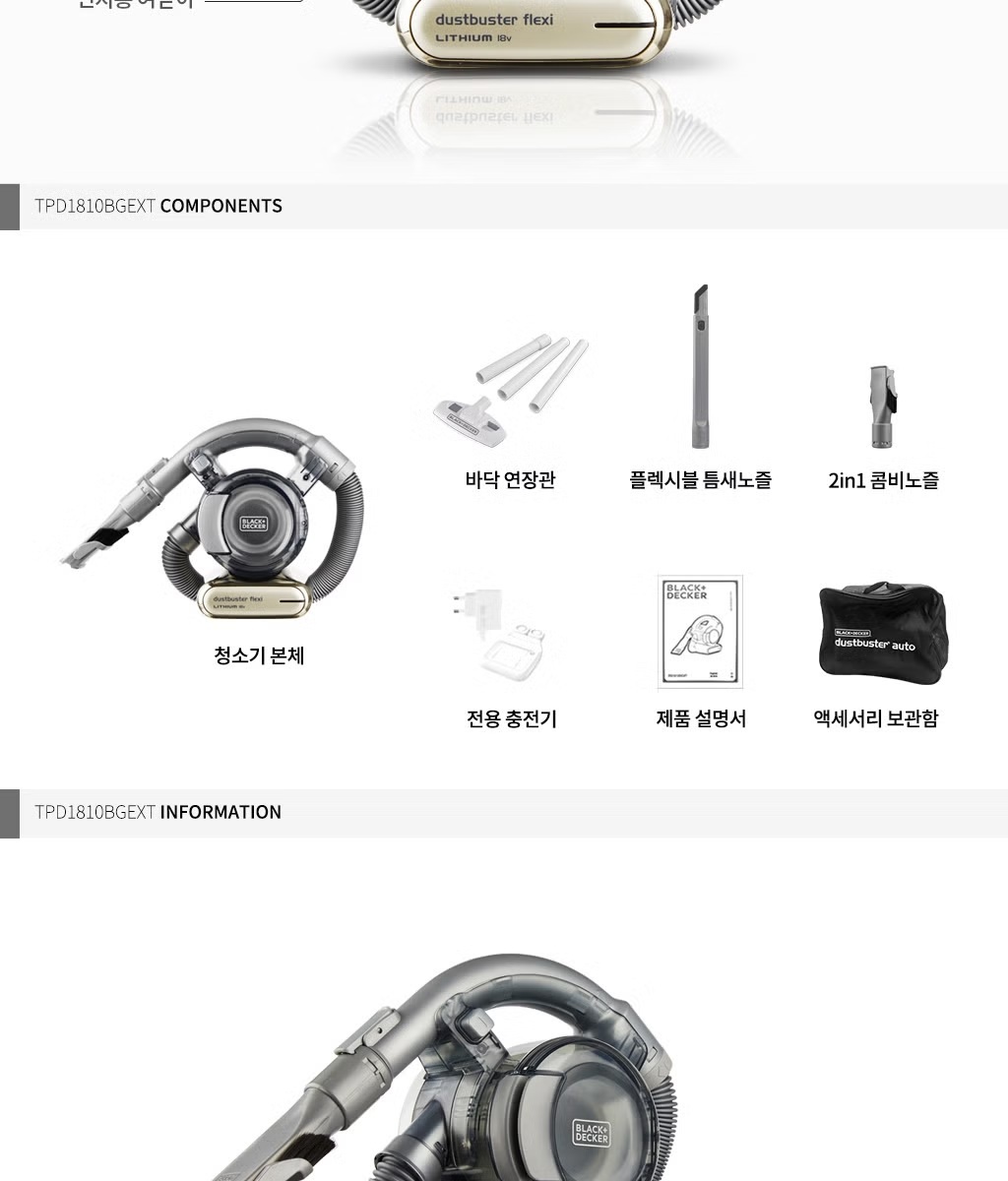
Carefully unpack your Black+Decker Flexi vacuum cleaner and check for the following components:
- Main Vacuum Body
- Flexible Crevice Tool
- 2-in-1 Combi Nozzle
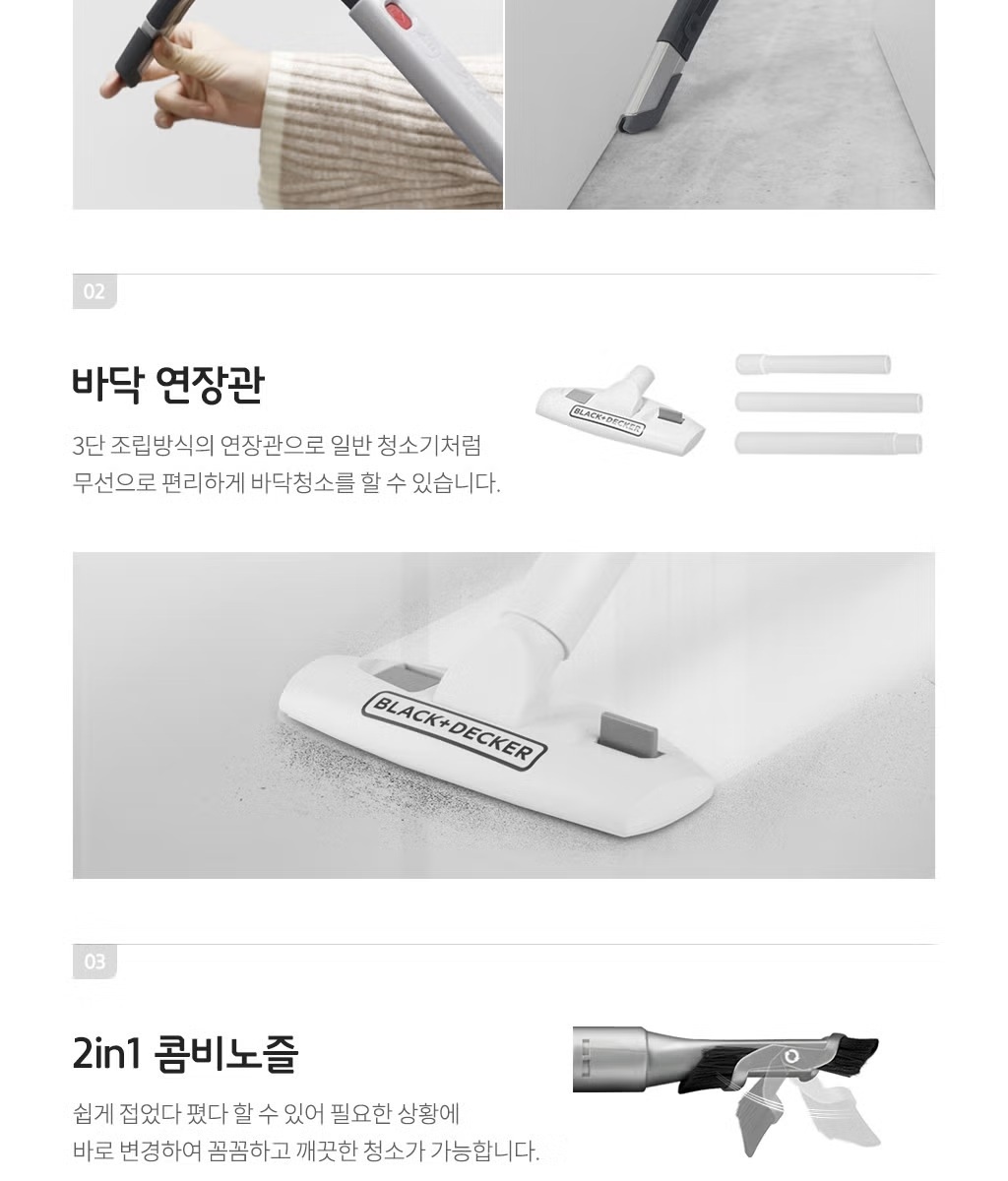
- Floor Extension Tube (3 pieces)
- Dedicated Charger
- Accessory Storage Bag
- Product Manual (this document)
Product Overview & Features
The Black+Decker Flexi 3rd Generation vacuum cleaner is engineered for powerful and convenient cleaning:
- 18V Lithium-Ion Battery: Provides strong, fade-free suction power throughout its charge. Fully charges in approximately 4 hours.
- Cyclone Motor Power: Utilizes centrifugal force for enhanced suction, effectively picking up heavy debris and large amounts of dust.
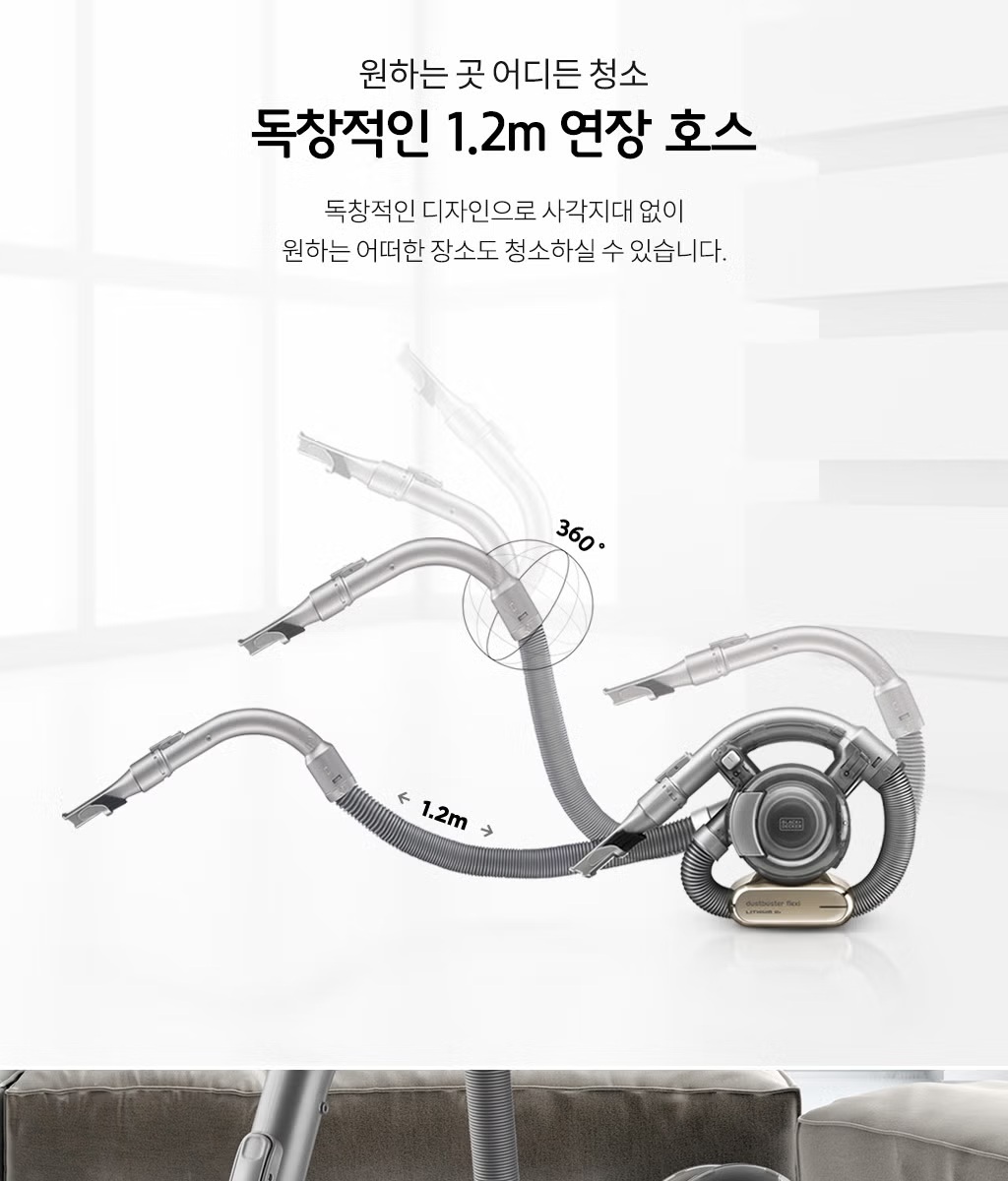
- 1.2m Flexible Extension Hose: An innovative design allowing 360-degree rotation and extension to reach tight spaces and high areas without blind spots.
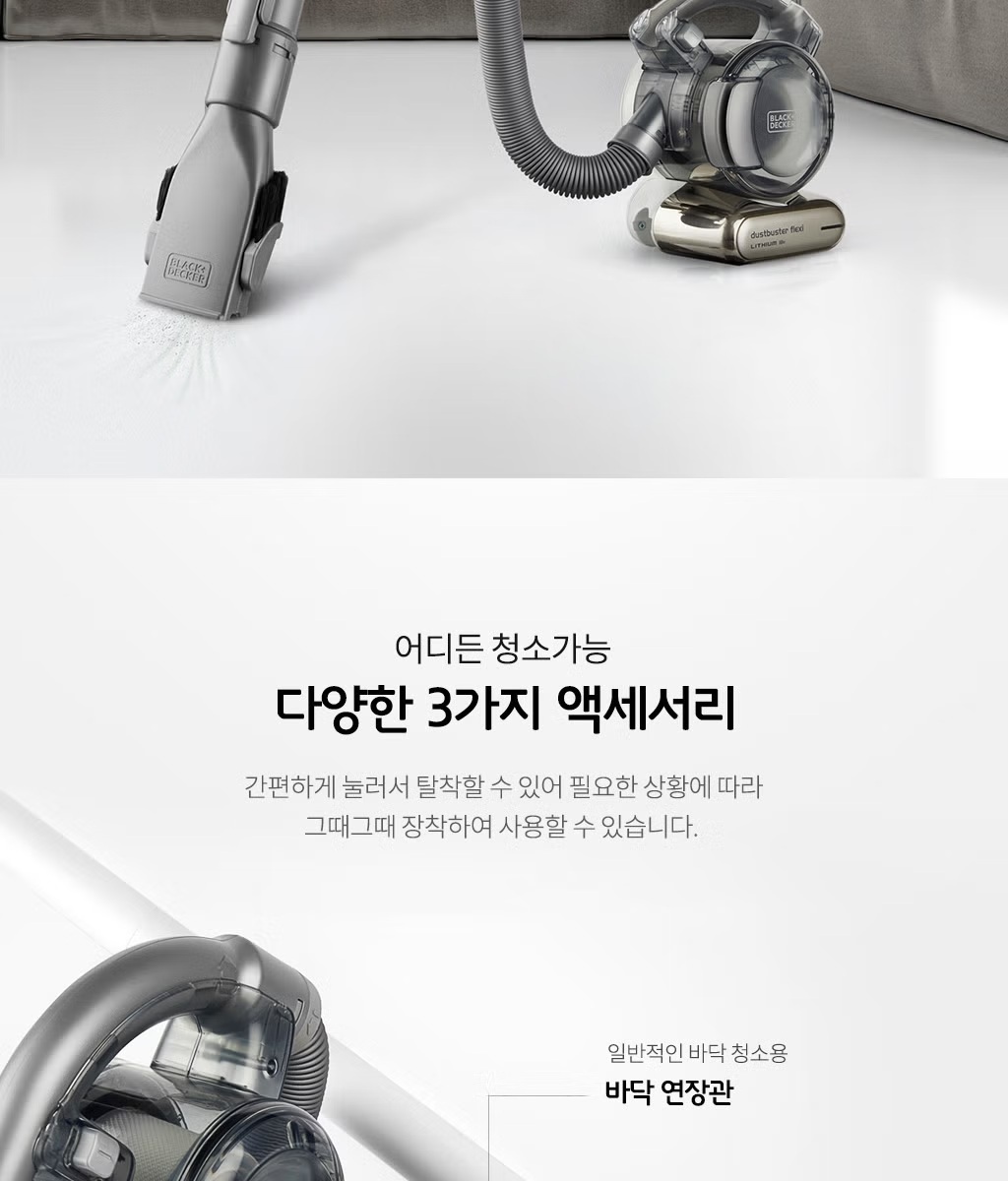
- Versatile Accessories: Includes a flexible crevice tool (extends from 36cm to 55cm), a 2-in-1 combi nozzle, and a floor extension tube for various cleaning tasks.
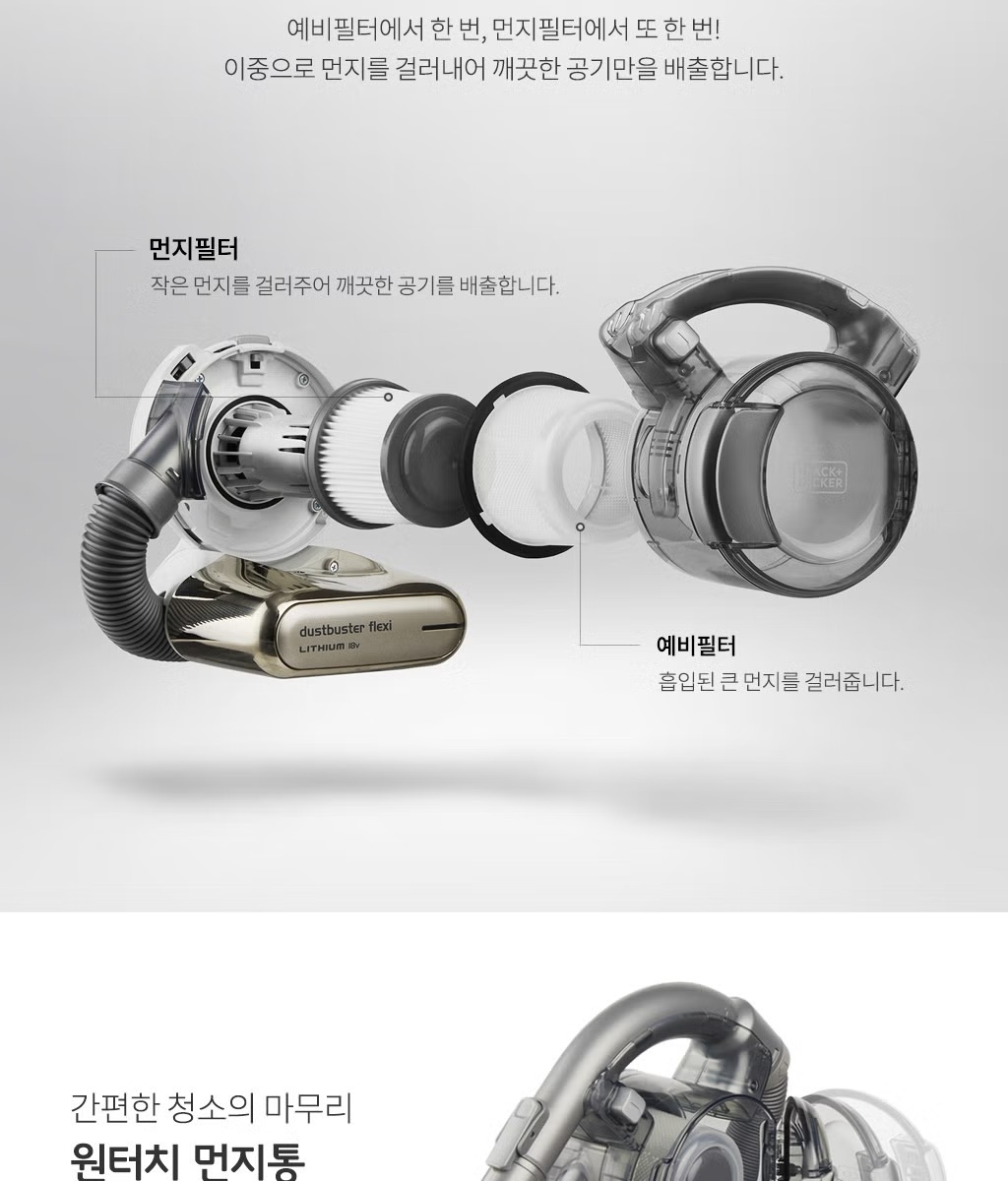
- 2-Stage Filtration System: Features a pre-filter to capture larger debris and a dust filter for fine particles, ensuring clean air discharge.
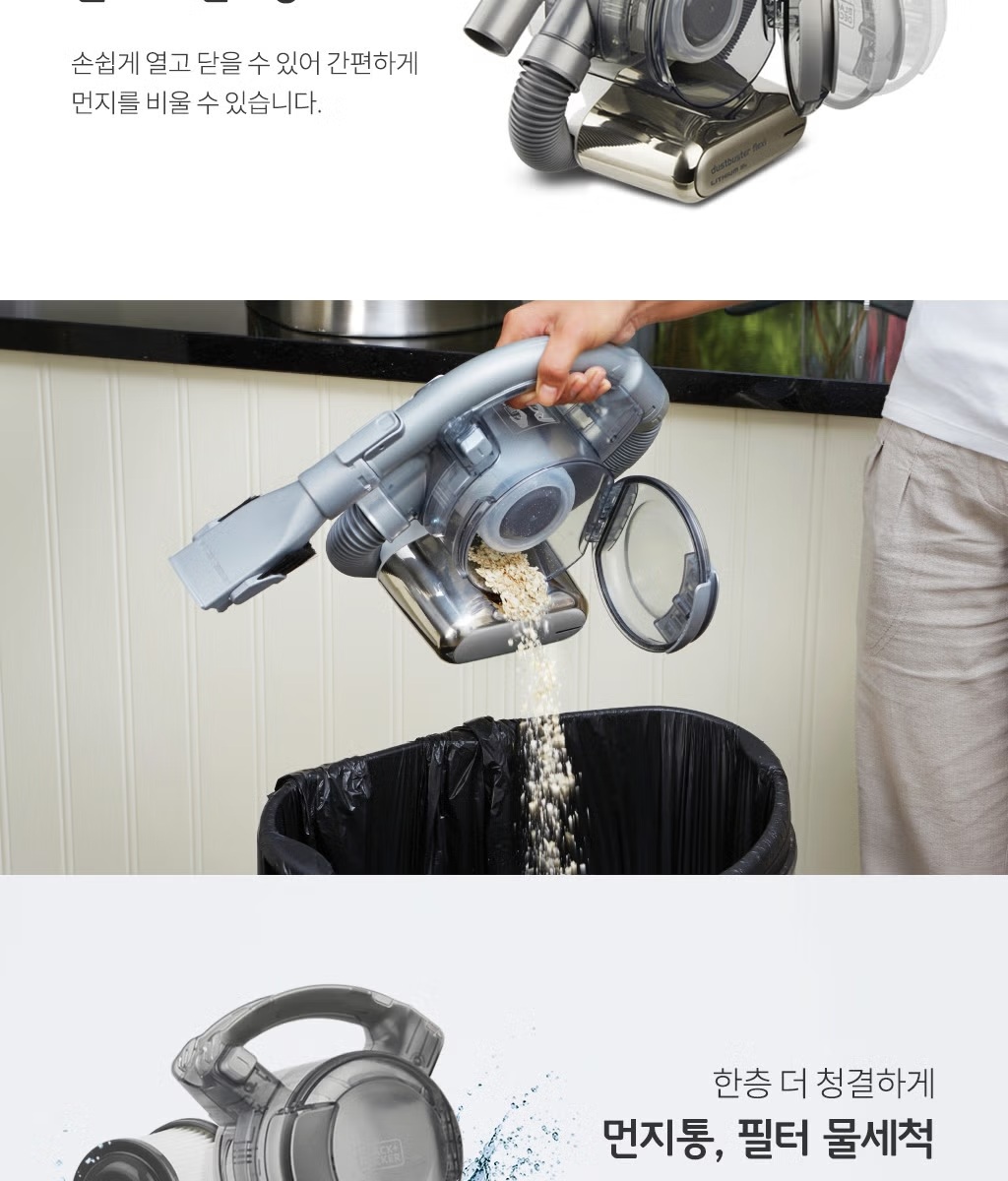
- One-Touch Dustbin: Easy to open and empty the dustbin with a single touch.
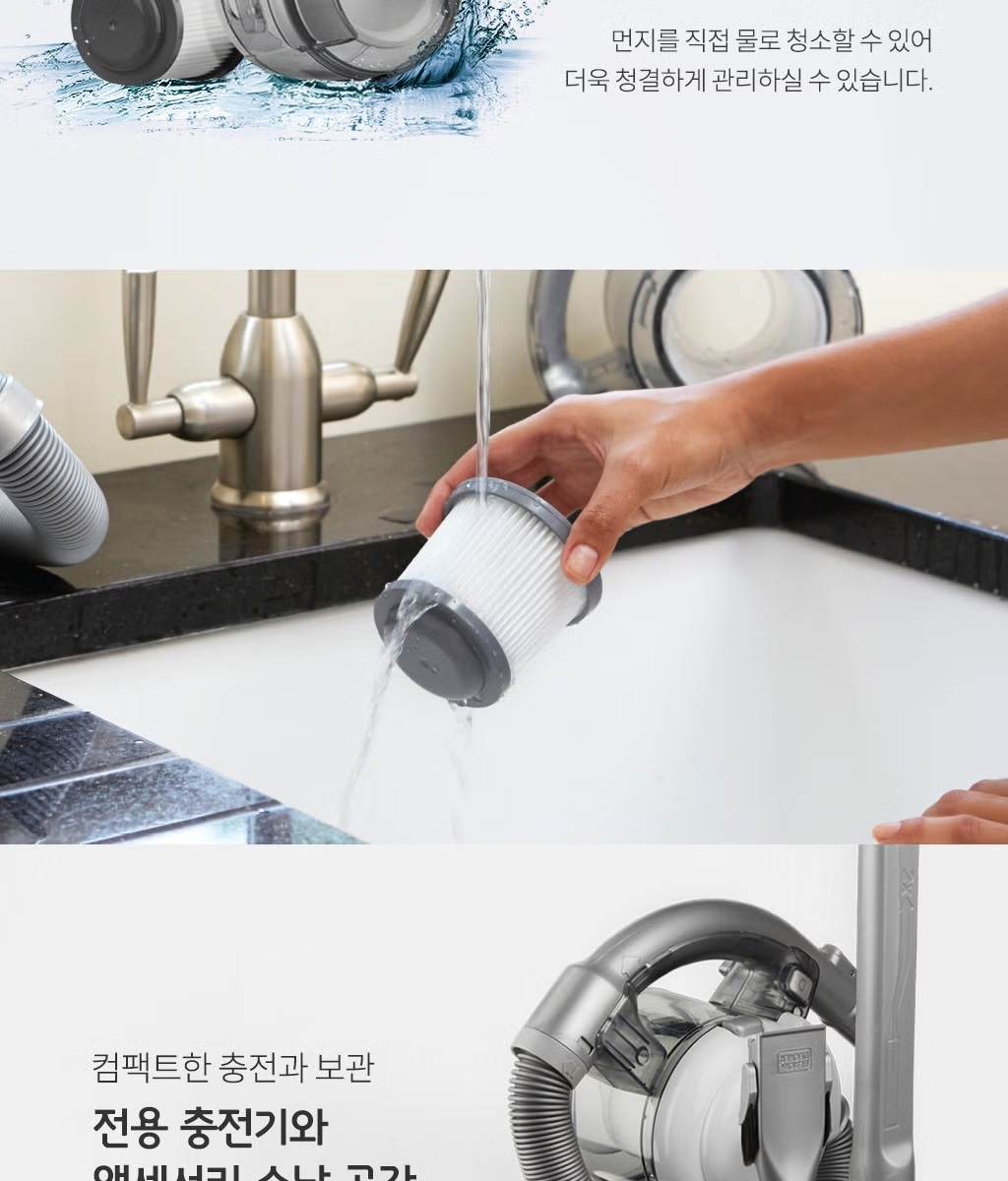
- Washable Dustbin and Filters: For hygienic and easy maintenance.
Setup
- Charging the Battery:
- Before first use, fully charge the vacuum cleaner for approximately 4 hours.
- Connect the dedicated charger to the charging port on the vacuum's base.
- Plug the charger into a standard wall outlet (100-240V).
- The charging indicator light will show the charging status (refer to the product for specific light behavior).
- Attaching Accessories:
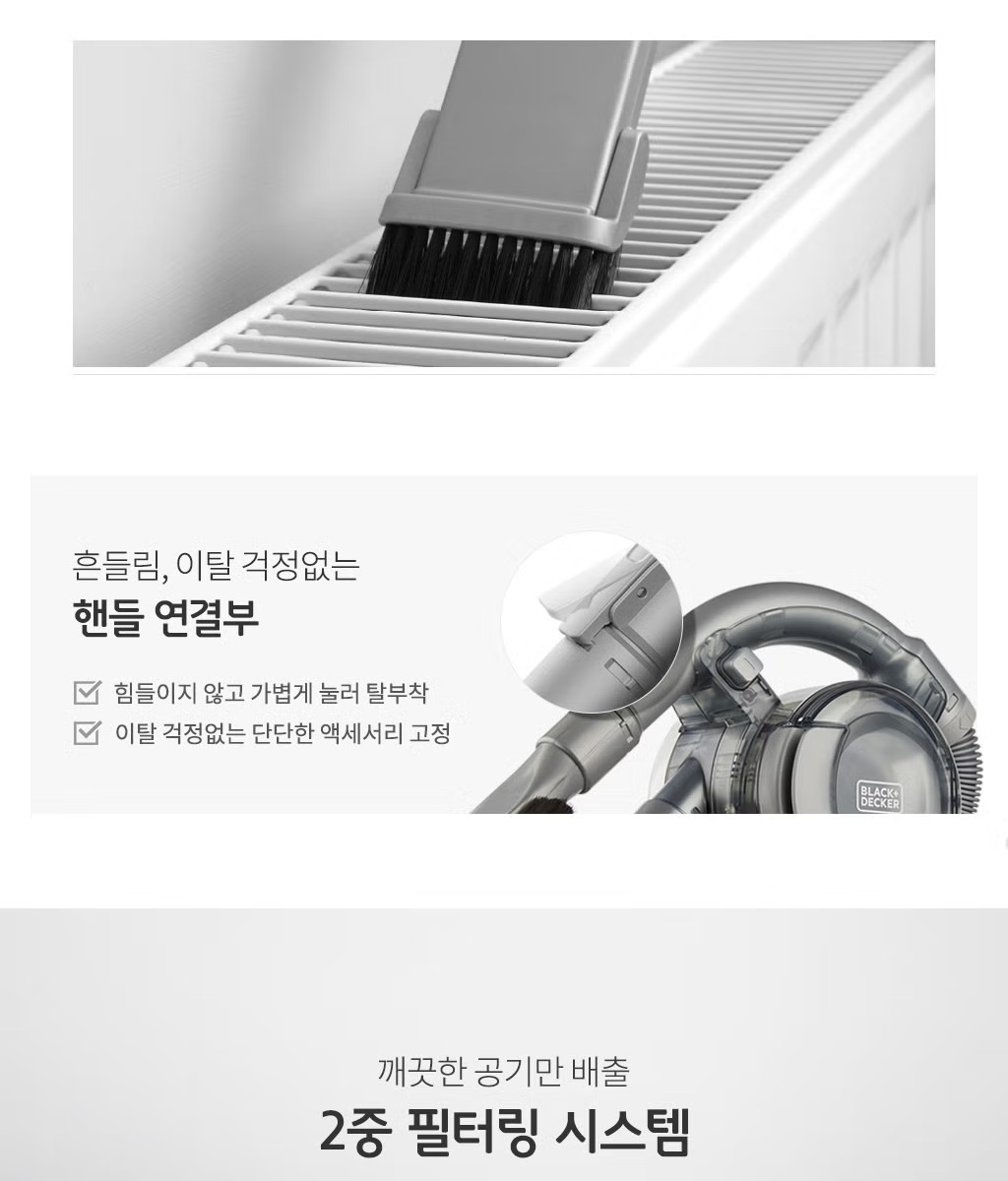
- To attach an accessory (e.g., flexible crevice tool, 2-in-1 combi nozzle, or floor extension tube), align it with the vacuum's nozzle opening and push firmly until it clicks into place.
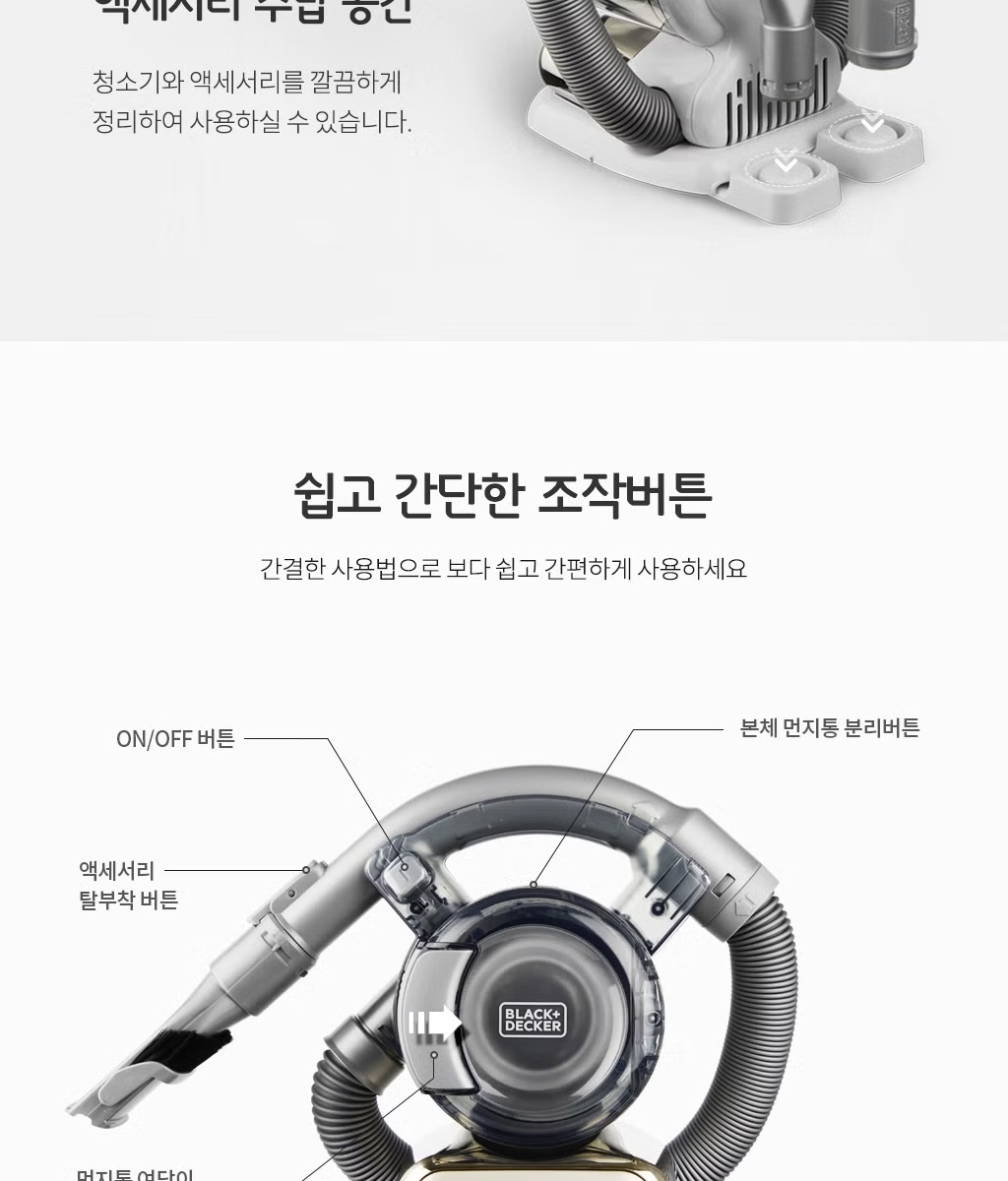
- To remove an accessory, press the accessory release button (refer to the diagram below) and pull the accessory off.
- The floor extension tube consists of three pieces that can be assembled for longer reach.
Operating Instructions
- Power On/Off: Press the ON/OFF button located on the handle to start or stop the vacuum cleaner.
- General Cleaning: Use the main vacuum body for quick clean-ups.
- Using the Flexible Crevice Tool: Attach the flexible crevice tool for reaching narrow gaps, corners, and tight spaces. It can extend to 55cm for deeper reach.
- Using the 2-in-1 Combi Nozzle: This versatile nozzle can be used as a wide mouth tool for general debris or with the brush extended for delicate surfaces and stubborn dirt.
- Using the Floor Extension Tube: Assemble the three pieces of the floor extension tube and attach the floor nozzle for cleaning larger floor areas, similar to a traditional vacuum cleaner.
- Car Cleaning: The compact design and flexible hose make it ideal for cleaning car interiors, including seats, floor mats, and dashboard crevices.

Maintenance
Regular maintenance ensures optimal performance and extends the life of your vacuum cleaner.
- Emptying the Dustbin:
- When the dustbin is full, or suction power decreases, press the dustbin release button (refer to the diagram in Setup section) to detach the dustbin.
- Empty the contents into a trash can.
- Reattach the dustbin firmly until it clicks.
- Cleaning the Filters:
- The vacuum features a 2-stage filtration system: a pre-filter and a dust filter.
- Both filters can be removed from the dustbin for cleaning.
- Wash the filters under running water. Ensure they are completely dry before reinserting them into the vacuum cleaner.
- Do not use the vacuum without the filters properly installed and dry.
Troubleshooting
If you encounter issues with your vacuum cleaner, please refer to the following common problems and solutions:
| Problem | Possible Cause | Solution |
|---|---|---|
| Vacuum does not turn on. | Battery is discharged. | Charge the battery fully (approx. 4 hours). |
| Low suction power. | Dustbin is full. Filters are clogged. Nozzle/hose is blocked. | Empty the dustbin. Clean or replace the filters. Check and clear any blockages in the nozzle or hose. |
| Battery not charging. | Charger not properly connected. Power outlet not working. Faulty charger/battery. | Ensure charger is securely connected to both vacuum and outlet. Test outlet with another device. Contact customer support if problem persists. |
| Vacuum makes unusual noise. | Blockage in the air path. Damaged motor. | Check for and remove any blockages. If noise persists, discontinue use and contact customer support. |
Specifications
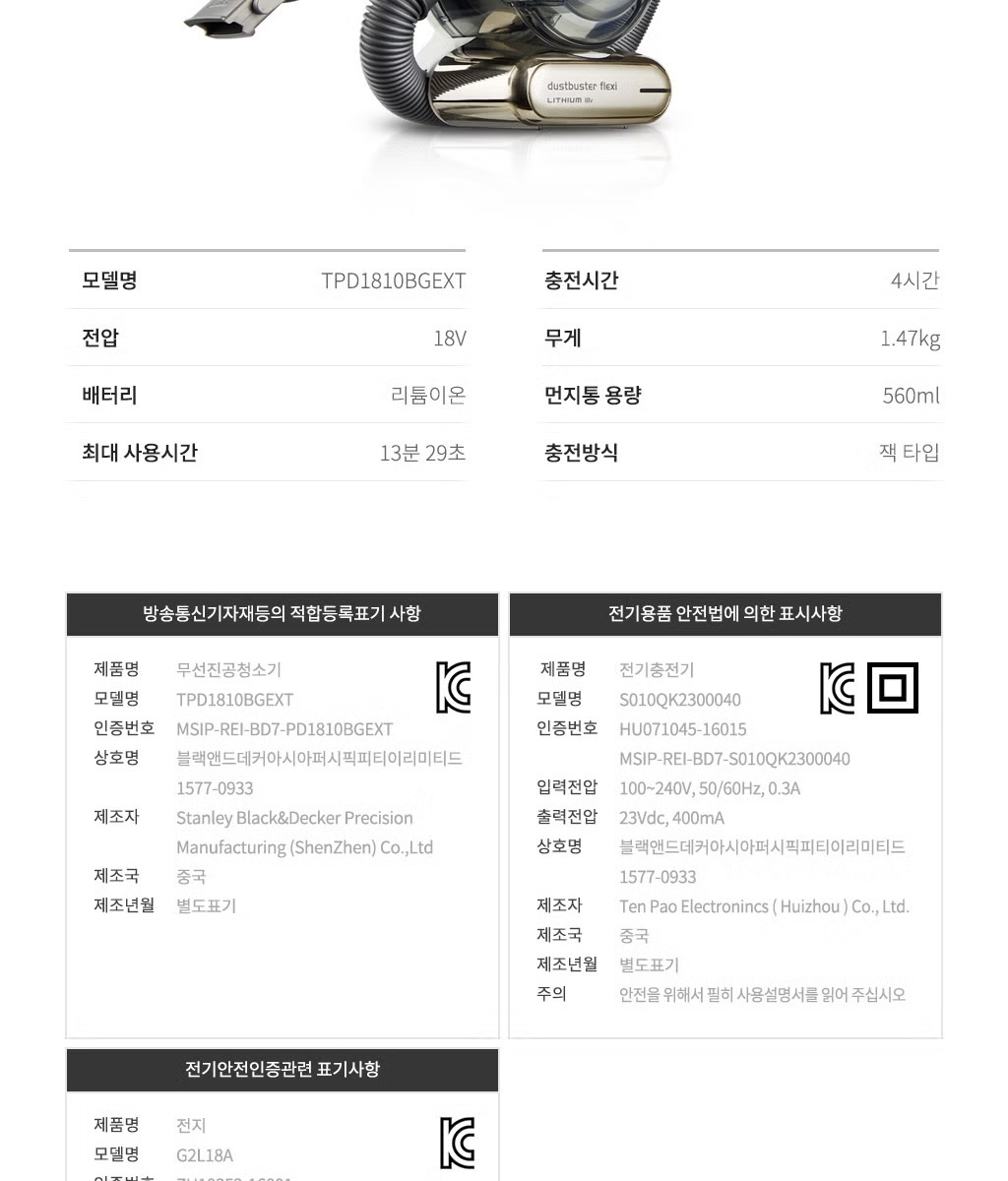
| Vacuum Cleaner (Model: TPD1810BGEXT) | |
|---|---|
| Voltage | 18V |
| Battery Type | Lithium-Ion |
| Power (W) | 30W |
| Max Usage Time | 13 minutes 29 seconds |
| Charging Time | 4 hours |
| Weight | 1.47 kg |
| Dustbin Capacity | 560 ml |
| Charging Method | Jack type |
| Function | Dry |
| Wireless | Yes |
| Charger (Model: S010QK2300040) | |
|---|---|
| Input Voltage | 100-240V, 50/60Hz, 0.3A |
| Output Voltage | 23Vdc, 400mA |
User Tips
- For optimal suction, always ensure the dustbin is empty and the filters are clean before each use.
- Utilize the flexible hose and crevice tool for cleaning tight spaces in your car or around furniture.
- The 2-in-1 combi nozzle is excellent for both general vacuuming and brushing delicate surfaces like upholstery.
- Store the vacuum and its accessories in the provided storage bag to keep them organized and protected.
- Charge the battery regularly, even if not fully depleted, to maintain battery health.
Warranty & Support
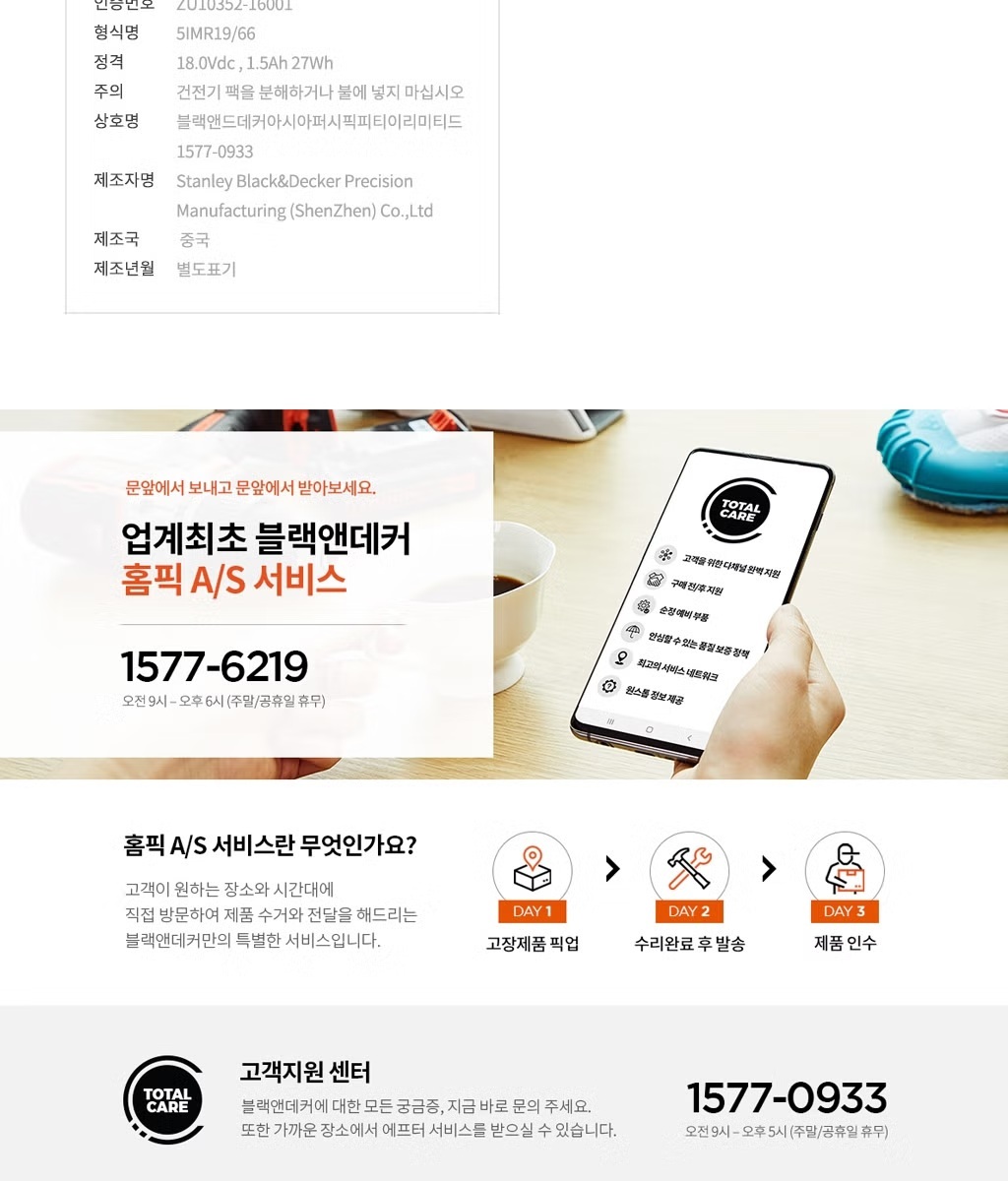
Black+Decker is committed to providing quality products. For any issues or support, please contact our customer service center.
Customer Support Center
- Phone: 1577-0933
- Operating Hours: Monday - Friday, 9:00 AM - 5:00 PM (excluding holidays)
Warranty Information
- Initial Product Defect: If a defect is found within 10 business days of purchase, a new product exchange is possible.
- After 10 Days: For defects occurring after 10 days of purchase but within the warranty period, repair service is available.
- Please retain your proof of purchase for warranty claims.