1. Introduction
Thank you for choosing the Redkey W15 Cordless Wet Dry Vacuum Cleaner. This 3-in-1 appliance is designed to simplify your cleaning routine by vacuuming, washing, and mopping simultaneously. It features advanced edge cleaning, self-cleaning capabilities, and a user-friendly design, making it ideal for homes with pets and various hard floor types.
Please read this manual thoroughly before operating the appliance to ensure safe and efficient use. Keep this manual for future reference.
2. Package Contents
Carefully unpack your Redkey W15 and check that all items are present and in good condition. The package contents may vary slightly based on the edition purchased:
SET 1 (Standard Edition):
- Main Unit (including floor brush, roller brush, HEPA filter) x 1
- Handle x 1
- Charging Base x 1
- Power Adapter x 1
- Cleaning Brush x 1
- Instruction Manual x 1
- After-Sales Card x 1
SET 2 (Combo Edition):
- Main Unit (including floor brush, roller brush, HEPA filter) x 1
- Handle x 1
- Charging Base x 1
- Power Adapter x 1
- Cleaning Brush x 1
- Instruction Manual x 1
- After-Sales Card x 1
- Extra Roller Brush x 1
- Extra HEPA Filter x 1

Figure 2.1: Redkey W15 Package Contents
3. Setup
3.1 Assembly
- Insert the handle into the main unit until it clicks securely into place.
- Place the charging base on a flat, stable surface near a power outlet.
- Connect the power adapter to the charging base and plug it into the wall outlet.
3.2 Initial Charging
Before first use, fully charge the Redkey W15. Place the assembled vacuum cleaner onto the charging base. The LED display will indicate the charging status. A full charge takes approximately [Insert Charging Time if available, otherwise omit]. The battery life is up to 45 minutes on a full charge.
3.3 Filling the Clean Water Tank
- Remove the clean water tank (910 mL capacity) from the main unit.
- Open the tank cap and fill it with clean water. You may add a small amount of Redkey-approved cleaning solution if desired. Do not overfill.
- Close the cap securely and reattach the clean water tank to the main unit.
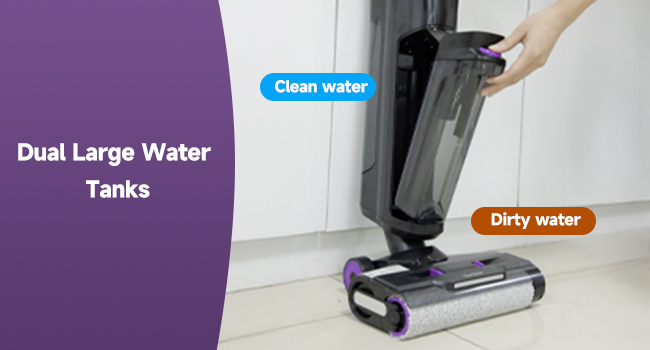
Figure 3.1: Dual Large Water Tanks
4. Operation
4.1 Power On/Off and Mode Selection
- Press the Power button on the handle to turn the vacuum cleaner ON or OFF.
- Press the Mode button to cycle through the three cleaning modes: Standard, Water, and Strong Suction. The selected mode will be displayed on the LED screen.

Figure 4.1: LED Display & Voice Assistant
4.2 Cleaning
The Redkey W15 is self-propelled, making it easy to maneuver. Simply guide the vacuum cleaner across your hard floors. It is suitable for hardwood, tile, and marble floors, and can effectively handle both wet and dry messes.
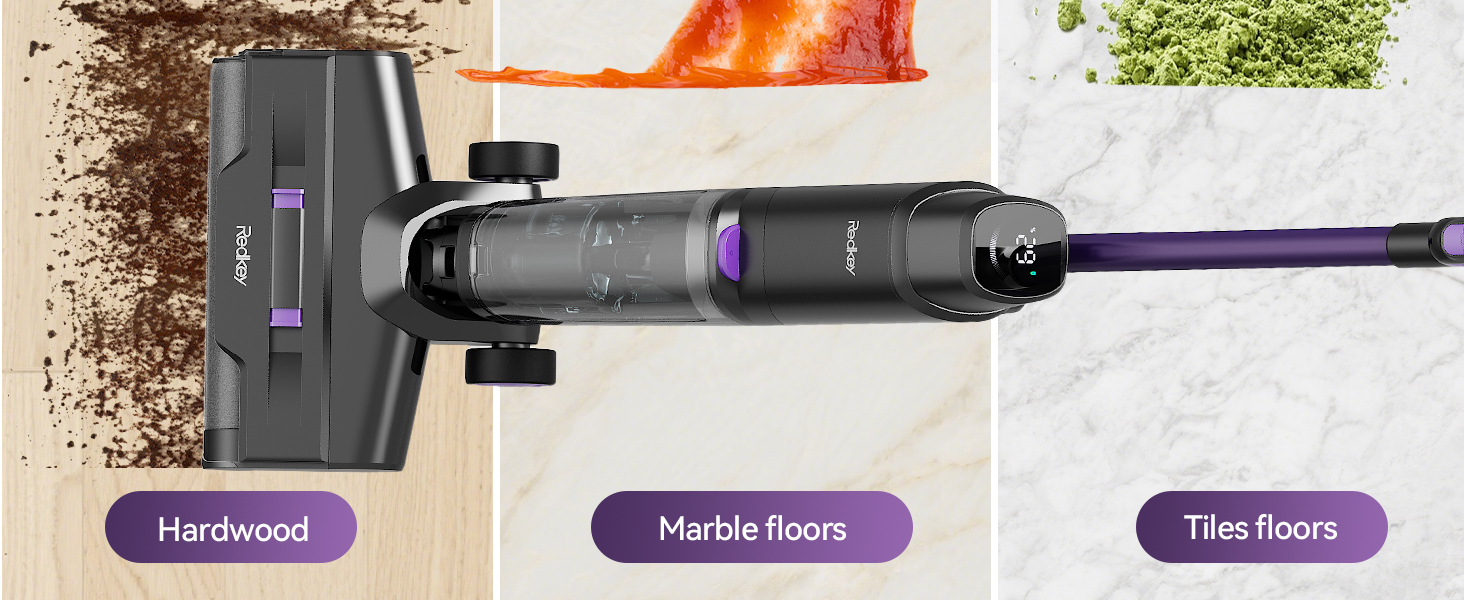
Figure 4.2: Self-Propelled, Wash Vacuum & Mop 3-in-1
4.3 Edge Cleaning
The Redkey W15 features an advanced edge-cleaning design, allowing it to clean within 0.2 inches of walls and baseboards, reaching tough corners and skirting boards.
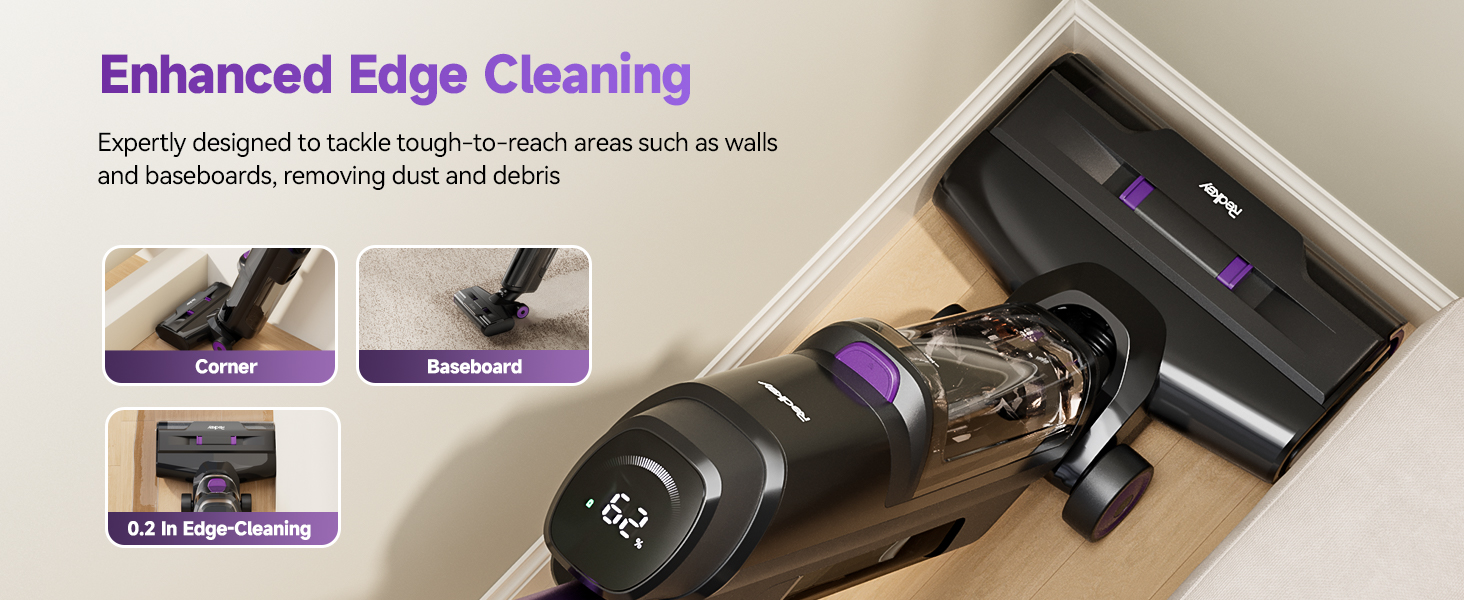
Figure 4.3: Enhanced Edge Cleaning
4.4 Flexible Maneuvering
The vacuum cleaner can rotate 150 degrees in an upright position, enabling convenient cleaning under low-lying furniture and in tight spaces without losing suction power.
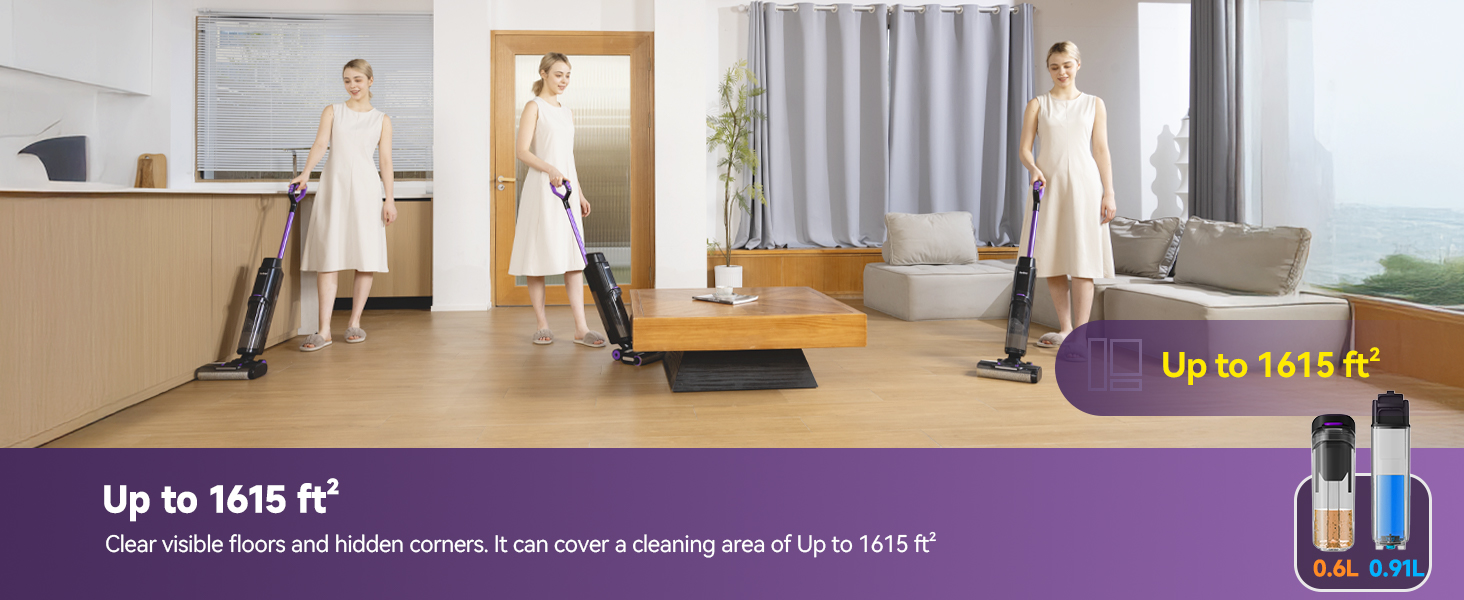
Figure 4.4: 150-Degree Flexibility
4.5 Voice Assistant
The Redkey W15 features voice command compatibility for hands-free operation, providing real-time status updates and guidance.
5. Maintenance
5.1 One-Touch Self-Cleaning
After each cleaning session, place the vacuum cleaner on its charging base and press the dedicated self-cleaning button. The device will automatically clean its rollers and hoses, preparing it for the next task. This hands-free process ensures hygiene and extends the life of the roller brush.

Figure 5.1: Hands-Free Self-Cleaning Mechanism
5.2 Emptying the Dirty Water Tank
Regularly empty the dirty water tank (600 mL capacity) after each use to prevent odors and maintain optimal performance. Remove the tank, open the cap, and dispose of the contents. Rinse the tank with clean water and allow it to air dry before reattaching.
5.3 Cleaning/Replacing the HEPA Filter
The HEPA filter should be cleaned regularly and replaced periodically to ensure efficient filtration and suction. Remove the HEPA filter, rinse it under running water, and allow it to dry completely before reinserting. Replace the filter as needed, especially if you notice a decrease in suction or persistent odors.
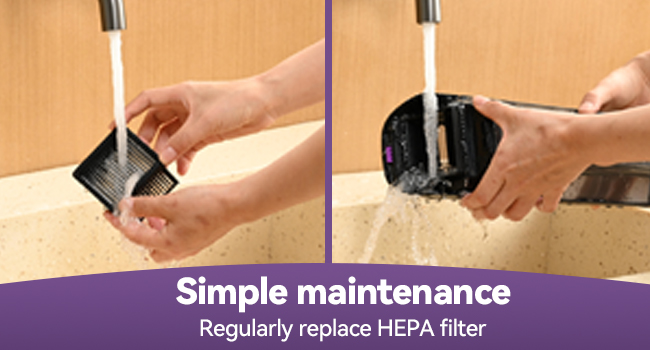
Figure 5.2: Simple HEPA Filter Maintenance
6. Specifications
| Feature | Specification |
|---|---|
| Model Number | W15 |
| Function | Wet and Dry (Wash Vacuum Mop) |
| Dimensions (L*W*H) | 68*245*1116mm |
| Weight | 4kg |
| Voltage | DC 25.2V |
| Battery Type | Li-ion |
| Battery Life | Up to 45 minutes |
| Clean Water Tank Capacity | 910 mL |
| Dirty Water Tank Capacity | 600 mL |
| Filter Type | HEPA |
| Cord Length | Wireless |
| Edge Cleaning Distance | < 0.2 inches |
| Noise Level | Under 70 dB |
| Max Cleaning Area | Up to 1615 ft² |
7. Troubleshooting
If you encounter any issues with your Redkey W15, please refer to the following common problems and solutions:
- No Power/Does Not Turn On: Ensure the battery is fully charged. Check if the power adapter is correctly connected to the charging base and a working power outlet.
- Reduced Suction: Check if the dirty water tank is full and needs emptying. Clean or replace the HEPA filter and roller brush. Ensure there are no blockages in the air ducts or brush head.
- Water Leakage: Ensure both the clean and dirty water tanks are correctly installed and their caps are securely closed. Check for any cracks or damage to the tanks.
- Self-Cleaning Not Working: Ensure the vacuum cleaner is properly placed on the charging base and has sufficient battery charge.
- Unusual Noise: Check the roller brush for any tangled hair or debris. Ensure all components are correctly assembled.
For more detailed troubleshooting or specific error codes, please contact Redkey customer support.
8. User Tips
- Regular Filter Replacement: To maintain optimal performance and air quality, consider replacing your HEPA filter every 3-6 months, or more frequently with heavy use or if you have pets.
- Pre-Sweep Large Debris: While the W15 handles both wet and dry messes, for very large, dry debris (e.g., significant food spills), a quick pre-sweep can prevent clogging and improve efficiency.
- Use Approved Cleaning Solutions: Only use cleaning solutions specifically designed for wet/dry vacuums or Redkey-approved solutions to avoid damage to the appliance and ensure proper cleaning.
- Store Properly: Always store the vacuum cleaner on its charging base in an upright position to ensure it's ready for the next use and to allow any residual moisture to drain.
9. Warranty & Support
The Redkey W15 Cordless Wet Dry Vacuum Cleaner comes with a 2-year warranty. This warranty covers manufacturing defects and ensures product protection. For any concerns about your product, technical assistance, or warranty claims, please contact Redkey customer service.

Figure 9.1: Redkey Support Information
How to Reach Us:
Redkey customer service is available 24/7. You can typically find support through your purchase platform by navigating to:
- Account > Orders > Order Detail > Sold by: JS-Damai > Ask a question
Please have your product model (W15) and purchase details ready when contacting support.
10. Product Overview Video
Watch this video for a visual guide on the Redkey W15's features and operation:
Video 10.1: Redkey W15 Cordless Wet Dry Vacuum Cleaner in action, demonstrating its cleaning capabilities, self-cleaning function, and ease of use.


