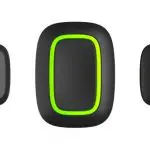
Panic Button Manuals & User Guides

User manuals, setup guides, troubleshooting help, and repair information for Panic Button products.

Tip: include the full model number printed on your Panic Button label for the best match.

Panic Button manuals

Latest posts, featured manuals, and retailer-linked manuals for this brand tag.

dahua ARD822-W2 Wireless Panic Button User Manual

July 29, 2022
dahua ARD822-W2 Wireless Panic Button Foreword General This manual introduces the installation, functions and operations of the Wireless Panic Button (hereinafter referred to as the "button"). Read carefully before using the device, and keep the manual safe for future reference.…

ERGO WS8938 Wireless Panic Button Instruction Manual

June 22, 2022
ERGO WS8938 Wireless Panic Button Introduction The WS8938 Wireless Panic Button is designed to transmit an emergency signal from any location within the range of the alarm system, regardless, ii the system is armed or disarmed. The button is small…

SATEL PB-10 Panic Button Installation Guide

April 12, 2022
SATEL PB-10 Panic Button The PB-10 panic button is used to trigger a panic alarm or call for help in emergency situations. It can also be used to control the operation of various devices (e.g. automation or access control system…

ring Panic Button Z-Wave User Guide

December 30, 2021
Panic Button Z-Wave Technical Manual Instructions to locate Z-Wave DSK/QR code Follow Device inclusion instructions provided in Ring Alarm mobile applications to locate QR codes and enter PIN Code Factory Reset Instructions Press and hold the Setup button for 10…

AJAX Button – Wireless Panic Button User Manual

October 10, 2021
Button User Manual Updated September 7, 2020 Button is a wireless panic button with protection against the accidental press and additional mode to control https://support.ajax.systems/en/automation/ Button only operates with Products - Ajax Systems. No provision is made for connection to…

EVERSPRING Panic Button

August 8, 2021
AC136 Panic Button The AC136 Panic Button is a Z-Wave Plus™ enabled network. The device can be set up in a Z-Wave™ network to communicate directly with other end devices such as lighting controllers, or to report directly a Z-Wave™ controller…