📘 Manual iOS 11 • PDF online gratis

Manual & Pituduh Pangguna iOS 11

iOS 11 is the eleventh major release of the iOS mobile operating system by Apple Inc., introducing a redesigned App Store, new Control Center, and advanced iPad multitasking.

Tip: kalebet nomer modél lengkep anu dicitak dina labél iOS 11 anjeun pikeun cocog anu pangsaéna.

Ngeunaan manual iOS 11 dina Manuals.plus

ios 11 is a significant update to the mobile operating system developed by Apple Nyarita. for iPhone, iPad, and iPod touch. Released in late 2017, it introduced major interface changes including a fully redesigned Control Center that allows for greater customization, a new App Store layout focused on discovery, and major improvements to Siri's intelligence and voice options. For iPad users, iOS 11 brought desktop-class features such as a dedicated Files app, a new Dock, and drag-and-drop functionality, transforming the tablet's productivity capabilities.

Under the hood, iOS 11 laid the groundwork for modern augmented reality experiences with ARKit and introduced Core ML for machine learning tasks. It also added practical features like Do Not Disturb While Driving and new camera modes for Portrait lighting. This category provides access to user manuals, troubleshooting guides, and feature explanations specifically for devices running iOS 11.

Manual iOS 11

manual panganyarna ti manuals+ curated pikeun merek ieu.

Rojongan pikeun TTY sareng RTT dina iPhone iOS 11

11 Méi 2018
Upami anjeun ngalaman kasusah dédéngéan atanapi nyarios, anjeun tiasa komunikasi via telepon nganggo Teletype (TTY) atanapi téks waktos nyata (RTT) — protokol anu ngirimkeun téks nalika anjeun ngetik sareng ngamungkinkeun panampi pikeun…

Pitulung Kaméra Apple dina ios 11

11 Méi 2018
Nyandak poto Anjeun tiasa nyandak poto sareng pidéo nganggo kaméra payun sareng tukang. Pikeun gancang muka kaméra, geser ka kénca tina layar Konci. Pilih modeu poto.…

Ulah Ngaganggu Nalika Nyetir

11 Méi 2018
Ulah Ganggu nalika nyetir Nalika "Ulah Ganggu nalika nyetir" diaktipkeun, éta ngabantosan anjeun tetep fokus di jalan. Pesen téks sareng bewara sanésna dibungkem atanapi diwatesan.…

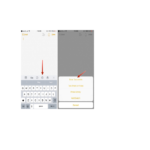
Scan dokumen dina ios 11 Catetan

11 Méi 2018
Nyeken dokumén Anjeun tiasa nganggo kaméra pikeun nyeken dokumén kana Catetan, teras nambihan markup atanapi tanda tangan. Nyeken dokumén. Ketok , teras pilih Scan Documents. Nalika anjeun nempatkeun iPhone…

iOS 11 support FAQ

Patarosan umum ngeunaan manual, pendaptaran, sareng dukungan pikeun merek ieu.

  • What devices are compatible with iOS 11?

    iOS 11 is compatible with iPhone 5s and later, iPad Air and later, iPad Pro models, iPad mini 2 and later, and iPod touch (6th generation).

  • How do I update to iOS 11?

    Go to Settings > General > Software Update on your device. Note that newer devices may require a more recent version of iOS.

  • How do I customize the Control Center in iOS 11?

    Go to Settings > Control Center > Customize Controls. You can add, remove, and rearrange shortcuts for quick access.

  • What is the "Do Not Disturb While Driving" feature?

    This safety feature automatically detects when you may be driving and silences incoming notifications to reduce distractions. It can be configured in Settings > Do Not Disturb based on vehicle movement or Bluetooth connection.