
Bubuka
Welcome to the Amazfit Active Max Smartwatch user manual. This guide provides essential information for setting up, operating, maintaining, and troubleshooting your device. The Amazfit Active Max is designed to enhance your daily life and fitness journey with its advanced features, long battery life, and comprehensive health tracking capabilities.
Key features include a vibrant 1.5-inch AMOLED display, built-in GPS, 4GB of internal storage for music and maps, over 170 sport modes, and up to 25 days of battery life on a single charge.
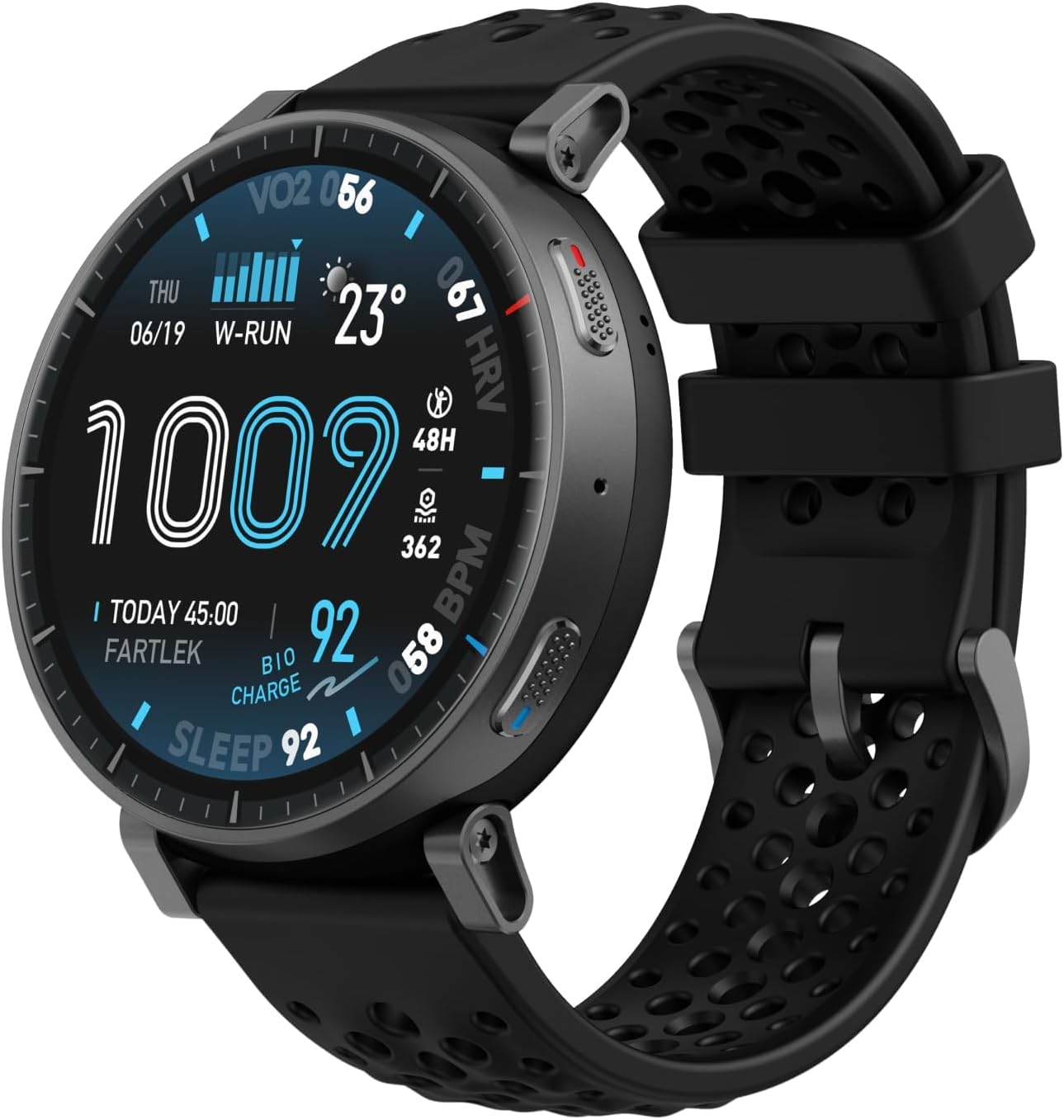
Image: The Amazfit Active Max smartwatch, showcasing its sleek design and digital display with various metrics.
Disetél
1. Unboxing sareng Biaya Awal
Saatos unboxing, pastikeun sadaya komponén aya:
- Amazfit Active Max Smartwatch
- Magnét Ngecas Base
- Manual pamaké
Before first use, fully charge your smartwatch. Connect the magnetic charging base to a USB power source (adapter not included) and attach the watch to the base. The watch display will indicate charging status.
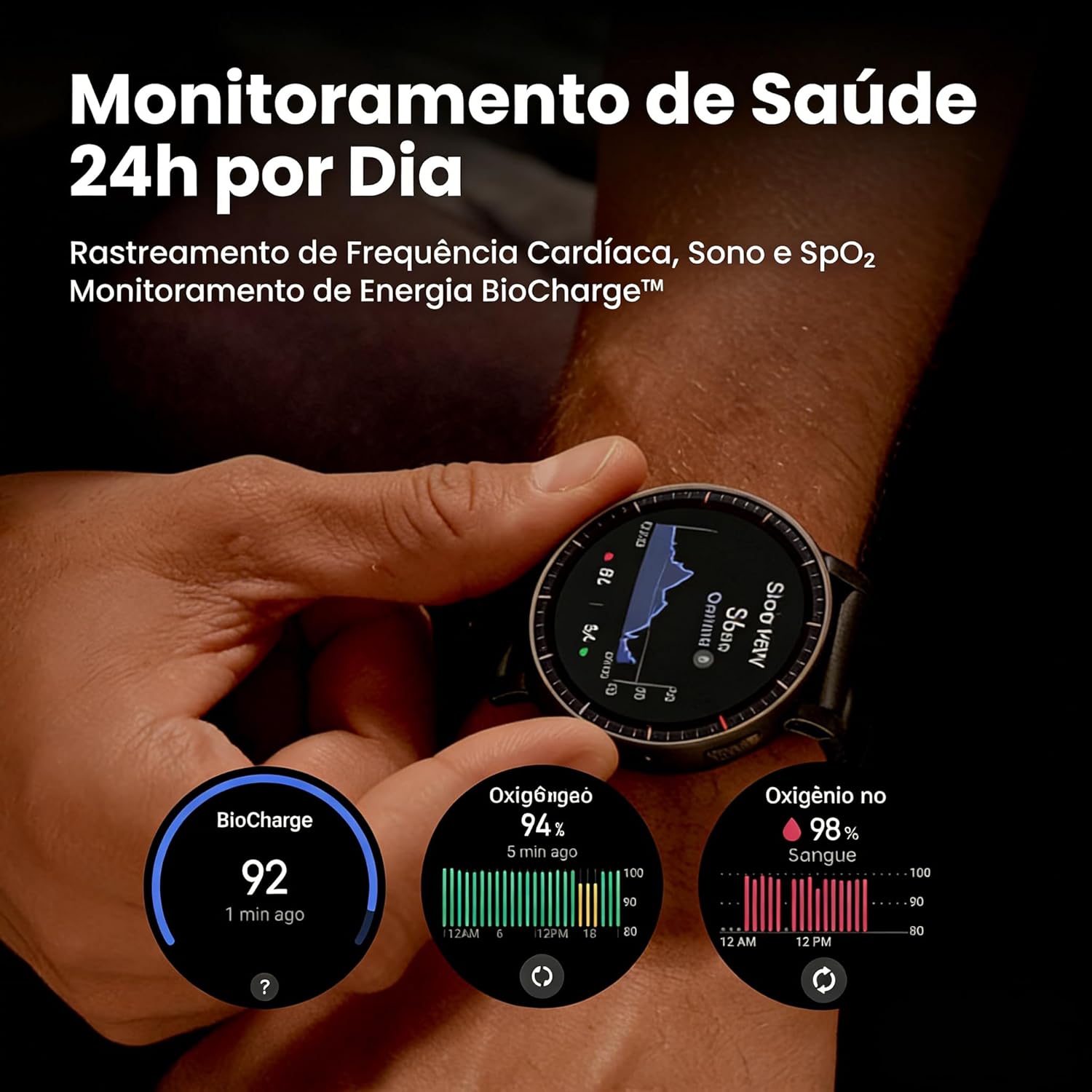
Image: The Amazfit Active Max smartwatch connected to its magnetic charging base, illustrating the charging process.
2. Ngapasangkeun sareng Aplikasi Zepp
- Download the Zepp App from your smartphone's app store (iOS or Android).
- Buka Aplikasi Zepp sareng jieun akun atanapi log in.
- Follow the on-screen instructions in the app to add your Amazfit Active Max device. This typically involves scanning a QR code displayed on the watch or selecting the device from a list.
- Konfirmasi pamundut papasangan dina telepon anjeun sareng jam tangan pinter.
Once paired, the app will synchronize data and allow you to customize settings, watch faces, and manage notifications.

Image: A smartphone displaying the Zepp App interface, which serves as the central hub for managing the Amazfit smartwatch.
Parentah Operasi
1. Tampilan jeung Napigasi
The Amazfit Active Max features a 1.5-inch AMOLED display with up to 3000 nits peak brightness for clear visibility in various lighting conditions. Navigate the watch interface using touch gestures and the physical buttons on the side.
- Gesek ka luhur/handap: Scroll through notifications, quick settings, or widgets.
- Gesek Kénca/Katuhu: Access different widgets or app shortcuts.
- Pencét Tombol Luhur: Access the app list or return to the watch face.
- Pencét Tombol Handap: Customizable shortcut for a specific sport mode or function.

Gambar: A lengkep view of the smartwatch's vibrant AMOLED screen, displaying various health and activity data clearly.
2. Sport Modes and GPS
The watch supports over 170 sport modes. To start a workout:
- Access the 'Workout' app from the app list.
- Select your desired sport mode (e.g., Running, Cycling, Strength Training).
- Wait for GPS signal acquisition (if applicable for outdoor activities). The watch uses five satellite systems for accurate tracking.
- Tap 'Go' to begin your workout.
The Zepp Coach provides personalized training plans to help you achieve your fitness goals.

Image: An individual engaged in outdoor running, with the Amazfit Active Max smartwatch visible on their wrist, highlighting its use for tracking sports activities.
3. Pangimeutan Kaséhatan
The Amazfit Active Max offers 24/7 health monitoring, including heart rate, sleep, and SpO2 tracking. The BioCharge feature provides insights into your daily energy levels, helping you understand when to push harder and when to rest.
- Pangukuran Sakali Ketok: Quickly measure heart rate, stress, blood oxygen, and respiratory rate simultaneously in approximately 45 seconds.
- Waktos Pamulihan: Monitor how much time your body needs to fully recover after a workout.

Image: The Amazfit Active Max smartwatch screen showing various health monitoring data, including BioCharge score, blood oxygen saturation, and heart rate.
4. Music Storage and Offline Maps
With 4GB of internal storage, you can store your favorite music directly on the watch. Connect Bluetooth headphones to listen during workouts without your phone. You can also download terrain and ski maps for offline navigation.

Image: A person wearing the Amazfit Active Max smartwatch and wireless earbuds, indicating the watch's music storage capability.
5. Fitur pinter
- Message Replies: Respond to Android messages directly from your watch using a QWERTY keyboard or speech-to-text.
- Kontrol sora: Utilize voice commands for various watch functions.
- Periferal Bluetooth: Connect to external devices like heart rate belts, speedometers, and power meters.
Pangropéa
1. Ngecas
Charge your Amazfit Active Max using the provided magnetic charging base. A full charge can last up to 25 days in typical usage, 13 days with intense use, and 64 hours with continuous GPS tracking.

Image: The Amazfit Active Max smartwatch screen showing battery life indicators for typical, intense, and continuous GPS usage.
2. Tahan cai
The watch is water-resistant up to 50 meters. It is suitable for swimming and showering but not for high-speed water sports or diving. Avoid exposing the watch to hot water, steam, or detergents, as these can compromise the water seal.
3. beberesih
Rutin ngabersihan arloji sareng tali anjeun kalayan lemes, damp cloth. Ensure the charging contacts on the back of the watch are clean and dry to prevent charging issues. Avoid using harsh chemicals or abrasive materials.
4. Apdet parangkat lunak
Keep your Zepp App and smartwatch firmware updated to ensure optimal performance and access to new features. Updates are typically managed through the Zepp App.
Pamérésan masalah
- Lalajo teu hurung: Pastikeun jam tangan tos dicas pinuh. Sambungkeun kana dasar ngecas sahenteuna 30 menit.
- Teu tiasa dipasangkeun sareng telepon: Make sure Bluetooth is enabled on your phone and the watch is within range. Restart both devices and try pairing again through the Zepp App.
- Pelacakan GPS anu teu akurat: Pastikeun anjeun aya di daérah luar anu kabuka kalayan jelas view of the sky. Allow the watch sufficient time to acquire a GPS signal before starting an activity.
- Batré gancang boros: Check for excessive background app usage or frequent screen wake-ups. Reduce screen brightness, disable always-on display, or limit notifications to extend battery life.
- Heart rate/SpO2 readings are inconsistent: Pastikeun yén arloji dipaké pas dina pigeulang anjeun, henteu ketat teuing atanapi longgar teuing. Bersihkeun wewengkon sénsor dina tonggong arloji.
spésifikasi
| tampilan | 1.5-inch AMOLED, 3000 Nits Peak Brightness |
| Kapasitas Panyimpenan | 4 GB |
| Kahirupan Batré (Pakéan Biasa) | Nepi ka 25 Dinten |
| Battery Life (Intense Use) | Nepi ka 13 Dinten |
| Battery Life (Continuous GPS) | Nepi ka 64 Jam |
| GPS | Built-in GPS, Five Satellite Systems |
| Tahan cai | 50 méter |
| Konektipitas | Bluetooth |
| Komponén Kaasup | Smartwatch, Magnetic Charging Base, User Manual |
Émbaran jaminan
The Amazfit Active Max Smartwatch comes with a 1-taun jaminan kawates from the date of purchase. This warranty covers manufacturing defects under normal use. It does not cover damage caused by misuse, accidents, unauthorized modifications, or failure to follow the instructions in this manual.
For warranty claims, please retain your proof of purchase and contact Amazfit customer support.
Ngarojong
For further assistance, detailed FAQs, and the latest software updates, please refer to the Zepp App or visit the official Amazfit websitus. Anjeun ogé tiasa mendakan sumber daya dukungan tambahan sareng inpormasi kontak dina Amazfit Brand Store.