
Bubuka
Thank you for choosing the Monster Sleep Ear200 Wireless In-Ear Headphones. These headphones are designed to provide a comfortable and quiet listening experience, especially for side sleepers, featuring Active Noise Cancellation (ANC) and Bluetooth 6.0 technology. This manual will guide you through the setup, operation, and maintenance of your new device to ensure optimal performance and longevity.
Produk Leuwihview
The Monster Sleep Ear200 headphones are engineered for comfort and effective noise reduction. Key features include a fully enclosed liquid silicone design for unobtrusive side sleeping and advanced noise-canceling microphones.
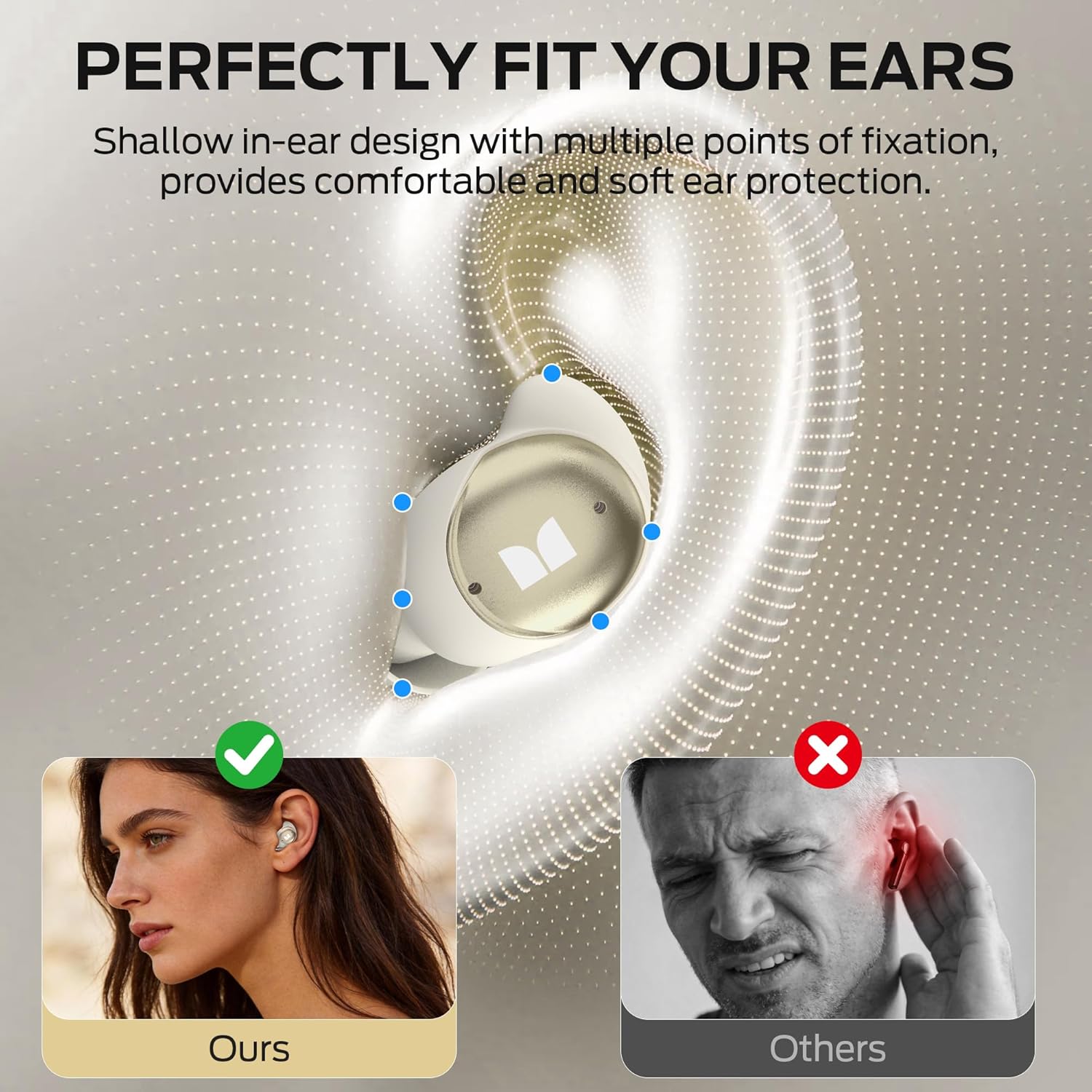
Gambar: The Monster Sleep Ear200 earbuds are designed for a shallow in-ear fit, providing comfort and soft ear protection, ensuring they stay in place without discomfort.

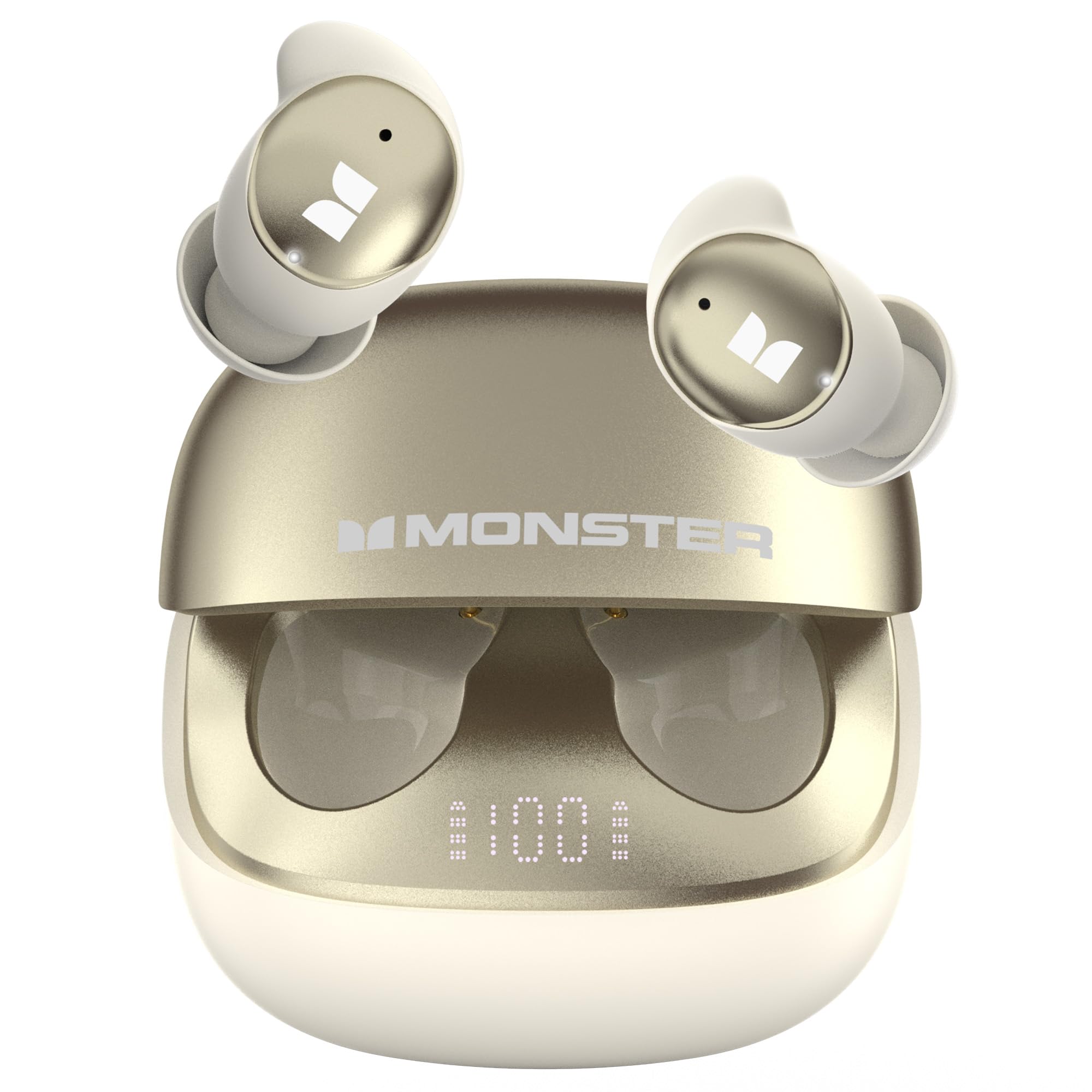
Gambar: The earbuds feature an in-ear design, are lightweight (3g), and are virtually invisible when worn, with soft ear caps for maximum comfort during sleep.
Disetél
Ngecas Awal
- Tempatkeun duanana earbuds kana kotak ngeusian.
- Sambungkeun wadah ngecas ka sumber listrik nganggo kabel USB anu disayogikeun.
- The digital display on the charging case will indicate the battery level. Fully charge the device before first use (approximately 1.5 hours).
Nyocogkeun Earbuds
- Lembut selapkeun unggal earbud kana saluran ceuli anjeun.
- Adjust the earbud until it feels secure and comfortable, especially if you are a side sleeper. The liquid silicone design is intended to conform naturally to your ear.
Parentah Operasi
Daya Hurung/Pareuman
- Daya Hurung: Open the charging case, and the earbuds will automatically power on. Alternatively, press and hold the touch control area on each earbud for 3 seconds.
- Pareum listrik: Place the earbuds back into the charging case and close the lid. They will automatically power off and begin charging. Alternatively, press and hold the touch control area on each earbud for 5 seconds.
Papasangan Bluetooth
- Ensure the earbuds are powered on and out of the charging case. They will automatically enter pairing mode, indicated by a flashing LED light (if applicable).
- Dina alat anjeun (smartphone, tablet), aktipkeun Bluetooth teras milarian alat anu sayogi.
- Select "Monster Sleep Ear200" from the list of devices.
- Once connected, a voice prompt will confirm successful pairing. The earbuds will automatically reconnect to the last paired device when powered on and within range.
Toél Kontrol
The Monster Sleep Ear200 features intuitive touch controls on each earbud:
- Puter / Reureuh: Ketok tunggal dina boh earbud.
- Lagu salajengna: Ketok dua kali earbud katuhu.
- Lagu Sateuacanna: Ketok dua kali earbud kénca.
- Ngajawab / mungkas Telepon: Ketok tunggal dina boh earbud.
- Nolak Telepon: Pencét jeung tahan boh earbud salila 2 detik.
- Aktipkeun Asisten Sora: Ketok tilu kali dina boh earbud.
- ANC Mode On/Off: Press and hold the touch control area on either earbud for 2 seconds (after initial power on).
Aktif Noise pembatalan (ANC)
The Monster Sleep Ear200 is equipped with an advanced Active Noise Cancellation system designed to create a tranquil environment for sleep or focus. It utilizes ANC noise-canceling microphones to detect and counteract ambient sounds.
Gambar: The earbuds provide automatic noise reduction, effectively blocking sounds like snoring to help users fall asleep quickly in a comfortable and quiet environment.

Gambar: Advanced noise cancellation reduces ambient noise by up to 98%, achieving noise reduction depths of up to -45dB, effectively isolating you from disruptive sounds.
Aktipkeun ANC
- After the earbuds are powered on, press and hold the touch control area on either earbud for 2 seconds to cycle through ANC modes (ANC On/Off). A voice prompt will confirm the mode change.
Effective Noise Blocking
The ANC system is particularly effective at blocking common sleep-disrupting noises:
- Ngorong
- Pet movement noise
- Noise from electronic devices
- Sora lalulintas

Gambar: The Monster Sleep Ear200 effectively blocks common sleep-disrupting noises such as moving pets, household appliances, and traffic sounds, promoting restful sleep.
Ngeusi batre jeung Batré
The Monster Sleep Ear200 provides extended battery life for uninterrupted use.
- Waktu Playback Earbud: Nepi ka 9 jam dina hiji muatan.
- Total Batré Kahirupan (kalayan ngeusi batre): Nepi ka 30 jam.
- Waktu Ngecas: Approximately 1.5 hours for a full charge of the case and earbuds.
- Indikator Tingkat Batré: The charging case features a digital display to easily check the remaining battery level.

Gambar: The charging case and earbuds illustrate the impressive 30-hour total battery life, with 1.5 hours charging time and 9 hours single-earbud playtime.
Pangropéa
Proper maintenance ensures the longevity and performance of your Monster Sleep Ear200 headphones.
- beberesih: Lap earbud sareng wadah ngecas sacara rutin nganggo lawon anu lemes, garing, sareng henteu ngaganggu. Entong nganggo bahan kimia anu kasar atanapi bahan anu kasar.
- Tahan cai: The earbuds have an IPX5 rating, meaning they are resistant to low-pressure water jets from any direction. They are not designed for submersion in water. Avoid exposing the charging case to water.
- Panyimpenan: Nalika henteu dianggo, simpen earbuds dina wadah ngecasna pikeun ngajagi sareng tetep dicas. Nyimpen dina tiis, tempat garing jauh ti suhu ekstrim.

Gambar: The Monster Sleep Ear200 features a dedicated Sleep Function, IPX5 water resistance for durability, and Bluetooth 6.0 for stable connectivity.
Pamérésan masalah
If you encounter any issues with your Monster Sleep Ear200 headphones, please refer to the following common solutions:
| Masalah | Solusi anu mungkin |
|---|---|
| Earbuds teu dipasangkeun | Ensure earbuds are charged. Turn off and on your device's Bluetooth. Forget "Monster Sleep Ear200" from your device's Bluetooth list and re-pair. |
| Taya sora tina earbuds | Check volume levels on both earbuds and your connected device. Ensure earbuds are properly paired. Try playing different audio sources. |
| ANC henteu tiasa dianggo sacara efektif | Ensure earbuds are properly seated in your ears for a good seal. Verify ANC is activated via touch control. |
| Kasus ngecas teu ngecas | Pariksa kabel USB sareng adaptor daya. Pastikeun port ngecas bersih sareng bébas tina kokotor. |
| Earbuds teu ngecas bisi | Ensure the charging case has power. Clean the charging contacts on both the earbuds and the case. Ensure earbuds are correctly seated in the case. |
spésifikasi
| Fitur | Rincian |
|---|---|
| merek | Raksasa |
| Nomer modél | w67wh |
| Panempatan Ceuli | Dina Ceuli |
| Kontrol bising | Pembatalan Noise Aktif (dugi ka -45dB) |
| Vérsi Bluetooth | 6.0 |
| Rentang Bluetooth | Nepi ka 30 méter |
| Kahirupan Batré (Earbuds) | Nepi ka 9 jam |
| Total Kahirupan Batré (kalayan Case) | Nepi ka 30 jam |
| Waktu Ngecas | Kira-kira. 1.5 jam |
| Rentang Frékuénsi | 20Hz - 20,000Hz |
| Métode kontrol | Toél |
| Peunteun Résistansi Cai | IPX5 |
| Bahan | Silikon cair |
| Mangpaat husus | Saré |
Garansi sareng Rojongan
Your Monster Sleep Ear200 Wireless In-Ear Headphones come with a 1-Taun Garansi Produsén from the date of purchase. This warranty covers manufacturing defects and ensures your product performs as expected under normal use.
For warranty claims, technical support, or any inquiries regarding your product, please contact Monster customer service. Details can typically be found on the official Monster website or through your purchase platform. Please have your proof of purchase and model number (w67wh) ready when contacting support.