1. Bubuka
The HP MC400 is an ultra-compact mini portable smart projector designed for versatile entertainment and presentation needs. This manual provides essential information for setting up, operating, and maintaining your projector to ensure optimal performance and longevity.
2. Émbaran Kasalametan
- Read all instructions before using the projector.
- Ulah nempo langsung kana lensa projector lamun lamp dihurungkeun. Cahya caang bisa ngabalukarkeun karuksakan panon.
- Pastikeun ventilasi anu leres. Ulah meungpeuk bukaan ventilasi.
- Paké ngan adaptor kakuatan disadiakeun kalawan projector.
- Jauhkeun proyektor tina cai atanapi cairan sanés.
- Hindarkeun nempatkeun proyektor dina permukaan anu teu stabil.
- Ulah nyobian muka atawa ngalereskeun proyektor sorangan. Rujuk sadayana jasa ka tanaga anu mumpuni.
3. Naon dina Box
Pastikeun yén sadaya barang aya dina bungkusan:
- HP MC400 Projector (x1)
- Adaptor Daya (x1)
- Power Plug (x1)
- Jauh Jauh (x1)
- Pitunjuk Mimitian Gancang (x1)
- HP Warranty Card (x1)
- Product Notice (x1)
- OE Clean Kit (x1)
4. Produk Langkungview
The HP MC400 features a compact design with a premium LED optical engine, offering clear and colorful images. It supports various projection angles and connectivity options.
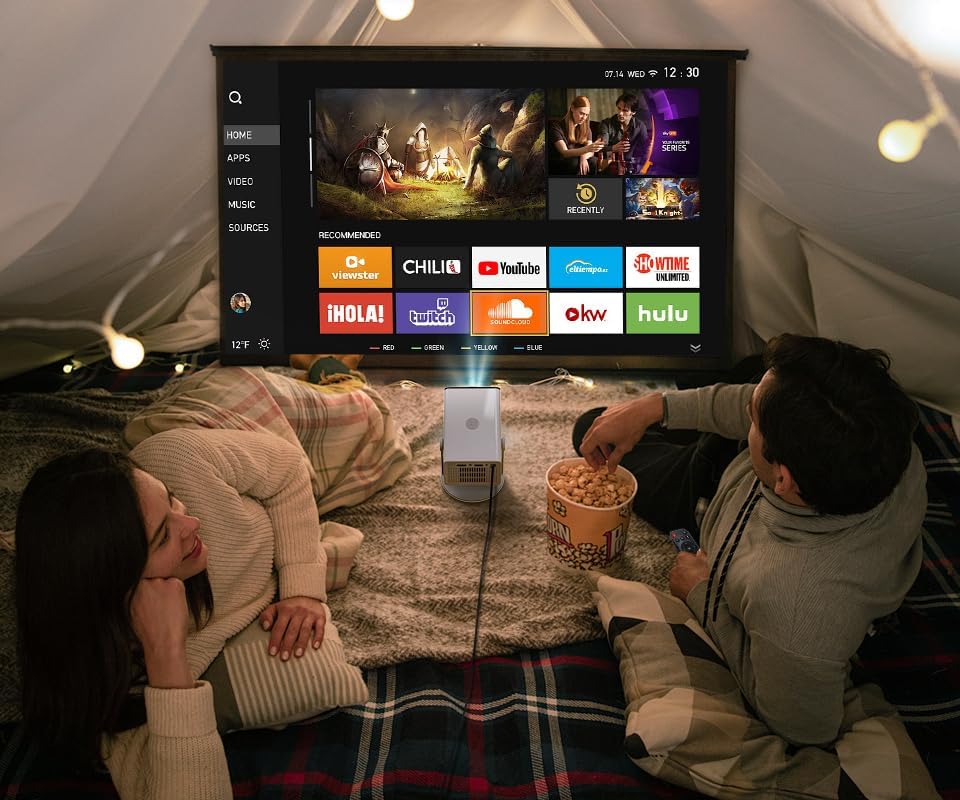
Gambar 4.1: Hareupeun view of the HP MC400 projector.

Gambar 4.2: Balik view of the HP MC400 projector, highlighting the HDMI, USB, and audio ports.

Gambar 4.3: Internal view illustrating the premium LED optical engine of the HP MC400.
5. Setélan
5.1 Powering On
- Connect the supplied power adapter to the projector's USB-C PD 3.0 port.
- Colokkeun adaptor kakuatan kana stop kontak listrik.
- Pencét tombol daya dina proyektor atawa kadali jauh pikeun ngahurungkeun.
5.2 Panempatan sareng Pangaluyuan Mimiti
The MC400 features a 0.9 short throw ratio, allowing for large screen projection in small spaces. Its 90° rotation design supports flexible placement for wall or ceiling projection.

Figure 5.1: The projector's 90° rotation allows for ceiling projection, ideal for bedrooms.
5.3 Fokus jeung Koreksi Keystone
The projector features auto-focus and auto keystone correction for quick image adjustment.
- Otomatis Pokus: Projector otomatis nyaluyukeun kajelasan gambar.
- Auto Keystone + 4-Point Correction: The projector automatically corrects distorted images. Manual adjustments can be made via the remote control if needed.
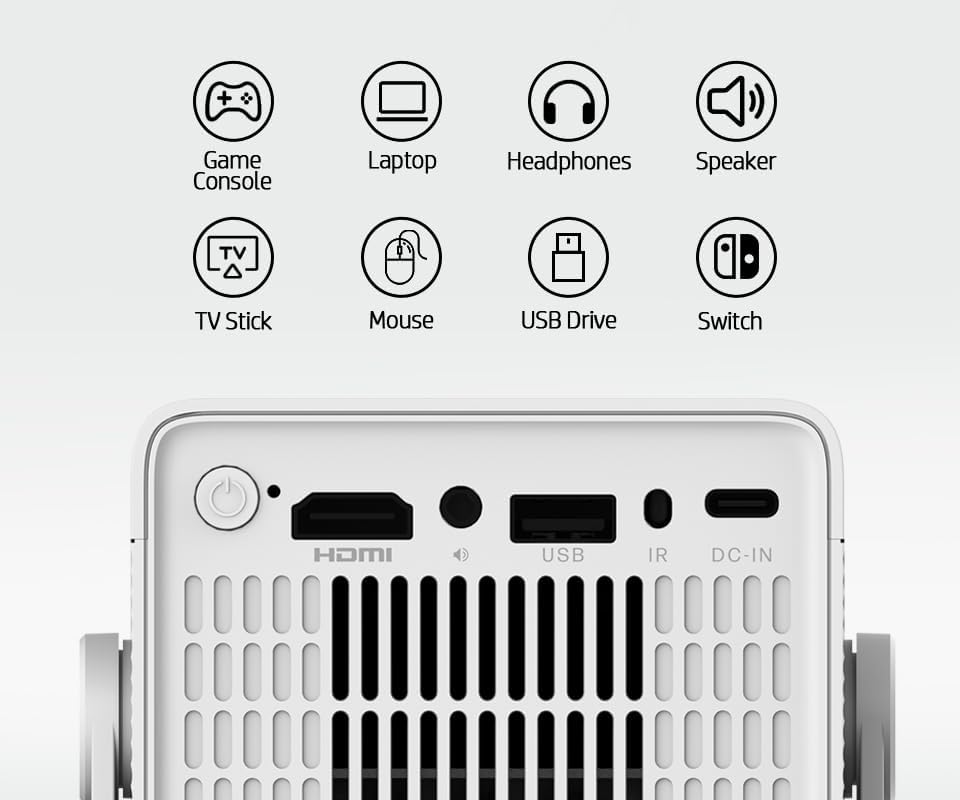
Figure 5.2: Automatic keystone correction ensures a rectangular image even when the projector is placed at an angle.
6. Parentah Operasi
6.1 Smart Streaming and Built-in Apps
The HP MC400 includes a built-in App Store and WiFi projection capabilities. Connect the projector to your home WiFi network (Dual Band 2.4G / 5G) to access streaming applications directly.

Figure 6.1: Access popular streaming services directly from the projector's built-in app store.
6.2 Pangeunteungan Layar Nirkabel
Mirror content from your iOS or Android devices wirelessly to the projector.
- Pastikeun alat sélulér anjeun sareng proyéktor nyambung ka jaringan WiFi anu sami.
- Select the screen mirroring option on your mobile device (e.g., Screen Mirroring, Smart View, Pamaén).
- Select the HP MC400 from the list of available devices.
6.3 Nyambungkeun Alat éksternal
The projector offers multiple ports for connecting external devices:
- HDMI: Connect gaming consoles, laptops, TV sticks, or other HDMI-enabled devices.
- USB: Connect USB drives for media playback or a mouse for navigation.
- 3.5mm Audio: Sambungkeun headphone éksternal atanapi speaker.

Figure 6.2: Connect external speakers via Bluetooth for an enhanced audio experience.
6.4 USB-C Power Bank Compatibility
For portable use, the MC400 can be powered by a compatible 45W USB-C PD 3.0 power bank (not included).
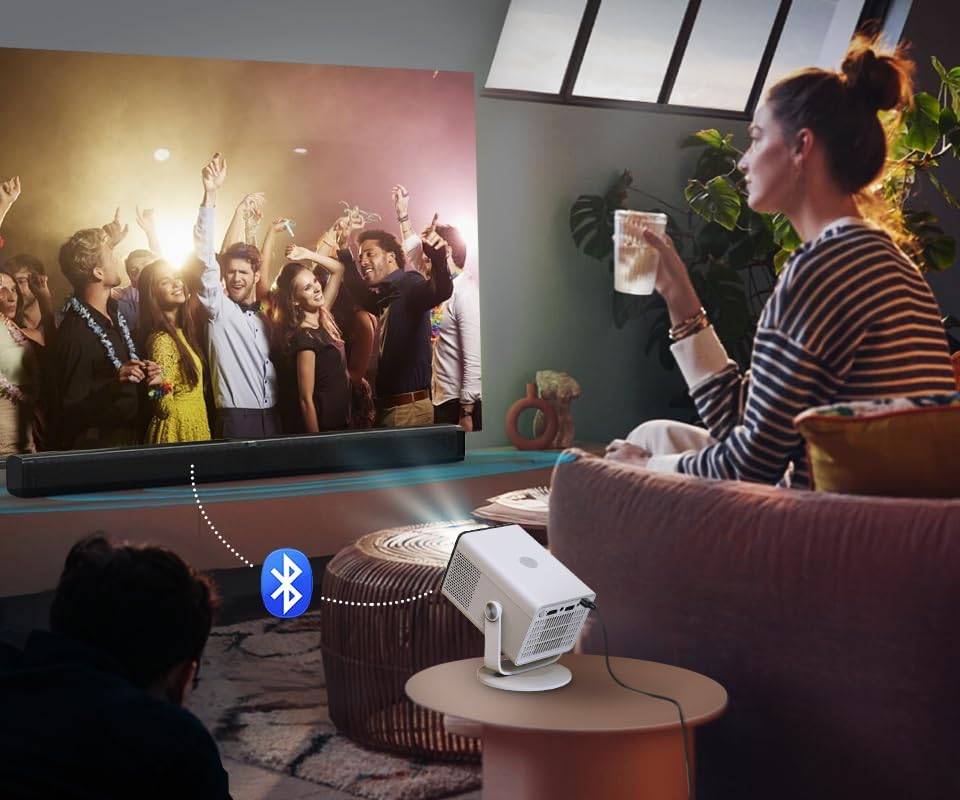
Figure 6.3: The projector can be powered by a compatible USB-C power bank for outdoor or portable use.
6.5 Low Noise ECO Mode
Activate ECO mode for quieter operation (≤32dB), suitable for bedrooms and late-night viewing.
Figure 6.4: The low-noise ECO mode ensures a quiet viewlingkunganana.
7. Pangropéa
7.1 Ngabersihan Lensa
Use the provided OE Clean Kit or a soft, lint-free cloth specifically designed for optical lenses. Do not use abrasive cleaners or solvents.
7.2 Ngabersihan Awak Projector
Wipe the exterior with a soft, dry cloth. Avoid spraying liquids directly onto the projector.
7.3 Panyimpenan
When not in use, store the projector in a cool, dry place, away from direct sunlight and extreme temperatures. Use the original packaging for protection during storage or transport.
8. Cara ngungkulan
- Henteu aya kakuatan: Ensure the power adapter is securely connected to both the projector and a working power outlet. If using a power bank, confirm it is sufficiently charged and compatible (45W USB-C PD 3.0).
- Teu aya gambar: Check that the correct input source (HDMI, App, Screen Mirroring) is selected. Verify all cables are securely connected.
- Gambar kabur: The projector has auto-focus. If the image remains blurry, try repositioning the projector or manually adjusting focus via the remote if available.
- Gambar anu Distorsi: The projector features auto keystone correction. If the image is still distorted, check for obstructions or try adjusting the projector's angle.
- Henteu aya sora: Ensure the volume is not muted or set too low. Check if external speakers are connected via Bluetooth or the 3.5mm audio jack and are functioning correctly.
- Masalah Pangeunteungan Layar: Ensure both the projector and your mobile device are connected to the same 2.4G or 5G WiFi network. Restart both devices and try again.
9. Spésifikasi
Detailed technical specifications for the HP MC400 Mini Portable Smart Projector:
| Fitur | Katerangan |
|---|---|
| Téknologi tampilan | 1LCD |
| Sumber Cahaya | LED, lifespan > 20,000 hours |
| Resolusi pribumi | HD 1280 × 720 (Supports 4K input) |
| Caang | 150 ISO Lumén |
| Rasio Aspék | 16:9 |
| Babandingan Lempar | 0.9:1 (Lemparan Pendek) |
| Pokus | Pokus Otomatis |
| Koréksi Keystone | Auto Keystone + 4-Point Correction |
| CPU | H726 Quad-Core (A53) |
| Mémori | 1GB RAM + 16GB Panyimpenan |
| Platform Sistim | Built-in App Store & WiFi Projection |
| Wifi | Dual Band 2.4G / 5G |
| Bluetooth | Bluetooth 5.4 (Audio Output) |
| Speaker | 3W × 1 |
| Palabuhan | HDMI × 1, USB × 1, 3.5mm Audio × 1 |
| Input kakuatan | USB-C PD 3.0, 20V / 2.25A |
| Konsumsi Daya | Kira-kira. 40W |
| Ukuran (tanpa nangtung) | 91 × 82 × 138 mm (3.58 x 3.23 x 5.43 inci) |
| Beurat | 490g (1.08 pon) |

Figure 9.1: Feature comparison of HP MC400 with a standard projector.
10. Garansi jeung Rojongan
Your HP MC400 Mini Portable Smart Projector comes with a limited warranty. Please refer to the included HP Warranty Card for detailed terms and conditions, including warranty period and coverage.
For technical support, troubleshooting assistance, or service inquiries, please visit the official HP support website or contact HP customer service using the information provided in your product documentation.