Bubuka
This manual provides essential information for setting up, operating, and maintaining your iFFALCON 55U95A 55-inch 4K QD-Mini LED Smart Google TV. Please read these instructions carefully before using the product to ensure safe and optimal performance. Keep this manual for future reference.
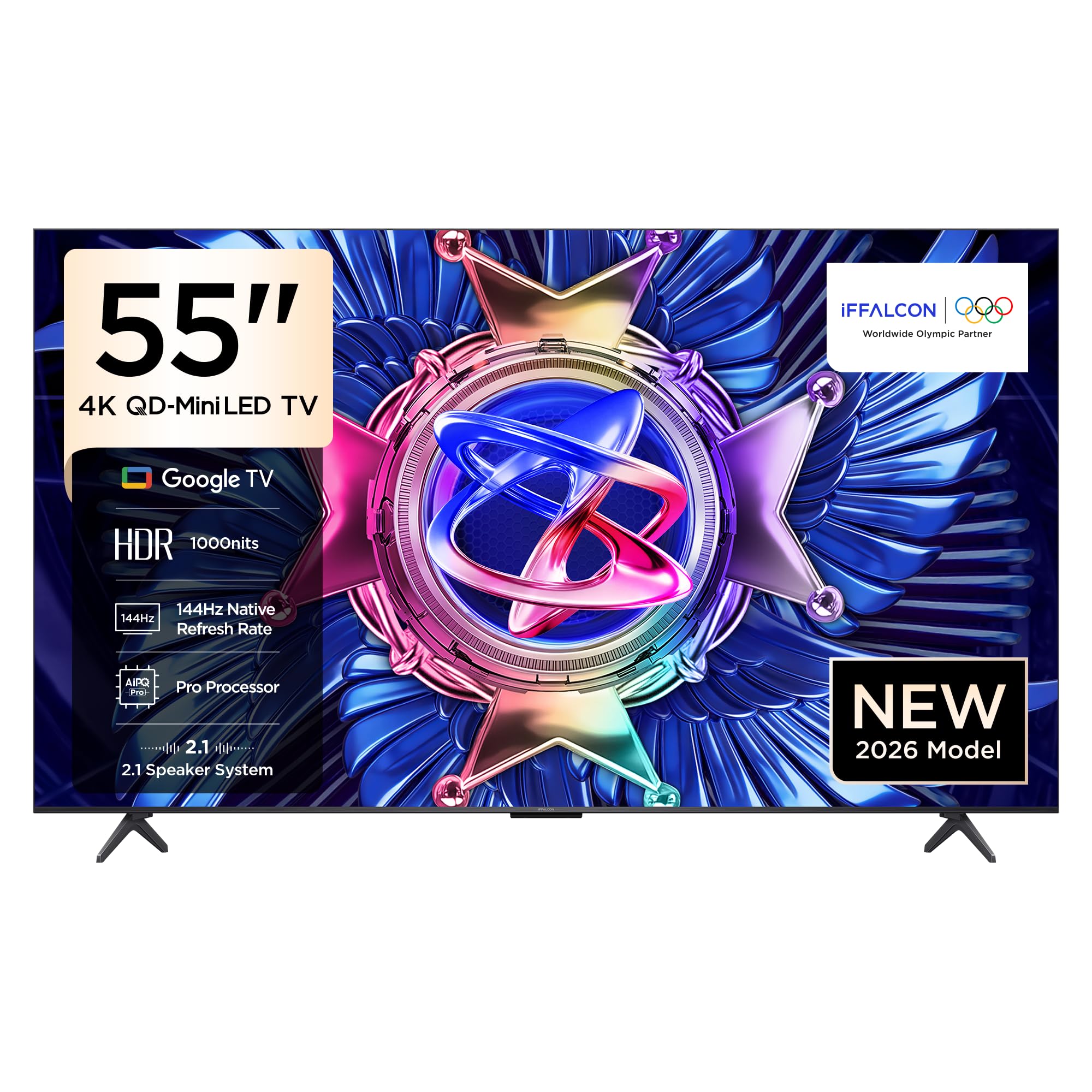
Gambar 1: Hareupeun view of the iFFALCON 55U95A Smart Google TV.
Guide Setup
1. Ngabongkar bungkusan
- Cabut TV sareng sadaya asesoris sacara saksama tina bungkusan.
- Verify that all included components are present: Power Adapter, Power Cable, Remote Control, Stand, and User Manual.
- Nyimpen bahan bungkusan pikeun angkutan atanapi jasa anu bakal datang.
2. Pamasangan Stand atanapi Pemasangan Dinding
Pamasangan Stand:
- Teundeun layar TV ka handap dina tempat nu datar tur lemes pikeun nyegah karuksakan.
- Attach the stand bases to the designated slots on the bottom of the TV, aligning the screw holes.
- Ngamankeun nangtung ngagunakeun screws disadiakeun. Pastikeun aranjeunna tightened pageuh.
Pamasangan témbok:
- If wall mounting, refer to the specific instructions provided with your wall mount kit.
- Ensure the wall mount is compatible with the VESA mounting pattern of your TV.
- Professional installation is recommended for wall mounting.

Figure 2: TV dimensions for placement and mounting considerations.
3. Nyambungkeun périferal
Locate the input ports on the back of your TV. Connect your devices as follows:
- Alat HDMI: Connect gaming consoles, Blu-ray players, or set-top boxes to the HDMI ports.
- Alat USB: Selapkeun drive USB pikeun playback média atawa apdet software kana port USB.
- kakuatan: Sambungkeun kabel listrik ka TV teras ka stopkontak.
- Jaringan: Connect an Ethernet cable for a wired internet connection, or use Wi-Fi for wireless connectivity.
Gambar 3: Tukangeun view tina TV jeung palabuhan sambungan.
4. Daya Awal Hurung sareng Setup
- Pencét tombol daya dina kadali jauh atanapi TV.
- Follow the on-screen instructions to complete the initial setup, including language selection, network connection, and Google account login.
Parentah Operasi
1. Fungsi Jauh Jauh
The remote control allows you to navigate the TV's interface and control various functions. Familiarize yourself with the buttons for power, volume, channel, input selection, and smart TV navigation.
2. Fitur Smart TV (Google TV)
Your iFFALCON TV runs on Google TV, providing access to a wide range of apps, streaming services, and smart features.
- Asisten Google: Anggo paréntah sora liwat kadali jauh pikeun milarian eusi, ngontrol alat home pinter, sareng kéngingkeun inpormasi.
- Chromecast Diwangun-di: Cast content from your compatible mobile devices directly to the TV screen.
- Aksés Aplikasi: Unduh sareng pasang aplikasi ti Google Play Store.
3. Setélan Gambar
Optimalkeun anjeun viewing experience by adjusting picture settings. The iFFALCON 55U95A features advanced display technologies:
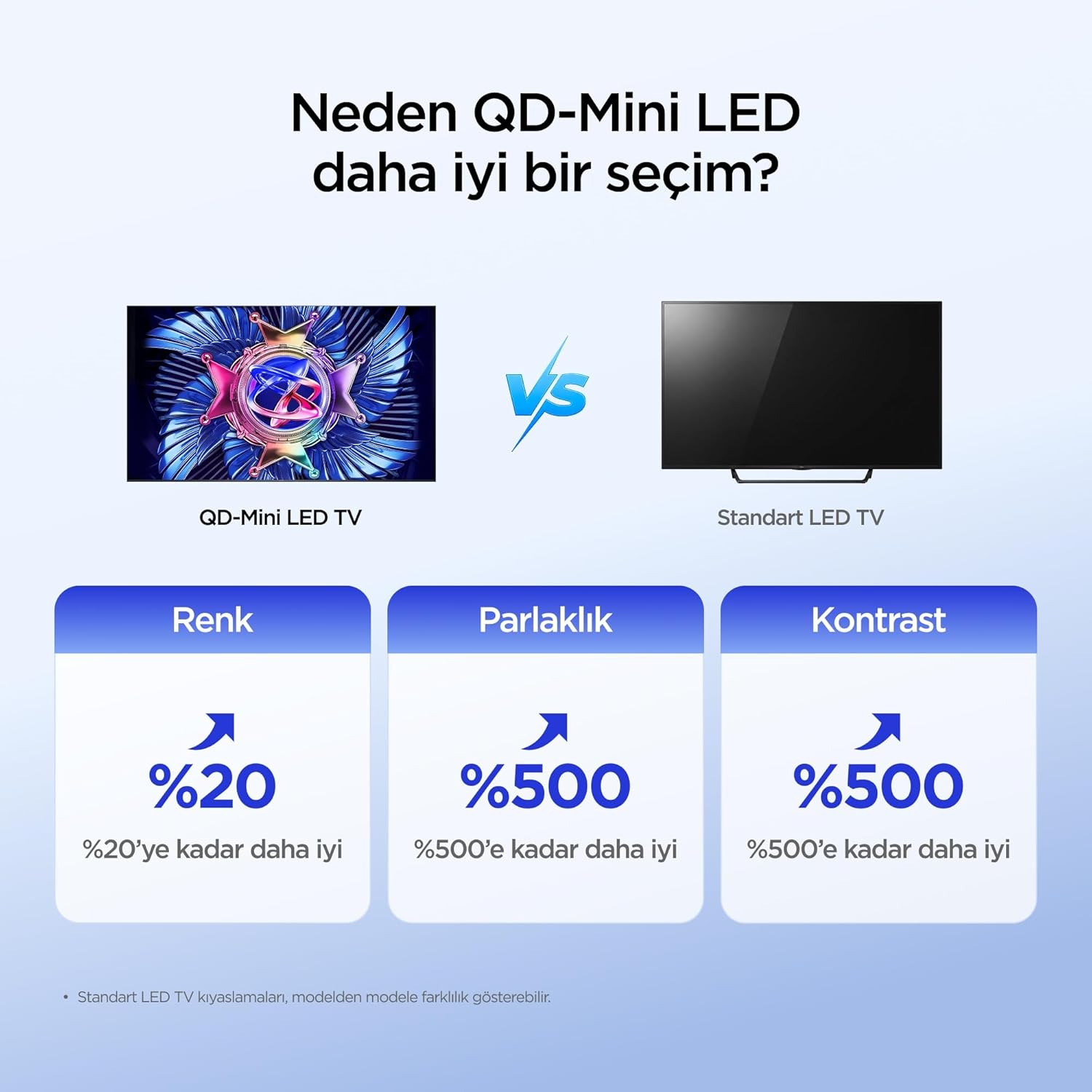
- QD-Mini LED: Offers superior color, brightness, and contrast compared to standard LED TVs.
- 512 Local Dimming Zones: Provides pixel-level light control for precise detail and impressive visuals by managing over 500 local dimming zones.
- HDR 1000nits: Delivers peak brightness of up to 1000 nits, enhancing contrast and detail even in bright environments.
- Téknologi QLED: Utilizes advanced quantum crystal materials for richer colors, higher stability, and long-lasting color performance, ensuring vibrant and lifelike images.
- All-domain Halo Control Technology: Reduces the halo effect from source to screen, providing clearer details and higher contrast for a premium viewpangalaman.
- Prosesor AiPQ Pro: Intelligently analyzes and optimizes content at a pixel level for enhanced clarity, balance, and overall viewkualitas dina.
- Matte HVA Panel: Reduces reflections and glare, offering a clear view even in brightly lit rooms.

Figure 4: QD-Mini LED technology advantages.

Figure 5: Local Dimming Zones for superior contrast.

Figure 6: High HDR brightness for vivid images.
4. Setélan Sora
Experience immersive audio with your TV's advanced sound system:
- ONKYO 2.1 Hi-Fi Audio: Built-in 2.1 channel speakers deliver impressive stereo sound with deep bass, providing a cinema-like audio experience.
- Dolby Atmos: Enjoy powerful, clear, and balanced sound with enhanced dialogue and immersive surround sound.

Figure 7: The 2.1 Speaker System provides a Hi-Fi experience.
5. Fitur kaulinan
The iFFALCON 55U95A is designed for an enhanced gaming experience:
- 144Hz Natural Refresh Rate: Provides smoother motion and sharper images, reducing lag and tearing for a more responsive gaming experience.
- Game Master Mode: Optimizes settings for gaming, reducing input lag and enhancing visual performance.

Figure 8: Enjoy smoother action with a 144Hz natural refresh rate.
Pangropéa
1. Ngabersihan TV Anjeun
- Sok cabut TV samemeh beberesih.
- Paké lawon lemes, garing, lint-haratis pikeun gently ngusap layar tur kabinet.
- Pikeun tanda pengkuh, enteng dampen lawon jeung cai atawa hampang, non-abrasive cleaner layar. Ulah menyemprot cleaner langsung kana layar.
- Ulah make alkohol, bénzéna, thinners, atawa zat volatile séjén, sabab bisa ngaruksak TV.
2. Apdet parangkat lunak
TV anjeun tiasa nampi apdet parangkat lunak pikeun ningkatkeun kinerja sareng nambihan fitur énggal. Pastikeun TV anjeun nyambung ka internét pikeun nampi apdet ieu sacara otomatis atanapi parios sacara manual dina menu setélan.
Pamérésan masalah
Upami anjeun ngalaman masalah sareng TV anjeun, tingal masalah sareng solusi umum ieu:
| Masalah | Solusi anu mungkin |
|---|---|
| Taya Daya | Pariksa naha kabel daya parantos disambungkeun kalayan pageuh kana TV sareng stop kontak. Pastikeun stop kontakna tiasa dianggo. |
| Taya Gambar, tapi Sora Aya Hadir | Pastikeun sumber input anu leres dipilih. Pariksa sambungan kabel ka alat éksternal. Coba hurungkeun deui TV. |
| Taya Sora, tapi Gambar Aya | Pariksa tingkat polumeu sareng status bisu. Pastikeun kabel audio disambungkeun bener. Pariksa setélan kaluaran audio TV. |
| Remote Control Teu Gawé | Ganti batréna. Pastikeun teu aya halangan antara jauh sareng sénsor IR TV. |
| Teu Bisa Nyambung ka Wi-Fi | Pastikeun router Wi-Fi anjeun hurung sareng tiasa dianggo. Lebetkeun deui kecap akses Wi-Fi. Cobi hurungkeun deui TV sareng router. |
| Gambarna teu jelas atanapi teu jelas | Saluyukeun setelan gambar (kacaangan, kontras, seukeutna gambar). Pariksa kualitas sinyal input. |
Lamun masalah persists sanggeus nyobian solusi ieu, mangga ngahubungan rojongan customer.
Spésifikasi teknis
| Fitur | Spésifikasi |
|---|---|
| merek | iFFALCON |
| Modél | 55U95A |
| Ukuran layar | 55 inci |
| Téknologi tampilan | Mini LED |
| Resolusi | 4K (3840 x 2160 piksel) |
| Refresh Laju | 144 Hz |
| Panganteur Hardware | Bluetooth, HDMI, USB |
| Input Audio | Bluetooth, WiFi |
| Konfigurasi Speaker | 2.1 Saluran |
| Téhnologi konektipitas | Bluetooth, HDMI, USB, Wi-Fi |
| Jumlah palabuhan USB | 1 |
| Tipe Pamasangan | Dipasang dina Méja, Dipasang dina Témbok |
| Ukuran produk (WxDxH) | 122.9 x 5.59 x 71.3 cm |
| Beurat produk | 16.3 kg |
| Komponén Kaasup | Power Adapter, Power Cable, Remote Control, Stand, User Manual |
| Negara asal | Cina |
Garansi sareng Rojongan
Your iFFALCON 55U95A TV comes with a standard manufacturer's warranty. Please refer to the warranty card included in your product packaging for specific terms and conditions, including warranty duration and coverage details.
For technical support, service requests, or further assistance, please visit the official iFFALCON website or contact their customer service hotline. Contact information can typically be found in the warranty documentation or on the manufacturer's websitus.


