1. Bubuka
Thank you for choosing the ORICO SPV67 Aluminum Portable Selfie Stick Tripod. This device combines the functionality of an extendable selfie stick with a stable tripod, designed for capturing photos and videos with ease. It features a detachable wireless remote control and a 360° rotating phone holder, making it versatile for various content creation needs, travel, and everyday use.
2. Naon dina Box
Mangga parios eusi pakét pikeun mastikeun yén sadaya barang aya:
- 1 x Selfie Stick (integrated with phone holder and remote)
- 1 x Manual Instruksi

Image: Contents of the ORICO SPV67 package, including the selfie stick and instruction manual.
3. Fitur Produk
- Extendable & Portable Design: The selfie stick extends up to 26.38 inches (67 cm) for wider shots and folds down to a compact 6.1 inches (15.5 cm), weighing only 0.3 lbs (139g), making it easy to carry.
- Durable Aluminum Alloy Pole: Constructed with lightweight yet strong aluminum alloy for smooth extension and stability.
- Adjustable Angle & Rotating Phone Mount: Features a 360° rotatable and 225° tiltable phone mount, allowing for optimal shooting angles. The silicone clamp protects your device.
- Detachable Wireless Remote Control: A Bluetooth remote control is stored securely in the tripod slot, offering hands-free operation up to 30 feet (10 meters) away. Compatible with iOS and Android devices.
- Kasaluyuan lega: The adjustable phone mount accommodates devices with a width between 2.56–3.46 inches, suitable for most smartphones and GoPros.

Image: The ORICO SPV67 Selfie Stick Tripod in its extended, handheld configuration.

Gambar: Detil view of the phone mount's rotational and tilting capabilities, highlighting its adjustable axes.
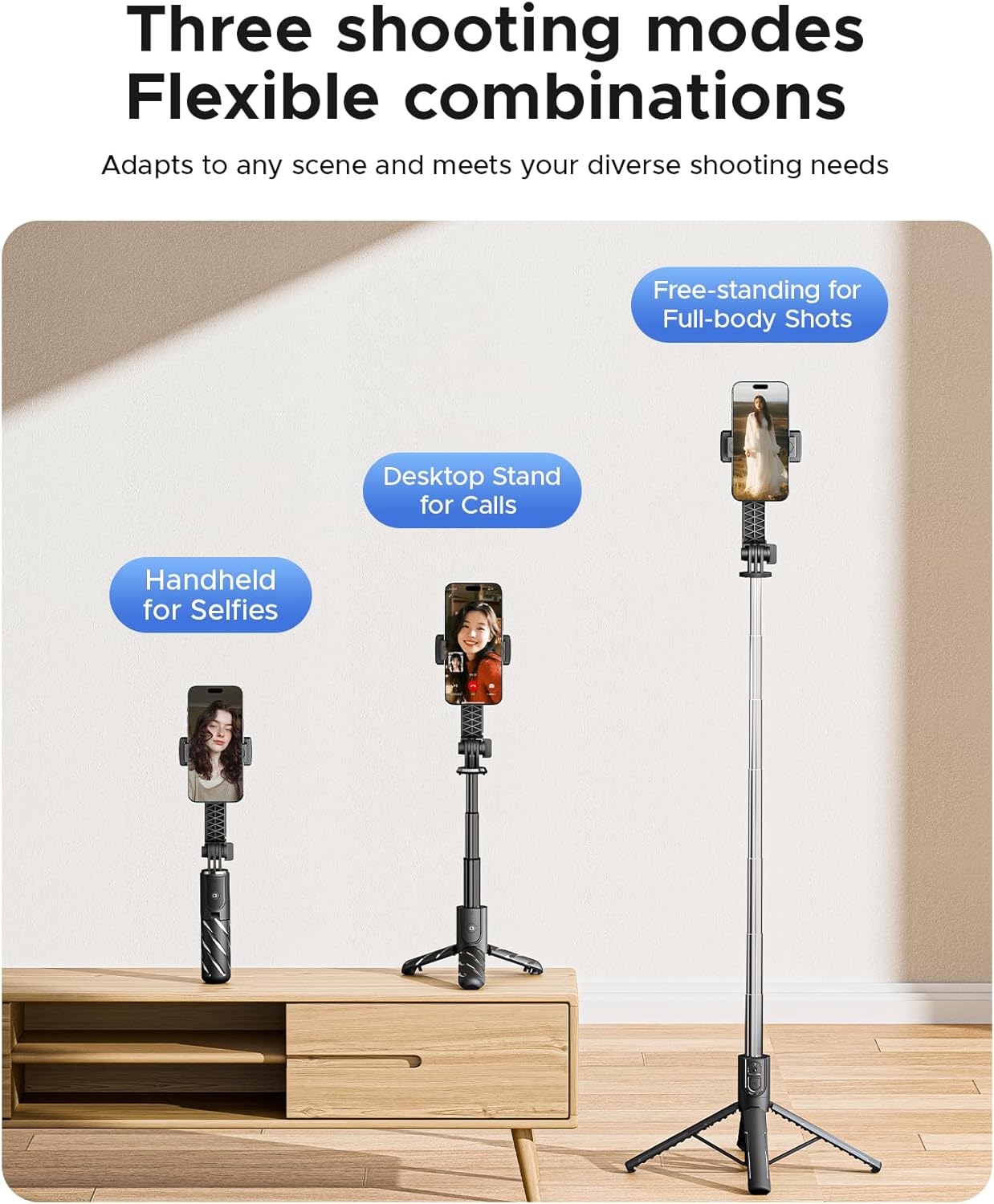
Image: Illustrations demonstrating the three primary usage modes: handheld, desktop tripod, and extended floor tripod.
4. Setélan
- Buka Suku Tripod: Gently push the bottom part of the handle outwards to deploy the three tripod legs. Ensure they are fully spread for maximum stability.
- Extend the Telescoping Pole: Pull the top section of the selfie stick upwards to extend the aluminum pole to your desired length.
- Attach Your Smartphone: Buka telepon clamp and carefully insert your smartphone. Ensure the phone is securely held by the silicone grips. The clamp supports phone widths from 2.56 to 3.46 inches.
- Adjust Phone Angle: Rotate the phone holder 360° and tilt it up to 225° to achieve the perfect viewsudut némbak atawa sudut panémbakan.
- Pair the Wireless Remote:
- Remove the remote control from its slot in the handle.
- Pencét terus tahan tombol dina remot dugi ka lampu indikator kedip-kedip, nunjukkeun yén éta dina modeu pairing.
- On your smartphone, go to Bluetooth settings and search for available devices. Select "ORICO Remote" or a similar name to pair.
- Sakali dipasangkeun, lampu indikator bakal eureun kedip-kedip.
5. Parentah Operasi
- Dianggo salaku Tongkat Selfie: Hold the handle firmly and extend the pole to your desired length. Adjust the phone angle for the best shot. Use the remote control to capture photos or start/stop video recording.
- Dianggo salaku Tripod: Deploy the tripod legs on a flat, stable surface. Extend the pole to the desired height. For increased stability, keep the pole shorter. Adjust the phone's orientation (portrait or landscape) and angle. Use the remote for hands-free operation.
- Motret Poto/Video: Once your phone is set up and the remote is paired, open your phone's camera application. Press the button on the remote control to take a photo or start/stop video recording.
- Panyimpenan: To store, retract the telescoping pole completely, fold the tripod legs back into the handle, and reinsert the wireless remote into its designated slot.
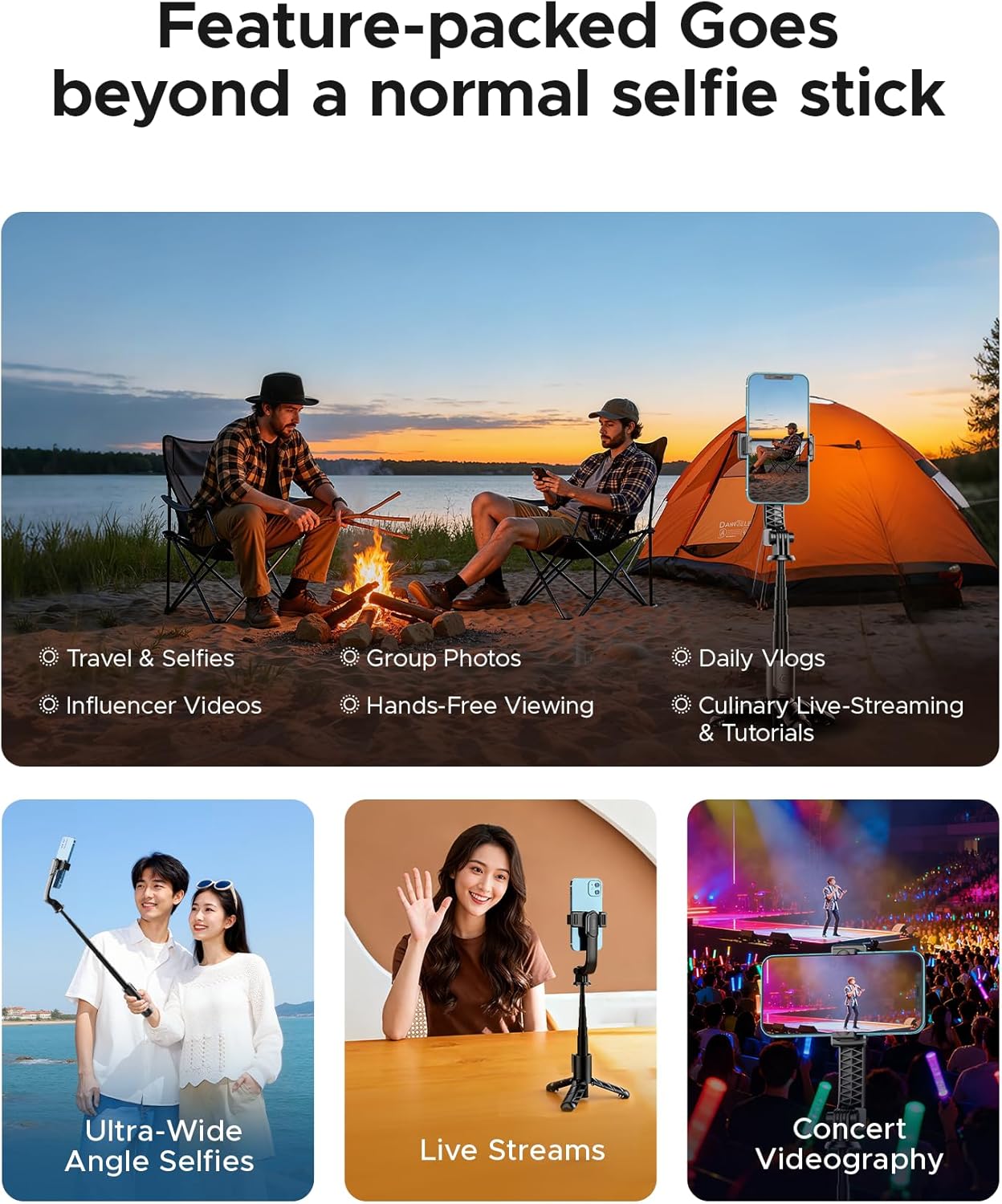
Gambar: Examples of the ORICO SPV67 in use for different activities such as travel, vlogging, and live streaming.
6. Pangropéa
- Bersihkeun alat ku kaen anu lemes sareng garing. Ulah make bahan kimia kasar atawa cleaners abrasive.
- Ulah ngalaan alat ka suhu ekstrim, sinar panonpoé langsung, atawa Uap.
- Ensure the telescoping pole is clean and free of debris to maintain smooth extension.
- When not in use, store the remote control in its slot to prevent loss.
7. Cara ngungkulan
- Kadali Jauh Henteu Nyapasangkeun:
- Ensure the remote control has power. The remote uses a 9V battery (included).
- Pastikeun Bluetooth diaktipkeun dina smartphone Anjeun.
- Try unpairing and re-pairing the remote control in your phone's Bluetooth settings.
- Ensure the remote is within the 30-foot (10-meter) operating range.
- Ketidakstabilan tripod:
- Pastikeun suku tripod diulur sapinuhna sareng dikonci kana posisina.
- Tempatkeun tripod dina permukaan anu datar sareng rata.
- For heavier phones or windy conditions, keep the telescoping pole at a shorter length for better stability.
- Phone Not Fitting in Clamp:
- Verify your phone's width is within the supported range of 2.56–3.46 inches.
- Remove any bulky phone cases that might prevent proper fitting.
8. Spésifikasi
| Fitur | Spésifikasi |
|---|---|
| Nomer modél | SPV67 |
| Bahan | Aluminium Alloy |
| Ukuran Dilipat | 6.1 inci (15.5 cm) |
| Jangkungna Minimum | 6.1 inci (15.5 cm) |
| Jangkungna maksimum | 26.38 inci (67 cm) |
| Item Beurat | 4.9 ons (139 gram) |
| Jumlah Bagian Leg | 3 |
| Telepon Clamp Lebar | 2.56 - 3.46 inci |
| Rentang Control Jauh | Nepi ka 30 suku (10 méter) |
| Batré Kadali Jauh | 1 x batré 9V (kaasup) |
| Alat nu cocog | Smartphones, Cameras (GoPro) |
9. Garansi jeung Rojongan
ORICO products are designed for reliability and performance. For warranty information or technical support, please refer to the official ORICO websitus atanapi ngahubungan distributor lokal Anjeun. Simpen resi pameseran anjeun salaku bukti pameseran pikeun klaim garansi.
Pikeun pitulung salajengna, mangga buka: ORICO Official Store on Amazon


