1. Bubuka
Thank you for choosing the Thomson Go Plus Pro 4K UHD Smart Display. This 27-inch intelligent touchscreen device combines innovative mobile design with high-performance technology, offering an exceptional experience for streaming, working, and video calls. This manual provides essential information for the safe and efficient use of your new smart display.
Key features include a responsive 4K UHD (3840 x 2160) touchscreen, Dolby Audio with an integrated subwoofer, Android operating system, Google Assistant voice control, Google Cast, Wi-Fi 6, Bluetooth 5.2, a 5MP camera, and a 9000 mAh battery for up to 4 hours of autonomy. Its adjustable stand with five wheels allows for effortless movement and 360-degree rotation.
2. Émbaran Kasalametan
Mangga baca sadaya pitunjuk kaamanan sateuacan nganggo alat ieu. Simpen manual ieu kanggo rujukan ka hareup.
- Sumber Daya: Paké ngan adaptor kakuatan disadiakeun. Pastikeun voltage cocog sarat dieusian dina alat.
- panempatan: Place the device on a stable, level surface. Avoid direct sunlight, heat sources, and areas with high humidity or dust.
- Ventilasi: Do not block ventilation openings. Ensure adequate airflow around the device to prevent overheating.
- Cai sareng Uap: Do not expose the device to rain, moisture, or liquids. Do not place objects filled with liquids, such as vases, on or near the device.
- beberesih: Pegatkeun sambungan listrik saméméh beberesih. Paké lawon lemes, garing. Entong nganggo pembersih cair atanapi aerosol.
- Batré: The device contains a Lithium-ion battery. Do not attempt to replace the battery yourself. Refer to qualified service personnel for battery replacement.
- Barudak: Jauhkeun alat sareng asesorisna tina jangkauan barudak.
- Palayanan: Entong nyobian ngalayanan alat nyalira. Rujuk sadayana ngalayanan ka tanaga jasa anu mumpuni.
3. Eusi Paket
Pastikeun yén sadaya item aya dina bungkusan:
- Thomson Go Plus Pro 4K UHD Smart Display
- Portable Stand with Wheels
- Kadali jauh
- Kabel Daya
- Manual pangguna (dokumén ieu)
4. Produk Langkungview
4.1 Komponén jeung Fitur
- 27-inch 4K UHD Touchscreen: High-resolution (3840 x 2160) display with touch functionality.
- Sistem Operasi Android: Access to Google Play Store, streaming apps, and personalized recommendations.
- Integrated Subwoofer & Dolby Audio: Rich, immersive sound experience (20W Basses + 20W Mediums).
- 5MP Built-in Camera: For video calls and conferences.
- Batré 9000 mAh: Provides up to 4 hours of wireless operation.
- Portable Stand with 5 Wheels: Allows for easy movement and 360-degree rotation.
- Asisten Google: Voice control for content search and device operation.
- Google Cast & Hotspot: Share content from your smartphone or tablet.
- Konektipitas: Wi-Fi 6 and Bluetooth 5.2 for fast and stable wireless connections.
- Panyimpenan & RAM: 64 GB internal storage and 8 GB RAM for smooth performance.
4.2 Tata perenah sareng palabuhan
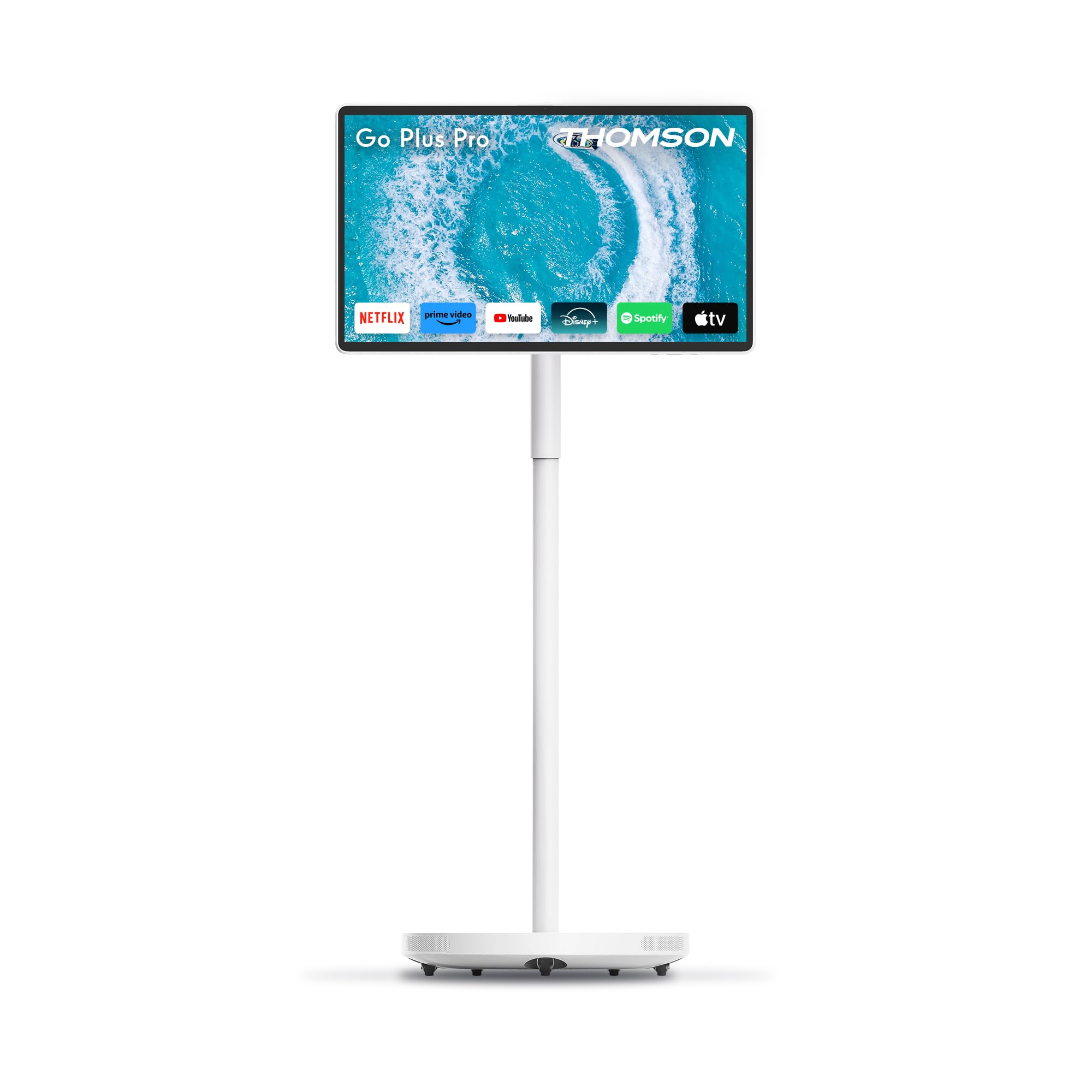
Gambar 4.2.1: Hareupeun view of the Thomson Go Plus Pro 4K UHD Smart Display.

Gambar 4.2.2: Tukangeun view némbongkeun port konektipitas.
The rear of the display features the following ports:
- 1x HDMI 2.0: Pikeun nyambungkeun sumber video éksternal.
- 1x USB 3.0: For connecting USB devices like external storage or peripherals.
- 1x Type-C: For additional connectivity options.
- DC IN: Input kakuatan pikeun adaptor kakuatan anu disayogikeun.

Figure 4.2.3: Base with five integrated wheels for mobility.

Figure 4.2.4: Built-in 5MP camera for video communication.
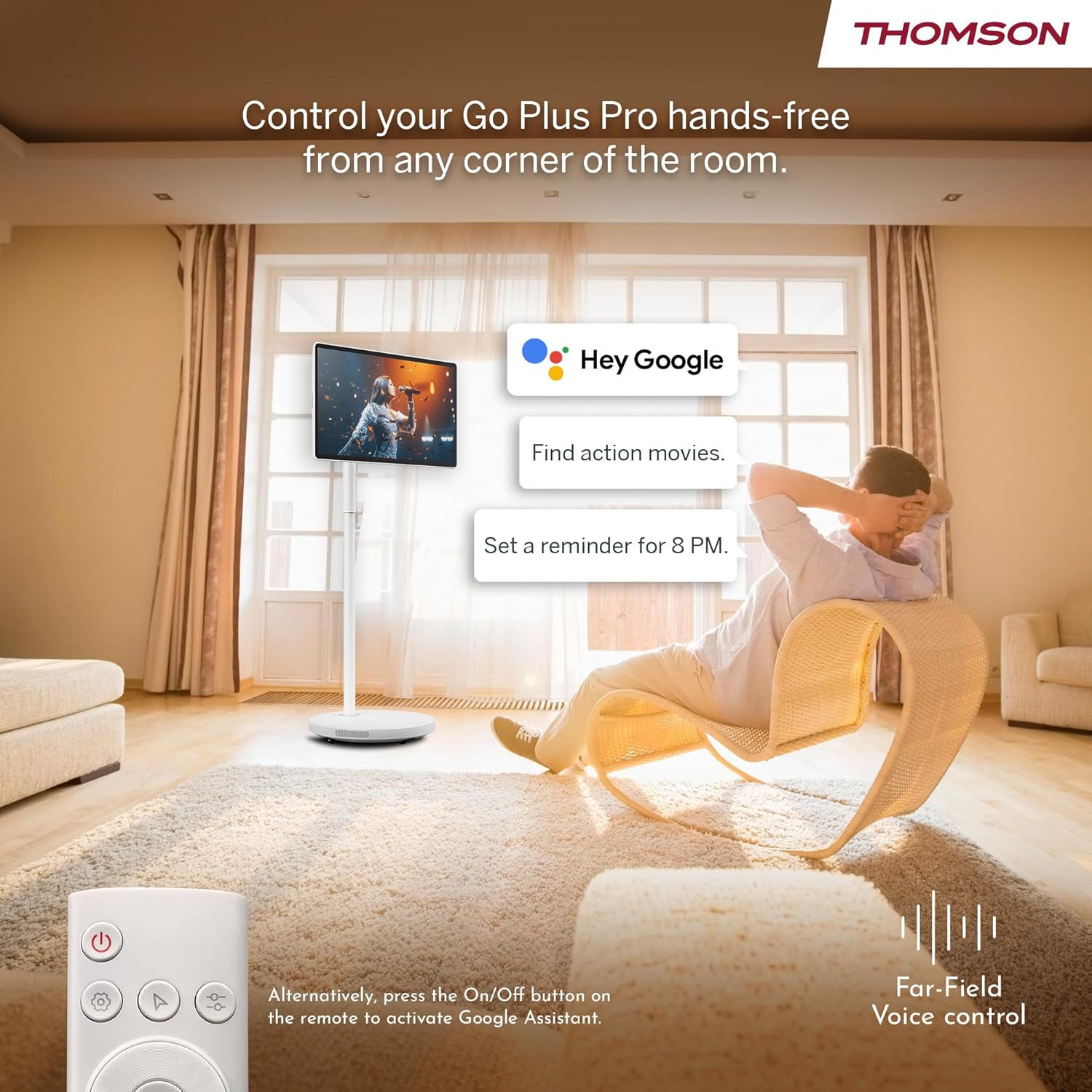
Figure 4.2.5: Location of the integrated subwoofer.
5. Setélan
5.1 Majelis
The Thomson Go Plus Pro comes with a pre-assembled stand. No complex assembly is required. Simply ensure the display is securely attached to the stand and the base is stable on a flat surface.
5.2 Sambungan Daya
- Connect the power cable to the DC IN port on the back of the display.
- Colokkeun tungtung kabel daya anu sanés ka stopkontak anu cocog.
5.3 Ngahurungkeun Mimiti sareng Setélan Android
- Press the Power button on the display or the remote control to turn on the device.
- Follow the on-screen instructions to complete the initial Android setup. This typically includes:
- Pilihan basa.
- Connecting to a Wi-Fi network (Wi-Fi 6 supported).
- Asup sareng akun Google anjeun.
- Narima sarat jeung katangtuan.
- Once setup is complete, you will be presented with the Android home screen.
6. Parentah Operasi
6.1 Daya Hurung/Pareuman
- Pikeun Ngahurungkeun: Press the Power button on the display or the remote control.
- Pikeun mareuman: Press and hold the Power button on the remote control, then select 'Power Off' from the on-screen menu. A short press will put the device into standby mode.
6.2 Operasi layar rampa
The 27-inch display is fully touch-enabled. Interact with the interface by tapping, swiping, and pinching as you would on a tablet or smartphone.

Figure 6.2.1: Touchscreen interaction.
6.3 Kontrol Sora (Asisten Google)
Your device integrates Google Assistant for hands-free control.
- Aktipkeun: Say "Hey Google" or "Ok Google" to activate the voice assistant. Alternatively, press the dedicated Google Assistant button on your remote control.
- Paréntah: Use voice commands to search for content, launch applications, control playback, set reminders, and more.

Figure 6.3.1: Hands-free voice control with Google Assistant.
6.4 Streaming and Applications
Access a wide range of entertainment through the Android operating system.
- Google Play Store: Download and install your favorite streaming services (Netflix, Prime Video, Disney+, YouTube, Spotify, etc.) and other applications.
- Napigasi: Use the touchscreen or remote control to navigate the Android interface and launch apps.

Figure 6.4.1: Android interface with popular streaming applications.
6.5 Casting and Hotspot
- Google Cast: Wirelessly cast content (photos, videos, music) from your compatible smartphone or tablet directly to the Go Plus Pro display.
- Hotspot: Utilize the device's hotspot functionality to share its internet connection with other devices.
6.6 Video Calls
The integrated 5MP camera allows for convenient video calls.
- Launch your preferred video calling application (e.g., Google Meet, Zoom) from the Google Play Store.
- Pastikeun anjeun gaduh sambungan internét anu stabil.
Figure 6.6.1: Using the built-in camera for video calls.
6.7 Screen Adjustment and Portability
The display offers flexibility in positioning and movement.
- Rotasi sareng Dengdekkeun: The screen can be rotated 360 degrees and tilted to achieve the optimal viewsudut ing.
- Mobilitas: The five integrated wheels on the base allow you to easily move the Go Plus Pro between rooms.

Figure 6.7.1: Screen rotation and tilt functionality.

Figure 6.7.2: Portability of the smart display.
6.8 Manajemén batré
The built-in 9000 mAh battery provides up to 4 hours of autonomy.
- Ngecas: Connect the power cable to charge the battery. The battery indicator on the screen will show the charging status.
- Kahirupan batré: Actual battery life may vary depending on usage, screen brightness, and connected devices.

Figure 6.8.1: Enjoying content with battery power.
6.9 Jauh Jauh
kadali jauh kaasup ngamungkinkeun pikeun operasi merenah ti kajauhan.
- Napigasi: Use the directional pad and selection buttons to navigate the interface.
- Asistén Sora: Press the dedicated button to activate Google Assistant.
- kakuatan: Hurungkeun atawa mareuman alat.

Figure 6.9.1: Convenient remote control storage.
7. Pangropéa
7.1 Ngabersihan Tampilan
- Sok cabut colokan alat sateuacan beberesih.
- Anggo lawon anu lemes sareng henteu buluan pikeun ngusap layar sareng permukaan luar sacara lembut.
- Pikeun tanda nekad, rada dampen the cloth with water or a screen-safe cleaning solution (do not spray directly onto the screen).
- Avoid using abrasive cleaners, solvents, or alcohol-based products.
7.2 Perawatan Batré
- Pikeun manjangkeun umur batre, ulah miceun batre pinuh.
- Simpen alat ieu di tempat anu tiis sareng garing upami henteu dianggo kanggo waktos anu lami.
8. Cara ngungkulan
If you encounter issues with your Thomson Go Plus Pro, refer to the following common solutions:
| Masalah | Mungkin Cukang lantaranana | Solusi |
|---|---|---|
| Alat teu hurung. | No power, low battery. | Ensure the power cable is securely connected and plugged into a working outlet. Charge the battery if operating wirelessly. |
| Teu aya sambungan Wi-Fi. | Router issue, incorrect password, out of range. | Check your Wi-Fi router. Re-enter the Wi-Fi password. Move the device closer to the router. |
| Kadali jauh teu jalan. | Low battery, obstruction, pairing issue. | Replace remote control batteries. Ensure no obstructions between remote and device. Re-pair the remote if necessary (refer to Android settings). |
| Kualitas gambarna goréng. | Low resolution content, network speed. | Ensure you are streaming 4K content. Check your internet connection speed. Some apps may only support FHD quality. |
| Taya sora. | Volume too low, muted, external audio device connected. | Increase volume. Check if muted. Disconnect any external Bluetooth audio devices if sound is desired from the internal speakers. |
Lamun masalah persists, mangga ngahubungan rojongan customer.
9. Spésifikasi
The following table details the technical specifications of the Thomson Go Plus Pro 4K UHD Smart Display:
| Fitur | Spésifikasi |
|---|---|
| merek | Thomson |
| Nomer modél | 27UE7M45 |
| Ukuran layar | 27 Inci (69 cm) |
| Téknologi tampilan | LED |
| Resolusi | 4K UHD (3840 x 2160p) |
| Refresh Laju | 120 Hz |
| Sistem operasi | Android |
| Konektipitas | Bluetooth 5.2, Wi-Fi 6, USB, HDMI |
| Palabuhan | 1x HDMI 2.0, 1x USB 3.0, 1x Type-C, DC IN |
| Fitur husus | Browser, Disney+, Netflix, Prime Video, Google Assistant, Google Cast, Hotspot, Built-in Camera, Built-in Subwoofer |
| Kaméra | 5MP |
| Jenis Batré | Litium-ion (9000 mAh) |
| Kahirupan batré | Nepi ka 4 jam |
| Panyimpenan internal | 64 GB |
| Ram | 8 GB |
| Prosesor | Quad-Core |
| Rasio Aspék | 16:9 |
| Ukuran produk (DxWxH) | 5.8 x 62.8 x 37.6 cm (Display only) |
| Warna | Bodas |
| Produsén | ALIRANVIEW GMBH |
| Negara asal | Cina |

Figure 9.1: 4K UHD Resolution Detail.

Figure 9.2: Energy Label for Model 27UE7M45. For more details, visit Pangkalan data EPREL.
10. Garansi jeung Rojongan
Your Thomson Go Plus Pro 4K UHD Smart Display comes with a manufacturer's warranty.
- Garansi Pabrikan: 3 taun.
- Pabrikan: ALIRANVIEW GMBH
- Websitus: www.streamview.com
- Alamat email: kontak@streamview.com
- Telepon: +4318900066
For detailed warranty terms and conditions, please refer to the documentation provided with your purchase or contact the manufacturer directly.


