
1. Bubuka
Thank you for choosing the Cooler Master ELITE Gold 1000W Power Supply Unit. This manual provides essential information for the safe and efficient installation, operation, and maintenance of your new power supply. The ELITE Gold 1000W is designed for daily gaming and PC building enthusiasts, fully supporting the latest ATX 3.1 standard and offering flexible compatibility with RTX 50 series GPUs and future upgrades.
2. Émbaran Kasalametan
Please read and understand all safety instructions before installing or operating this product. Failure to do so may result in personal injury or damage to the product or connected devices.
- Bahaya Setrum Listrik: Ulah muka unit catu daya casing. Tinggi voltages are present inside, even when the unit is turned off. There are no user-serviceable parts inside.
- Grounding anu leres: Ensure the power supply is properly grounded using the provided power cord.
- Ventilasi: Do not block any ventilation openings of the power supply. Ensure adequate airflow around the unit to prevent overheating.
- Uap: Ulah nepi ka catu daya kakeunaan cai atawa kalembaban anu kaleuleuwihi.
- Sumber Daya: Connect the power supply only to a power source with the correct voltage and frequency as indicated on the unit's label.
- Manajemén Kabel: Route cables carefully to avoid pinching or damage.
- Suhu: Operate the power supply within the specified temperature range (up to 40°C high-load environments).
3. Eusi Paket
Pastikeun yén sadaya item aya dina pakét anjeun:
- Cooler Master ELITE Gold 1000W Power Supply Unit
- Modular Cable Set (including 12+4 Pin, ATX24 Pin, EPS 4+4 Pin, EPS 8 Pin, SATA + Peripheral 4 Pin connectors)
- AC Power Cord (A/JP cord)
- Pamasangan screws
- Manual pamaké
4. Setup jeung Instalasi
Follow these steps to install your Cooler Master ELITE Gold 1000W Power Supply Unit:
- Nyiapkeun Sistim anjeun:
Before installation, ensure your computer is completely powered off and unplugged from the wall outlet. Discharge any residual power by pressing the power button a few times.
- Install the PSU into the PC Case:
Position the ELITE Gold 1000W PSU into the designated power supply bay in your PC case. The compact design (under 150mm) facilitates easy installation in various PC cases. Secure the PSU with the provided mounting screws.

Image: The Cooler Master ELITE Gold 1000W Power Supply Unit installed within a computer chassis, viewed from above, highlighting its compact form factor and top-mounted fan grill.
- Sambungkeun kabel modular:
The ELITE Gold 1000W features a full modular design. Connect only the necessary cables to the power supply unit first. Refer to the labels on the PSU for correct connector types (e.g., 10P MB, 18P MB, 8P PCI-E/CPU, 12V-2x6, 6P SATA/HDD).

Gambar: A lengkep view of the Cooler Master ELITE Gold 1000W Power Supply Unit's modular cable interface, clearly showing labeled ports for various component connections such as motherboard, CPU, PCIe, and SATA/HDD.

Image: The Cooler Master ELITE Gold 1000W Power Supply Unit with its full suite of modular cables securely connected and neatly routed, demonstrating the full modular design.
- Sambungkeun ka komponén:
- motherboard: Connect the 24-pin ATX cable to your motherboard.
- CPU: Connect the 4+4 pin or 8-pin EPS cable(s) to your motherboard's CPU power connector(s).
- Kartu Grafis (GPU): Connect the appropriate PCIe power cables (e.g., 8-pin, 12+4 pin for ATX 3.1/PCIe Gen 5.1) to your graphics card(s). This unit is optimized for RTX 50 series GPUs.
- Alat Panyimpen: Sambungkeun kabel daya SATA ka SSD, HDD, sareng drive optik anjeun.
- périferal: Connect peripheral 4-pin cables to any other devices requiring power.
- Nyambungkeun Daya AC:
Connect the provided AC power cord to the power supply unit and then to a grounded wall outlet. Ensure the power switch on the PSU is in the OFF position before connecting to the wall outlet.
5. Parentah Operasi
After successful installation, follow these steps to operate your system:
- Daya Hurung:
Flip the power switch on the back of the power supply unit to the ON (I) position.
- Sistem ngamimitian:
Press the power button on your computer case to start your system. The ELITE Gold 1000W will provide stable and efficient power, thanks to its 80 Plus Gold certification and quiet, long-life rifle bearing fan.
- Pareum listrik:
To power off your system, shut down your operating system normally. For complete power disconnection, flip the power switch on the back of the power supply unit to the OFF (O) position and unplug the AC power cord.
6. Pangropéa
Proper maintenance ensures the longevity and optimal performance of your power supply unit.
- beberesih lebu: Périodik ngabersihan lebu tina kipas catu daya sareng kisi-kisi ventilasi nganggo hawa anu dikomprés. Pastikeun sistem dipareuman sareng dicabut colokan sateuacan beberesih.
- Ventilasi: Ensure that the PC case has adequate airflow and that the power supply's fan intake and exhaust are not obstructed.
- Pamariksaan kabel: Regularly check all modular cables for any signs of wear, fraying, or damage. Replace damaged cables immediately.
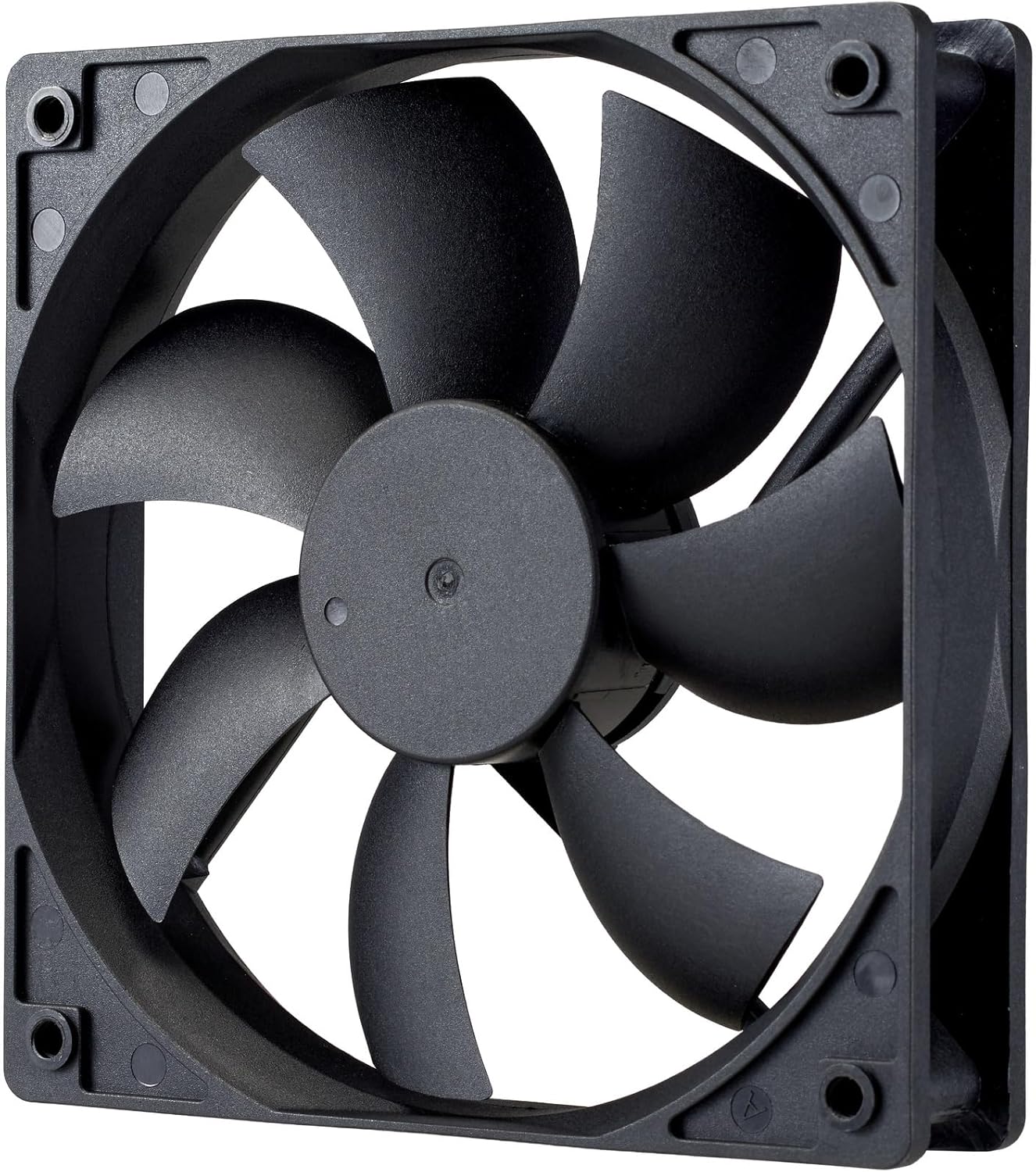
Gambar: A close-up view of the power supply's cooling fan, featuring five blades designed for efficient airflow and quiet operation.
7. Cara ngungkulan
If you encounter issues with your power supply, refer to the following troubleshooting steps:
- Henteu aya kakuatan:
- Pastikeun kabel daya AC disambungkeun pageuh kana catu daya sareng stop kontak témbok.
- Verify that the power switch on the back of the PSU is in the ON (I) position.
- Check all modular cables (24-pin ATX, EPS, PCIe) are firmly seated in both the PSU and the respective components.
- Uji stop kontak témbok nganggo alat anu sanés pikeun mastikeun éta tiasa dianggo.
- Instabilitas Sistem/Pareuman Acak:
- Pastikeun ventilasi anu cekap dina jero casing PC anjeun pikeun nyegah panas teuing.
- Pariksa yén kabutuhan daya sistem anjeun henteu ngaleuwihan kapasitas 1000W PSU.
- Pariksa heula bisi aya sambungan kabel anu kendor.
- Sora anu teu biasa:
- A quiet rifle bearing fan is designed for minimal noise. If you hear unusual grinding or rattling, ensure no cables are obstructing the fan.
- If the noise persists, contact Cooler Master support.
Upami léngkah-léngkah ieu henteu ngabéréskeun masalah, mangga ngahubungi dukungan palanggan Cooler Master pikeun bantosan salajengna.
8. Spésifikasi
Detailed technical specifications for the Cooler Master ELITE Gold 1000W Power Supply Unit:
| Ngaran modél | ELITE Gold |
| Produsén Jumlah Modél | MPX-A005-AFAG-BJP |
| merek | Master cooler |
| Kaluaran Wattage | 1000 Watt |
| 80 PLUS sertifikasi | emas |
| Vérsi ATX | ATX 3.1 |
| Vérsi PCIe | PCIe Gen 5.1 |
| Faktor Bentuk | ATX |
| Desain kakuatan | Modular pinuh |
| Jenis Panyambung | 12+4 Pin, ATX24 Pin, EPS 4+4 Pin, EPS 8 Pin, SATA + Peripheral 4 Pin |
| Jumlah Fans | 1 (Rifle Bearing Fan) |
| Masukan Maksimum Voltage | 240 Volt (AC) |
| Input Minimum Voltage | 100 Volt (AC) |
| Ukuran produk (L x W x H) | 14 x 15 x 8.6 cm |
| Beurat produk | 2230 gram |
| Suhu Operasi | Nepi ka 40 ° C |

Gambar: Top view of the Cooler Master ELITE Gold 1000W Power Supply Unit, showcasing its branding and honeycomb-patterned ventilation.

Image: The official 80 PLUS GOLD certification logo, indicating high power efficiency.
9. Garansi jeung Rojongan
The Cooler Master ELITE Gold 1000W Power Supply Unit comes with a garansi 5 taun ti tanggal beuli. Garansi ieu nyertakeun cacad dina bahan sareng pagawean dina panggunaan normal.
Kanggo dukungan téknis, klaim garansi, atanapi bantosan salajengna, mangga buka Cooler Master resmi website or contact your local Cooler Master distributor. Please have your product model number (MPX-A005-AFAG-BJP) and proof of purchase ready when contacting support.