Bubuka
This manual provides detailed instructions for the AGPTEK A55PL USB C MP3 Player. It covers setup, operation, maintenance, and troubleshooting to ensure optimal use of your device. The A55PL is a versatile music player featuring USB-C connectivity, 64GB storage, FM radio, and voice recording capabilities, powered by a replaceable AAA battery.
Eusi pakét
Pastikeun yén sadaya item anu didaptarkeun di handap kalebet kana pakét anjeun:
- AGPTEK A55PL MP3 Player
- 64GB TF Card (pre-installed)
- Tipe-C ka Kabel Ngecas USB
- Manual pamaké

Image: Contents of the AGPTEK A55PL MP3 Player package, showing the player, USB-C cable, 64GB TF card, and user manual.
Produk Leuwihview jeung Fitur
The AGPTEK A55PL MP3 Player is designed for portability and ease of use, offering multiple functionalities in a compact form factor.
Fitur konci:
- Direct Type-C & Universal USB Connectivity: Connects directly to Type-C phones for file transfer or to laptops/PCs using the included adapter/cable.
- Swappable AAA Batteries: Operates on a single AAA battery (not included), allowing for instant power replacement without needing charging outlets.
- Massive 64GB Storage: Comes with a pre-loaded 64GB TF card, supporting over 13,000 songs and high-fidelity formats like FLAC, APE, and WAV. Functions as a U disk for data transfer.
- Crisp LED Display: Features an energy-efficient LED screen for clear navigation and song title display.
- Voice Recorder & FM Radio: Built-in voice recorder for capturing audio and an FM radio (requires wired headset as antenna) for broadcasts.

Gambar: Hiji leuwihview of the AGPTEK A55PL MP3 Player's capabilities, including its Type-C port, music playback, recording, FM radio, and 64GB TF card storage.
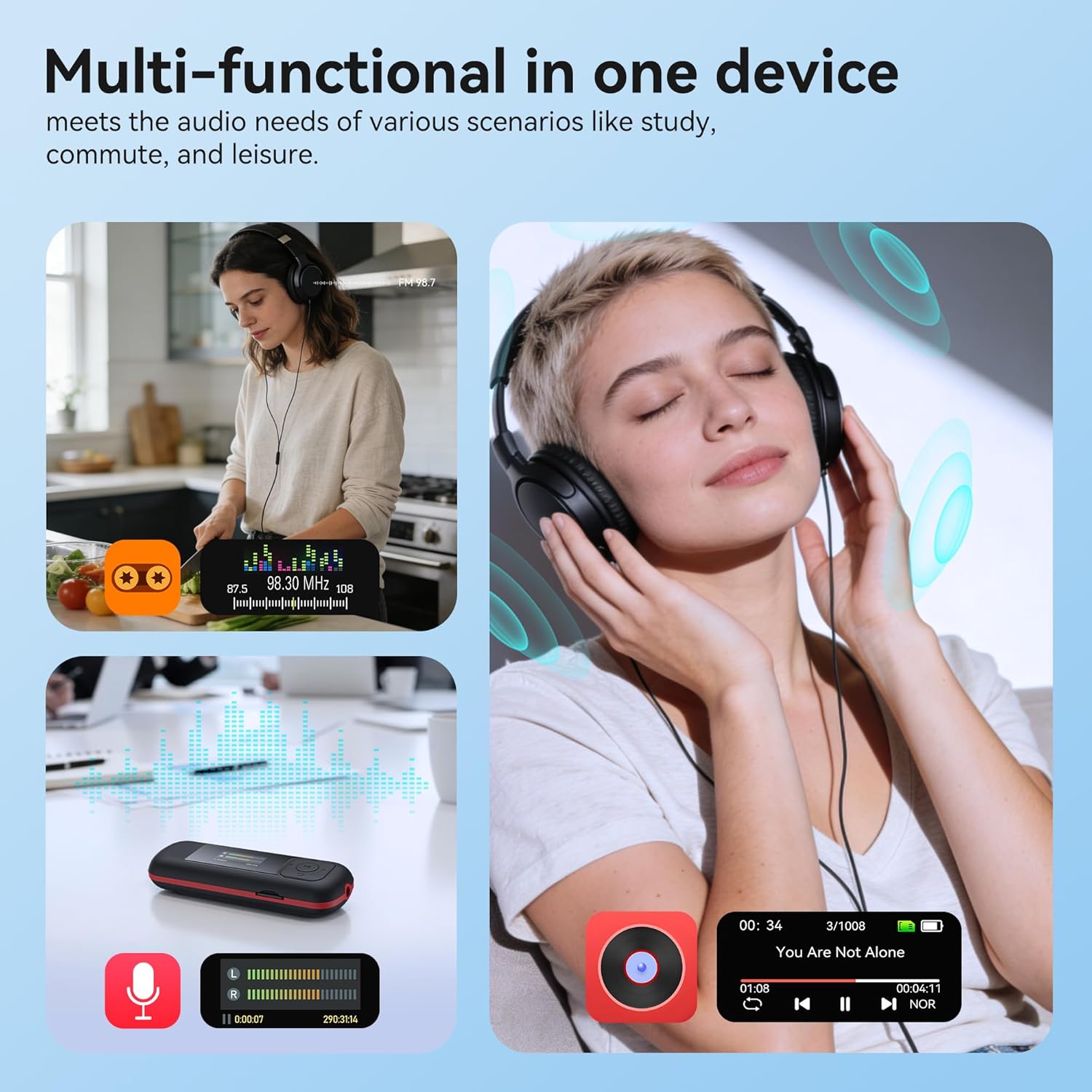
Image: The AGPTEK A55PL MP3 Player showcasing its multi-functional capabilities, including FM radio, voice recording, and music playback, suitable for various scenarios.
Disetél
1. Pamasangan batré
The AGPTEK A55PL uses one AAA battery (not included). Ensure correct polarity when inserting the battery.
- Teang tempat panutup kompartemen batre dina tonggong alat.
- Press the center of the cover and slide it forward to unlock and remove.
- Insert one AAA battery, matching the positive (+) and negative (-) terminals with the indicators inside the compartment.
- Geser panutup deui kana tempatna dugi ka klik aman.

Image: Step-by-step guide for removing the USB cap and installing the AAA battery into the AGPTEK A55PL MP3 Player.
Catetan: USB charging is not supported. The device relies solely on AAA battery power. The battery display on the screen is based on voltage changes at the battery terminal.
2. Initial Connection and File Mindahkeun
You can transfer music and other files to your MP3 player from a computer or a Type-C smartphone.
- Pikeun Komputer: Use the included Type-C to USB cable. Connect the Type-C end to the player and the USB-A end to your computer's USB port. The player will appear as a removable disk.
- For Type-C Phones: Plug the player's Type-C connector directly into your phone's Type-C port. The player will be recognized as external storage. (For iPhones, a Lightning-to-Type-C OTG adapter is needed, not included).

Image: Demonstrates connecting the AGPTEK A55PL MP3 Player to a computer via USB cable and directly to a Type-C smartphone for file mindahkeun.
Parentah Operasi
Kadali dasar
The player features a simple interface with dedicated buttons for easy navigation.
- Tombol Daya: Pencét jeung tahan pikeun ngahurungkeun/pareum.
- Tombol Puter/Reureuh: Pencét pikeun muterkeun atawa ngareureuhkeun musik.
- Tombol Navigasi (Kaluhur/Turun/Kénca/Katuhu): Dipaké pikeun nganapigasi ménu jeung nyaluyukeun setelan.
- Tombol Volume (+/-): Dedicated buttons on the side to adjust playback volume.
- Tombol Menu (M): Ngaksés menu anu sénsitip kana kontéks.
- Tombol Balik / Balik: Mulih ka layar atawa ménu saméméhna.
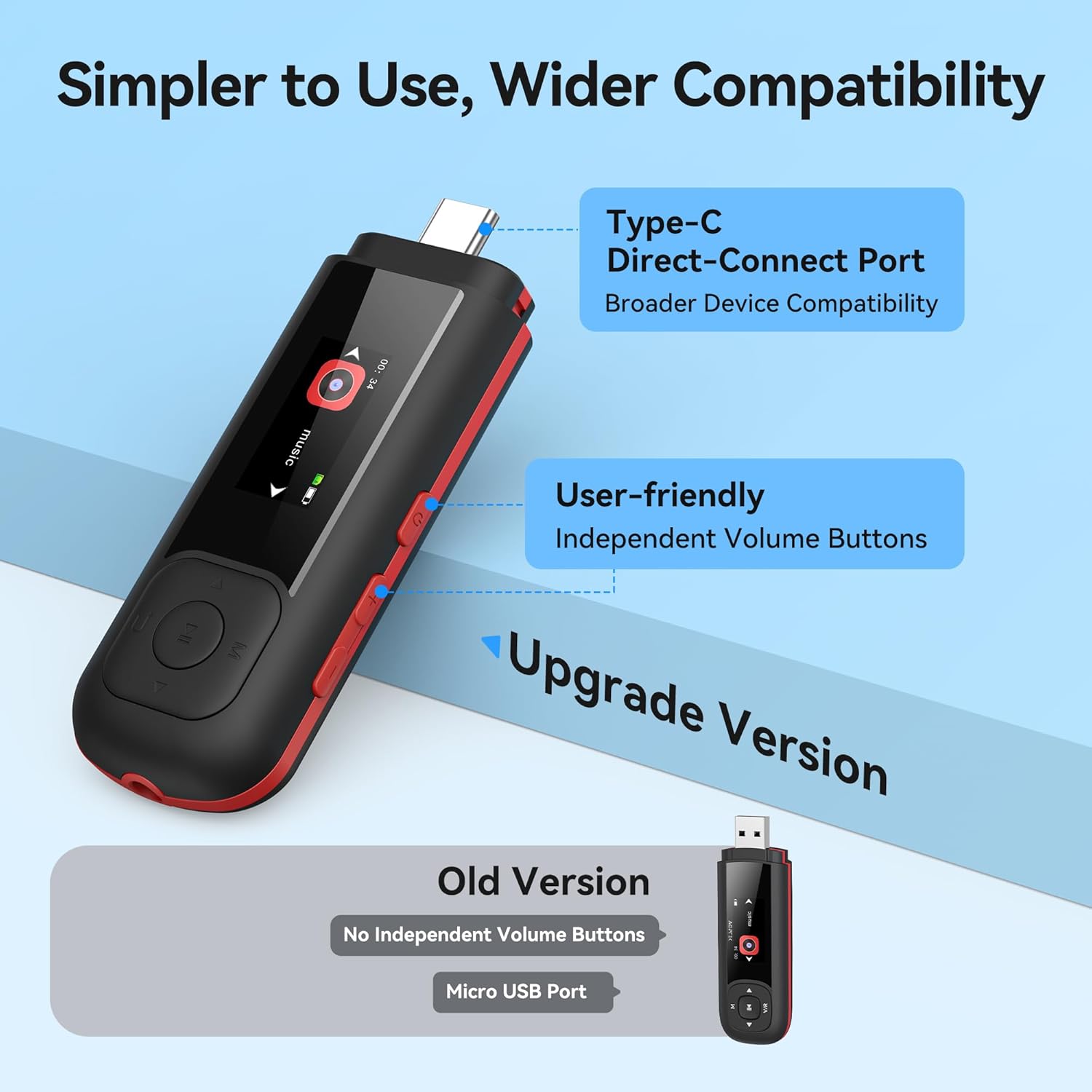
Image: Close-up of the AGPTEK A55PL MP3 Player, showing the Type-C direct-connect port and the independent volume buttons for user-friendly operation.
Puterkeun Musik
The player supports various audio formats including MP3, WMA, APE, FLAC, and WAV.
- Connect wired headphones to the 3.5mm audio jack.
- Navigate to the "Music" option on the main menu.
- Telusuri perpustakaan musik anjeun dumasar artis, album, atanapi polder.
- Pilih lagu pikeun ngamimitian muterkeun.
- Use the Play/Pause button to control playback and the volume buttons to adjust sound levels.

Image: A person enjoying music through headphones, highlighting the AGPTEK A55PL MP3 Player's support for multi-format lossless audio quality.

Image: Illustrates the different playback modes available on the AGPTEK A55PL MP3 Player, including Folder Mode and Music Mode with options like repeat, shuffle, and play in order.
Radio FM
Pikeun ngagunakeun fungsi radio FM, headset kabel kedah disambungkeun sabab fungsina salaku anteneu.
- Sambungkeun headphone kabel anjeun.
- Navigate to the "FM Radio" option from the main menu.
- Anggo tombol navigasi pikeun nyeken stasiun atanapi nyetel frékuénsi sacara manual.

Image: A user enjoying FM radio on the AGPTEK A55PL MP3 Player, emphasizing that wired headphones are required to function as an antenna.
Rékam sora
The built-in voice recorder allows you to capture audio on the go.
- Navigate to the "Recorder" option from the main menu.
- Select "Start Recording" to begin.
- Press the Play/Pause button to stop and save the recording.
- Recordings can be accessed and played back from the "Recordings" list.

Image: The AGPTEK A55PL MP3 Player showing its portable recorder function, ready for effortless on-the-go audio capture.
Custom Playlists
You can create and manage custom playlists by connecting the player to a computer.
- Connect the MP3 player to your computer using the Type-C to USB cable.
- Access the player's storage as a removable disk.
- Atur musik Anjeun files into folders or create M3U playlist files langsung dina alat.
- The player supports up to 3 built-in customizable playlists.

Image: Demonstrates how to create and edit custom playlists by connecting the AGPTEK A55PL MP3 Player to a computer via USB.
Pangropéa
- beberesih: Use a soft, dry cloth to clean the device. Avoid liquid cleaners or solvents.
- Panyimpenan: Nyimpen pamuter dina tiis, tempat garing jauh ti sinar panonpoé langsung jeung hawa ekstrim.
- Perawatan batré: Remove the AAA battery if the device will not be used for an extended period to prevent leakage.
- Cadangan Data: Rutin nyadangkeun penting files from the player to a computer to prevent data loss.
Pamérésan masalah
Alat Teu Hurungkeun
- Ensure the AAA battery is inserted correctly with the correct polarity.
- Ganti batré AAA ku nu anyar.
- Pencét jeung tahan tombol daya pikeun sababaraha detik.
Teu Bisa Mindahkeun Files
- Verify the Type-C to USB cable is securely connected to both the player and the computer/phone.
- Coba port USB anu béda dina komputer anjeun.
- Ensure your computer's operating system recognizes external storage devices.
- For phones, ensure the phone supports OTG (On-The-Go) functionality for external storage.
Taya Sora Salila Playback
- Check if wired headphones are properly plugged into the 3.5mm audio jack.
- Pastikeun polumeu teu disetel ka minimum atawa diredam.
- Tés nganggo headphone anu béda pikeun nyingkahan masalah dina headphone.
- Verify the audio files are not corrupted and are in a supported format (MP3, WMA, APE, FLAC, WAV).
Radio FM Teu Gawé
- Confirm that wired headphones are connected, as they serve as the antenna.
- Try scanning for stations again in an open area.
spésifikasi
| Fitur | Rincian |
|---|---|
| Ngaran modél | A55PL |
| merek | AGPTEK |
| Kapasitas Panyimpenan Mémori | 64 GB (via TF Card) |
| Téhnologi konektipitas | USB Type-C, Aux (3.5mm) |
| Fitur husus | FM Radio, Voice Recorder, Replaceable AAA Battery |
| Warna | Hideung |
| Ukuran layar | 0.96 Inches (LED) |
| Alat nu cocog | Headphones, Computers, Type-C Smartphones |
| Jenis Média | Micro SD |
| Item Beurat | 3.87 ons |
| Ukuran Paket | 6.57 x 5.12 x 0.94 inci |
Garansi sareng Rojongan
Kanggo inpormasi garansi sareng dukungan téknis, mangga tingal AGPTEK resmi websitus atanapi ngahubungan layanan palanggan maranéhna. Simpen resi pameseran anjeun salaku bukti pameseran pikeun klaim garansi.
Dukungan Online: Nganjang ka Toko AGPTEK di Amazon pikeun inpormasi produk sareng sumber dukungan.


